
Apple’s Numbers for Mac is a spreadsheet application designed for ease of use and visual appeal. While it may not match the raw power of Microsoft Excel, its intuitive interface and seamless integration within the Apple ecosystem make it a compelling alternative for many users. This review delves into the strengths and weaknesses of Numbers, exploring its features, usability, and suitability for various applications.
Apps: Numbers’ Strengths and Weaknesses
Numbers shines in its user-friendly design. The interface is clean and uncluttered, a stark contrast to the sometimes overwhelming complexity of Excel. The ribbon interface, familiar to Microsoft Office users, is presented with a fresh, modern aesthetic. While customization options are limited compared to Excel, the simplified toolbar provides quick access to essential tools like shapes, media, tables, charts, and sharing options. This streamlined approach prioritizes efficiency and ease of use, making it ideal for those new to spreadsheets or those who prefer a less cluttered workspace.
Formula suggestions appear as you type, significantly accelerating the process of creating complex calculations. The ability to add frequently used functions to Quick Calculations further enhances workflow. Managing multiple spreadsheets is simplified with a tabbed layout, allowing for easy navigation between different projects. A wide array of pre-designed templates caters to diverse needs, from home budgeting and mortgage calculations to checklists and more, eliminating the need to build spreadsheets from scratch.
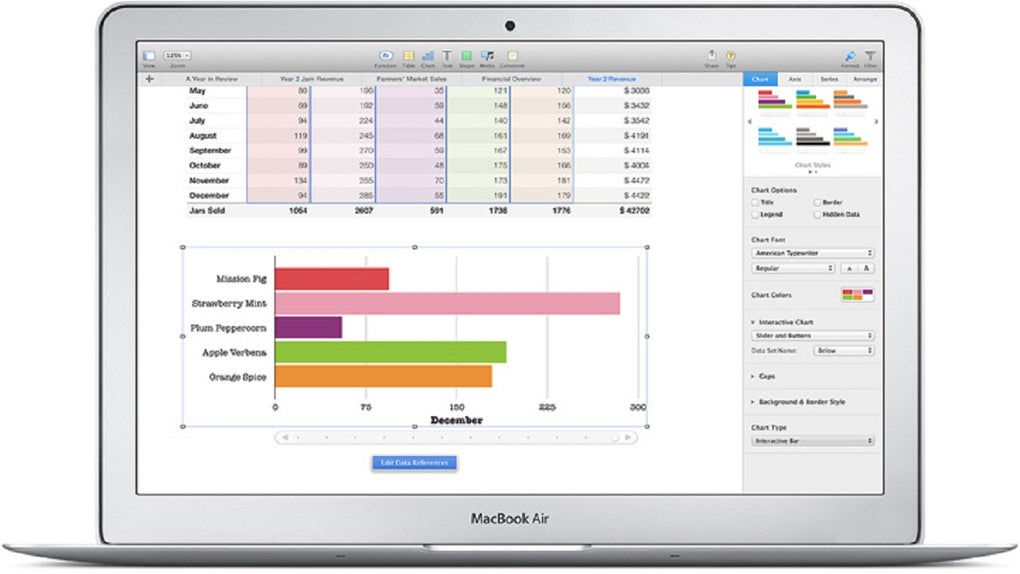
Apple has placed a strong emphasis on collaborative features. Sharing documents is effortless via Mail, Messages, Twitter, and Facebook. Anyone with a link to a spreadsheet can access and edit it in real-time via iCloud, fostering seamless teamwork. The unified file format ensures effortless compatibility between macOS and iOS devices, promoting a consistent workflow across different Apple platforms.
Data visualization is enhanced with interactive column, bar, scatter, and bubble charts. These tools offer the ability to present data in an engaging and easily understandable manner. The addition of these charts, alongside improvements to the overall interface, helps to make data analysis and presentation more accessible for even novice users.
Games: Beyond Spreadsheets – Creative Applications
While not explicitly a “game,” the ease of use and visual appeal of Numbers lend themselves to creative applications beyond typical spreadsheet tasks. The ability to easily integrate images and the flexibility of chart designs allow users to create visually engaging presentations or reports. The simple drag-and-drop functionality for charts and tables makes the process of creating dynamic and impactful presentations straightforward. This feature simplifies the process of creating visually appealing reports or educational materials.
Furthermore, the availability of numerous templates provides a starting point for diverse projects, from creating interactive storyboards to developing visually engaging educational resources. Numbers’ intuitive interface lowers the barrier to entry for those seeking to integrate visual elements into their work without requiring extensive design expertise. The user-friendliness makes the creative process less daunting, enabling users to focus on their ideas rather than wrestling with complicated software.
News: Staying Current with Numbers Updates
Keeping abreast of the latest updates for Numbers is crucial for leveraging its full potential. Regular updates often introduce new features, performance enhancements, and bug fixes. These updates can substantially improve user experience, workflow efficiency, and the overall capabilities of the application. Accessing the latest release notes and following Apple’s announcements ensures users remain informed about new capabilities and improvements.
Staying up-to-date allows users to benefit from enhanced compatibility with other Apple applications and services. Integration with iCloud, for example, is continuously improved, providing a more seamless and reliable experience for cloud-based collaboration and data management. New features often align with trends in data visualization and analysis, ensuring Numbers remains a competitive and relevant spreadsheet solution.
For Business: Numbers in a Professional Context
While Numbers lacks the advanced features of Excel, specifically concerning macro processing and extensive customization, it still offers several advantages for business applications. Its ease of use and strong collaborative features make it suitable for various tasks, including simple budgeting, sales tracking, and basic financial analysis.
The integrated iCloud functionality enables seamless teamwork, allowing colleagues to collaborate on projects in real-time. The streamlined interface and readily available templates help to quickly generate reports and presentations, thereby saving time and improving efficiency. The ability to import and export Excel files ensures compatibility with other businesses that rely on Microsoft’s spreadsheet software.
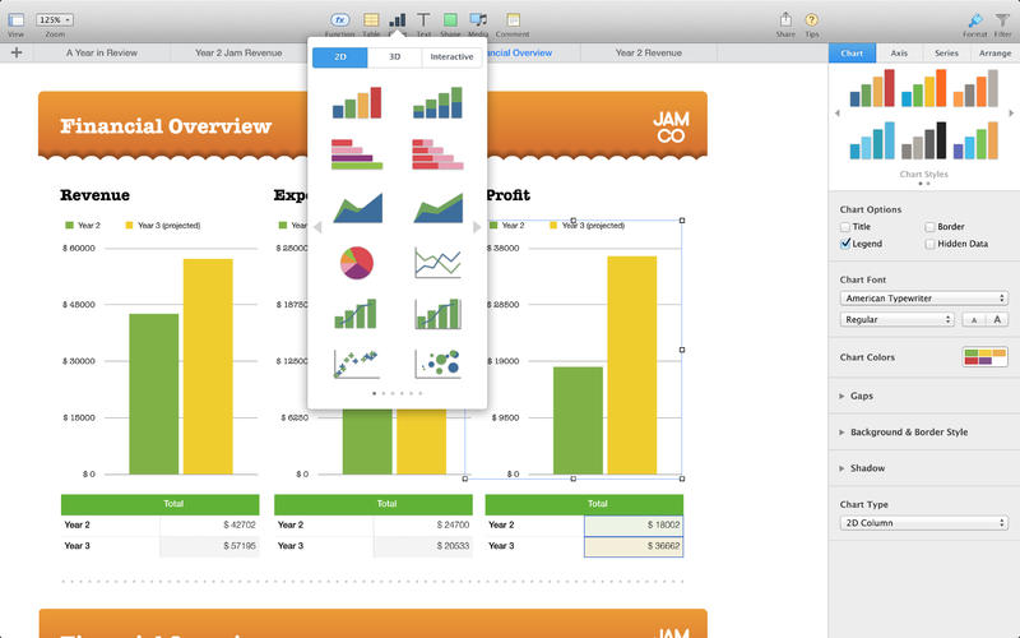
However, it’s crucial to acknowledge Numbers’ limitations. For businesses requiring sophisticated data analysis, complex modeling, or extensive automation through macros, Excel remains the superior choice. Numbers is best suited for businesses with less demanding spreadsheet requirements or those prioritizing ease of use and seamless integration within the Apple ecosystem. Its value lies in its simplicity and ease of collaboration, making it a strong contender for smaller businesses or teams with simpler spreadsheet needs.
Mac: Seamless Integration with the Apple Ecosystem
Numbers is deeply integrated with the macOS operating system and other Apple applications. This integration provides a seamless and efficient workflow for Mac users. File sharing between Numbers and other Apple applications like Pages and Keynote is frictionless, promoting efficient document creation and management.
iCloud integration allows for effortless synchronization across multiple Apple devices, ensuring data is always up-to-date regardless of the device being used. The ability to access and edit spreadsheets on iPhones, iPads, and Macs using the same unified file format streamlines collaboration and eliminates the hassle of managing different file versions across different platforms. This integration is a key differentiator for Numbers, providing a cohesive user experience within the Apple environment.
Productivity: Boosting Efficiency with Numbers
Numbers enhances productivity in several ways. The intuitive interface reduces the learning curve, enabling users to quickly become proficient with the software. This translates into less time spent learning the application and more time focusing on the tasks at hand. The ready-made templates eliminate the need to create spreadsheets from scratch, significantly saving time on repetitive tasks.
The formula suggestions feature accelerates the creation of complex calculations, reducing the potential for errors and saving time on data entry and analysis. The strong collaborative features enable efficient teamwork, facilitating the swift completion of projects. The seamless integration with iCloud allows for efficient management of data across multiple devices, maintaining a consistent and streamlined workflow.
Finance: Personal and Small Business Financial Management
Numbers can be effectively used for personal and small business financial management. Its ease of use makes it accessible to individuals with limited spreadsheet experience. The pre-designed templates cater to common financial tasks like budgeting, tracking expenses, and calculating loan payments.
For small businesses, Numbers can facilitate simple accounting tasks, sales tracking, and basic financial analysis. The collaborative features allow multiple users to access and update financial data, promoting efficient team management. The ability to generate reports directly from the spreadsheet streamlines the process of presenting financial information.
However, for complex financial modeling or sophisticated accounting tasks, dedicated financial software or Excel remains a more powerful choice. Numbers is best suited for simpler financial management needs where ease of use and intuitive design are prioritized over extensive analytical capabilities.
Numbers for Mac: Free and Powerful
Numbers for Mac is available as a free download, making it an accessible option for users seeking a user-friendly spreadsheet application. This accessibility removes a significant barrier to entry for individuals and small businesses. Despite being free, Numbers offers a robust set of features, including a powerful formula engine, a wide range of chart types, and seamless iCloud integration. Its value proposition is clear: a powerful, easy-to-use spreadsheet application without the price tag of commercial software. This makes it a very attractive option for users of all levels of expertise, particularly those already within the Apple ecosystem. The free accessibility also promotes broader adoption and makes spreadsheet usage more democratic, expanding the possibilities for individuals to manage their data effectively.
File Information
- License: “Free”
- Version: “14.4”
- Latest update: “May 15, 2025”
- Platform: “Mac”
- OS: “macOS 10.15”
- Language: “English”
- Downloads: “110.5K”


