
NZXT CAM is a free utility software developed by NZXT, a prominent name in the gaming PC hardware industry. Designed primarily for Windows, it provides a user-friendly interface for monitoring and controlling various aspects of your computer’s hardware. While not as feature-rich as some dedicated hardware monitoring tools in specific areas, NZXT CAM stands out with its intuitive design, comprehensive data logging capabilities, and integration with NZXT’s ecosystem of RGB lighting and cooling products. This review will delve into the software’s features, performance, and overall usability.
Core Functionality: Monitoring Your PC’s Health and Performance
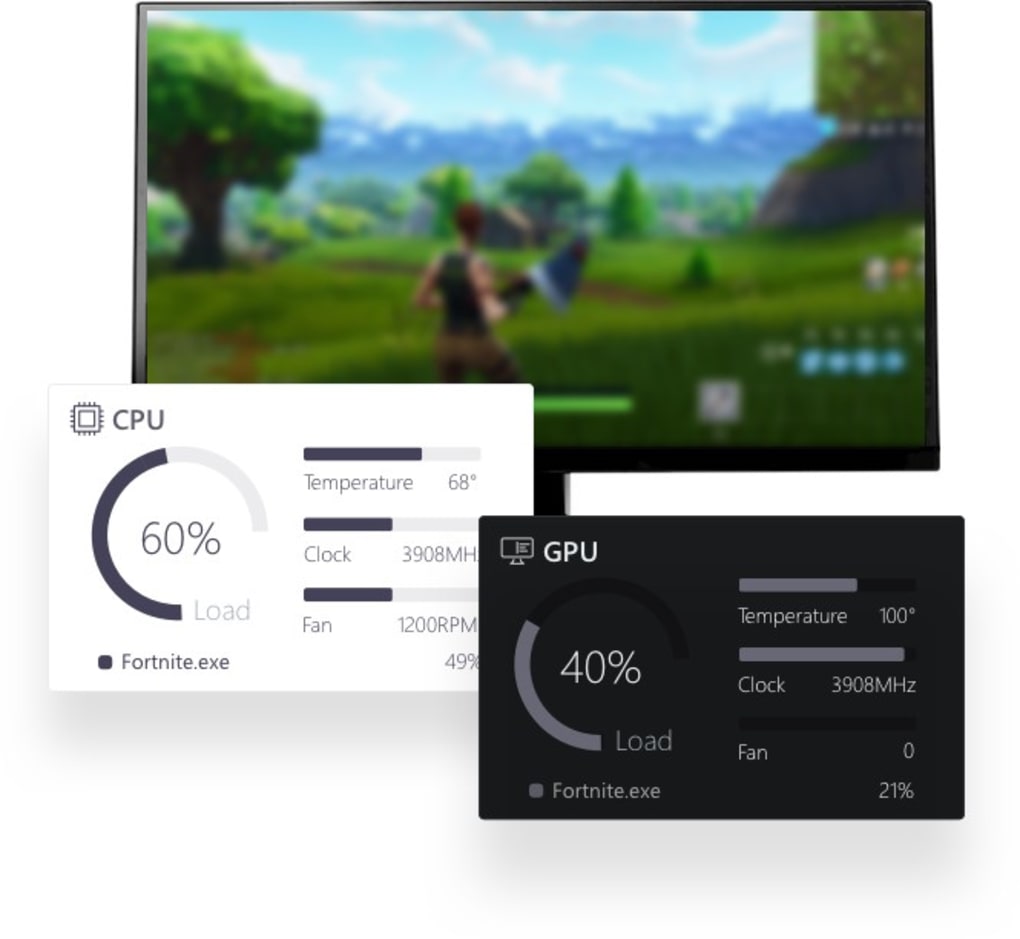
At its core, NZXT CAM functions as a real-time hardware monitor, displaying crucial data points from your system’s components. This includes CPU temperature and usage, GPU temperature and clock speeds, RAM utilization, storage device activity, and fan speeds. The software presents this information in a clear and easily digestible format, offering multiple viewing modes to cater to different user preferences. The “Basic” mode provides a concise overview of key metrics, ideal for a quick check of your system’s status. The “Advanced” mode introduces graphical representations of performance trends over time, providing a more detailed analysis. Finally, the “Expanded” mode offers the most comprehensive view, displaying an extensive array of data points for a deep dive into your system’s inner workings.
Beyond real-time monitoring, a key distinguishing feature of NZXT CAM is its ability to log historical data. This data logging feature, particularly beneficial when combined with a CAM Cloud account, allows users to track performance trends over extended periods. This is invaluable for identifying potential bottlenecks, detecting gradual hardware degradation, and troubleshooting performance issues. By reviewing historical data, users can gain insights into their system’s performance under various conditions, enabling informed decision-making regarding potential upgrades or optimizations. The software can even provide suggestions for improvements, based on the collected data and identified trends.
Gaming Enhancements and RGB Control
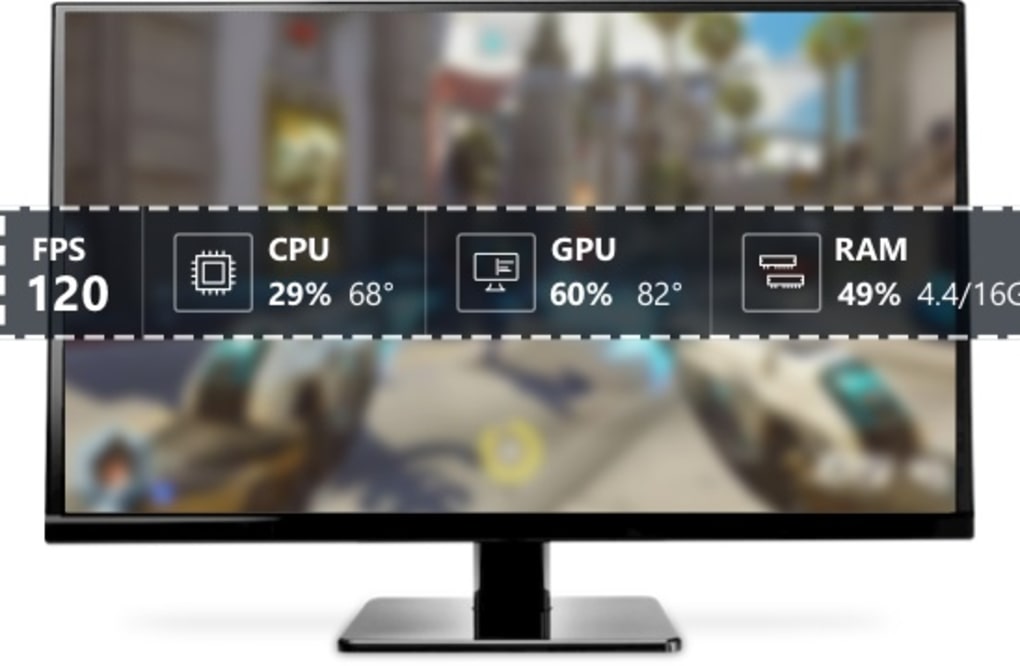
NZXT CAM integrates well with the gaming experience, offering an in-game overlay that displays real-time performance statistics. This overlay allows gamers to keep an eye on key metrics, like CPU and GPU temperatures, without minimizing their game. The customization options for this overlay are fairly extensive, allowing users to choose which data points to display and adjust the overlay’s position and transparency.
Beyond performance monitoring, NZXT CAM provides extensive control over NZXT’s line of RGB lighting and cooling products. Users can customize lighting effects, create synchronized lighting profiles, and adjust fan speeds directly from within the software. This level of integration is a significant advantage for users who already own NZXT hardware, providing a unified control center for managing their entire setup. The software also offers features that enable users to create custom audio cues that synchronize with game events and even to automate actions, such as turning off lights upon game launch or the creation of ambient lighting that matches game moods.
Overclocking Capabilities and Limitations
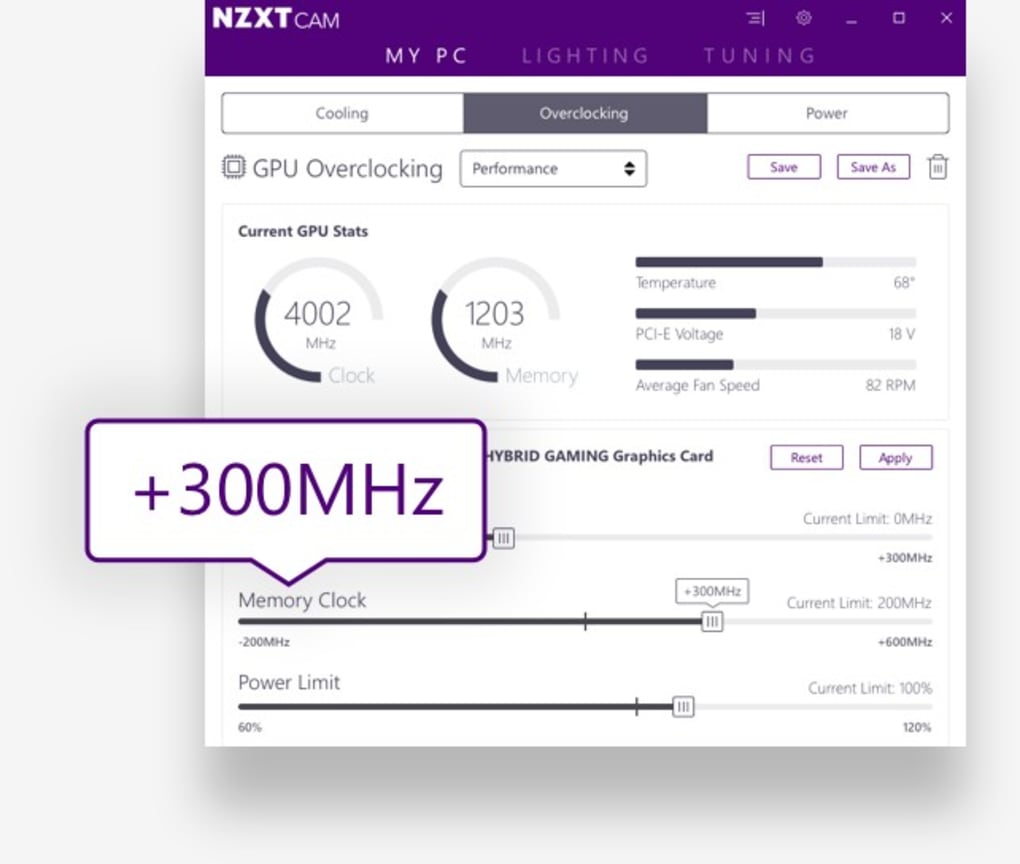
While NZXT CAM includes overclocking features, they are notably less extensive than those offered by dedicated overclocking utilities. The software allows users to adjust clock speeds and set power limits and temperature targets for their CPU and GPU. However, a significant limitation is the lack of voltage control. This absence restricts the fine-tuning capabilities available to experienced overclockers seeking maximum performance. For casual users, the built-in overclocking features are sufficient, but power users seeking precise control will likely prefer specialized applications.
Comparison with Alternative Hardware Monitoring Tools
Compared to other popular hardware monitoring tools like HWMonitor and CPU-Z, NZXT CAM offers a different approach. While HWMonitor and CPU-Z excel in providing a comprehensive list of hardware details and sensors, prioritizing accuracy and granular control, NZXT CAM’s strength lies in its user-friendly interface, historical data logging, and integration with NZXT’s ecosystem. HWMonitor, for example, excels in its ability to display a vast array of sensor data, providing detailed information on CPU temperatures, core voltages, frequencies, loads, and fan speeds, along with similar data for GPUs and HDDs.
Therefore, the choice between NZXT CAM and alternatives like HWMonitor often depends on individual priorities. For users primarily interested in a visually appealing and easy-to-use interface with integrated data logging and RGB control, NZXT CAM is a compelling choice. Those requiring precise measurements and extensive sensor data, particularly for detailed overclocking, may find HWMonitor or CPU-Z more suitable. Each software targets a slightly different user base and prioritizes different features.
User Interface and Ease of Use
NZXT CAM boasts a clean, modern, and intuitive user interface. The software is designed to be user-friendly, even for individuals with limited technical expertise. The intuitive layout, clear visual representations of data, and easily accessible settings make navigating the software a simple and straightforward process. The multiple view modes cater to various levels of technical proficiency, ensuring both casual and experienced users find the software accessible and informative.
Pros and Cons of NZXT CAM
Pros:
- User-friendly interface: Intuitive design, easily accessible features, and multiple view modes make it accessible to users of all technical levels.
- Comprehensive data logging: Tracks historical performance data, providing valuable insights for troubleshooting and optimization.
- RGB lighting and fan control: Integrates seamlessly with NZXT’s RGB lighting and cooling products.
- In-game overlay: Allows monitoring of key performance metrics without minimizing the game.
- Free to use: Available for download without any cost.
- Modern and visually appealing design: The interface is pleasant to use and easy to navigate.
Cons:
- Limited overclocking capabilities: Lacks the fine-grained control over voltages offered by dedicated overclocking utilities.
- Reliance on CAM Cloud account for full data logging: While the software functions without a cloud account, full historical data logging functionality requires account creation.
- Integration primarily benefits NZXT hardware users: The most significant advantages, such as RGB control, are largely geared towards users with NZXT products.
Conclusion: Is NZXT CAM Right for You?
NZXT CAM is a valuable tool for PC users, particularly those interested in monitoring their system’s performance, managing RGB lighting, and controlling NZXT cooling products. Its user-friendly interface, comprehensive data logging, and in-game overlay make it an excellent choice for gamers and casual users alike. While its overclocking features are less robust than dedicated alternatives, the software compensates with its ease of use, integrated functionality, and strong visual presentation.
If you’re looking for a simple, yet effective way to monitor your system’s health, optimize performance, and manage your NZXT ecosystem, then NZXT CAM is worth considering. However, if precise overclocking control and access to a vast array of hardware sensors are your top priorities, you might find more specialized tools better suited to your needs. The optimal choice ultimately depends on your individual needs and preferences.
File Information
- License: “Free”
- Latest update: “May 7, 2025”
- Platform: “Windows”
- OS: “Windows 8”
- Language: “English”
- Downloads: “38.1K”
- Size: “1.50 MB”


