
Office Home and Business 2016, a standalone Microsoft Office suite, offers a robust collection of productivity tools for both personal and professional use. While superseded by newer versions and the subscription-based Microsoft 365, Office 2016 retains considerable value, particularly for users seeking a one-time purchase and familiar interface. This review delves into its features, strengths, weaknesses, and overall suitability in the contemporary computing landscape.
Feature Set and Functionality
Office Home and Business 2016 comprises the core applications that have defined Microsoft’s productivity software for decades: Word, Excel, PowerPoint, and Outlook. These are complemented by OneNote, Microsoft’s note-taking application, and integration with OneDrive, Microsoft’s cloud storage service. Each application retains the familiar interface and functionality expected from Microsoft Office, making the transition seamless for existing users.
Word: The word processor allows users to create and edit documents of all kinds, from simple letters and memos to complex reports and academic papers. Features include various text formatting options, advanced spell and grammar checking, tools for inserting images and tables, and integration with other Office applications.
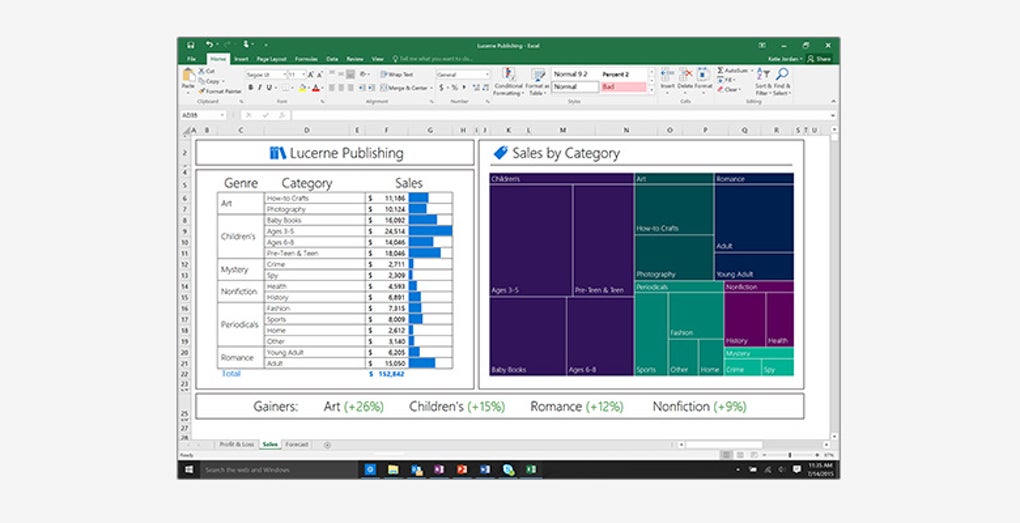
Excel: The spreadsheet application provides a powerful platform for data analysis, manipulation, and visualization. Users can create charts and graphs, perform complex calculations, use macros for automation, and manage large datasets efficiently. The familiar grid-based interface facilitates intuitive data entry and management.
PowerPoint: This presentation software empowers users to create visually engaging presentations for diverse audiences. Tools for incorporating text, images, videos, and animations allow for dynamic and informative presentations. Transition effects, animations, and slide layouts enhance the overall presentation quality.
Outlook: This email client facilitates the management of email accounts, contacts, calendars, and tasks. Users can organize their inbox, schedule appointments, manage contacts, and track tasks within a unified interface. Outlook also offers features for collaborating on projects and sharing information.
OneNote: This note-taking application provides a digital space for recording ideas, thoughts, and information. Users can create notebooks with multiple sections and pages, incorporate text, images, audio, and video, and share notes with others. OneNote allows for organization of notes via tagging and searching, enhancing retrieval and usability.
OneDrive Integration: The suite’s seamless integration with OneDrive allows users to save and access their documents from any device with an internet connection. This feature enhances collaboration, accessibility, and data backup.
Reliability and Compatibility
Office Home and Business 2016 has proven reliable over the years, maintaining backward compatibility with older file formats. This is crucial for users who need to work with documents created in previous versions of Microsoft Office or other applications. The suite also uses industry-standard file formats, ensuring interoperability with other software and reducing compatibility issues. However, it’s important to acknowledge that being a discontinued product, Microsoft will no longer provide security updates and bug fixes, posing a potential risk in the long term.
Editions and Pricing

Office Home and Business 2016 was available in different editions catering to various needs. While the “Home and Business” version included Word, Excel, PowerPoint, Outlook, and OneNote, other editions offered different combinations of applications. The “Home and Student” edition omitted Outlook, while the “Professional” edition added Publisher and Access. This tiered approach allowed users to purchase only the applications they needed, maximizing cost-effectiveness. The pricing model was a one-time purchase per computer, unlike the subscription-based Microsoft 365, which offers greater flexibility in terms of user licensing but requires ongoing payments.
Comparison with Later Versions and Microsoft 365
Compared to newer versions like Office 2019, 2021, and the subscription-based Microsoft 365, Office Home and Business 2016 lacks some features and functionalities. Later versions often include enhanced collaboration tools, AI-powered features, and improved integration with other Microsoft services. Microsoft 365, in particular, provides continuous access to the latest updates, features, and security patches, something absent in the standalone Office 2016. However, the upfront cost of Office 2016 makes it a potentially more budget-friendly option for users with a low budget and limited need for the latest features.
Advantages and Disadvantages
Advantages:
- Robust feature set: The core applications offer comprehensive functionalities for word processing, spreadsheet management, presentation creation, email handling, and note-taking.
- Backward compatibility: The suite can open and save files created in older versions of Microsoft Office, ensuring interoperability with legacy documents.
- Industry-standard formats: Use of standard file formats facilitates seamless collaboration and data exchange with other software.
- One-time purchase: Unlike subscription services, Office 2016 requires only a one-time payment, making it appealing to users who prefer a predictable cost structure.
Disadvantages:
- Discontinued software: Microsoft no longer provides security updates or technical support, posing a risk regarding vulnerabilities and bug fixes.
- Missing latest features: Office 2016 lacks some of the newer features and functionalities found in later versions and Microsoft 365, such as enhanced collaboration tools, AI-powered features, and cloud-based integration.
- Per-computer licensing: The license is tied to a specific computer, limiting flexibility for users who want to access their documents on multiple devices.
Conclusion
Office Home and Business 2016 remains a viable option for users seeking a reliable and feature-rich office suite at a fixed cost. Its robust applications, backward compatibility, and industry-standard formats make it suitable for various tasks. However, the lack of ongoing support, absence of the latest features, and per-computer licensing model should be carefully considered. Users needing ongoing security updates, access to cutting-edge features, and flexible licensing should consider newer versions of Microsoft Office or the subscription-based Microsoft 365. The choice ultimately depends on individual needs, budget, and priorities. Weighing the advantages and disadvantages carefully will help users make an informed decision based on their specific circumstances.
File Information
- License: “Full”
- Latest update: “September 22, 2022”
- Platform: “Windows”
- OS: “Windows 7”
- Language: “English”
- Downloads: “27.8K”


