
Office Home & Student 2016, a standalone suite from Microsoft, represented a significant iteration in the company’s long-standing productivity software line. While no longer actively sold or supported, its impact on the broader Microsoft Office ecosystem and the user experience warrants a retrospective review. This analysis delves into the features, improvements, and limitations of Office Home & Student 2016, placing it within the context of its predecessors and successors.
A Familiar Face with Subtle Enhancements
Upon installation, users encountered the familiar applications: Word, Excel, PowerPoint, OneNote, and OneDrive. This consistent core offering provided a smooth transition for existing Microsoft Office users. The suite’s comprehensive nature, bundling these critical applications into a single package, remained a key selling point, simplifying the acquisition process and providing a cohesive user experience. However, it’s crucial to note that the individual applications weren’t available for separate download; they were packaged exclusively as a complete suite. This all-in-one approach, while convenient, lacked the flexibility of purchasing individual programs based on specific needs. Furthermore, the inability to run Office 2013 alongside Office 2016 presented a challenge for users needing to maintain compatibility with older files or systems in professional environments.
One notable change was the replacement of Lync with Skype for Business, reflecting Microsoft’s evolving communication strategy. This integration aimed to streamline communication tools, offering a unified platform for messaging, calling, and video conferencing. The transition, while ultimately beneficial, required users to adapt to the new interface and features of Skype for Business, potentially creating a learning curve for some users.
The “Tell Me” Feature and Real-Time Co-Authoring: Defining Improvements
While the overall visual overhaul was minimal, Office 2016 introduced significant enhancements under the hood and in key usability aspects. The most prominent addition was the “Tell Me” box, a revolutionary search-based help function integrated into Word, Excel, and PowerPoint. Instead of navigating lengthy help menus, users could simply type keywords describing their desired action, and the “Tell Me” box would automatically perform the task or guide them to the relevant feature. This intuitive approach significantly reduced the learning curve and streamlined productivity. For example, typing “comment” automatically triggered the Insert Comment feature, removing the need to search through menus and reducing user frustration. This feature exemplified Microsoft’s commitment to improving user experience and accessibility.
Another critical improvement was the introduction of real-time co-authoring. This feature, already present in Office Online, allowed multiple users to simultaneously edit the same document, reflecting changes in real time. This collaborative functionality drastically improved teamwork and efficiency, particularly in projects requiring multiple contributors. The ability to see exactly what others were doing on the screen fostered seamless collaboration and reduced the potential for conflicting edits. This feature addressed a significant limitation of previous versions and aligned Office 2016 with the increasingly collaborative nature of modern work environments.
Further refinements in Word included a dedicated store for downloading applications, expanding the functionality of the program beyond its core capabilities. This feature reflected Microsoft’s efforts to create a more modular and adaptable application suite, catering to the diverse needs of individual users and organizations. Additionally, Word 2016 improved the “Save As” dialog, simplifying the process of saving files to different locations, and implemented a more intuitive integration of email addresses with cloud storage services like OneDrive.
Excel’s Enhanced Business Intelligence Capabilities
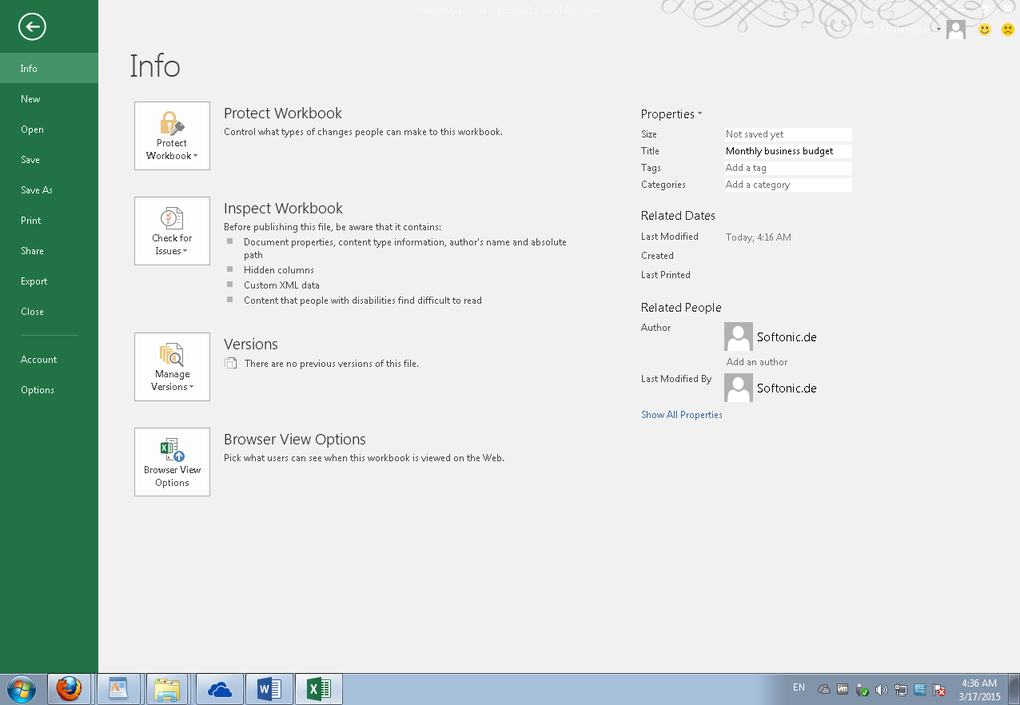
While Excel’s interface remained largely consistent with previous versions, the program received significant under-the-hood enhancements in its business intelligence (BI) capabilities. Microsoft integrated several previously separate BI add-ons, primarily Power Query and Power View. Power Query enabled business users to connect to and access data from various sources with greater ease and independence from IT, promoting self-service business intelligence. Power View, in turn, simplified the process of creating interactive reports and visualizations from the data accessed through Power Query.
This integration eliminated the need for separate installations and provided a more streamlined BI workflow within the core Excel application. Furthermore, the addition of new chart and graph types, including TreeMap, Sunburst, Waterfall, Box & Whisker, and Histogram & Pareto, expanded the analytical and visualization options available to users. These additions significantly enhanced Excel’s analytical capabilities, empowering users to generate more sophisticated and informative data visualizations. The seamless integration with OneDrive also enabled users to directly attach files from their cloud storage, further streamlining the workflow and enhancing collaboration.
Behind-the-Scenes Security and Accessibility Improvements
Beyond the visible changes, Office 2016 incorporated significant improvements in security and accessibility. Microsoft implemented several behind-the-scenes enhancements to bolster data protection and prevent unauthorized access. Specific details about these enhancements were not publicly released by Microsoft, but the improvements were aimed at safeguarding sensitive data and enhancing the overall security posture of the Office suite. Similarly, Office 2016 incorporated accessibility enhancements to improve usability for users with disabilities. Again, the exact nature of these enhancements remains largely undocumented, but they reflected Microsoft’s ongoing commitment to improving inclusivity and accessibility within its software. Finally, Office 2016 featured several improvements designed to streamline the deployment and management of the suite for IT administrators.
Conclusion: Incremental but Significant Advancements
The changes introduced in Office Home & Student 2016 were, for the average user, primarily incremental. Beyond the remarkable “Tell Me” feature, most visual changes were subtle. However, the underlying improvements in real-time co-authoring, enhanced business intelligence capabilities in Excel, improved security, and increased accessibility represented significant advancements that greatly benefited both individual users and organizations. The suite’s overall reliability and performance further solidified its position as a leading productivity software solution. While superseded by subsequent versions, Office Home & Student 2016 served as a crucial stepping stone in the evolution of the Microsoft Office suite, paving the way for future innovations and enhancements in collaboration, data analysis, and user experience. Its legacy lies not in radical departures from its predecessors, but in the careful refinement and enhancement of existing features, setting the stage for the modern, cloud-centric Microsoft Office experience we know today.

File Information
- License: “Full”
- Latest update: “December 7, 2021”
- Platform: “Windows”
- OS: “Windows 8”
- Language: “English”
- Downloads: “1.2M”


