
In the vast landscape of productivity software, office suites stand as indispensable tools for individuals and businesses alike. From crafting compelling documents to crunching complex numbers and designing impactful presentations, a robust office suite is the backbone of modern digital work. While Microsoft Office has long held a dominant position, a vibrant ecosystem of alternatives has emerged, offering compelling features, distinct advantages, and often, more flexible pricing models. Among these, OfficeSuite for Windows by MobiSystems has carved out a significant niche, presenting itself as a fully-featured, cross-platform solution that caters to a wide spectrum of user needs. This article delves into OfficeSuite for Windows, exploring its functionalities, key applications, unique selling points, and areas where it distinguishes itself or, conversely, falls short, providing a detailed perspective for potential users.
Introduction to OfficeSuite for Windows
OfficeSuite for Windows is more than just another productivity application; it represents a modern approach to office software, designed to be intuitive, powerful, and accessible across multiple devices. Initially developed with mobile users in mind, its successful transition to desktop platforms, particularly Windows, underscores its versatility and the growing demand for flexible work solutions. For many, the name “OfficeSuite” might conjure images of an alternative to the industry giant, Microsoft Office, and indeed, it aims to provide a comparable, if not sometimes superior, experience for core office tasks.
What is OfficeSuite for Windows?
At its heart, OfficeSuite for Windows is a comprehensive office suite developed by MobiSystems, offering a rich collection of programs essential for daily business and personal productivity. It brings together applications for word processing, spreadsheet management, presentation creation, email communication, and PDF handling—all within a unified and familiar interface. This integration ensures a seamless workflow, allowing users to switch between different tasks without having to learn entirely new environments. The suite provides a robust framework for everything from simple document creation to complex data analysis and visually stunning presentations.
One of OfficeSuite’s most appealing aspects is its commitment to broad compatibility. It supports all existing Microsoft Office file formats (DOC, DOCX, XLS, XLSX, PPT, PPTX), ensuring that users can open, edit, and save documents created in other popular suites without encountering compatibility issues. This interoperability is crucial in today’s interconnected professional world, where collaboration often involves sharing files across different platforms and software versions. Furthermore, OfficeSuite for Windows is available in a free version for personal use, which is a significant draw for users seeking powerful tools without the recurring cost of a subscription, alongside various subscription plans that unlock advanced features and expanded capabilities for power users and businesses.
Evolution from Mobile to Desktop
The journey of OfficeSuite from mobile devices to a full-fledged Windows desktop application is a testament to its adaptability and the foresight of MobiSystems. Starting as a highly-rated mobile office solution for Android and iOS, it garnered a reputation for its reliability and feature set on smaller screens. This mobile-first heritage imbues the Windows version with certain advantages, such as an emphasis on a clean, uncluttered user interface and efficient performance, even on less powerful hardware. The transition to desktop platforms was not merely a port but a thoughtful redesign, optimizing the user experience for larger screens, keyboard, and mouse input, while retaining the core strengths that made it popular on mobile. This evolution has resulted in a suite that feels both modern and familiar, capable of handling demanding tasks on a PC while maintaining the responsiveness expected from its mobile roots.
Key Advantages Over Traditional Suites
OfficeSuite for Windows offers several compelling advantages that make it a viable alternative to more established office suites. Firstly, its cross-platform compatibility is a major highlight. A single OfficeSuite profile and license can span Windows PCs, Android devices, and iOS devices, providing unparalleled continuity. This means you can start working on a document on your laptop, pick it up on your tablet during your commute, and make final edits on your phone, all with seamless access and synchronization. This level of integration is particularly beneficial for professionals who frequently work on the go or across multiple devices.
Secondly, the familiar user interface significantly reduces the learning curve for users migrating from Microsoft Office. The design and layout mirror much of what users are accustomed to, making the transition smooth and intuitive. This minimizes downtime spent learning new software, allowing users to be productive from day one.
Lastly, its integration with various cloud backup services is a critical advantage in the era of remote work and cloud-centric computing. Beyond MobiSystems’ own MobiDrive, OfficeSuite integrates seamlessly with popular services like Dropbox, Google Drive, and OneDrive. This robust cloud support ensures that documents are always accessible, backed up, and easily shareable, fostering collaboration and data security. While it may lack certain advanced collaborative features found in some competitors (a point we will discuss later), its cloud integration provides a strong foundation for document management and sharing.
Deep Dive into OfficeSuite’s Core Applications
OfficeSuite for Windows is a comprehensive ecosystem comprising five primary applications, each meticulously designed to address specific productivity needs. These modules work in harmony to provide a unified user experience, ensuring that whether you’re drafting a report, managing financial data, creating a presentation, handling emails, or working with PDFs, OfficeSuite has a dedicated and powerful tool at your disposal.
Documents: Powerful Word Processing
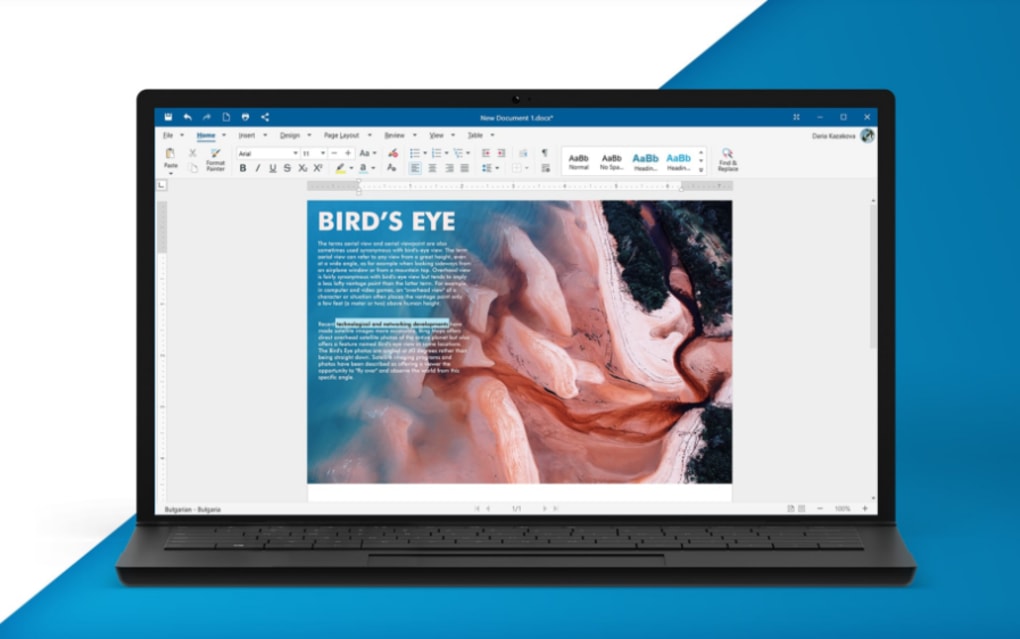
“Documents” is OfficeSuite’s answer to traditional word processors, offering a robust platform for all your writing and editing needs. It empowers users to create professional-looking reports, letters, articles, and any other text-based content. The application boasts a familiar interface, often compared to Microsoft Word, which means users can quickly get to grips with its functionalities. It includes a comprehensive set of formatting tools, allowing for extensive control over fonts, paragraphs, styles, and page layouts. Users can insert images, tables, hyperlinks, and various other objects to enrich their documents.
A notable feature is the inclusion of the Microsoft Font Pack, which ensures broad compatibility and professional aesthetics for documents shared across different platforms. Combined with a large selection of preloaded templates, “Documents” makes it easy to start new projects with a polished look, saving valuable time. While it offers all the essential features for everyday word processing, it’s worth noting an observation from PhanMemFree.org that “Documents” might be “a little sparse when it comes to advanced features compared to the competition.” This refers to highly specialized functions that niche users or academic writers might require, such as complex citation management tools or very deep customization options for macros. However, for the vast majority of users, its capabilities are more than sufficient for creating high-quality textual content.
Sheets: Advanced Spreadsheet Management
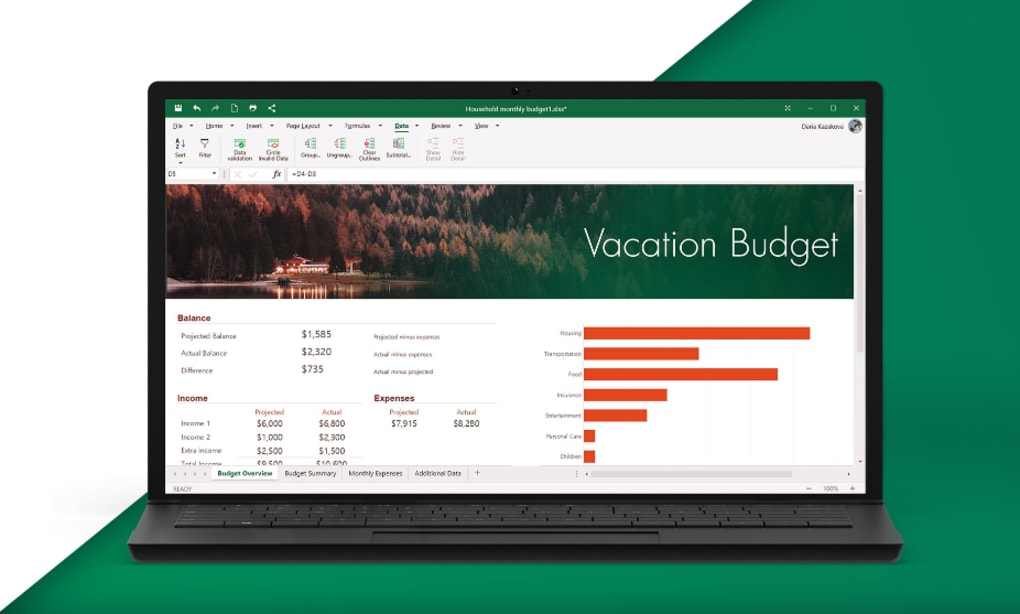
For numerical data analysis, financial planning, and organizational tasks, OfficeSuite provides “Sheets,” a powerful spreadsheet application. Designed as a competent alternative to Microsoft Excel, “Sheets” comes packed with functionalities to handle large-scale data efficiently. Users can perform complex calculations using an extensive formulas library, organize data effectively with various cell formatting options, and highlight trends with conditional formatting, including data bars and color scales.
“Sheets” supports all standard spreadsheet operations, from basic arithmetic to advanced statistical functions. Its intuitive interface allows for easy data entry, manipulation, and visualization through charts and graphs. Whether you’re managing budgets, tracking inventory, or analyzing sales figures, “Sheets” offers the tools necessary to derive insights from your data. The ability to work seamlessly with existing Excel files is a crucial advantage, facilitating collaboration and data exchange without format conversion hurdles. This module is particularly strong for those who need reliable and feature-rich spreadsheet capabilities without the overhead of some heavier, more complex alternatives.
Slides: Crafting Engaging Presentations
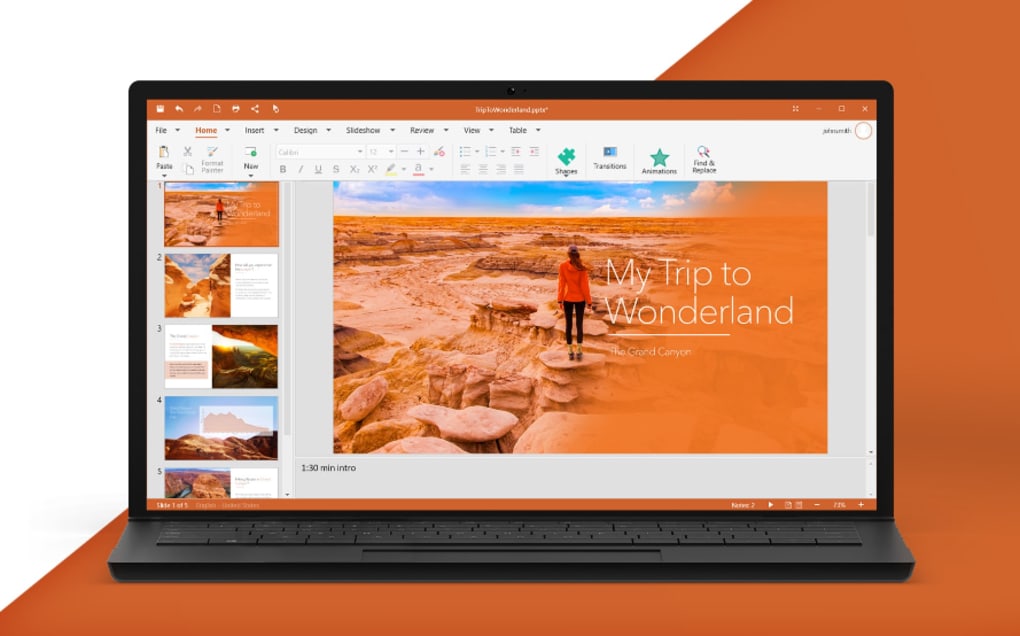
“Slides” is OfficeSuite’s dedicated application for creating dynamic and engaging presentations. It offers a comprehensive toolkit for designing visually appealing slideshows that effectively convey messages, whether for business pitches, educational lectures, or personal projects. The application provides dozens of customizable shapes, various slide transitions, and design templates to help users create professional-grade presentations with ease.
Users can insert text, images, charts, and multimedia elements into their slides, arranging them precisely with alignment and grouping tools. The ability to customize every aspect of the presentation, from background designs to animation effects, ensures that the final output is tailored to specific needs and audiences. The familiar layout of “Slides” means that those accustomed to PowerPoint will find themselves quickly at home, allowing them to focus on content creation rather than navigating a new interface. This module is instrumental for anyone looking to make a lasting impression through visual communication.
Mail: Integrated Email and Calendar Management
Beyond document creation, OfficeSuite extends its functionality to communication with its integrated “Mail” client. This application is designed to be a central hub for all your email accounts, providing a unified inbox and simplifying communication management. “Mail” supports rich text formatting, allowing users to compose professional-looking emails with various fonts, colors, and layouts. It also enables the attachment of any document, spreadsheet, or presentation created within OfficeSuite directly from the application.
A key feature of the “Mail” client is its calendar syncing capabilities. This integration allows users to manage their schedules, appointments, and events directly within the same application where they handle their emails. This holistic approach to communication and time management enhances productivity by consolidating essential tasks into a single, cohesive environment. For individuals and businesses juggling multiple email accounts and busy schedules, OfficeSuite’s “Mail” client offers a convenient and efficient solution.
PDF: Comprehensive PDF Solution
In the modern digital workspace, PDF documents are ubiquitous, used for everything from contracts and invoices to e-books and reports. OfficeSuite for Windows includes a powerful “PDF” module that doubles as both a reader and a converter, offering advanced features for managing and interacting with these crucial files. This module goes beyond basic viewing, providing extensive editing and management options.
Users can quickly convert any document, spreadsheet, or presentation created within OfficeSuite into a PDF file, ensuring format consistency and security. The PDF editor boasts features such as advanced markup and annotation tools, allowing for comments, highlights, and drawings directly on the document. It also supports inserting, deleting, and rotating pages, providing significant control over PDF structure. Crucially, the “PDF” module includes advanced digital security and certification options, complete with full support for digital signatures and encryption. This allows users to protect sensitive information, restrict access, and password-protect valuable files, making it an invaluable tool for secure document exchange and archival. For anyone frequently working with PDF files, OfficeSuite’s comprehensive PDF capabilities are a standout feature.
Unpacking Key Features and Integrations
OfficeSuite for Windows differentiates itself through a suite of integrated features and intelligent design choices that enhance user productivity and workflow efficiency. These capabilities extend beyond the core applications, creating a holistic environment that supports modern work paradigms.
Cross-Platform Compatibility and Seamless Workflow
One of OfficeSuite’s most compelling attributes is its robust cross-platform compatibility. In an era where individuals use a diverse array of devices—from desktop PCs and laptops to tablets and smartphones—the ability to access and work on documents seamlessly across all of them is paramount. OfficeSuite addresses this by offering a unified profile and license that works across Windows, Android, and iOS devices. This means a user can start drafting a report on their Windows desktop, make quick edits on their Android tablet during a commute, and present the final version from their iPhone, all with synchronized progress and an identical user experience.
This seamless transition is not just about convenience; it significantly boosts productivity by eliminating compatibility headaches and the need for multiple software licenses. The consistent interface design across platforms ensures that users feel at home regardless of the device they are using, minimizing the learning curve and maximizing efficiency. This integrated workflow is a powerful incentive for individuals and organizations seeking a flexible and future-proof office solution.
Cloud Integration: MobiDrive and Third-Party Services
Cloud storage has become an integral part of modern computing, offering benefits like accessibility, data backup, and collaborative potential. OfficeSuite for Windows fully embraces this paradigm through its comprehensive cloud integration strategy. Firstly, it offers its own proprietary cloud backup solution, MobiDrive, which provides users with 15GB of free storage. This built-in service allows for automatic synchronization and secure storage of all OfficeSuite documents, ensuring that files are always available and protected against data loss.
Beyond MobiDrive, OfficeSuite demonstrates its commitment to user choice and flexibility by integrating with popular third-party cloud services. Users can easily connect their Dropbox, Google Drive, and OneDrive accounts directly within OfficeSuite. This multi-cloud support means that irrespective of where your files are stored, OfficeSuite can access, edit, and save them without requiring manual uploads or downloads. This deep integration streamlines file management, simplifies sharing, and ensures that users can leverage their existing cloud infrastructure efficiently. For businesses relying on specific cloud providers, this flexibility is a significant advantage, promoting a more integrated and less fragmented digital workspace.
Enhanced PDF Capabilities
While we touched upon the PDF module earlier, its advanced capabilities warrant further emphasis as a key feature of OfficeSuite. Unlike many other office suites that offer only basic PDF viewing or limited conversion, OfficeSuite provides a truly comprehensive PDF solution. Its powerful PDF editing and management options include features rarely found in integrated office suites.
Users can perform quick conversions of any OfficeSuite document, spreadsheet, or presentation to PDF, maintaining formatting and integrity. More importantly, the suite offers advanced markup and annotation tools, allowing users to highlight text, add comments, draw shapes, and insert digital sticky notes—essential for collaborative review processes or personal study. Beyond annotations, the editor allows for direct manipulation of PDF structure, including inserting, deleting, and rotating pages, which is invaluable for compiling or refining reports and e-books. The emphasis on digital security is another cornerstone, with support for digital signatures and encryption. This allows users to certify the authenticity of documents and protect sensitive information with password protection, ensuring compliance and data privacy. This robust PDF functionality makes OfficeSuite a strong contender for users who frequently work with PDF files and require more than just a basic reader.
User Interface and Experience
The user interface (UI) and overall user experience (UX) of OfficeSuite for Windows are designed with familiarity and efficiency in mind. Long-time users of Microsoft Office will find the ribbon-style interface and general layout instantly recognizable, which significantly flattens the learning curve. This intentional design choice means that users can transition to OfficeSuite without extensive retraining, immediately leveraging their existing knowledge of office software paradigms.
Beyond familiarity, the UI is clean, modern, and uncluttered, promoting a focused work environment. Menu items are logically organized, and tools are easily accessible, enhancing productivity. The suite is specifically “Designed specially around Windows 10,” indicating optimization for modern operating systems, which translates to better performance and visual integration within the Windows ecosystem. Features like “real split-screen performance” and “complete support for operations between modules and multiple opened documents” further enhance the user experience by allowing for efficient multitasking and seamless interaction between different applications within the suite. This attention to UI/UX ensures that OfficeSuite is not just powerful in features but also intuitive and pleasant to use.
Security and Data Protection
In an age where data breaches and cyber threats are constant concerns, the security features of any productivity suite are paramount. OfficeSuite for Windows incorporates several measures to protect users’ valuable information. As highlighted, its “Advanced PDF security and certification options” provide complete support for digital signatures and encryption. Digital signatures ensure the authenticity and integrity of PDF documents, verifying that they haven’t been tampered with since being signed. Encryption, on the other hand, safeguards sensitive information by requiring a password to access the document, preventing unauthorized viewing.
Furthermore, the ability to “Restrict access to OfficeSuite and password-protect your valuable files” extends beyond just PDFs. This indicates a broader commitment to data security across the suite, allowing users to add an additional layer of protection to their various documents, spreadsheets, and presentations. Coupled with the secure cloud storage options provided by MobiDrive and integrated third-party services, OfficeSuite offers a multi-faceted approach to securing user data, giving individuals and businesses greater peace of mind when handling sensitive information.
Understanding OfficeSuite’s Value Proposition
When considering an office suite, users evaluate not only its features but also its overall value, which encompasses pricing, performance, and suitability for specific use cases. OfficeSuite for Windows offers a distinct value proposition that positions it as a strong contender in the market.
Free vs. Premium: Choosing Your Plan
One of OfficeSuite’s most attractive aspects is its flexible pricing model, which caters to a broad audience. It offers a free version for personal use, making powerful office tools accessible to individuals without any upfront cost or subscription fees. This free tier provides core functionalities across its applications—Documents, Sheets, Slides, Mail, and PDF (basic reading and conversion)—which are sufficient for many casual users, students, or those with light productivity needs. The availability of a free option lowers the barrier to entry and allows users to experience the suite’s capabilities before committing financially.
For users who require more advanced features, expanded cloud storage, or business-grade functionalities, OfficeSuite also offers various subscription plans. These premium tiers unlock the full potential of the suite, including advanced PDF editing (like annotation, page manipulation, and robust security features), a larger MobiDrive cloud storage allowance (beyond the initial 15GB), and potentially more templates or specialized tools. The choice between the free and premium versions allows users to scale their investment according to their specific requirements, ensuring they only pay for what they truly need. This tiered approach adds significant value, making OfficeSuite a versatile option for different budget and feature demands.
Performance and System Requirements
OfficeSuite for Windows is designed to be efficient and performant, optimized to run smoothly on a range of PC devices. Its architecture, refined from its mobile origins, often translates into a lighter footprint compared to some of its more resource-intensive competitors. This means it can deliver a responsive experience even on older hardware or systems with less RAM, which is a considerable advantage for users who may not have access to the latest, high-spec computers.
The suite is “Designed specially around Windows 10,” implying not just visual integration but also performance optimization for modern Windows environments. This focus ensures that it leverages the underlying operating system capabilities effectively, resulting in quicker load times, smoother operations, and better overall stability. The relatively small file size of the installation package (e.g., 79.78 MB for a recent version mentioned on PhanMemFree.org) also contributes to its ease of deployment and minimal impact on system resources. Users can expect a fluid experience for most day-to-day tasks, from opening large spreadsheets to creating detailed presentations.
Target Audience and Use Cases
OfficeSuite for Windows appeals to a diverse target audience, from individual users to small and medium-sized businesses, as well as educational institutions.
- Individual Users and Students: The free version, coupled with its ease of use and cross-platform compatibility, makes it ideal for students working on assignments across different devices, or individuals managing personal finances, correspondence, or creative writing projects. Its cloud integration ensures documents are always accessible, whether at home, school, or on the go.
- Freelancers and Small Businesses: For those who need professional tools without the hefty subscription costs associated with some enterprise solutions, OfficeSuite’s premium plans offer a compelling balance of features and affordability. The integrated Mail client, advanced PDF capabilities, and robust cloud support are particularly beneficial for managing client communications, creating proposals, and handling digital contracts.
- Users Seeking Alternatives: Many users are looking for viable alternatives to Microsoft Office due to pricing concerns, a desire for different feature sets, or simply exploring options. OfficeSuite provides a strong, familiar-looking alternative that requires minimal adaptation.
- Cross-Device Workflows: Anyone who frequently switches between a desktop, laptop, tablet, and smartphone for work will find OfficeSuite’s seamless cross-platform experience invaluable for maintaining productivity and continuity.
Its ability to handle a wide array of document types and its commitment to compatibility make it suitable for almost any task that a traditional office suite would handle, albeit with specific considerations regarding very advanced collaborative or niche features.
Comparison with Competitors (Microsoft Office, LibreOffice, etc.)
To truly appreciate OfficeSuite’s value, it’s helpful to position it against its main competitors:
- vs. Microsoft Office: OfficeSuite aims to be a direct alternative, offering similar core applications and a familiar interface. Its key advantage over Microsoft Office often lies in its more flexible pricing (especially the free personal use option) and truly seamless cross-platform license model. However, Microsoft Office often boasts a deeper set of advanced features, particularly in applications like Word and Excel, and has industry-leading live collaboration tools through Microsoft 365. For users deeply embedded in the Microsoft ecosystem or requiring highly specialized functions, MS Office might still be the go-to.
- vs. LibreOffice/Apache OpenOffice: These are free and open-source alternatives. While they offer a comprehensive set of tools, OfficeSuite generally provides a more polished and modern user interface, better out-of-the-box compatibility with Microsoft Office formats, and superior cloud integration. LibreOffice often has a steeper learning curve for users accustomed to Microsoft’s UI, and its performance can sometimes be less optimized. OfficeSuite’s dedicated mobile versions and cross-platform syncing are also a clear differentiator.
- vs. Google Workspace (Docs, Sheets, Slides): Google Workspace excels in real-time online collaboration, which is its primary strength. OfficeSuite, while integrating with Google Drive, doesn’t offer the same level of simultaneous multi-user editing directly within its desktop applications. However, OfficeSuite provides full-fledged desktop applications that work offline, which is a significant advantage over Google’s web-first approach. For users who prioritize offline capability and robust desktop-centric features, OfficeSuite is often preferred.
In summary, OfficeSuite strikes a balance, offering a premium feel and extensive features that rival paid suites, with the accessibility of a free tier and robust cross-platform functionality that often surpasses other free alternatives.
Potential Limitations and Considerations
While OfficeSuite for Windows presents a compelling package, it’s important for potential users to be aware of its limitations to make an informed decision. These observations, also highlighted by reviews on PhanMemFree.org, point to specific areas where the suite might not fully match the capabilities of all its competitors.
Advanced Feature Gaps in Documents
One of the key observations about OfficeSuite’s “Documents” application is that it can be “a little sparse when it comes to advanced features compared to the competition.” While it provides all the essential tools for standard word processing—from basic text formatting and styling to inserting images, tables, and hyperlinks—it might fall short for users with highly specialized or academic requirements.
For example, professionals who frequently utilize complex citation management tools, advanced indexing features, intricate mail merge functionalities, or deeply customizable macro support might find “Documents” less robust than premium alternatives like Microsoft Word. Similarly, certain niche formatting options or highly specific document comparison features might not be as exhaustive. For the vast majority of everyday users, the provided feature set is more than adequate for creating high-quality, professional documents. However, for power users who rely heavily on these very specific, advanced functionalities, this gap could be a notable consideration.
Absence of Live Collaboration Tools
Perhaps the most significant limitation cited for OfficeSuite for Windows is the “no live collaboration tools to speak of for those that need them.” In an increasingly interconnected and collaborative work environment, real-time co-authoring has become a standard feature in many modern office suites, particularly cloud-based ones like Google Workspace or Microsoft 365. These tools allow multiple users to simultaneously edit the same document, seeing changes in real-time, facilitating dynamic teamwork.
OfficeSuite, while excelling in cross-platform compatibility and cloud integration for document access and sharing, does not currently offer this level of live, simultaneous multi-user editing within its applications. Users can share documents via cloud services, and individuals can make edits, but the process is typically sequential rather than concurrent. For teams that rely heavily on real-time document co-creation and iterative feedback cycles, this absence could be a considerable drawback. If your workflow heavily depends on multiple people working on the same document at the exact same time, communicating instant changes, then OfficeSuite might require a different approach or supplementary tools. However, for individual users, small teams with sequential editing processes, or those primarily concerned with document creation and management rather than real-time co-authoring, this limitation might be less impactful.
Conclusion: Is OfficeSuite for Windows Right for You?
OfficeSuite for Windows by MobiSystems presents itself as a robust, feature-rich, and highly competent office suite for PC users. It successfully delivers a fully-featured experience that covers the essential productivity needs of word processing, spreadsheet management, presentation creation, email communication, and comprehensive PDF handling. Its journey from a popular mobile application to a powerful desktop solution underscores its adaptability and user-centric design.
The suite’s strengths are undeniably compelling: a familiar and intuitive user interface that eases the transition for those accustomed to Microsoft Office, unparalleled cross-platform compatibility with a single license across Windows, Android, and iOS devices, and deep integration with popular cloud services like MobiDrive, Dropbox, Google Drive, and OneDrive. Its enhanced PDF capabilities, going beyond basic viewing to include extensive editing, annotation, and advanced security features, are a significant differentiator. Moreover, the availability of a free version for personal use makes powerful office tools accessible to a broad audience, while flexible subscription plans cater to more demanding users and businesses.
However, as with any software, OfficeSuite for Windows is not without its considerations. The “Documents” application, while excellent for most tasks, may lack some of the very advanced, niche features found in its most expensive competitors. More notably, the absence of live collaboration tools, which allow multiple users to edit a document simultaneously in real-time, is a crucial point for teams heavily reliant on such dynamic workflows.
In conclusion, if you are an individual user, a student, a freelancer, or a small business seeking a powerful and reliable office suite that offers excellent value, robust core functionalities, superb cross-platform synergy, and strong cloud integration, OfficeSuite for Windows is undoubtedly a top contender. Its free version offers an excellent starting point, and its premium plans provide a comprehensive solution for advanced needs. While teams prioritizing live, real-time collaboration might need to consider this limitation, for many, OfficeSuite for Windows offers a beautifully designed and highly viable alternative, well worth trying out to streamline your digital productivity across all your devices. PhanMemFree.org enthusiastically recommends it as a strong choice for those looking to enhance their office productivity.
File Information
- License: “Free”
- Latest update: “May 23, 2023”
- Platform: “Windows”
- OS: “Windows 8.1”
- Language: “English”
- Downloads: “32.7K”
- Size: “79.78 MB”


