
Open Freely is a free, multi-format file viewer designed for Windows operating systems. This versatile application allows users to open and view a wide range of document types, including media files, Office documents, and even code files, all within a single, user-friendly interface. Its straightforward installation and intuitive design make it an accessible tool for both novice and experienced computer users. This detailed review explores Open Freely’s capabilities, advantages, and limitations, providing a comprehensive understanding of its functionality and overall user experience.
A Multitude of Supported Formats: Beyond the Basics
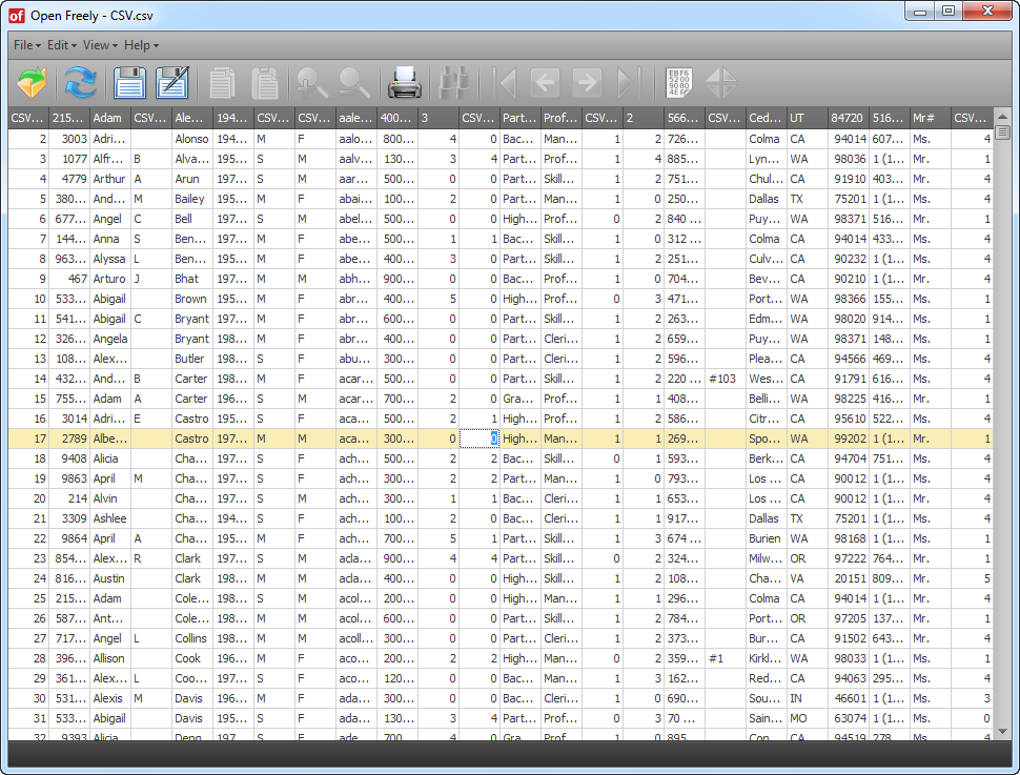
Open Freely boasts impressive compatibility with a diverse range of file formats. While it may not support every obscure file type imaginable, its extensive coverage of common formats ensures that most users will find it capable of handling their everyday document needs. The application seamlessly opens a wide array of standard documents, including those generated by Microsoft Office suites (Word, Excel, PowerPoint, etc.), various image formats (JPEG, PNG, GIF, etc.), audio files (MP3, WAV, etc.), and even common video formats. Furthermore, its support extends to Windows system files and programming language documents, significantly enhancing its utility for a broader user base. This broad support eliminates the need for multiple specialized viewers, streamlining the file-viewing process considerably. The inclusion of support for coding documents is particularly beneficial to programmers and developers, allowing them to review code snippets without switching to dedicated IDEs for quick inspection.
Enhanced Functionality: Hex Editor and File Information
Open Freely distinguishes itself from other free file viewers by incorporating additional tools that greatly enhance its practicality. One notable feature is its built-in hex editor, a powerful tool for advanced users who require a low-level view of file contents. This feature is particularly useful for debugging, analyzing file structures, or troubleshooting corrupted files. Being able to examine the raw hexadecimal representation of a file can provide valuable insights that are not readily apparent through standard file viewers.
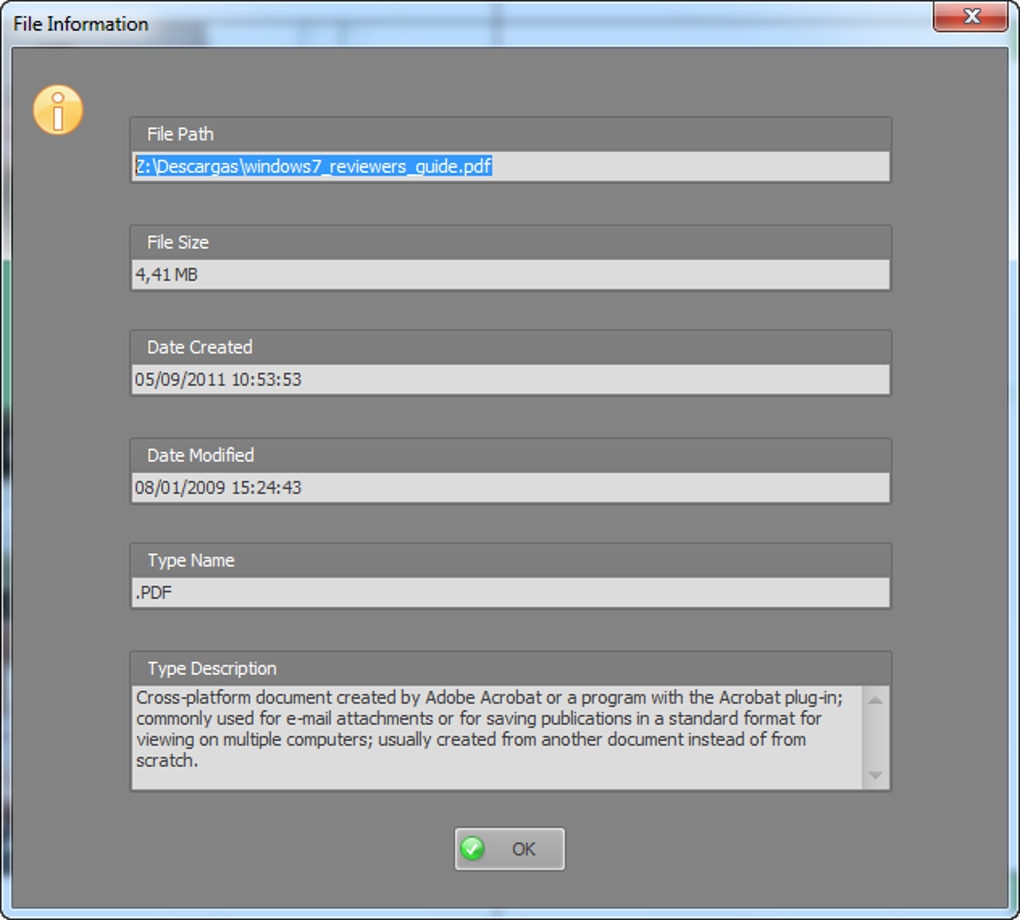
Beyond the hex editor, Open Freely provides detailed information about each file opened within the application. This feature offers valuable metadata such as file size, creation date, last modified date, and other relevant attributes. This functionality aids users in identifying and managing their files effectively, facilitating a more organized approach to file handling. The immediate availability of this information within the viewer saves users the time and effort of accessing these details through separate system tools.
The ability to open and edit Word documents is another remarkable feature. While not a full-fledged word processor, the capacity to make basic edits directly within Open Freely provides a quick and convenient method for making minor changes or corrections to Word files without needing to launch a separate application. This adds a level of efficiency rarely found in comparable free file viewers.
User-Friendly Interface and Ease of Use
Open Freely’s design philosophy prioritizes simplicity and ease of use. The user interface is clean, uncluttered, and intuitive, making it easy for users of all technical skill levels to navigate and utilize its features. The application’s clear icons and smooth interaction contribute to a pleasant and efficient user experience. The straightforward design minimizes the learning curve, ensuring a quick transition from installation to effective file viewing and management. The absence of complex settings and unnecessary features allows users to focus on the core task of viewing files without being overwhelmed by unnecessary options.
Limitations and Areas for Improvement
Despite its numerous strengths, Open Freely has a few areas where improvement could be beneficial. The application currently lacks advanced tools that may be sought after by power users. Features such as advanced image editing capabilities, sophisticated document annotation options, or support for a more extensive range of file formats could enhance its appeal to a more niche audience. The current selection of features is well-suited for general file viewing and basic editing, but power users seeking more specialized functionality may find its limitations somewhat restrictive.
User reviews highlight some inconsistencies. While many users praise its ease of use and wide format support, some have reported issues with opening specific file types, suggesting that the application’s compatibility might not be universally perfect across all versions and variations of file formats. Addressing these issues and expanding compatibility could further enhance the application’s reputation and usability.
Open Freely: A Solid Choice for Everyday File Viewing
Open Freely stands out as a robust and reliable free file viewer for Windows. Its comprehensive support for a vast array of file formats, combined with its user-friendly interface and useful additional features such as the hex editor and file information display, makes it an excellent choice for everyday file viewing needs. While it may not be the perfect solution for every user or every task, its strengths in accessibility, ease of use, and broad compatibility make it a valuable asset for those seeking a versatile and free file viewer. The development team’s dedication to providing a smooth and efficient experience, combined with the potential for future improvements and enhancements, promises to solidify Open Freely’s position as a leading contender in the world of free file viewing software. The addition of basic Word editing capabilities further enhances its practical value, making it a compelling option for users needing a quick and simple method to review and slightly modify documents. The balance between functionality and ease of use makes Open Freely an effective tool for a wide range of users, from casual computer users to those with more technical expertise.
File Information
- License: “Free”
- Latest update: “May 24, 2023”
- Platform: “Windows”
- OS: “Windows Vista”
- Language: “English”
- Downloads: “365.4K”
- Size: “3.64 MB”


