
OpenBoard is a free, multi-platform, open-source software application designed as a digital replacement for traditional whiteboards. Its interactive capabilities make it a versatile tool for both in-person and online teaching, seamlessly integrating with projectors and other output devices for easy projection in classrooms or virtual meetings. This powerful tool empowers educators and presenters with a range of features, fostering dynamic and engaging interactions.
A Versatile Tool for Education and Collaboration
OpenBoard transcends the limitations of physical whiteboards, offering a dynamic and flexible platform for sharing information and facilitating collaborative learning. Its intuitive interface and extensive features make it accessible to users of all technical skill levels, from novice educators to seasoned professionals. The software’s cross-platform compatibility ensures accessibility across various operating systems, maximizing its potential reach and impact.
The core functionality of OpenBoard revolves around its virtual whiteboard canvas. This digital workspace provides a limitless area for brainstorming, note-taking, and creative expression. Unlike a physical whiteboard, the digital canvas is easily erasable and modifiable, allowing for seamless corrections and revisions. Users can undo and redo actions with ease, making the process of creating and manipulating content intuitive and straightforward.
OpenBoard’s versatility extends beyond its core whiteboard functionality. Its capacity to integrate seamlessly with various external resources further enhances its usability and effectiveness. The software allows users to import and incorporate diverse media files, including images, videos, and audio, enriching the presentation and offering opportunities for multi-sensory engagement. This integration capabilities are particularly beneficial in educational settings where diverse learning styles are prevalent. Incorporating visuals and audio into lessons enhances the learning experience for many students.
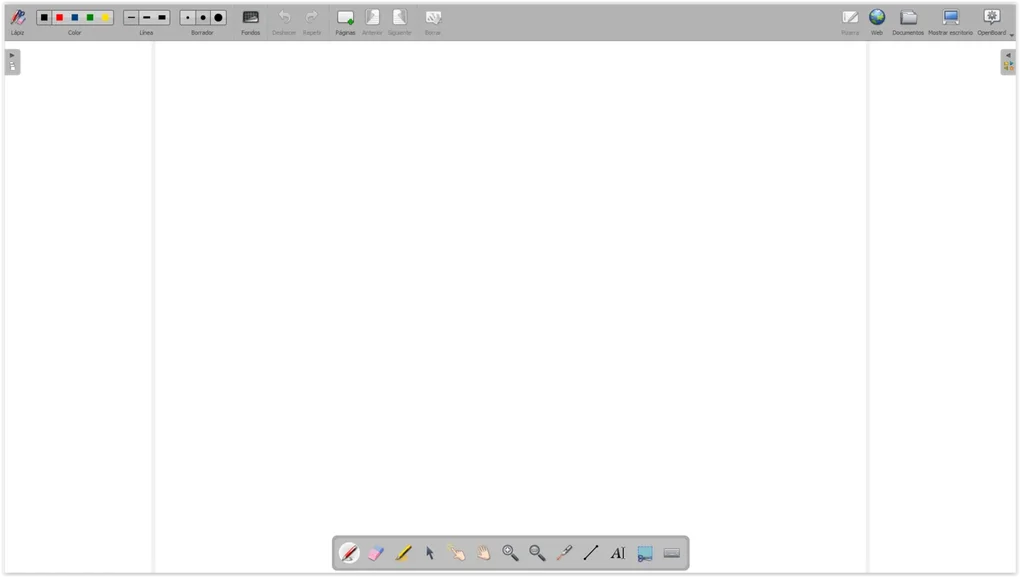
Beyond multimedia integration, OpenBoard also features a built-in web browser, providing immediate access to online resources without interrupting the workflow. This feature is particularly helpful for educators who wish to quickly access supplemental materials, research information, or demonstrate online tools during a presentation. This seamless integration of web browsing capabilities into the main application streamlines the presentation process, ensuring a smooth and uninterrupted flow of information.
The software’s comprehensive annotation tools allow for detailed notes and visual explanations. Users can easily add text, shapes, and symbols to the canvas, enhancing the clarity and impact of their presentations. This feature also enables interaction with digital content – highlighting key phrases, adding comments to images, or circling points of emphasis, ultimately improving comprehension and engagement.
Intuitive Interface and User-Friendly Design
One of OpenBoard’s key strengths lies in its user-friendly interface. The software is designed with an intuitive layout, minimizing the learning curve for users. The tools and options are logically organized, allowing for easy access to desired functionalities. The simple and straightforward design eliminates unnecessary complexities, making it accessible to users of all technical skill levels, ensuring that its powerful capabilities can be leveraged without the need for extensive technical expertise.
The clean and uncluttered interface ensures a smooth and efficient user experience. The tools are easily accessible and the layout is intuitive, enabling users to focus on their content rather than struggling with the software’s operation. The straightforward design contributes significantly to the overall positive user experience.
Features and Functionality: Enhancing the Teaching and Presentation Experience
OpenBoard offers a comprehensive suite of features designed to enhance the teaching and presentation experience. These features cater to a broad range of needs, ensuring that the software is applicable in various educational and professional contexts.
Brush and Color Selection: The software offers a wide array of brush sizes and colors, allowing users to create visually appealing and informative content. This diversity in artistic tools allows for customized presentations, catering to individual preferences and stylistic requirements.
File Import and Export: OpenBoard seamlessly supports the import and export of various file formats, ensuring compatibility with other applications and devices. This functionality promotes interoperability and ease of sharing, allowing for seamless integration into existing workflows.
Built-in Browser Integration: The integrated web browser functionality significantly enhances the software’s utility, providing immediate access to online resources without disrupting the flow of presentations. This feature proves invaluable in dynamic and interactive sessions, ensuring a seamless transition between digital content and online materials.
Annotation Tools: Comprehensive annotation tools facilitate detailed explanations and visual highlighting, enabling users to create rich and informative presentations. The versatility of these tools ensures that information is conveyed effectively, catering to diverse learning styles and enhancing overall comprehension.
Collaboration Tools (Potential Future Development): While not explicitly mentioned in the provided text, the potential for future development to include collaboration tools would significantly enhance OpenBoard’s capabilities. Features such as real-time collaboration, shared editing capabilities, and simultaneous annotation would further solidify its position as a leading virtual whiteboard solution. Such features would create a more interactive and collaborative environment for remote learning or team projects.
OpenBoard Across Platforms: Accessibility and Compatibility
OpenBoard’s open-source nature and commitment to cross-platform compatibility contribute significantly to its accessibility and widespread adoption. The software is available for various operating systems, including Windows, macOS, and Android, ensuring its usability across a broad range of devices. This broad compatibility enhances its appeal to a diverse range of users, broadening its potential reach and maximizing its impact.
The open-source nature of OpenBoard fosters community involvement and continuous improvement. Users can contribute to the software’s development, suggesting features and improvements, or providing code contributions. This community-driven approach to development ensures that the software remains relevant and adaptable to the ever-evolving needs of its users. This collaborative approach helps to ensure that OpenBoard remains at the forefront of virtual whiteboard technology.
Conclusion: OpenBoard – A Powerful Tool for a Modern World
OpenBoard stands as a compelling example of how open-source technology can effectively address the needs of modern education and presentation. Its intuitive design, versatile features, and cross-platform compatibility make it an ideal solution for educators, presenters, and anyone seeking a dynamic and interactive alternative to the traditional whiteboard. The software’s continued development, fueled by community involvement, promises to further enhance its capabilities and cement its position as a leading virtual whiteboard solution. Its free and open-source nature ensures accessibility to a broad range of users, maximizing its potential to revolutionize how information is shared and learning is facilitated in the digital age.
File Information
- License: “Free”
- Latest update: “February 14, 2025”
- Platform: “Windows”
- OS: “Windows 11”
- Language: “English”
- Downloads: “3.7K”


