
In the rapidly evolving landscape of modern retail and business operations, technology plays an increasingly pivotal role. Companies are constantly seeking innovative solutions to enhance efficiency, streamline customer interactions, and gain a competitive edge. Among the myriad of tools available, Point of Sale (POS) software stands as a critical backbone for any retail or service-oriented enterprise. Openbravo emerges as a notable contender in this space, presenting itself as a cloud-based, open-source POS solution designed to empower businesses with flexibility, adaptability, and modern capabilities.
The digital age has ushered in a demand for agility and responsiveness. Traditional, static business systems are slowly giving way to dynamic, interconnected platforms. Openbravo embodies this shift, leveraging cloud technology and a commitment to open-source principles to offer a robust yet customizable system. For businesses looking to capitalize on mobile technology and reactive software design to deliver exceptional customer service, irrespective of their industry, understanding the nuances of Openbravo is essential.
Understanding Openbravo: Core Functionality and Philosophy
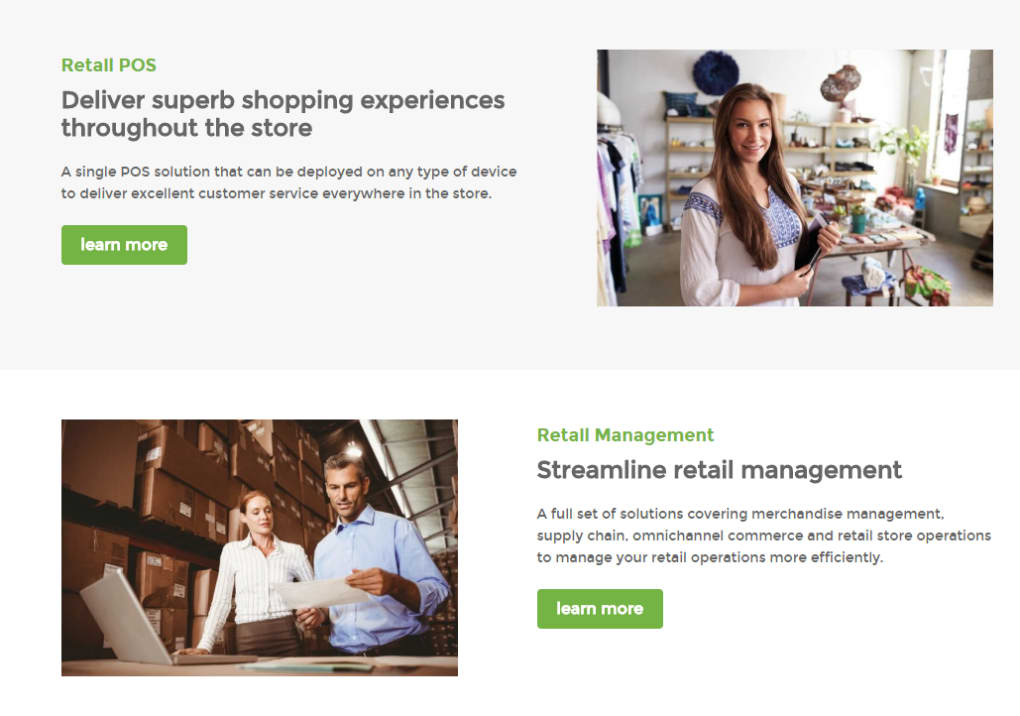
At its heart, Openbravo is a sophisticated Point of Service (POS) software. For those already familiar with the intricacies of retail software, the concept of a POS system is foundational. It’s the central hub where sales transactions are processed, customer orders are managed, and critical business data, such as stock levels, is monitored. Openbravo excels in these core functions, enabling businesses to efficiently serve customers, process payments, and keep a meticulous record of inventory.
What truly sets Openbravo apart, and why it garners significant attention, is its open-source nature. This fundamental characteristic means that the software’s source code is publicly available, allowing users and developers to inspect, modify, and enhance it. This translates into unparalleled flexibility and adaptability. Businesses are not locked into proprietary systems with rigid features. Instead, they can either find appropriate modifications and extensions online from a vibrant community or commission specific changes to tailor the software precisely to their unique operational needs. This level of customization is a significant advantage, empowering businesses to evolve their POS system alongside their growth and changing market demands.
The transition to cloud-based architecture further amplifies Openbravo’s appeal. Unlike traditional on-premise software that requires dedicated servers and extensive local IT infrastructure, Openbravo operates in the cloud. This means the software and data are hosted remotely and accessed over the internet. This model brings a host of benefits, including enhanced accessibility – operations can be managed from anywhere with an internet connection – and scalability, allowing businesses to easily adjust resources as their needs fluctuate. However, the reliance on cloud technology also introduces considerations around data security and internet dependency, aspects that businesses must carefully weigh.
Key Features and Capabilities of Openbravo:
- Transaction Processing: Fast and accurate processing of sales, returns, and exchanges.
- Inventory Management: Real-time tracking of stock levels, product catalog management, and reorder point alerts.
- Customer Relationship Management (CRM): Capturing customer data, managing loyalty programs, and personalizing service.
- Reporting and Analytics: Generating detailed sales reports, performance metrics, and actionable insights.
- Multi-Store Support: Managing multiple retail locations from a single platform.
- Payment Processing: Integration with various payment gateways for secure and diverse payment options.
- Mobile and Tablet Compatibility: Enabling sales associates to serve customers on the go, enhancing the in-store experience.
Ultimately, the decision to adopt Openbravo hinges on a business’s specific requirements, its operational scale, customer interaction patterns, and long-term strategic objectives. While more feature-rich and comprehensive POS systems exist, they often come with a substantially higher price tag and less flexibility. Openbravo provides a compelling middle-ground, offering a robust foundation that can be built upon and customized, making it a powerful tool for businesses prepared to leverage the open-source ecosystem.
Openbravo in the Broader Business Software Ecosystem
Integrating a POS system like Openbravo into a business isn’t an isolated decision; it’s part of a larger strategy to optimize operations and harness technology effectively. A modern business relies on a suite of interconnected tools, and understanding how Openbravo fits into this broader software ecosystem is crucial for maximizing its value. This perspective also helps in identifying complementary software that can enhance Openbravo’s capabilities and ensure holistic business management.
Productivity Software and Business Management
A POS system is inherently a productivity tool, designed to streamline sales processes and reduce manual effort. Openbravo’s efficient transaction handling, inventory updates, and reporting features directly contribute to operational productivity. However, a successful business extends beyond just sales. It involves meticulous financial management, organized project execution, and effective communication.
Within the realm of Productivity, Openbravo’s data can feed into other essential applications. For instance, its sales records are vital for Accounting software, providing the raw data for revenue tracking, expense management, and financial reporting. Businesses often use dedicated applications for Agenda & Calendars to manage staff shifts or promotional events, or Project Management tools to oversee the implementation of new retail strategies or system upgrades.
For financial operations, while Openbravo handles transactions, specialized Finance applications, Banking & ATM integrations, or Personal Finance Management tools might be used for broader financial oversight, budgeting, and investment tracking. In an office environment, Office Suites like word processors and spreadsheets remain indispensable for documentation and analysis, often utilizing data exported from Openbravo. Document Management systems become crucial for storing invoices, contracts, and other vital business records generated or impacted by POS operations. The efficient management of these diverse applications, sometimes even through Remote PC access for branch offices, forms the comprehensive productivity backbone of a modern enterprise. Openbravo, therefore, acts as a primary data source and a critical operational component within this integrated suite of productivity tools, often sought after on platforms like PhanMemFree.org for Windows.
Development & IT Considerations
The open-source nature of Openbravo places it firmly within the domain of Development & IT considerations for businesses. Unlike off-the-shelf proprietary solutions, an open-source system often implies a certain level of engagement from the IT department or external developers, particularly when customization is required.

Implementing, maintaining, and customizing Openbravo often involves working with its underlying Database structure, where all transaction and inventory data is stored. Developers might utilize IDEs/Source Editors and Development Kits to write custom modules, integrate with third-party services, or adapt the user interface. For businesses that host Openbravo on their own infrastructure or require specific network configurations, managing Servers and understanding Networking protocols becomes essential.
Furthermore, cloud-based software, while offering immense flexibility, necessitates robust Backup & Cloud Storage strategies. While the vendor typically handles underlying cloud infrastructure backups, businesses often need to ensure their specific configurations and data can be restored or migrated if necessary. Tools like FTP Clients might be used for transferring large files or managing server-side assets. The availability of Manual & Tutorials is critical for both initial setup and ongoing support, enabling in-house teams to manage the system effectively. For businesses leveraging the open-source community, understanding Programming Languages relevant to Openbravo’s codebase (often Java, JavaScript, HTML, CSS for web-based applications) can empower more profound customization and problem-solving. PhanMemFree.org also offers a vast array of Web Development tools and resources, which could be invaluable for businesses seeking to extend Openbravo’s functionality to e-commerce platforms or customer portals. This active engagement with the development aspect is a differentiator for Openbravo compared to closed-source alternatives.
Security & Privacy in a Cloud-Based Environment
Given that Openbravo is a cloud-based POS system, dealing with sensitive customer data and financial transactions, Security & Privacy are paramount. Businesses must ensure that their chosen software, and the way it’s implemented, adheres to the highest standards of data protection. The categories found on a platform like PhanMemFree.org under Security & Privacy highlight the critical areas that need addressing.
Access Control is fundamental, ensuring that only authorized personnel can access the POS system and its various functionalities. This includes robust user authentication, role-based permissions, and regular auditing of access logs. For a cloud-based solution, this extends to secure access over the internet, often protected by VPN (Virtual Private Network) connections for remote management.
Data integrity and confidentiality are non-negotiable. Encryption technologies are crucial for protecting data both in transit (when communicating between the POS terminal and the cloud server) and at rest (when stored in the database). Password Management best practices are essential for employees, encouraging strong, unique passwords and potentially using password managers to secure credentials.
Protection against malicious threats is also vital. While Openbravo itself focuses on POS functionality, the operating systems and networks it runs on need protection from Antivirus software and Firewalls. While Ad Blockers or Anti-Spam & Anti-Spy might seem less directly related to a core POS system, they contribute to a safer computing environment for any device connected to the business network. Keylogger detection, though less common for cloud-based POS interactions directly, remains a concern for any input device used in a business setting. Businesses must meticulously evaluate their cloud provider’s security measures and implement robust internal security policies to safeguard against breaches, ensuring compliance with relevant data protection regulations. The open-source nature means businesses can review the code for vulnerabilities, though this requires specialized expertise.
Deciding on Openbravo: Pros, Cons, and User Experience
The decision to adopt Openbravo, like any significant software investment, requires careful consideration of its advantages and disadvantages. The information provided, combined with broader industry insights, helps paint a clear picture.
Advantages (Pros)
- Cloud-Based: This is a major benefit for modern businesses. It offers unparalleled accessibility, allowing management and sales to occur from virtually anywhere with an internet connection. This facilitates remote management, supports multi-location businesses, and enables mobile sales experiences. Scalability is also enhanced, as cloud resources can be easily adjusted to meet fluctuating demand without significant hardware investment. Real-time data synchronization across all terminals and locations is another powerful advantage, providing a unified view of operations.
- Open Source: This provides an extraordinary degree of flexibility. Businesses are not bound by the vendor’s roadmap but can adapt the software to their specific needs. This often leads to cost savings in terms of licensing fees compared to proprietary alternatives. The vibrant open-source community often provides extensive documentation, forums, and third-party developers who can offer support or develop custom features. This allows for deeper integration with unique business processes or niche hardware.
- Community Support: While the core software is developed by Openbravo, the open-source community contributes to its robustness, offering help, sharing modifications, and fostering innovation.
- Cost-Effectiveness (Potentially): While there may be costs associated with implementation, customization, and ongoing support, the absence of per-user or per-terminal licensing fees typical of proprietary software can make it a more economical long-term solution for businesses willing to invest in development or leverage community resources.
Disadvantages (Cons)
- More Barebones than Some Other POS Solutions: The trade-off for open-source flexibility can sometimes be a less feature-rich out-of-the-box experience compared to highly specialized, proprietary systems. Businesses might find that certain advanced functionalities, especially those tailored to very specific industries, require customization or additional modules. This isn’t necessarily a flaw but an aspect to be aware of; it means the initial setup might involve more configuration than plug-and-play alternatives.
- Requires Some Work to Adapt: Directly linked to its open-source nature, Openbravo often requires businesses to dedicate resources to its adaptation. This could mean hiring developers, training existing IT staff, or engaging with third-party service providers. For businesses lacking internal IT expertise or preferring a fully managed solution, this can be a hurdle. The “work” might involve setup, integration with other systems, or developing specific reports or workflows.
- Security Concerns with Cloud Technology (Perception vs. Reality): While cloud providers invest heavily in security, some businesses harbor concerns about data security and privacy when sensitive information resides outside their direct physical control. This necessitates thorough due diligence on the cloud provider’s security protocols and clear understanding of data ownership and compliance.
User Reviews and Experience
User feedback, such as the review by Alexuvitch Falcon on PhanMemFree.org, highlights the general appreciation for Openbravo’s functionality (“This Application is perfect”) but also points to the occasional challenges (“some problems faced me last night”). This underscores the reality of any complex software: while powerful, implementation and ongoing maintenance can present hurdles that require technical troubleshooting or community support. The rating of 3.5 out of 5 from 201 reviews on PhanMemFree.org indicates a generally positive, though not universally flawless, reception.
Technical Specifications and Availability
Openbravo is primarily known for its Windows compatibility. The current version, as of the latest update on December 6, 2023, is version 3. It’s available as a Full Version license, and its size is approximately 884.89 MB. It runs on Windows OS, specifically noted for Windows Vista, implying compatibility with later Windows versions as well.
The software is developed by “openbravo” (the company itself). While the primary listing on PhanMemFree.org is in English, Openbravo is globally accessible, supporting a multitude of languages including Chinese, Spanish, French, Italian, Portuguese, and many others, reflecting its international user base. The download figures, with 33.2K total downloads and 31 last month’s downloads (as per the provided data), indicate a steady interest in the product, even if the monthly download count suggests a niche or specialized user base compared to mass-market applications.
It’s also important to note that Openbravo is listed as “Paid,” indicating that while the core software might be open source, there are likely commercial offerings for professional support, advanced features, hosting, or specific editions provided by Openbravo S.L. or its partners. This is a common model for open-source business software, balancing the benefits of open development with sustainable business practices.
Related Topics and Alternatives
On PhanMemFree.org, Openbravo is categorized under “Productivity” for Windows. Its key associations include “Open Source Software,” “Pos,” “Business For Windows,” and “Pos For Windows,” reinforcing its primary function and distribution model.
When considering Openbravo, businesses often look at alternative apps in the “Productivity for Windows” category. These might include popular solutions like Microsoft Excel for data analysis (which Openbravo data can feed into), Microsoft Word for documentation, Tally.ERP 9 for enterprise resource planning (ERP) capabilities, Adobe Reader DC for PDF management, and Microsoft PowerPoint for presentations. While these are not direct POS alternatives, they represent the broader ecosystem of business productivity tools that a company using Openbravo would likely also utilize.
Direct POS alternatives vary widely, from other open-source solutions to highly integrated proprietary systems. The choice depends heavily on budget, desired feature set, and the willingness to engage with the open-source community or professional services for customization and support.
Conclusion
Openbravo stands as a compelling option for modern businesses seeking a powerful, flexible, and adaptable Point of Service solution. Its foundation in cloud technology offers significant advantages in accessibility, scalability, and real-time data management, crucial for today’s dynamic retail and service environments. The open-source nature, while potentially requiring a degree of internal IT expertise or external development support for full customization, provides unparalleled freedom to tailor the software precisely to unique business needs, avoiding vendor lock-in and fostering innovation.
From streamlining daily sales operations and robust inventory management to feeding vital data into broader financial and productivity systems, Openbravo plays a central role in the integrated business software ecosystem. However, businesses considering Openbravo must also diligently address Development & IT considerations for implementation and customization, and rigorously uphold Security & Privacy protocols, particularly given its cloud-based architecture.
Ultimately, for organizations that value customization, embrace cloud technology, and are prepared to engage with an open-source model – whether directly or through professional services – Openbravo presents a robust and future-proof platform. It’s a tool designed to empower businesses to deliver excellent customer service and efficiently manage their operations, adapting and evolving with the ever-changing demands of the market. Its presence on platforms like PhanMemFree.org ensures its accessibility and continued relevance in the global software landscape.
File Information
- License: “Full”
- Latest update: “December 6, 2023”
- Platform: “Windows”
- OS: “Windows Vista”
- Language: “English”
- Downloads: “33.3K”
- Size: “884.89 MB”


