
In the dynamic world of project management, where clarity, organization, and efficient resource allocation are paramount, tools that empower teams to achieve their objectives are invaluable. Among the myriad of project management software available, OpenProj stands out as a unique and enduring solution. As a free, open-source desktop application, it has carved a niche for itself by offering robust project planning and tracking capabilities without the prohibitive costs often associated with proprietary alternatives. Despite its origins in a different era of software development, OpenProj continues to be a go-to choice for individuals and small to medium-sized businesses seeking an intuitive, yet comprehensive, platform to manage their endeavors. Its design philosophy prioritizes user comprehension and practical application, making complex project structures accessible and actionable for a diverse range of users.
Developed by Serena Software, OpenProj emerged as a viable alternative to commercial giants like Microsoft Project, offering a compelling set of features including Gantt charts, PERT charts, WBS (Work Breakdown Structure) diagrams, and earned value costing. The program’s commitment to open-source principles means it’s not only free to download and use but also benefits from a community-driven ethos that, historically, fostered its development and adoption. While its development lifecycle has seen various phases, its foundational strength lies in its ability to translate intricate project plans into easily digestible visual formats. This introduction will delve into the essence of OpenProj, exploring its core functionalities, the user experience it offers, the technical considerations for its deployment, and its persistent relevance in a rapidly evolving digital landscape, always keeping in mind its status as a free and accessible tool for project managers worldwide.
The Genesis and Enduring Appeal of OpenProj
OpenProj’s journey began with a clear vision: to democratize project management by providing a high-quality, feature-rich alternative to expensive commercial software. In an era where open-source was gaining significant traction across various software categories, a robust open-source project management tool was a natural and much-needed addition. This aspiration quickly resonated with a global community of users and developers, leading to its widespread adoption and the establishment of its reputation as a reliable workhorse for project planning. The fact that many users, even today, choose to configure their systems to run OpenProj – sometimes even necessitating adjustments to modern operating environments – speaks volumes about its inherent value and the enduring appeal of its core design.
The Open-Source Advantage
The open-source nature of OpenProj is perhaps its most defining characteristic. For many organizations and individual professionals, the financial barrier to entry for high-end project management software can be significant. OpenProj removes this barrier entirely, providing a professional-grade tool without licensing fees. This not only makes it accessible to startups, educational institutions, and non-profits with limited budgets but also allows for greater flexibility in deployment across various machines without concerns about compliance or scalability costs. The open-source model historically fostered a sense of community, allowing for transparency in development and the potential for user-driven enhancements, even if the primary development pace has shifted over time. This collaborative spirit ensures that the software remains focused on practical utility and user needs, distinguishing it from purely commercial offerings that might be driven by different market dynamics. The freedom to download, use, and even modify (for those with the technical know-how) the software contributes significantly to its long-term viability and appeal in specific niches.
A Legacy of Intuitive Design
One of the most frequently lauded aspects of OpenProj is its intuitive and common-sense design. Users often compare its layout and functionality to a “mind map” – a testament to how naturally it allows for the breakdown of complex ideas into manageable components. Even individuals with no prior experience in project management software can quickly grasp how OpenProj functions, understanding the relationships between tasks, timelines, and resources. The software effectively visualizes the project lifecycle, from initial conceptualization through execution and completion. This ease of understanding is crucial, as it reduces the learning curve typically associated with powerful management tools, enabling teams to become productive almost immediately. The ability to create a series of interconnected timelines and merge them into a cohesive overall project plan empowers users to see the bigger picture while simultaneously managing granular details. This intuitive presentation means that what tasks are needed, what comes next, and where each piece fits into the grand scheme of things is always clear, fostering better decision-making and efficient progress tracking.
Why Users Still Choose OpenProj
Despite the emergence of newer, cloud-based, and more feature-rich project management solutions, OpenProj retains a loyal user base. This enduring popularity can be attributed to several factors. Firstly, its stability and proven track record offer a sense of reliability that newer software might not yet have established. For many, a tool that simply works, and works well, is preferable to one with more bells and whistles but less consistency. Secondly, for those who prefer a desktop-centric approach, away from the complexities of cloud synchronization or subscription models, OpenProj provides a secure and self-contained environment. The control over data and the absence of recurring costs are significant draws. Lastly, its familiar interface, often mimicking the layout of more expensive alternatives, makes it an easy transition for users migrating from other platforms or those learning project management concepts. The fact that the program allows for the creation of “very clear, clean, and efficient projects” ultimately justifies the initial investment of time required to master its tools, offering substantial returns in project clarity and operational efficiency. This combination of cost-effectiveness, reliability, and user-friendly design solidifies OpenProj’s position as a valuable, albeit mature, project management solution.
Core Functionalities: Navigating Your Projects with OpenProj
OpenProj is not just a simple task list; it’s a sophisticated platform designed to handle the multi-faceted demands of project management. Its architecture supports a comprehensive approach, allowing users to move from high-level strategic planning down to the minute details of task execution. The software integrates several critical functionalities that are staples of effective project management, providing the necessary tools to define, organize, execute, and monitor projects from inception to completion. This robust feature set is a primary reason for its sustained utility.
Project Definition and Breakdown
At the heart of any successful project lies a well-defined structure. OpenProj excels in this area by providing intuitive mechanisms for breaking down large, overarching projects into manageable components. Users can create a project, then systematically divide it into distinct steps and milestones. Each of these elements can then be further elaborated with its own set of details, including descriptions, durations, resource assignments, and dependencies. This hierarchical approach, often visualized through Work Breakdown Structures (WBS), allows project managers to deconstruct complex initiatives into atomic tasks. By clearly defining each part of the project, the software helps in identifying critical paths, potential bottlenecks, and the logical flow of work. The granular control over project elements ensures that every aspect, no matter how small, is accounted for, providing a solid foundation for planning and execution. This level of detail is critical for accurate budgeting, realistic scheduling, and effective resource allocation, making OpenProj a powerful tool for initial project scoping.
Task Allocation and Tracking
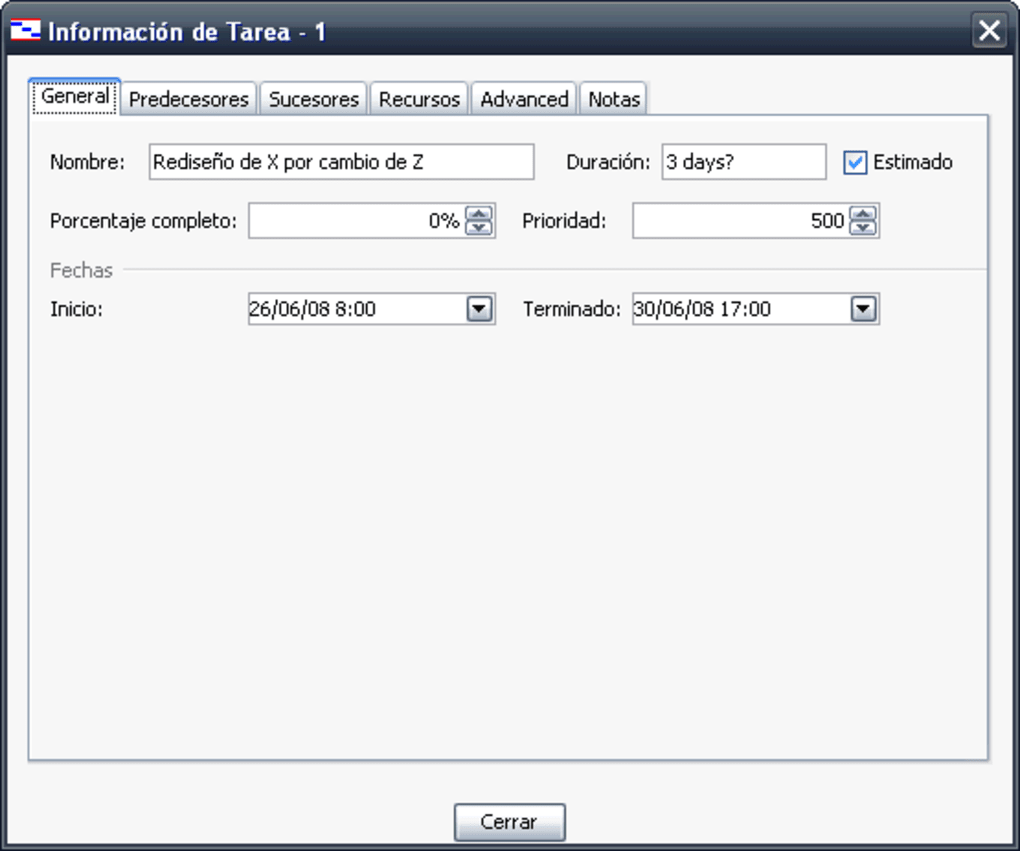
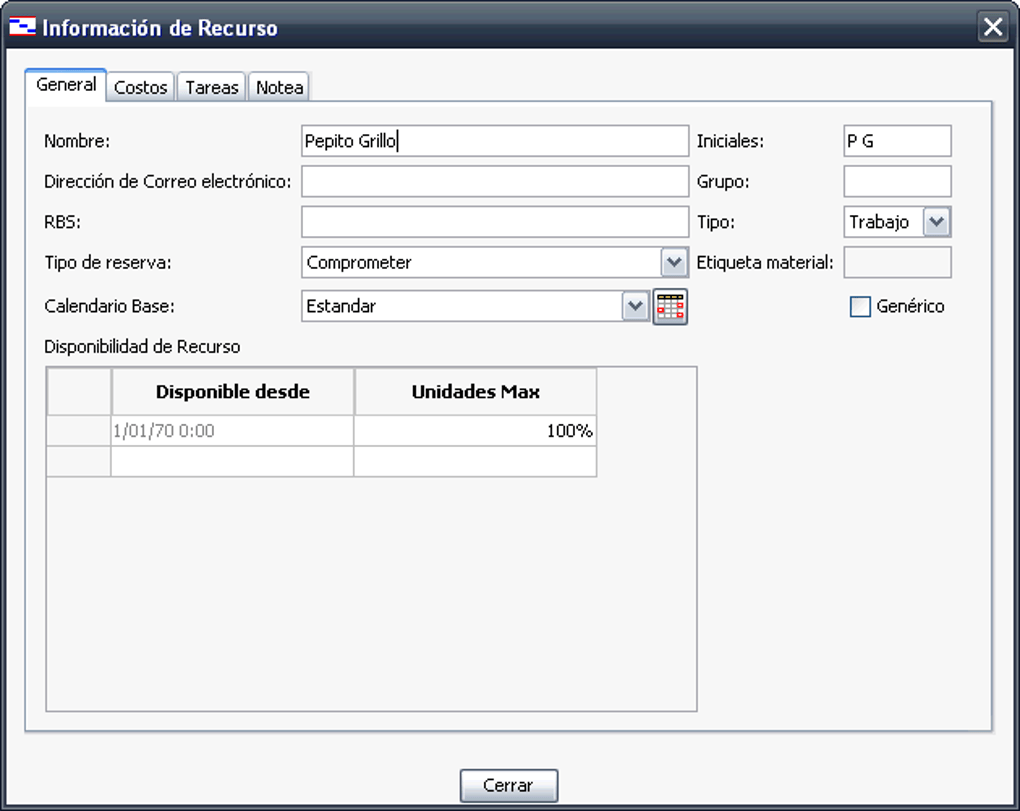
Beyond just defining tasks, OpenProj offers robust capabilities for delegating and tracking them. Once steps and milestones are established, they can be assigned as specific tasks to individual team members or entire teams. This delegation feature is central to distributed project management, ensuring that responsibilities are clearly communicated and understood. For each task, properties such as start and end dates, estimated effort, actual effort, and percentage completion can be meticulously tracked. As tasks are completed, users can “check them off,” providing an immediate visual update on overall progress. This real-time tracking mechanism is vital for project managers to monitor workloads, identify delays, and intervene proactively when necessary. The ability to input detailed information for each task, from resource requirements to associated costs, allows for a comprehensive understanding of project health at any given moment. This granular tracking empowers managers to maintain control and ensure accountability throughout the project lifecycle.
Timeline Visualization and Progress Monitoring
One of OpenProj’s most celebrated strengths is its ability to visualize project timelines. The software allows for the creation of various timelines – for individual tasks, phases, or the entire project – and then merges them into a unified, coherent view. This is typically presented through Gantt charts, which are industry standards for illustrating project schedules. These charts graphically display tasks against a timescale, showing start and end dates, durations, and dependencies between tasks. The visual nature of Gantt charts, combined with OpenProj’s intuitive interface, makes it incredibly easy to understand the project’s overall progress, identify critical paths, and foresee potential conflicts.
Moreover, the software’s progress monitoring features extend beyond simple task completion. Users can view the overall progress of the project, instantly seeing how individual accomplishments contribute to the larger goal. This holistic view is essential for stakeholders and team members alike, providing transparency and fostering a shared understanding of the project’s status. OpenProj effectively translates raw data into actionable insights, enabling informed decision-making and continuous adjustment of plans to keep the project on track. This capacity for clear timeline visualization and comprehensive progress monitoring makes OpenProj an indispensable tool for maintaining project momentum and ensuring timely delivery.
User Experience and Interface Design: Simplicity in Complexity
The longevity and continued use of OpenProj are significantly attributed to its thoughtful user experience and interface design. In a domain often plagued by overly complex or unintuitive software, OpenProj has managed to strike a balance, offering powerful functionalities within a framework that remains accessible. This design philosophy is particularly appealing to a broad spectrum of users, from seasoned project managers to those new to the discipline, ensuring that the software acts as an enabler rather than a barrier.
The “Mind Map” Approach
Central to OpenProj’s user-friendly interface is what can be described as a “mind map” approach to project organization. This analogy highlights the software’s ability to help users structure their thoughts and project components in a way that mirrors natural human cognitive processes. When a user looks at an OpenProj project, they immediately grasp how the project works, what tasks are pending, and where each element fits into the overarching scheme. This intuitive layout reduces the cognitive load often associated with managing intricate projects. Rather than presenting a bewildering array of data, OpenProj organizes information logically, making it easy to navigate between different views – such as task lists, resource sheets, and Gantt charts – while maintaining a clear understanding of their interrelationships. This inherent clarity means that even complex projects, with multiple dependencies and resources, can be visually untangled and understood, fostering better communication and planning among teams.
Understanding the Toolset
While OpenProj boasts an intuitive design, it is by no means simplistic in its feature set. The program offers a “slew of tools,” each designed to address specific aspects of project management. These tools cover everything from creating detailed schedules and assigning resources to tracking costs and analyzing progress. Users have dedicated pages for managing timelines, defining tasks, delegating responsibilities, and overseeing resource allocation, among other functions. However, mastering these tools requires a certain level of commitment. As the original content rightly points out, users “will have to invest hours into learning what each tool does.” This learning curve, while present, is ultimately rewarding. The depth of the toolset provides immense flexibility, allowing project managers to tailor their approach to various project complexities and industries. The investment in understanding how each system works pays dividends in the form of “very clear, clean, and efficient projects,” demonstrating that the power of OpenProj lies in its comprehensive toolkit, once properly harnessed.
Visualizing Success
The ultimate goal of any project management software is to facilitate successful project outcomes. OpenProj aids in this by providing powerful visualization capabilities that translate raw data into actionable insights. Beyond just Gantt charts, the software offers various views that allow users to see their overall progress, identify bottlenecks, and understand the impact of individual tasks on the project’s timeline and budget. The ability to check off tasks as they occur and instantly see the ripple effect on the project’s status empowers managers to make informed decisions swiftly. This visual feedback loop is crucial for maintaining project momentum and morale. When team members can clearly see how their contributions fit into the larger picture and how the project is moving towards completion, it fosters a sense of purpose and collective achievement. OpenProj’s design ensures that the path to success is not just planned but also clearly visible, making it easier for everyone involved to stay aligned and motivated.
System Requirements and Maintaining Compatibility
While OpenProj offers significant advantages, users must be mindful of its specific system requirements and potential compatibility challenges, especially when deploying it on modern operating systems. As a desktop application, its performance and functionality are directly tied to the underlying software environment. Understanding these requirements is crucial for a smooth user experience and to avoid common pitfalls.
Addressing Java Dependencies
One of the primary technical considerations for OpenProj is its reliance on Java. The application is built upon the Java platform, meaning that a compatible Java Runtime Environment (JRE) must be installed on the user’s system for OpenProj to function correctly. Specifically, the reference content mentions that some users might need to install “a 64-bit version of Java 1.6.0_30” or use “Java(TM) SE Runtime Environment (build 1.7.0_02-b13).” This detail is critical because newer versions of Java may not always be backward compatible with applications built on older Java standards, or operating systems might come with much newer Java versions that inadvertently cause conflicts.
Users encountering issues where the software “is not supported on their device” will often find that a mismatch in Java versions is the culprit. This situation can be a minor inconvenience, requiring users to identify and install the specific JRE version that OpenProj expects. In some cases, it might even mean running multiple Java environments on a single machine, which can introduce its own set of management challenges. However, for those committed to using OpenProj, resolving these Java dependencies is a straightforward, albeit necessary, step. It underscores the importance of checking prerequisites before installation to ensure a seamless setup process.
Navigating Legacy System Challenges
OpenProj, while still highly functional, hails from an earlier era of software development. Its latest listed update is May 16, 2022, but the Java requirements often point to a foundational architecture rooted in older software ecosystems. This can lead to what the source content humorously calls users having “to retrograde their new laptops by removing post-2012 updates” or utilizing “Windows backwards compatibility mode.” While this might be an exaggeration for most cases, it highlights a common reality for legacy applications: they sometimes require specific configurations or compatibility layers to run optimally on contemporary operating systems.
For instance, Windows’ built-in compatibility modes can often resolve minor issues by emulating an older Windows environment. However, for more complex interactions, especially involving underlying system libraries or runtime environments like Java, manual intervention might be needed. This might involve running the application as an administrator, adjusting security settings, or even – in rare, extreme cases – setting up virtual machines with older operating systems. While these steps might seem daunting to a casual user, they are familiar territory for IT professionals or dedicated individuals determined to leverage OpenProj’s capabilities. The small download size of 6.83 MB also indicates a lean application, which generally translates to fewer system resource demands, but the Java dependency is the key hurdle to anticipate.
Installation Tips for Modern Systems
To successfully install and run OpenProj on a modern Windows machine (e.g., Windows 10 or 11), several best practices can minimize compatibility issues:
- Identify Required Java Version: Before installing OpenProj, determine the exact Java SE Runtime Environment (JRE) version it requires. Based on the given information,
1.6.0_30or1.7.0_02-b13are strong candidates. - Download and Install Correct JRE: Visit Oracle’s archived Java downloads or a trusted third-party Java repository to download the specific 64-bit JRE. Be cautious about installing multiple JREs if not managed properly, as it can cause conflicts with other Java applications.
- Install OpenProj: Run the OpenProj installer. If prompted, ensure it points to the correct JRE installation path or verify that the system’s
PATHenvironment variable correctly references the desired Java executable. - Utilize Compatibility Mode: If OpenProj fails to launch or exhibits unexpected behavior, right-click on its executable (
.exe) file, go to “Properties,” then “Compatibility” tab. Experiment with running the program in compatibility mode for an older version of Windows (e.g., Windows 7 or Windows XP SP3). Also, check “Run this program as an administrator.” - Troubleshooting: If issues persist, check online forums or community resources related to OpenProj for specific troubleshooting steps. Given its open-source nature, there’s often community wisdom available for common problems.
By proactively addressing these system requirements and compatibility considerations, users can ensure that OpenProj operates reliably, allowing them to focus on project management rather than technical troubleshooting.
Advantages and Disadvantages: A Balanced Perspective
Like any software, OpenProj comes with its own set of pros and cons. Understanding these allows potential users to make an informed decision about whether it’s the right tool for their specific project management needs. Its strengths often lie in its foundational design and accessibility, while its weaknesses tend to stem from its maturity and reliance on external runtime environments.
The Power of Flexibility and Clarity (Pros)
OpenProj boasts several compelling advantages that contribute to its continued popularity:
- Intuitive and Self-Explanatory Projects: One of its most significant strengths is its ability to facilitate the creation of projects that are remarkably easy to understand. The visual layout, akin to a mind map, ensures that even complex project structures become clear, allowing anyone to grasp “how the project works, what tasks need doing next and where they fit into the overall scheme of things.” This clarity minimizes ambiguity and enhances communication among team members and stakeholders.
- Flexible and Feature-Rich Toolset: Despite being free and open-source, OpenProj doesn’t skimp on features. It offers a “plenty of tools” for various aspects of project management, including Gantt charts, PERT charts, WBS, resource management, and earned value analysis. This flexibility means it can adapt to diverse project methodologies and requirements, making it suitable for a wide range of industries and project types. The availability of “different pages for timelines, tasks, delegating and so forth” ensures comprehensive project oversight.
- Cost-Effectiveness: As a free, open-source application, OpenProj eliminates licensing costs, making it an exceptionally attractive option for individuals, small businesses, non-profits, and educational institutions with limited budgets. This financial accessibility democratizes professional project management, putting powerful tools within reach of a broader audience.
- Desktop Control: For users who prefer a local application over cloud-based solutions, OpenProj offers complete control over data, security, and updates. It runs independently on the user’s machine, potentially offering better performance and privacy for sensitive project information.
The Learning Curve and Technical Hurdles (Cons)
However, OpenProj also presents certain challenges that users should be aware of:
- Significant Learning Investment: While the interface is intuitive for understanding project flow, mastering the full suite of tools requires dedication. Users “will have to invest hours into learning what each tool does” to unlock its full potential. This initial time commitment can be a barrier for those seeking an immediate plug-and-play solution without prior project management software experience.
- Java Dependency and Compatibility Issues: OpenProj’s reliance on a specific version of the Java Runtime Environment (JRE) can lead to compatibility problems, especially on newer operating systems. Users “may have to run on with Java(TM) SE Runtime Environment (build 1.7.0_02-b13)” or specifically install older 64-bit Java versions. This often means troubleshooting Java installations, which can be technical and frustrating for non-technical users, potentially requiring “Windows backwards compatibility mode.”
- Limited Ongoing Development/Support: As a mature open-source project, the pace of active development and official community support may not be as robust as with actively maintained commercial or modern open-source projects. While the software is stable, new features or rapid bug fixes might not be as frequent. The low “Last month’s downloads” figure (59) reported on PhanMemFree.org could suggest a declining user base or simply less new adoption, which can impact community-driven support.
- Lack of Cloud/Collaboration Features: Being a desktop application, OpenProj lacks inherent cloud integration, real-time multi-user collaboration, and web-based access that are standard in many modern project management platforms. This limits its utility for geographically dispersed teams requiring simultaneous access and updates.
In conclusion, OpenProj offers a powerful, cost-effective solution for project management with a strong emphasis on clarity and flexibility. However, potential users must be prepared for an initial learning investment and possible technical hurdles related to Java compatibility. For those willing to navigate these aspects, OpenProj remains a highly capable and rewarding tool.
OpenProj in the Modern Project Management Landscape
The project management software market has transformed dramatically since OpenProj’s inception. The proliferation of cloud-based solutions, agile methodologies, and real-time collaboration tools has reshaped user expectations. Despite these advancements, OpenProj continues to hold a particular position, appealing to specific user segments and use cases where its core strengths remain highly relevant. Understanding its standing against contemporary offerings helps contextualize its enduring utility.
Comparing with Contemporary Solutions
Modern project management solutions like ClickUp, Trello, Asana, Jira, and even the commercial Microsoft Project offer a wealth of features that extend beyond OpenProj’s scope. These often include:
- Cloud-Native Architecture: Enabling web access, mobile apps, and real-time, multi-user collaboration from any location.
- Integration Ecosystems: Seamless connections with hundreds of other business tools (CRM, communication platforms, file storage, etc.).
- Advanced Methodologies: Built-in support for Agile (Scrum, Kanban), hybrid approaches, and sophisticated reporting dashboards.
- Enhanced UI/UX: Sleek, modern interfaces with drag-and-drop functionalities, AI-powered insights, and personalized workspaces.
- Dedicated Support: Professional customer service, extensive documentation, and active development teams pushing regular updates.
In contrast, OpenProj is a desktop application. While it offers powerful planning and tracking, it inherently lacks real-time collaboration, web access, and extensive integrations. Its interface, though intuitive in its logic, appears more traditional compared to the polished aesthetics of newer tools. However, this simplicity can also be its strength, avoiding the “feature bloat” that can overwhelm some users in more complex systems. For project managers who prefer a focused, self-contained environment without the distractions or subscription costs of cloud services, OpenProj’s traditional approach remains highly functional.
The Niche for OpenProj
Given the rapid evolution of project management tools, where does OpenProj fit in today? Its niche lies predominantly with:
- Small Businesses and Startups: With limited budgets, these entities can leverage OpenProj to implement professional project management practices without significant upfront investment.
- Individual Project Managers and Freelancers: For solo professionals managing their own projects, the desktop-centric, free nature of OpenProj provides a powerful personal tool for organization and tracking.
- Educational Institutions and Students: It serves as an excellent learning tool for understanding fundamental project management principles (Gantt charts, WBS, critical path analysis) without needing access to expensive software licenses.
- Organizations with Security or Data Sovereignty Concerns: For projects involving sensitive data where cloud storage is not an option, a local desktop application like OpenProj offers a secure, offline alternative.
- Users in Environments with Limited Internet Connectivity: In situations where reliable internet access is not guaranteed, a desktop application ensures uninterrupted work.
- Adopters of Legacy Systems: For those running older hardware or operating systems, OpenProj’s compatibility (once Java dependencies are met) can make it a viable choice where newer software might not run effectively.
Its role is not to compete directly with every feature of a Microsoft Project or a ClickUp, but rather to provide a reliable, cost-free foundation for core project planning and execution, particularly where budget, data control, or offline capability are primary concerns.
Future Outlook and Community Support
The future trajectory of OpenProj, like many mature open-source projects, is largely dependent on community engagement and the persistence of its core user base. While active development from its original creator, Serena Software (now part of Micro Focus, which in turn is part of OpenText), might have slowed down, the open-source nature means the code base is available for forks or community-driven enhancements. The relatively low “last month’s downloads” figure on PhanMemFree.org (59 downloads) suggests that while it is still being used, its active adoption by new users might have decreased in favor of more contemporary tools.
However, a dedicated community often ensures the longevity of such tools through forums, user-generated tutorials, and shared troubleshooting tips. For OpenProj, this means that while official updates might be infrequent, the collective knowledge of its users serves as a valuable resource. Users looking to leverage OpenProj effectively today should anticipate relying on this community support for workaround solutions to modern operating system challenges and best practices. Its continued presence on download platforms like PhanMemFree.org signifies that there is still demand for its specific offering. As long as there’s a need for a free, powerful, and offline project management tool with an intuitive interface, OpenProj will likely continue to serve its niche, adapting through user ingenuity rather than constant official updates. Its legacy is a testament to the power of open-source in making essential tools accessible to everyone.
Conclusion
OpenProj remains a compelling choice in the project management software landscape, embodying the spirit of accessible, high-quality open-source tools. Its core strength lies in its intuitive design, which simplifies the complex task of project breakdown, delegation, and progress tracking into an easily understandable format, often likened to a mind map. For individuals, small businesses, and organizations prioritizing cost-effectiveness and control over their project data, OpenProj provides a robust desktop solution without the recurring subscription fees or cloud dependencies of many modern alternatives.
While users should be prepared for potential technical considerations, particularly regarding Java compatibility on newer operating systems, the investment in understanding these nuances is often outweighed by the clarity and efficiency the software brings to project planning. The “slew of tools” available, coupled with dedicated pages for timelines, tasks, and delegation, ensures that OpenProj is flexible enough to manage diverse projects effectively, allowing users to produce “very clear, clean, and efficient projects.”
In a market saturated with advanced, cloud-based collaboration platforms, OpenProj carves out a vital niche. It serves those who value a self-contained, offline work environment, seek to minimize software expenditures, or simply appreciate a focused application without the potential complexities of integrated ecosystems. Its enduring appeal, despite its maturity, is a testament to its foundational quality and its commitment to democratizing project management. For those seeking a powerful, free, and intuitive tool to bring order and clarity to their projects, OpenProj, available for download on platforms like PhanMemFree, continues to offer a valuable and reliable path forward.
File Information
- License: “Free”
- Version: “1.4”
- Latest update: “May 16, 2022”
- Platform: “Windows”
- OS: “Windows 98 SE”
- Language: “English”
- Downloads: “93.5K”
- Size: “6.83 MB”


