
OPPO, a prominent player in the global smartphone market, understands the growing importance of mobile gaming. Recognizing the need to enhance the gaming experience on its devices, OPPO developed Oppo Game Space, a dedicated application designed to optimize performance and provide a smoother, more immersive gaming experience. This comprehensive guide explores the features, functionality, and impact of Oppo Game Space, examining its strengths and limitations.
Understanding Oppo Game Space: More Than Just a Game Launcher
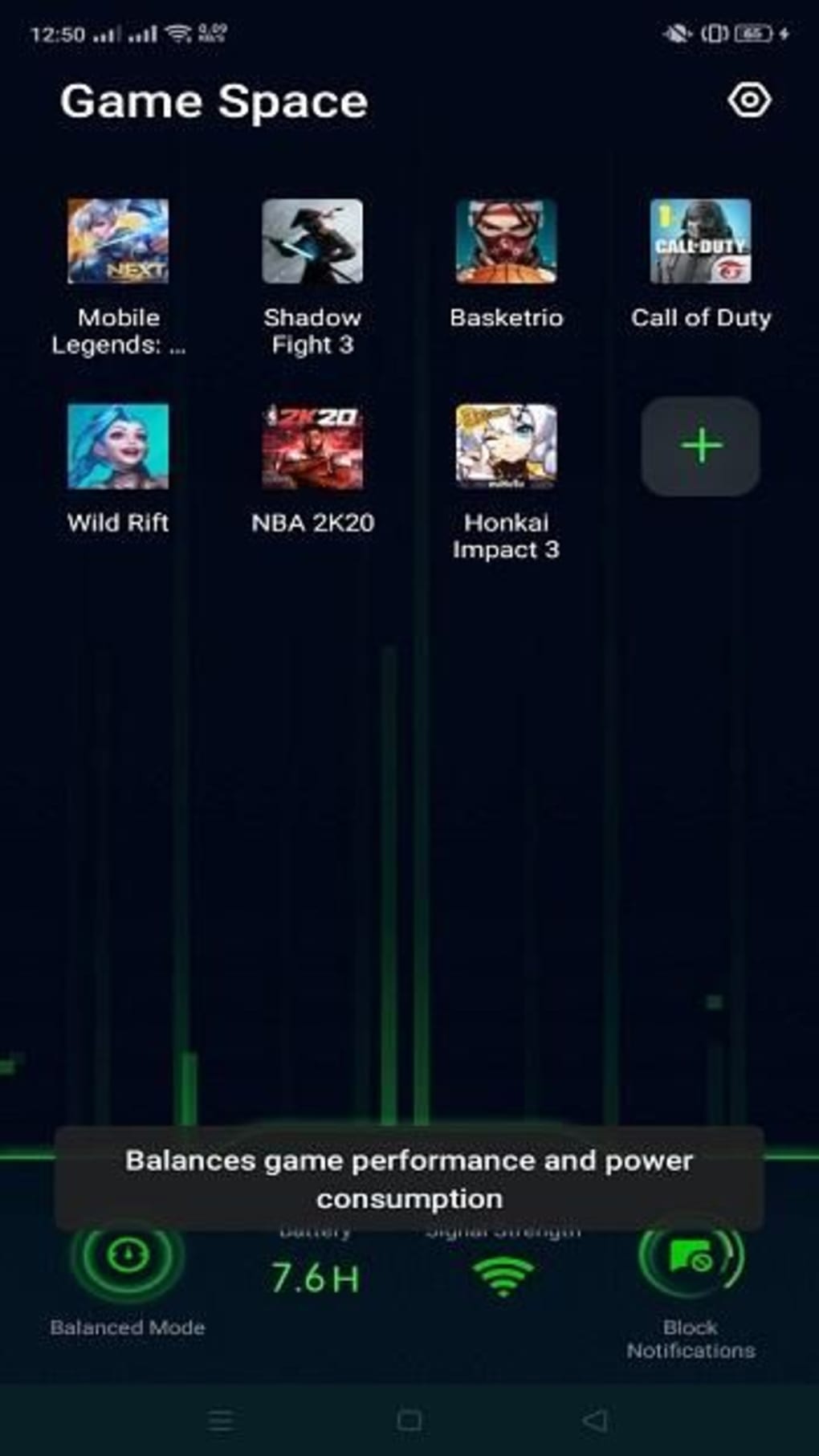
Oppo Game Space transcends the role of a simple game launcher. It’s a sophisticated performance optimization tool specifically crafted for OPPO smartphones. Unlike generic game boosters, Oppo Game Space leverages deep system integration to fine-tune various aspects of the device’s hardware and software, resulting in noticeable improvements in gaming performance. The app automatically detects installed games, but users retain the ability to manually add titles for optimization. This level of personalization ensures that all your favorite games benefit from the enhancements offered by Oppo Game Space.
The application’s intuitive interface makes it accessible to both novice and experienced users. Its clean design ensures that navigating through the various features and settings remains effortless. This focus on user-friendliness is a significant contributing factor to its popularity among OPPO smartphone users. The core functionality revolves around adjusting performance profiles to match the demands of different games and user preferences.
Core Features and Performance Optimization
Oppo Game Space boasts several key features designed to enhance the mobile gaming experience. These include:
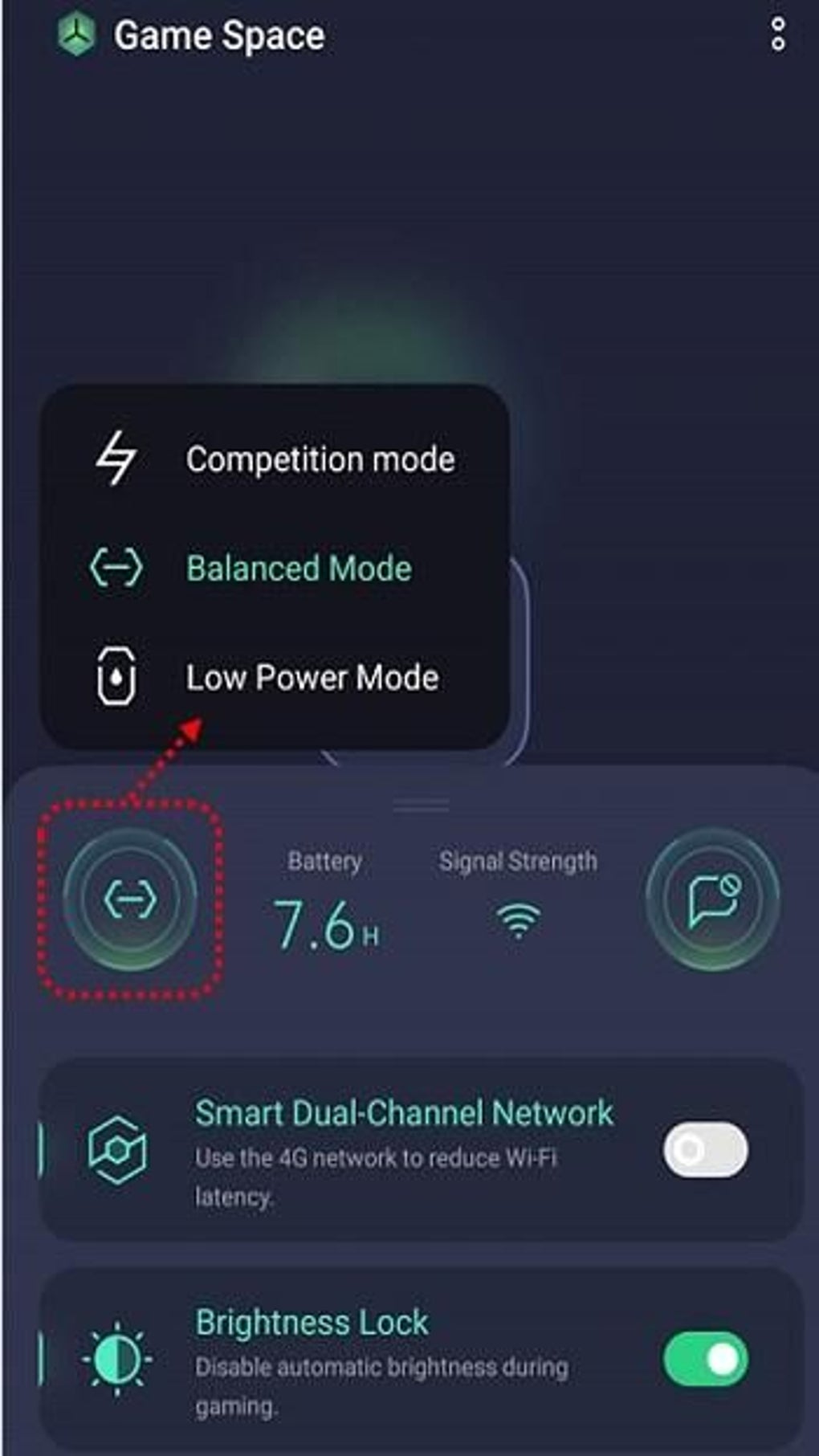
- Adjustable Performance Profiles: This is arguably the most critical feature of Oppo Game Space. Users can select from pre-configured performance profiles to optimize the device for gaming. These profiles typically include options such as “Competition Mode,” “Balanced Mode,” and “Low Power Mode.” Competition Mode prioritizes maximum performance, potentially draining the battery more quickly, while Low Power Mode conserves battery life at the expense of some graphical fidelity and frame rate. The Balanced Mode seeks a middle ground between performance and power efficiency. Users can easily switch between these modes depending on the game’s demands and their battery level.
-
Real-time Resource Management: Oppo Game Space actively manages system resources during gameplay. It intelligently allocates RAM and CPU power to the active game, ensuring it receives the necessary resources to run smoothly. This dynamic resource allocation minimizes lag, stuttering, and other performance issues that can negatively impact the gaming experience.
-
Notification Blocking: Distractions are a gamer’s nemesis. Oppo Game Space addresses this by providing the option to block notifications during gameplay. This eliminates interruptions and allows for complete immersion in the gaming world. This simple feature can dramatically improve focus and gameplay concentration.
-
Network Optimization (Smart Dual-Channel Network): For games that require a stable and low-latency network connection, Oppo Game Space often includes an option called Smart Dual-Channel Network. This feature intelligently switches between Wi-Fi and 4G networks to ensure a consistent and optimized connection, minimizing latency issues that can disrupt online gameplay. This feature proves especially beneficial in areas with inconsistent Wi-Fi coverage.
-
Brightness Lock: Maintaining consistent screen brightness during gameplay is crucial for both visual clarity and power management. Oppo Game Space allows users to lock the screen brightness at a preferred level, preventing accidental adjustments that could impact gameplay or battery life.
-
Game Assistant: Many iterations of Oppo Game Space include a Game Assistant overlay that provides quick access to essential in-game tools, such as screen recording, screenshot capture, and quick access to settings adjustments. This overlay usually remains minimally intrusive, allowing for easy access to these tools without disrupting gameplay.
Beyond Performance: Enhancing the User Experience
Oppo Game Space goes beyond mere performance optimization. It aims to create a comprehensive and enjoyable mobile gaming environment. Features like the ability to quickly access game settings, customize display options, and manage notifications contribute to an overall enhanced user experience. The clean and uncluttered interface ensures that the app doesn’t overwhelm the user with unnecessary complexities.
The automatic game detection feature streamlines the process of adding games to Oppo Game Space, eliminating the need for manual input in most cases. However, the ability to manually add games provides flexibility for users who want to optimize games that may not be automatically detected. This blend of automation and manual control ensures a tailored experience for each user.
Compatibility and Performance Variations
It’s crucial to acknowledge that Oppo Game Space is exclusively compatible with OPPO smartphones. This proprietary nature limits its reach to a specific user base. While this exclusivity allows for tight integration with OPPO hardware and software, it also means users of other Android devices cannot benefit from its features.
Furthermore, the performance enhancements offered by Oppo Game Space vary depending on the specific OPPO device. High-end OPPO smartphones with more powerful processors and ample RAM will generally experience more significant improvements than older or lower-spec models. Individual game performance is also affected by factors such as game engine optimization and graphical settings. Therefore, the impact of Oppo Game Space should not be viewed as universally consistent across all games and devices.
Comparing Oppo Game Space to Competitors
Oppo Game Space competes with similar game optimization utilities offered by other manufacturers, such as Xiaomi Game Turbo and OnePlus Games. While the core functionality—performance optimization and resource management—is largely similar across these applications, there are nuances in their features and implementations. Some may offer more granular control over system settings, while others may prioritize different aspects of the gaming experience. The specific features and their effectiveness ultimately influence a user’s preference.
The choice between these competing applications often boils down to personal preferences and the specific device being used. Oppo Game Space provides a tailored and integrated experience for OPPO users, while other solutions may offer similar functionalities for different brands.
Conclusion: A Valuable Asset for OPPO Gamers
Oppo Game Space serves as a significant value-add for OPPO smartphone owners who enjoy mobile gaming. Its user-friendly interface, powerful performance optimization tools, and additional features like notification blocking and network optimization contribute to a more enjoyable and immersive gaming experience. While its exclusive compatibility with OPPO devices limits its accessibility, it undeniably enhances the gaming capabilities of OPPO smartphones, particularly for users who demand optimal performance from their mobile games. The continuous updates and improvements to the application suggest OPPO’s commitment to refining and enhancing the mobile gaming experience on its devices. For OPPO users, Oppo Game Space should be considered an essential tool for maximizing their mobile gaming enjoyment.
File Information
- License: “Free”
- Latest update: “June 3, 2024”
- Platform: “Android”
- OS: “Android 13.0”
- Downloads: “680.7K”
- Download Options: “Google Play”


