
OrangeMonkey Pro is a powerful yet lightweight userscript manager meticulously designed for Chromium-based browsers. This extension, a fork of the popular Violentmonkey, offers a streamlined, modern interface and significantly enhanced functionality, providing users with a superior experience for managing and utilizing userscripts. Userscripts themselves are small programs that allow for extensive customization of web experiences, ranging from simple aesthetic tweaks like applying dark mode to specific websites to complex modifications that alter website functionality. Essentially, OrangeMonkey Pro empowers users to tailor their browsing experience to their precise preferences.
Key Features and Functionality
OrangeMonkey Pro boasts a compelling array of features designed to simplify the management and utilization of userscripts. These features combine to create a user-friendly and highly efficient tool for customizing web interactions. Let’s explore some of its key capabilities:
-
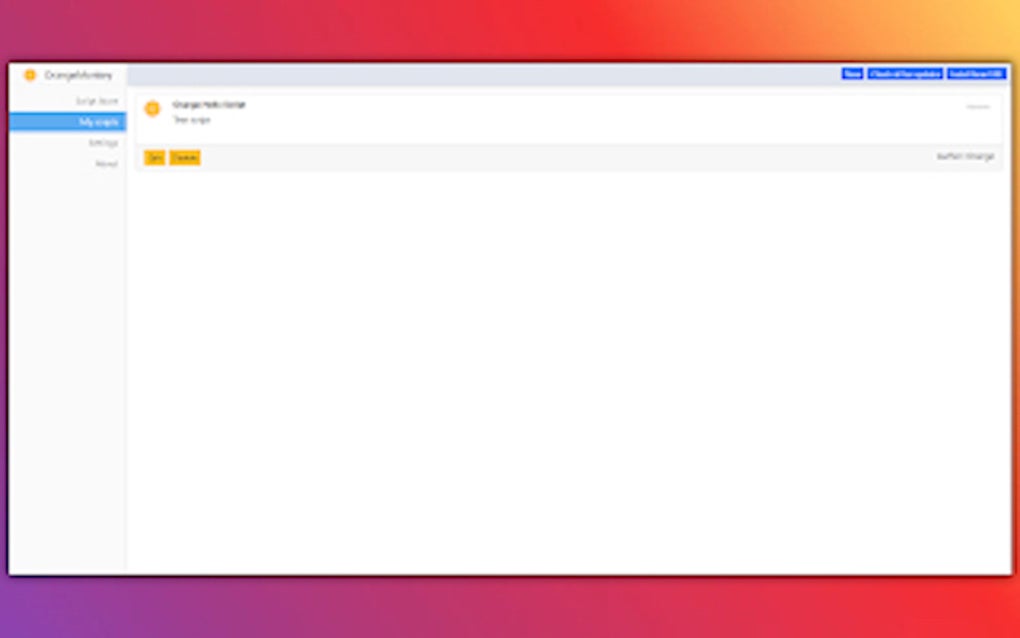
Intuitive and Modern Interface: OrangeMonkey Pro stands apart with its clean and modern interface. Navigating the extension is simple and intuitive, even for users who are new to userscript management. This ease of use significantly reduces the learning curve, making it accessible to a wider range of users. The interface is designed for clarity and efficiency, allowing users to quickly find and manage their userscripts without unnecessary complexity.
-
Extensive Userscript Gallery: The extension provides access to a comprehensive gallery of readily available userscripts. This gallery continuously expands, providing users with a constantly growing pool of options to enhance their browsing experience. The built-in search functionality allows for easy discovery of specific userscripts based on keywords, making finding the right tool for the job a straightforward task.
-
One-Click Script Switching: Seamlessly toggle between different userscripts with a single click. This function is incredibly useful for users who utilize multiple userscripts for different websites or purposes. The ease of switching eliminates the need to manually enable or disable individual scripts, streamlining the user experience and improving efficiency.
-
Full GM_ Function Support: OrangeMonkey Pro offers comprehensive support for GM_ functions, a critical aspect for userscript developers and users alike. This ensures compatibility with a vast majority of existing userscripts, maximizing the potential for customization and enhancing the overall utility of the extension. The inclusion of this support is a significant factor in the extension’s versatility and robustness.
-
Direct Userscript Installation via Link: OrangeMonkey Pro allows users to directly install userscripts simply by providing a link to the script’s location. This eliminates the need for manual installation processes, considerably simplifying the addition of new scripts to the user’s collection. This feature promotes ease of use and efficient management of userscripts.
-
Backup and Restore Functionality: Protecting your userscript collection is paramount. OrangeMonkey Pro allows users to back up their entire userscript gallery as a single zip archive. This ensures that valuable customizations are preserved and can be easily restored if needed. This safeguard is particularly useful for preventing data loss and maintaining continuity in a personalized browsing experience.
-
Lightweight and Efficient: Despite its comprehensive features, OrangeMonkey Pro maintains a remarkably small footprint. This ensures that the extension remains lightweight and doesn’t significantly impact browser performance. This balance between functionality and efficiency is a hallmark of the extension’s design. Users can leverage powerful customization options without sacrificing browsing speed or system resources.
OrangeMonkey Pro for Google Chrome: A Detailed Overview
OrangeMonkey Pro’s specific design for Chromium-based browsers, including Google Chrome, ensures optimal compatibility and performance. It seamlessly integrates with the browser, providing a smooth and intuitive user experience. The extension’s lightweight nature ensures that it consumes minimal system resources, ensuring that your browsing experience remains fast and responsive.
The extension’s user-friendly interface makes navigating and managing userscripts a breeze. The intuitive design caters to both novice and experienced users, ensuring a positive experience for everyone. The comprehensive userscript gallery, coupled with the one-click switching feature, drastically simplifies the process of customizing and managing multiple userscripts.
The ability to install userscripts directly via a link is a significant advantage, eliminating the need for complicated installation processes. This feature streamlines the process of adding new scripts, saving users valuable time and effort. The inclusion of GM_ function support further broadens the range of userscripts that are compatible with OrangeMonkey Pro, enhancing its versatility and overall usability.
The backup and restore functionality offers a critical layer of protection for users’ customized browsing settings. The ability to save the entire userscript gallery as a zip file provides peace of mind, ensuring that valuable customizations are protected against data loss. This feature is essential for users who rely on userscripts to personalize their online experience.
In essence, OrangeMonkey Pro for Google Chrome provides an unparalleled level of control and customization over the browsing experience without compromising performance or ease of use. It’s a comprehensive solution that seamlessly integrates with the browser, providing a powerful yet user-friendly tool for enhancing online interactions.
Apps, Games, News, and Business Uses
While primarily a userscript manager, OrangeMonkey Pro’s influence extends beyond simple browsing enhancements. Its capabilities open doors to a variety of applications in different contexts:
Apps: Users can create or utilize userscripts to modify the functionality of web-based applications. Imagine customizing the interface of your favorite project management tool or adding features to a cloud-based storage platform. OrangeMonkey Pro provides the means to achieve this level of personalization.
Games: Certain browser-based games can benefit from userscripts that enhance the gaming experience. These scripts could automate repetitive tasks, provide helpful overlays, or even subtly modify game mechanics. While ethically questionable in some competitive online gaming scenarios, for single-player or casual games, userscripts can significantly improve enjoyment.
News: Users can leverage userscripts to customize how they consume news online. Scripts can filter out unwanted content, highlight specific keywords, or even change the layout of news websites for improved readability. This level of control allows users to tailor their news consumption to their preferences, reducing distractions and enhancing the overall experience.
For Business: Within a business context, OrangeMonkey Pro could prove incredibly useful for streamlining workflows. Imagine developing custom userscripts to automate data entry tasks, improve the efficiency of internal communication platforms, or enhance the user experience of company-specific web applications. The potential for productivity improvements is substantial.
Browsers and Compatibility
OrangeMonkey Pro is primarily designed for Chromium-based browsers, making it highly compatible with Google Chrome, Microsoft Edge (Chromium-based), Brave, and Opera. While functionality may vary slightly depending on the specific browser, the core features remain consistent across these platforms. The extension leverages the common architecture of these browsers to ensure seamless integration and optimal performance. However, it’s crucial to note that OrangeMonkey Pro is not designed for browsers that do not utilize the Chromium rendering engine. Attempting to install it on other browsers will likely result in incompatibility issues.
Google Chrome Integration: A Deep Dive
OrangeMonkey Pro’s integration with Google Chrome is particularly seamless due to the shared Chromium foundation. This ensures that the extension operates efficiently and without conflicts. The extension’s lightweight nature means that it doesn’t burden Chrome’s performance, even with numerous userscripts active. The intuitive interface, mirroring the overall aesthetic of Chrome’s extensions ecosystem, provides a familiar and comfortable user experience. This integration enhances the overall user-friendliness and makes OrangeMonkey Pro a highly valuable addition to any Chrome user’s toolkit. The ability to seamlessly manage and utilize userscripts directly within the Chrome environment eliminates the need for external tools or complicated setup procedures, resulting in a more streamlined and efficient workflow.
Conclusion: Empowering Your Browsing Experience
OrangeMonkey Pro is more than just a userscript manager; it’s a tool that empowers users to take control of their browsing experience. Its lightweight design, intuitive interface, and comprehensive feature set make it a superior choice for anyone looking to enhance their online interactions. Whether you’re a casual user seeking simple customizations or a power user demanding advanced control, OrangeMonkey Pro offers the flexibility and power to tailor your browsing environment precisely to your needs. Its compatibility with a wide range of Chromium-based browsers ensures that it remains a valuable tool for a diverse user base, continuously evolving to meet the changing demands of the digital landscape. The focus on ease of use, coupled with its powerful functionality, makes OrangeMonkey Pro a standout extension for anyone looking to personalize and optimize their web browsing experience.
File Information
- License: “Free”
- Version: “2.0.8”
- Latest update: “August 1, 2025”
- Platform: “chrome”
- Language: “English”
- Downloads: “1.1K”


