
OTT Navigator IPTV is a free-to-download Android application designed to provide users with access to a wide range of IPTV channels. Unlike some IPTV apps that host their own content, OTT Navigator IPTV acts as a client, requiring users to supply their own IPTV playlist from a chosen provider. This approach offers flexibility, allowing users to customize their viewing experience based on their preferred providers and channel packages. The app supports a variety of devices, including smartphones, tablets, smart TVs, and TV boxes, making it a versatile option for cord-cutters and those seeking diverse entertainment options. While offering a significant number of features for free, it also incorporates a freemium model, meaning certain advanced functionalities are accessible only through in-app purchases. This review will delve into its functionalities, strengths, weaknesses, and explore alternative applications.
Key Features and Functionality
OTT Navigator IPTV stands out with a user-friendly interface and a comprehensive set of features aimed at enhancing the viewing experience. Its capabilities extend beyond simple channel playback, incorporating features typically found in more sophisticated media players.
Live Streaming and Archived Content: The core functionality revolves around live streaming of IPTV channels. The app boasts seamless playback, ensuring a smooth viewing experience across various network conditions. One notable advantage is the immediate resumption of the last viewed channel upon relaunching the app, enhancing user convenience. The app isn’t limited to live streams; it supports timeshifting functionality for channels offering archived content. This feature allows users to catch up on missed programs or rewind live broadcasts, offering greater control over their viewing schedule. Furthermore, users can easily browse and access archived shows through a well-organized media library, categorized for simple navigation.
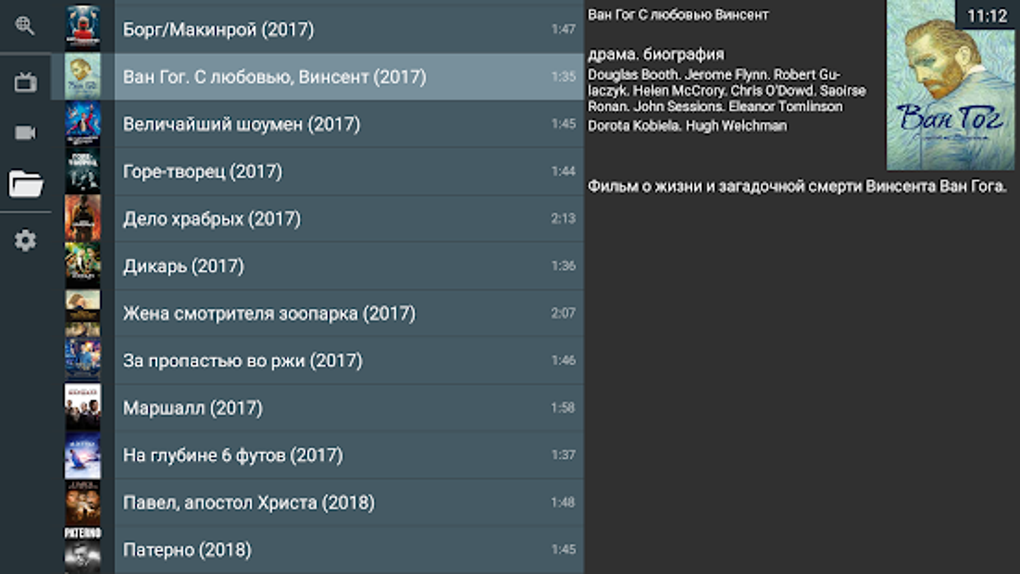
Advanced Playback and Organization: OTT Navigator IPTV provides a granular level of control over playback. Users can adjust the playback speed, allowing for slower or faster viewing depending on their preference. The application remembers the playback progress, automatically resuming from where the user left off. This feature ensures a personalized and efficient viewing experience. The app also utilizes intelligent organization features. Frequently accessed channels and categories are automatically grouped into folders, simplifying navigation and providing a personalized viewing experience tailored to user preferences. Based on viewing history and preferences, the application also suggests shows that align with user interests, enhancing discovery and reducing the time spent searching for content.
Enhanced Viewing Modes: OTT Navigator IPTV incorporates several viewing modes to cater to different user preferences and viewing scenarios. The Picture-in-Picture (PiP) mode allows users to view IPTV content in a floating window on their mobile device. This versatile feature enables users to continue watching videos while simultaneously using other applications, providing multitasking capabilities. For users who want to stream multiple channels simultaneously, the app provides a studio mode. This feature can be particularly useful for users who want to monitor multiple sports events or news channels concurrently. These advanced viewing options greatly enhance the versatility and usability of the app.
Search and Filtering Capabilities: Finding specific content within a large library of channels and archived programs can often be challenging. OTT Navigator IPTV addresses this by providing powerful search and filtering capabilities. Users can search for specific shows, movies, or channels using keywords. Furthermore, advanced filtering options allow users to refine search results by various parameters including channel, category, genre, season, year, age rating, and country of origin. This sophisticated filtering mechanism allows users to quickly locate the specific content they are looking for, maximizing their viewing efficiency.
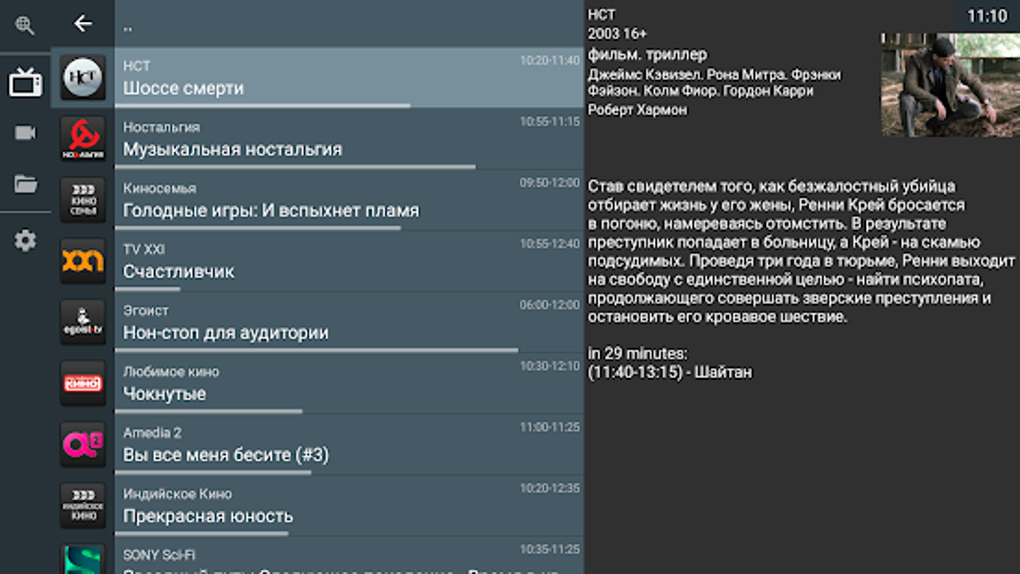
EPG Integration and Data Retrieval: The Electronic Program Guide (EPG) is a crucial feature for any IPTV application, and OTT Navigator IPTV includes EPG functionality. While the app provides a few built-in EPG sources, it also supports user-provided EPG sources, offering flexibility and allowing users to customize their EPG data based on their preferred providers. This ensures that users can easily access program information, including schedules and descriptions, for enhanced program discovery and planning.
Strengths and Weaknesses
While OTT Navigator IPTV boasts several advantages, it’s essential to acknowledge both its strengths and weaknesses to provide a balanced perspective.
Strengths:
- Free to use (with limitations): The core functionality of the app is available for free, making it an accessible option for budget-conscious users.
- Wide device compatibility: The app’s compatibility across various devices, including smartphones, tablets, smart TVs, and TV boxes, significantly broadens its user base.
- User-friendly interface: The intuitive interface and well-organized features ensure easy navigation and effortless use.
- Advanced features: The incorporation of features such as PiP mode, studio mode, timeshifting, and advanced search/filtering capabilities significantly enhances the user experience.
- Regular updates: Consistent updates promise bug fixes, performance improvements, and the addition of new features, demonstrating developer commitment.
Weaknesses:
- Reliance on external IPTV providers: The app’s functionality depends entirely on users providing their own IPTV playlists from third-party providers. This introduces an element of dependency and potential issues related to the reliability and quality of the chosen provider.
- Freemium model: While the basic features are free, several advanced features are behind a paywall, potentially limiting access for some users.
- URL compatibility: Not all URLs might work seamlessly with the app, leading to occasional playback issues.
- Potential legal implications: The legality of using IPTV services can vary depending on regional regulations and the content being accessed. Users should ensure they comply with all applicable laws.
Alternative Applications
Given the strengths and weaknesses of OTT Navigator IPTV, it’s helpful to consider alternative applications offering similar functionalities. Several alternatives exist, each with its own set of advantages and disadvantages:
-
Lazy IPTV: This app is known for its completely free nature, offering a wide range of features without any in-app purchases. However, its interface might not be as refined as OTT Navigator IPTV.
-
IPTV Rayo: Similar to Lazy IPTV, it’s a free alternative that prioritizes simplicity and ease of use. It might lack some of the advanced features offered by OTT Navigator IPTV.
-
Dream Player IPTV: This app offers a diverse feature set and strong user base but might not be completely free and could have some limitations compared to others.
-
SS IPTV: A well-established app with a broad range of features and excellent compatibility, though its cost structure and precise functionality may vary.
- OTT Player: A versatile option offering a balance of features and user-friendliness, its comprehensive range may also come with a higher price point.
The choice of the best IPTV application ultimately depends on individual needs and preferences. Consider factors such as the desired features, budget, and level of technical expertise when choosing an application.
Conclusion
OTT Navigator IPTV presents a compelling option for users seeking a free (with limitations) and feature-rich IPTV client. Its user-friendly interface, advanced viewing modes, and strong search capabilities make it an attractive choice for many users. However, its reliance on external providers and the freemium model should be considered. A careful comparison with alternative applications, taking into account personal needs and preferences, is recommended before settling on OTT Navigator IPTV or any other similar application. Remember to always adhere to local laws and regulations concerning IPTV usage.
File Information
- License: “Free”
- Latest update: “May 22, 2025”
- Platform: “Android”
- OS: “Android 13.0”
- Downloads: “99.3K”
- Download Options: “Google Play”


