
OuttaSight is a Windows application designed to address user privacy concerns and enhance productivity by providing a simple yet effective mechanism for hiding windows. This review delves into its functionality, pros and cons, and places it within the broader context of similar productivity tools available for Windows users. While the application is older and may not be fully compatible with the latest Windows iterations, its core function of discreetly managing open windows remains relevant for those seeking a quick and easy solution for controlling their desktop environment.
Functionality and Features
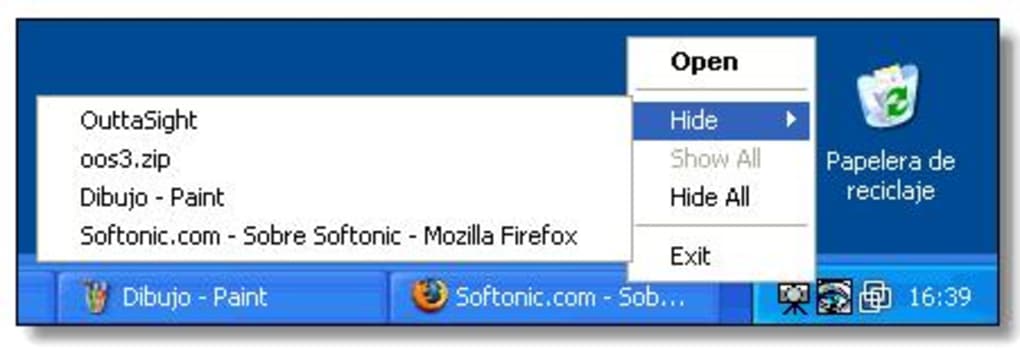
OuttaSight’s primary function revolves around the ability to hide windows, either manually or automatically. The manual hiding process is straightforward: users simply select the windows they wish to conceal, and OuttaSight instantly removes them from view. This is particularly useful for quickly clearing a cluttered desktop or creating a more organized workspace. However, the application’s real strength lies in its automated hiding capabilities. Users can configure OuttaSight to automatically hide specific applications or windows running in the background, ensuring that sensitive information or distracting elements remain out of sight. This feature is customizable, allowing users to choose which programs or windows are subject to automatic hiding. The selection process, however, is one of the application’s less intuitive aspects. While it’s functional, it could benefit from a more streamlined and user-friendly interface for choosing specific applications to auto-hide.
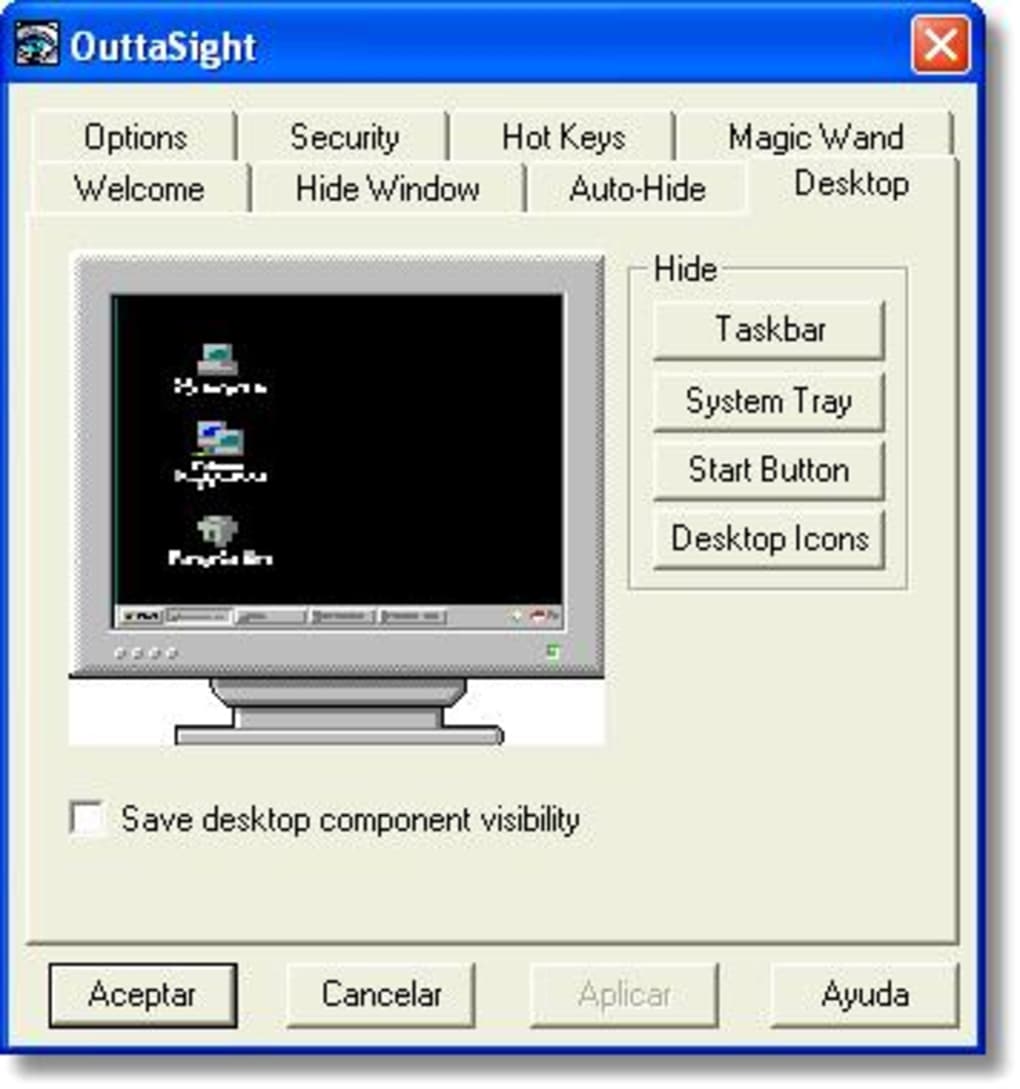
Beyond its hiding functionality, OuttaSight incorporates a password protection feature. This security measure prevents unauthorized access and modification of the application’s settings, ensuring that the user’s privacy settings remain intact. The password protection is a vital element for users concerned about security and ensuring their sensitive applications remain hidden from prying eyes. The implementation of a single hotkey further enhances usability, offering a swift method to show or hide all hidden windows simultaneously. This hotkey provides a rapid and efficient way to manage the visibility of applications, enhancing the overall user experience. The application’s simplicity and the speed at which it performs these functions are crucial factors contributing to its efficiency.
Pros and Cons: A Balanced Perspective
OuttaSight, despite its age, presents several advantages. Its core functionality is simple and straightforward, requiring minimal technical expertise to operate effectively. The push-button mechanism for manual window hiding is exceptionally user-friendly, and the comprehensive tabbed interface makes navigation and configuration manageable. Password protection enhances the security of the application and user privacy, ensuring that the hidden windows remain hidden unless accessed with the correct password. The convenience of a single hotkey for controlling all hidden windows is another significant advantage, streamlining the overall user experience.
However, the application’s age is also a drawback. Being an older application, OuttaSight might exhibit compatibility issues with the latest Windows operating systems. This potential incompatibility could limit its functionality or stability on newer machines. The limited number of hotkey options can be restrictive for users seeking more granular control over the hiding process. While the auto-hide feature is powerful, the process of selecting specific windows for automatic hiding can be cumbersome, particularly for users managing numerous applications concurrently. This less intuitive aspect of the application could be improved significantly with a more user-friendly selection process.
Alternatives and Competitors in the Productivity Software Landscape
While OuttaSight serves a specific niche, the market offers numerous alternatives catering to similar productivity and privacy needs. These alternatives range from simple window managers to sophisticated privacy tools with more advanced features. Several programs, such as Windows 7 Taskbar Iconizer, provide functionalities for minimizing applications to the system tray. Similarly, apps focused on media file protection, like Media Locker: Hide Pictures & Videos, offer security features that complement OuttaSight’s window hiding capabilities. Other productivity tools, such as Toolbox for Windows 10, bundle various utilities, potentially overlapping with some of OuttaSight’s functions. The key difference lies in the focus: OuttaSight prioritizes a simple, targeted approach to hiding windows, while other alternatives may offer broader suites of productivity tools.
The choice between OuttaSight and its competitors ultimately depends on individual user needs and preferences. If the primary requirement is a straightforward and readily available tool for hiding windows quickly and efficiently, OuttaSight may be suitable. However, users requiring more sophisticated features, enhanced compatibility with modern operating systems, or a broader range of productivity tools would likely benefit from exploring alternative applications. Many newer programs offer similar features but with improved interfaces, expanded functionality, and better compatibility with recent Windows updates.
User Experience and Interface Design
The user interface of OuttaSight is characterized by its simplicity. This simplicity is both a strength and a weakness. While it makes the application very easy to learn and use, even for less tech-savvy users, it also means that it lacks some of the more advanced features and customization options found in more modern productivity applications. The tabbed interface is functional, efficiently organizing the application’s settings and options. However, the overall design aesthetic is dated, reflecting the age of the software. The lack of visual appeal is not a critical drawback for users prioritizing functionality over aesthetics, but it might prove off-putting to some.
The intuitive nature of the manual hiding process contrasts with the slightly more cumbersome process of selecting applications for the auto-hide feature. This inconsistency in user experience across different functionalities could be improved upon by streamlining the auto-hide selection process, making it as straightforward as the manual hiding option. While the hotkey functionality is a welcome addition, increasing the number of customizable hotkeys would further enhance the user experience, allowing for more granular control over various aspects of the application. Overall, the user experience is functional, but it could benefit from a modern design overhaul and improved usability for selecting applications for auto-hiding.
Security and Privacy Implications
OuttaSight directly addresses user privacy concerns by providing the means to discreetly hide sensitive information and applications from view. The password protection feature is crucial for maintaining this privacy, preventing unauthorized access and modification of settings. However, the software itself relies on the user’s responsible usage and configuration. While OuttaSight efficiently hides windows, it does not inherently encrypt data or provide robust security measures beyond basic password protection. Therefore, users should exercise caution and avoid relying on OuttaSight as the sole security measure for highly sensitive information.
It’s important to remember that relying solely on window hiding for security is not sufficient for protecting sensitive data. While OuttaSight helps to keep information out of immediate view, more robust security measures, such as strong passwords, multi-factor authentication, and encryption software, are recommended for safeguarding highly sensitive information. OuttaSight should be viewed as a supplementary tool enhancing privacy rather than a primary security solution.
Conclusion
OuttaSight offers a simple yet effective solution for managing open windows and enhancing privacy on the Windows operating system. Its straightforward interface and efficient functionality make it a valuable tool for users seeking a quick and easy way to declutter their desktops and hide sensitive applications. While its age may present some compatibility limitations and its auto-hide selection process could be improved, OuttaSight remains a viable option for users who prioritize simplicity and basic window management features. However, users seeking more advanced features, better compatibility with modern operating systems, or more robust security measures should consider exploring alternative applications better suited to their specific needs. The choice ultimately depends on individual priorities and the desired level of functionality.
File Information
- License: “Free”
- Version: “3.2”
- Latest update: “November 7, 2018”
- Platform: “Windows”
- OS: “Windows 2000”
- Language: “English”
- Downloads: “16K”
- Size: “455.32 KB”


