
Painnt, despite its name suggesting artistic capabilities, is not primarily an art program in the traditional sense. Instead, it functions as a robust digital canvas designed to enhance and transform photographs through a diverse array of filters, text overlays, and organizational tools. This in-depth review delves into Painnt’s features, strengths, weaknesses, and overall user experience, providing a comprehensive assessment of its suitability for various users.
Painnt’s Core Functionality: Filters and Photo Enhancement
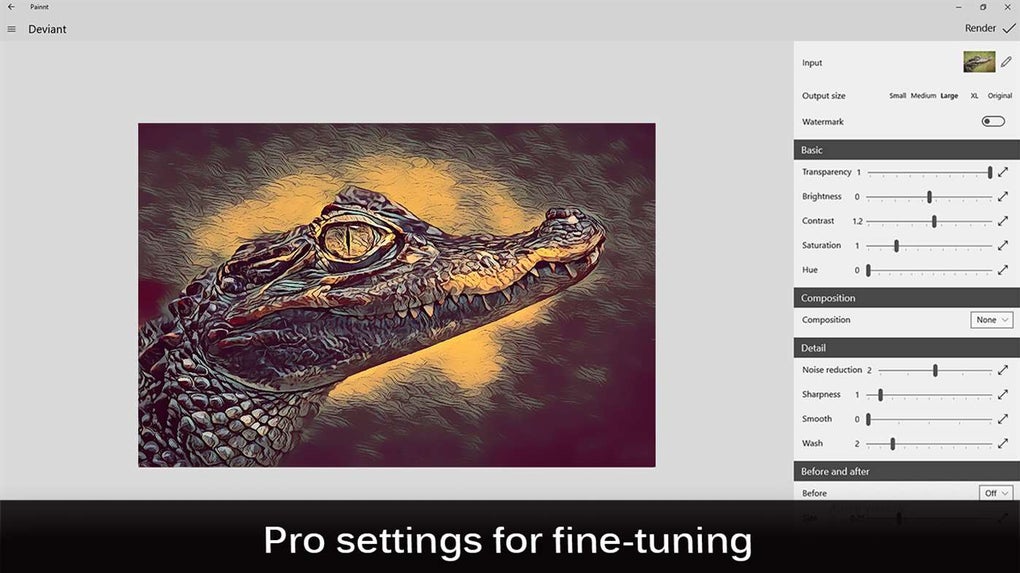
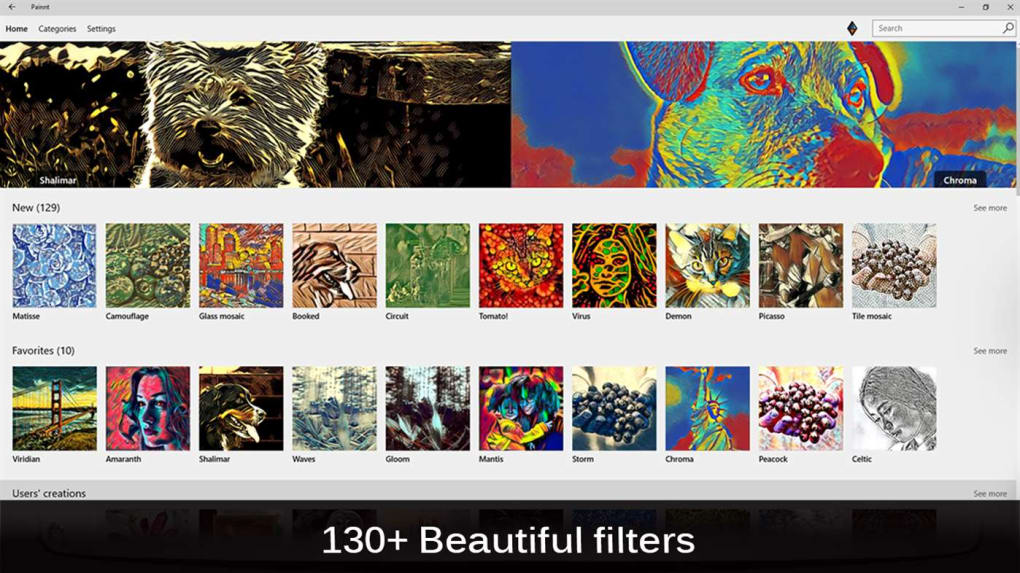
Painnt’s standout feature is its extensive library of over 120 filters. These filters aren’t simply pre-set effects; they are highly customizable, allowing users to fine-tune their application to achieve precisely the desired aesthetic for each photograph. The real-time rendering of filters provides immediate visual feedback, streamlining the editing process and enabling users to experiment freely without delays. This interactive preview feature is particularly valuable for users who appreciate visual confirmation of their adjustments before finalizing the changes.
Beyond filters, Painnt offers the ability to add text to images. While not as feature-rich as dedicated text editing or graphic design software, the text integration works well within Painnt’s overall workflow, allowing users to add captions, titles, or other textual elements directly onto their enhanced photos. This streamlined approach simplifies the creation of visually appealing images with minimal effort. The text capabilities, while not extensively customizable, serve as a convenient addition to the filter and photo manipulation options.
Painnt also incorporates frame application as another enhancement feature. These frames complement the filters, providing an extra layer of visual appeal and potentially softening the digital feel of heavily manipulated images. The frame selection, though not extensive, offers a variety of styles that work cohesively with the overall aesthetic of Painnt’s filter options. This integration adds a touch of classical photography to the digitally enhanced images.
Painnt’s Community and Social Aspects
Interestingly, Painnt includes a built-in social community feature, enabling users to share their creations and interact with other users. This aspect enhances the user experience, offering a platform for feedback, inspiration, and collaborative creativity. The community aspect adds a social layer that extends beyond the individual user’s editing experience, fostering a sense of connection and shared passion for photo enhancement. While the scale of this community might not rival major social media platforms, it provides a niche space for users to engage with fellow Painnt enthusiasts.
Painnt’s Limitations: A Focus on Filters Over Comprehensive Editing
While Painnt excels in its filter application and photo manipulation capabilities, it notably lacks advanced editing tools often found in professional-grade photo editing software. For instance, it is significantly limited in its drawing capabilities; essentially lacking the brush tools, layers, and detailed manipulation options commonly found in software like Photoshop or GIMP. This omission is a significant consideration for users seeking extensive image editing functionalities beyond simple filter applications and text overlays.
The emphasis on filters over comprehensive editing tools defines Painnt’s core function and target audience. This focus allows for a user-friendly interface that is accessible to beginners and casual users, but it also limits the application’s utility for those seeking more advanced, nuanced editing control. For users needing intricate adjustments or precise digital painting, Painnt will fall short of expectations.
Painnt’s User Interface and Performance
Painnt’s interface is designed for user-friendliness, prioritizing ease of navigation and intuitive control over complex settings. This simplicity makes it accessible to a wide range of users, including those with limited experience in photo editing software. The intuitive nature of the interface ensures that users can quickly become comfortable navigating its features and applying filters and enhancements to their images. The layout is clean, organized, and visually uncluttered, preventing overwhelming users with excessive features.
The software also boasts impressive performance, particularly regarding its real-time filter rendering. This speed ensures a responsive and efficient workflow, which is crucial for maintaining user engagement and preventing delays in the creative process. The immediate feedback allows for iterative adjustments and experimentation without the frustration of lag or slow processing times often associated with other, more resource-intensive photo editing applications.
Painnt: Target Audience and Overall Assessment
Painnt is best suited for casual users and enthusiasts who prioritize ease of use and a wide selection of customizable filters over advanced editing features. Its strength lies in its quick and efficient application of numerous filters, combined with its user-friendly interface and community aspect. For users seeking a straightforward and visually appealing method to enhance their photographs without the complexities of professional software, Painnt is a viable and attractive option.
However, professional photographers or those needing extensive editing capabilities will find Painnt’s limited features inadequate. The lack of advanced tools and the emphasis on filters, while simplifying the workflow, also restrict the software’s versatility. The software isn’t designed for highly specific, technical edits; its focus is on quick enhancements and aesthetically pleasing transformations.
In conclusion, Painnt occupies a niche within the photo editing landscape. Its user-friendly interface, real-time filter rendering, extensive filter library, and social features make it a desirable tool for casual users and those seeking a straightforward approach to photo enhancement. However, its lack of advanced editing tools should be carefully considered by users needing advanced features and capabilities. The application shines in its simplicity and efficiency, making it a valuable addition to the toolkit of those seeking quick and effective photo enhancements. Users seeking professional-grade control and extensive editing options may find Painnt’s capabilities too limited, and should explore alternative software tailored to professional image editing.
File Information
- License: “Free”
- Version: “varies-with-device”
- Latest update: “July 15, 2022”
- Platform: “Windows”
- OS: “Windows 10”
- Language: “English”
- Downloads: “5.3K”


