
PangoBright is a free, lightweight screen dimming utility designed for Windows operating systems. Developed by Pangolin Laser Systems Inc., this program primarily targets users working in dimly lit environments, such as DJs, theater technicians, and others who need to adjust their screen brightness to match the surrounding ambiance. Beyond aesthetic considerations, PangoBright also offers a practical solution for reducing eye strain, a common concern for individuals who spend extended periods in front of computer screens. This detailed review explores PangoBright’s functionality, user interface, strengths, weaknesses, and its place within the broader landscape of screen dimming and personalization software.
Ease of Use and Interface Design
PangoBright boasts an exceptionally straightforward user interface, prioritizing simplicity and immediate functionality. Upon installation, the program seamlessly integrates into the system tray, represented by a discreet icon featuring a black background and the letter “P.” A simple right-click on this icon reveals a pop-up menu presenting a series of pre-defined brightness levels, ranging from 20% to 100% in increments. This minimalist approach eliminates the need for complex settings or customization options, focusing on delivering a quick and efficient method for adjusting screen brightness.
The absence of extensive configuration settings is a deliberate design choice, reflecting Pangolin Laser Systems Inc.’s experience in developing sophisticated control systems for professional lighting and stage effects. The company understands the critical role that precise, reliable, and intuitive tools play in professional environments. PangoBright’s simplicity aligns with this philosophy, ensuring that users can quickly and reliably adjust their screen brightness without being overwhelmed by unnecessary features. This clean, straightforward approach is a key strength of the program, especially for users who prioritize ease of use and immediate functionality over extensive customization.
Functionality and Limitations
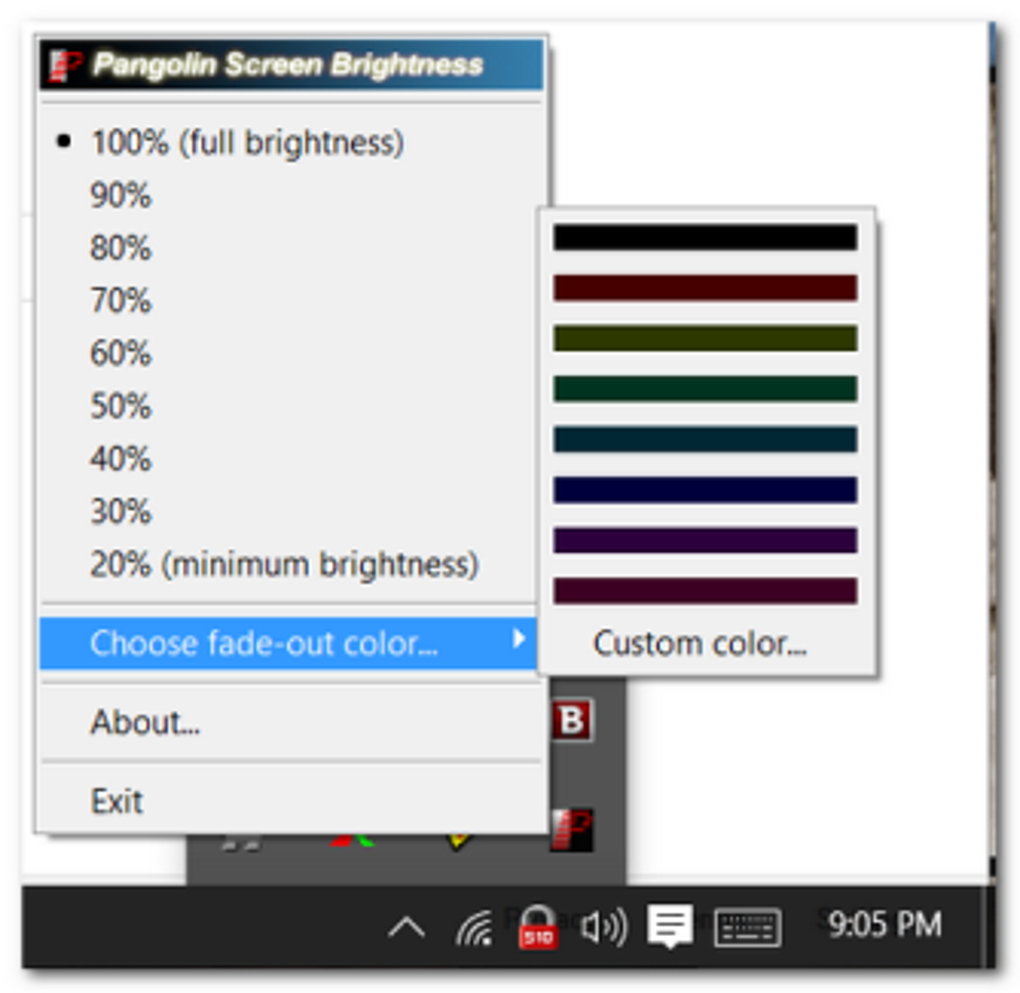
PangoBright’s core functionality revolves around adjusting the brightness of the main monitor and any connected external displays. However, it’s crucial to note that this dimming effect is not universally applied. VGA devices connected to the computer remain unaffected, continuing to project at full brightness regardless of the PangoBright setting. This limitation should be considered by users with mixed display setups involving VGA outputs. The pre-defined brightness levels, while convenient, also represent a significant limitation. The inability to create custom brightness settings reduces flexibility, preventing users from achieving precise control over their screen’s luminance. This constraint might be inconvenient for users requiring a more granular level of brightness adjustment.
Advantages and Disadvantages
PangoBright’s simplicity offers several key advantages. Its lightweight design ensures minimal impact on system resources, making it suitable for computers with limited processing power or memory. The program’s seamless integration into the system tray provides convenient accessibility, allowing users to adjust the brightness quickly without interrupting their workflow. The straightforward interface makes it remarkably user-friendly, even for individuals unfamiliar with screen dimming software. The fact that it’s freeware further enhances its appeal.
However, the limitations are equally noteworthy. The lack of customization options significantly restricts its functionality. The absence of options to fine-tune brightness levels beyond the pre-set increments and the exclusion of VGA devices from the dimming effect limit the program’s versatility. For users seeking more precise control or broader compatibility, PangoBright may fall short of expectations. This straightforwardness, while a benefit for many, might be a disadvantage for users seeking granular control over specific brightness values.
Comparison with Alternative Software
Compared to other screen dimming and display adjustment software available on the market, PangoBright occupies a niche space. Many alternative applications offer far more comprehensive control over display settings, including gamma correction, color temperature adjustments, and sophisticated brightness control mechanisms. Programs like Gamma Panel provide detailed gamma settings, enabling users to fine-tune image contrast and tonal balance. Others offer scheduled brightness adjustments or synchronization with ambient light sensors. While these applications provide more extensive features, they often come with a more complex interface and potentially increased system overhead.
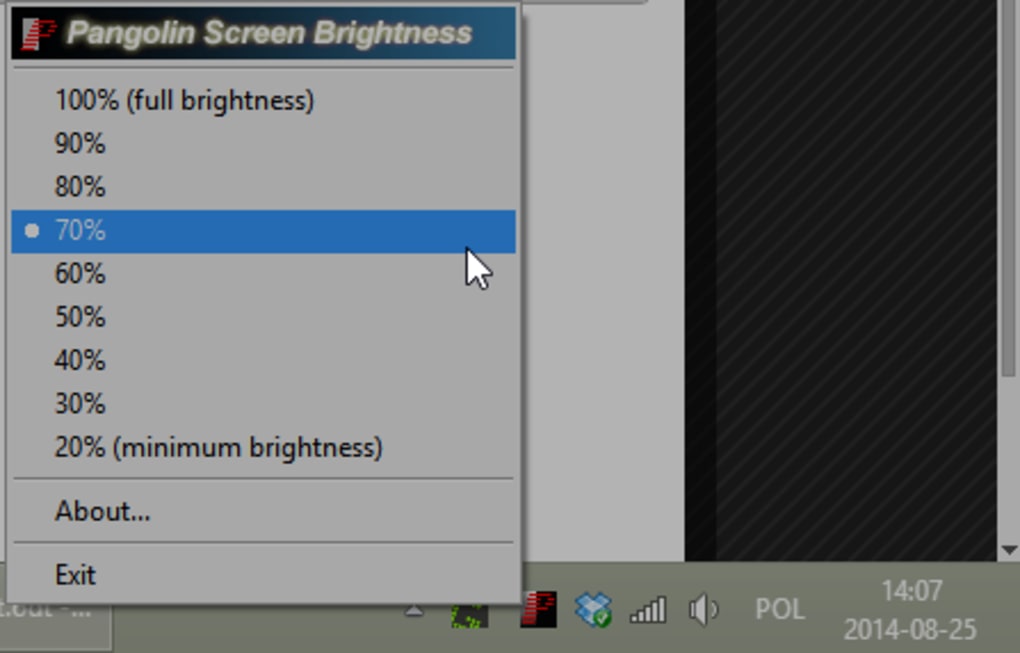
PangoBright’s strength lies in its focused functionality and simplicity. It’s an ideal solution for users who require a straightforward and readily accessible method for dimming their screen without the complexities of advanced display settings. For individuals seeking more advanced customization or features, however, exploring alternative applications may be necessary.
Target Audience and Use Cases
PangoBright’s target audience aligns with the specific needs of users working in dark or light-sensitive environments. This includes professionals in fields like:
-
Entertainment Technology: DJs, stage technicians, theater administrators, and lighting designers frequently work in environments where screen brightness can interfere with the overall ambiance or impact the audience’s experience. PangoBright provides a convenient tool to manage screen luminance and maintain a cohesive visual environment.
-
Content Creators: Video editors, graphic designers, and photographers who work in dimly lit studios or home offices might appreciate the program’s ability to reduce eye strain and minimize light pollution during prolonged work sessions.
-
Home Users: Individuals who prefer a darker desktop environment or those seeking to minimize screen glare can utilize PangoBright for enhanced visual comfort.
PangoBright’s simplicity and lightweight design also make it suitable for users with low-spec systems who need a basic screen dimming solution without incurring a significant performance overhead.
Conclusion
PangoBright serves as a valuable and practical tool for users who need a straightforward and readily accessible screen dimming utility. Its strengths lie in its simplicity, ease of use, and minimal impact on system resources. The focused functionality and straightforward interface make it particularly appealing for users who value convenience and require a quick and efficient way to adjust their screen brightness.
However, its limitations should also be considered. The lack of custom brightness settings, the inability to dim VGA displays, and the absence of more advanced display adjustments might limit its appeal for users seeking more granular control or sophisticated display management capabilities. Ultimately, the suitability of PangoBright depends on the user’s individual needs and priorities. If simplicity and ease of use are paramount, PangoBright offers a compelling solution. If extensive customization and broader feature sets are required, exploring alternative options might be more appropriate.
File Information
- License: “Free”
- Version: “2.1.0.1”
- Latest update: “July 20, 2021”
- Platform: “Windows”
- OS: “Windows NT”
- Language: “English”
- Downloads: “43.9K”


