
Pantherbar is a free, user-friendly barcode scanner application designed for Windows operating systems. This powerful tool goes beyond basic scanning, offering a streamlined experience for accessing product information online, creating custom barcodes, and integrating seamlessly into your existing workflow. Its intuitive interface and support for a wide range of barcode types make it a valuable asset for both casual users and professionals.
Seamless Barcode Scanning and Information Retrieval
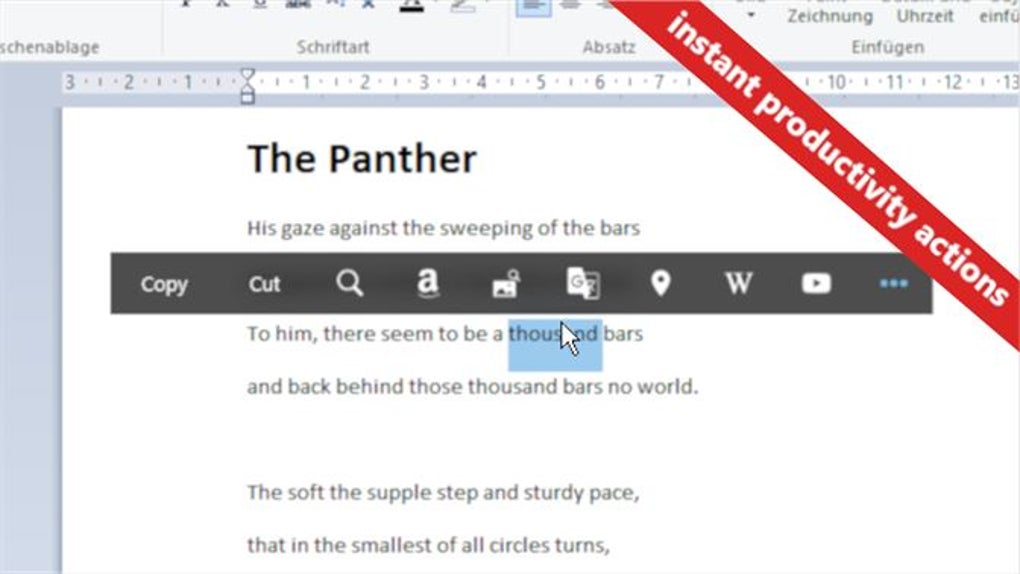
Pantherbar’s core function revolves around its ability to efficiently scan barcodes directly from your computer screen. This eliminates the need for a physical barcode scanner, providing a convenient solution for quick product information retrieval. Simply open the application, point the cursor at the barcode displayed on your screen, and initiate the scan. The application will then swiftly process the barcode data and provide you with relevant information from online sources. This might include the product’s description, price comparisons from various retailers, customer reviews, and more – all within a single, integrated experience. The speed and accuracy of the scan are optimized for a seamless user experience, ensuring you get the information you need quickly and without unnecessary complications.
This functionality is especially beneficial for online shoppers who want to compare prices or verify product details before making a purchase. Instead of manually typing in product codes or searching using keywords, Pantherbar simplifies the process. You can instantly access relevant data from multiple sources, enabling informed purchasing decisions and saving valuable time. The program supports a wide array of barcode formats, ensuring compatibility with the vast majority of products available online and in physical stores. This comprehensive support ensures that you can scan and retrieve information from a broad range of sources, providing a consistently reliable experience regardless of the barcode type.
Beyond Scanning: Creating and Managing Barcodes
Pantherbar’s functionality extends beyond simply scanning existing barcodes. The application also provides the capability to generate custom barcodes. This feature is valuable for a range of uses, from small businesses managing inventory to individuals organizing personal collections. The ability to create barcodes within the application eliminates the need for external tools or services, streamlining the process and ensuring consistent formatting and compatibility.
The process of creating a barcode is straightforward and intuitive. Users input the necessary data, and Pantherbar generates the corresponding barcode, which can then be printed, saved digitally, or copied to the clipboard for use in other applications. This level of control ensures that users can easily integrate their custom barcodes into any project or system requiring them. The ability to generate different barcode types allows for flexibility in applications, providing a comprehensive solution for various needs.
Furthermore, the application’s user interface is designed for ease of use. The straightforward layout minimizes the learning curve, making it accessible to users of all technical skill levels. Clear, concise instructions and readily available options ensure that generating and managing barcodes is a straightforward process. This ease of use complements the powerful capabilities of the application, making it a highly accessible tool for a wide audience.
Exporting and Sharing Barcode Data
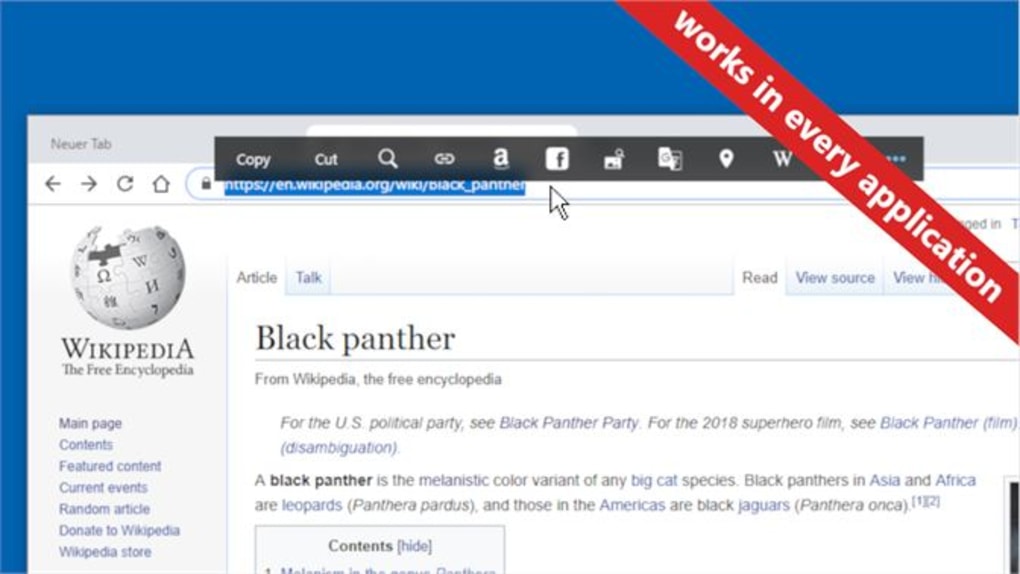
After scanning or generating a barcode, Pantherbar allows users to export the information in various formats. This flexibility ensures seamless integration with other applications and systems. Users can easily copy the barcode data to their clipboard, enabling them to paste it into documents, spreadsheets, or other applications that require barcode integration. This simplifies the process of transferring information between different tools, ensuring a seamless workflow. The ability to export the barcode data in various formats allows users to integrate the information seamlessly into their existing systems, enhancing productivity and efficiency.
The application also supports exporting the barcode image itself, allowing users to embed the barcode into presentations, documents, or websites. This capability broadens the application’s utility, offering a versatile solution for integrating barcodes into various contexts. The ease with which users can export barcode data in different formats highlights the program’s commitment to providing a seamless and user-friendly experience.
User-Friendly Interface and Intuitive Design
Pantherbar’s success stems not only from its powerful features but also from its intuitive and user-friendly interface. The application’s design prioritizes simplicity and ease of navigation, ensuring that users of all technical skill levels can quickly master the program’s capabilities. The clean layout avoids clutter, allowing users to focus on the task at hand without distractions. The prominent placement of key functions minimizes the need for extensive searching, making the process of scanning, creating, and managing barcodes a quick and efficient process.
The application is designed for minimal resource consumption, ensuring that it operates smoothly even on lower-powered systems. This ensures that Pantherbar is accessible to a wide range of users, regardless of their computer’s specifications. The combination of a user-friendly interface and efficient resource management contributes to a positive and productive user experience. The developers’ focus on user experience ensures that the powerful functionalities of the application are readily accessible to all users, regardless of their technical expertise.
Technical Specifications and Support
Pantherbar is available for free download for Windows operating systems, including Windows 11 and compatible earlier versions. The application is offered in English, making it accessible to a global user base. Regular updates ensure that the application remains compatible with the latest Windows versions and incorporates any necessary bug fixes or performance enhancements. The small application size ensures fast download times and minimal impact on system resources.
The development team behind Pantherbar is committed to providing ongoing support to its users. While the application itself is intuitive and user-friendly, the developers provide additional resources and assistance for those who encounter challenges or have questions. This commitment to user support underscores the developers’ dedication to creating a positive and productive user experience, ensuring that users have the necessary resources to effectively utilize the application’s full potential. The combination of powerful features, a user-friendly interface, and dedicated support makes Pantherbar a highly valuable tool for anyone working with barcodes.
File Information
- License: “Free”
- Version: “1.0”
- Latest update: “February 22, 2024”
- Platform: “Windows”
- OS: “Windows 11”
- Language: “English”
- Downloads: “898”


