
Papercopy - Tracer is a free lifestyle application designed to assist artists, designers, and children in the process of transferring images from a digital screen to paper. This innovative app offers a user-friendly interface, enabling users to easily manipulate and trace images for various creative purposes. Its functionality simplifies a traditionally challenging task, making it an accessible tool for both beginners and experienced artists.
User-Friendly Interface and Functionality
Papercopy - Tracer boasts a straightforward and intuitive design. The app’s simple layout minimizes the learning curve, making it easy for users of all skill levels to navigate and utilize its features. Even first-time users can quickly grasp the app’s functionality thanks to the inclusion of a brief, helpful tutorial. The tutorial guides users through the basic steps, ensuring a smooth and enjoyable initial experience.
To begin tracing, users simply select an image from the app’s built-in image library. This library offers a wide variety of images, catering to diverse tastes and creative needs. Once an image is selected, users can easily manipulate it on the screen. This includes zooming in or out for finer detail, rotating the image to the desired orientation, and moving the image to achieve optimal positioning for tracing. These adjustment features allow users to perfectly customize the image to suit their needs and preferences, ensuring a comfortable and precise tracing experience.

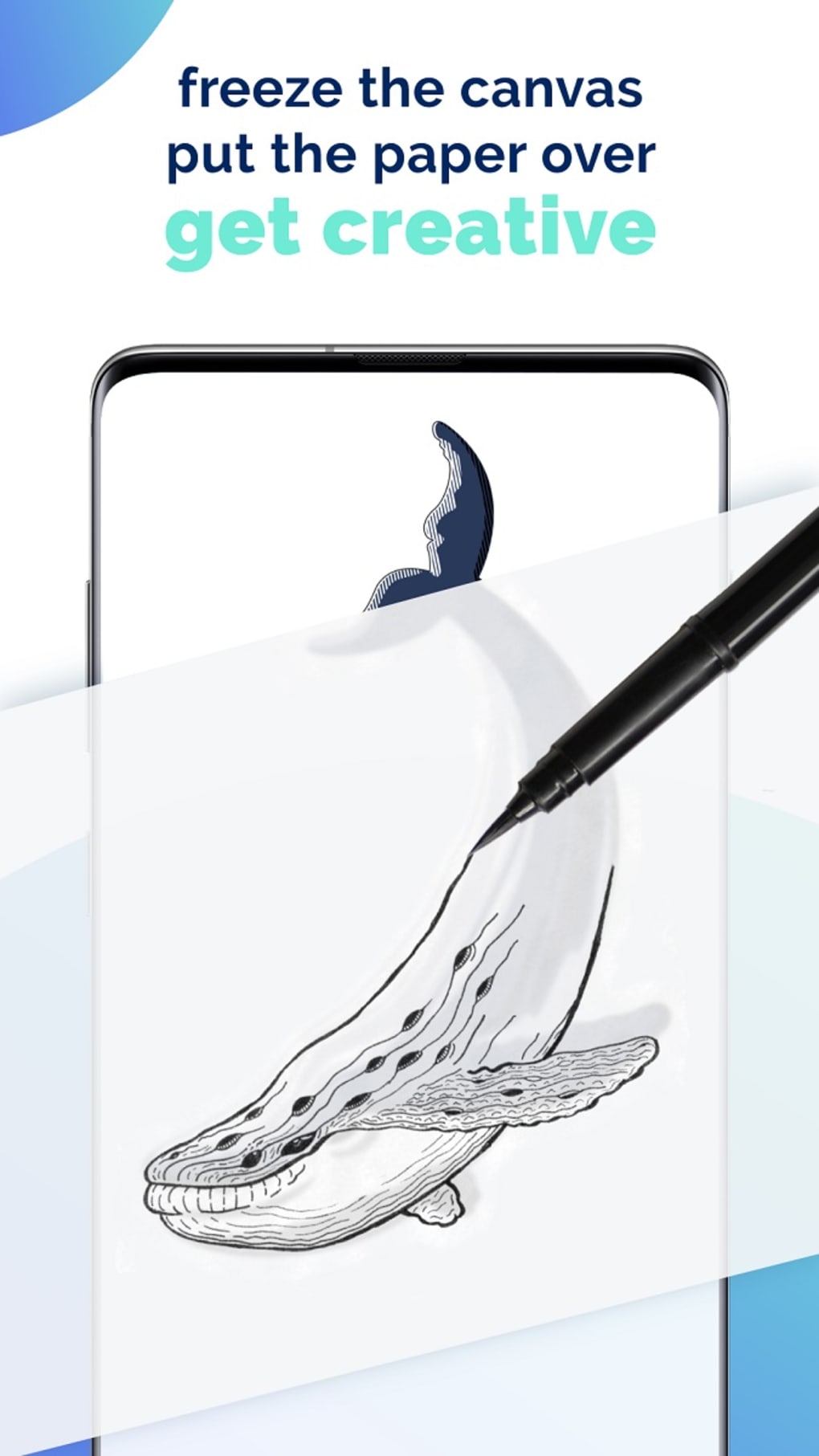
The app’s core functionality lies in its ability to facilitate the transfer of an image from the screen to paper. This is accomplished by placing a piece of paper over the device’s screen, allowing the user to trace the displayed image. The ability to zoom, rotate, and position the image ensures that the tracing process is as accurate and comfortable as possible. The app’s intuitive controls allow for effortless adjustment of the image, enabling users to focus entirely on the tracing process.
The Freeze Feature: A Potential Limitation
One key feature of Papercopy - Tracer is its intended screen freeze functionality, activated using the device’s volume buttons. This feature is designed to prevent accidental image movement during the tracing process, thereby ensuring accuracy and stability. However, the effectiveness of this freeze feature varies depending on the device being used. This is a significant drawback, as the inconsistency in functionality across different devices limits the app’s universal applicability. Users experiencing issues with the freeze feature may find it challenging to maintain a steady hand while tracing, potentially affecting the accuracy of the final output.
This limitation highlights a crucial area for improvement in future app versions. While the app provides a functional tracing solution, the unreliability of the freeze function on certain devices significantly compromises the user experience for some. A solution that addresses this incompatibility across diverse mobile devices would greatly enhance the app’s overall effectiveness and user satisfaction. A potential solution could involve a software-based screen lock, independent of the device’s hardware functionalities, thereby ensuring consistent performance across a broader range of devices.
Ideal for Various Creative Applications
Despite the limitations of the freeze function, Papercopy - Tracer remains a valuable tool for various creative endeavors. Its intuitive design and diverse image selection make it particularly appealing for designers and children engaging in creative activities involving image tracing. The ability to seamlessly adjust the image on the screen empowers users to achieve highly accurate and detailed tracings.
For designers, the app offers a convenient and efficient method for transferring sketches or design elements from digital formats to physical paper. This can be especially useful for creating preliminary sketches, generating design variations, or simply transferring ideas from a digital canvas to a more tangible medium.
For children, Papercopy - Tracer provides a fun and engaging way to learn and improve drawing skills. The ease of use and the wide selection of images allows children to explore their creativity and develop their artistic abilities through the process of tracing. The ability to adjust the image’s size and orientation allows for adaptation to different skill levels and preferences. The app effectively bridges the gap between digital and traditional art forms, fostering creativity and learning through a unique and interactive experience.
Beyond the Core Functionality: App Specifications and User Feedback
Papercopy - Tracer, available for Android devices, is offered as a free application, making it accessible to a wide range of users. The app supports multiple languages, further extending its global reach and inclusivity. As of the most recent update (June 30, 2025), version 3.0.3 is the latest iteration, reflecting ongoing development and improvements. The app’s significant download numbers (4.4K) and consistently high ratings demonstrate a level of user acceptance and positive feedback.
User reviews are essential for app improvement and provide valuable insights into both the strengths and weaknesses of the application. While there isn’t readily available user feedback in the provided context, encouraging user reviews and actively soliciting feedback would be crucial in guiding future app development. Addressing user concerns and incorporating suggestions into subsequent updates ensures ongoing improvement and maintains user satisfaction.
The developer, Đurica Mićunović, should prioritize user feedback to identify and address issues like the unreliable freeze function and potentially introduce new features based on user suggestions. Regular updates with bug fixes and performance enhancements, driven by user feedback, will ensure that Papercopy - Tracer continues to be a relevant and valuable creative tool.
Alternatives and Competition in the App Market
The mobile application market offers a range of apps dedicated to drawing and artistic expression. Papercopy - Tracer competes within this landscape, offering a unique approach to image transfer and tracing. Alternatives may include apps focusing on light box functionality, digital drawing applications, or specialized tracing software. However, Papercopy - Tracer’s simplicity and focus on bridging the gap between digital and traditional art forms make it a distinct option in the market.
Future development of Papercopy - Tracer could focus on differentiation by addressing the freeze function limitation, enhancing image manipulation features, and potentially integrating additional functionalities, such as integrated drawing tools or collaborative features. By leveraging user feedback and addressing the current limitations, Papercopy - Tracer has the potential to consolidate its position in the market and expand its user base.
Conclusion: A Valuable, Yet Imperfect, Tool
Papercopy - Tracer presents a simple yet effective solution for transferring images from digital screens to paper. While its intuitive design and diverse image library make it a valuable tool for designers and children, the inconsistent performance of the freeze function represents a considerable drawback. However, with continued development and a focus on user feedback, Papercopy - Tracer can evolve into a more robust and reliable application, catering to a broader range of artistic needs and ensuring a consistently positive user experience. The potential for the app is significant, and addressing the existing limitations will be key to its future success.
File Information
- License: “Free”
- Latest update: “June 30, 2025”
- Platform: “Android”
- OS: “Android 13.0”
- Language: “English”
- Downloads: “4.3K”
- Download Options: “Google Play”


