
PaperPort is a powerful document management application designed to streamline the process of organizing, digitizing, and sharing your paperwork. Whether you’re a home user seeking to declutter your physical files or a business professional managing a high volume of documents, PaperPort offers a robust and user-friendly solution to enhance your workflow. This comprehensive guide explores PaperPort’s features, benefits, and how it can revolutionize your document handling.
Streamlining Document Organization: A Visual Approach
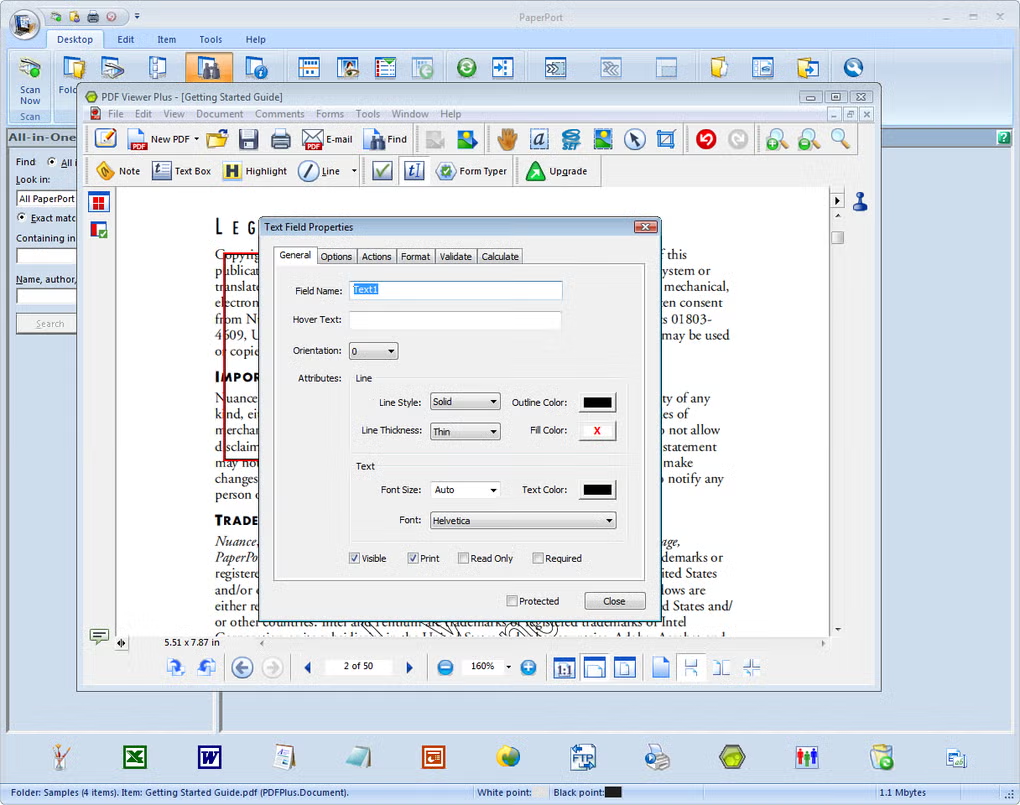
PaperPort distinguishes itself with its intuitive visual interface. Instead of relying on traditional folder structures, PaperPort presents your documents as easily identifiable thumbnails in a main window, mimicking a virtual desktop. This visual approach allows for quick identification and access to documents. The program’s strength lies in its ability to create a highly organized and visually appealing space for your digital files. You can even stack related documents together, mirroring the way you might physically organize papers on your desk. This intuitive organization makes searching and locating specific documents a breeze, significantly improving efficiency.
The software employs a familiar Microsoft Office-style ribbon interface, making it accessible to users already comfortable with this design paradigm. The ribbon is primarily dedicated to various document organization and viewing options, facilitating a smooth and efficient user experience. This familiar layout minimizes the learning curve, enabling users to quickly grasp the core functionalities and begin optimizing their document management.
Effortless Digitization with Seamless Scanning Integration
One of PaperPort’s core functionalities is its ability to digitize physical documents. Integrated with your scanner, PaperPort efficiently converts scanned documents into fully searchable PDF files. This functionality is particularly useful for those seeking to reduce paper clutter and transition to a more digital workflow. The process is streamlined, eliminating the need for multiple applications or manual conversions. The resulting searchable PDFs further enhance the utility of your digitized documents, making information retrieval remarkably easy.
PaperPort offers excellent assistance during the scanner configuration process. For users unfamiliar with scanner settings, this guided approach ensures a trouble-free digitization experience. This feature is a valuable asset, especially for users who may be less technologically inclined. The entire process, from scanner setup to searchable PDF creation, is designed for simplicity and ease of use.
Advanced Search Capabilities: Finding Information Quickly
PaperPort’s unified search functionality significantly simplifies the process of locating specific documents. Unlike conventional search methods that might only examine file names, PaperPort’s search engine can delve into the content of your digitized documents, allowing for precise and efficient information retrieval. This powerful feature eliminates the need for tedious manual searching through numerous files, saving valuable time and increasing overall productivity. The search algorithm is designed for speed and accuracy, ensuring you quickly find the necessary information, no matter how deeply it’s buried within your document collection.
Beyond the Basics: Advanced Features and Functionality
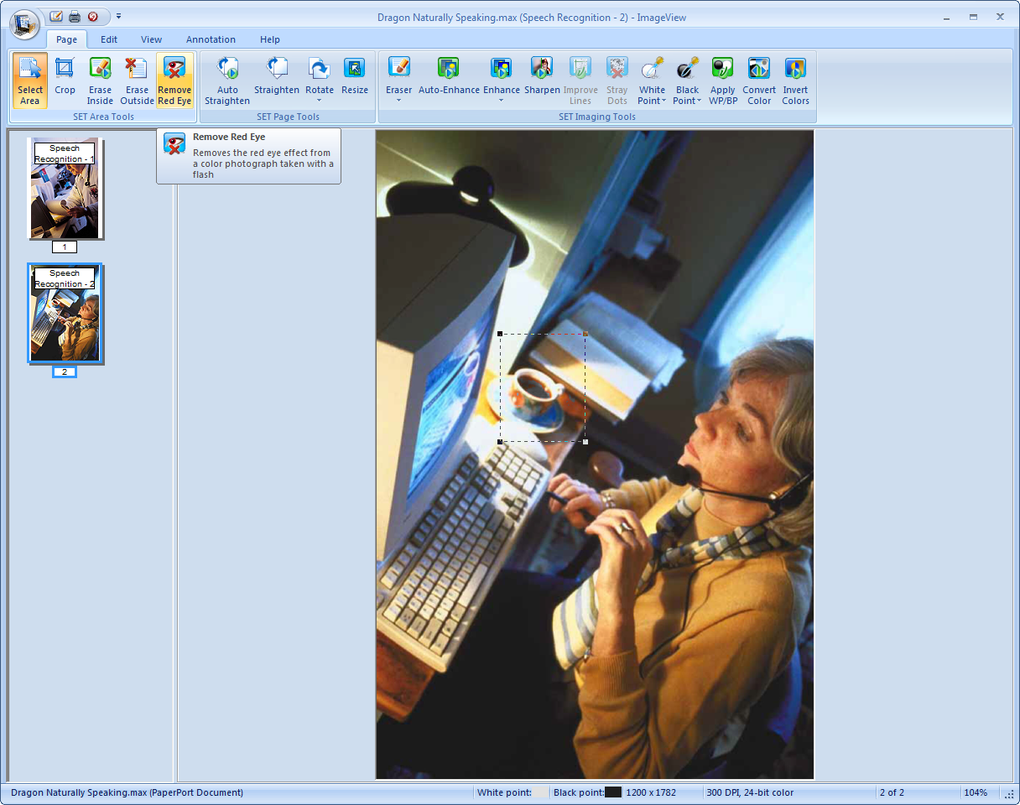
While the core features of document organization and digitization are impressive, PaperPort offers additional functionalities that further enhance its value. These advanced features cater to users with more complex document management needs, providing a highly flexible and adaptable solution. The software’s versatility extends beyond simple organization and digitization, enabling users to handle their documents with greater control and efficiency.
These additional features often include advanced options for customization and configuration, allowing users to tailor the software to their specific workflows and preferences. This level of customization empowers users to fully optimize their document management system, maximizing productivity and efficiency. The ability to personalize the software experience is a key differentiator, ensuring that PaperPort adapts to the user, not the other way around.
PaperPort: A Comparison with Alternatives
While several document management and digitization tools exist, PaperPort distinguishes itself through its unique combination of user-friendly interface and powerful features. Compared to alternatives, PaperPort often provides a more visually intuitive experience, simplifying the organization and management of large document collections. While some competitors might excel in specific areas such as OCR accuracy or advanced PDF editing tools, PaperPort’s strength lies in its seamless integration of these features within a cohesive and easy-to-use platform.
The visual organization system sets PaperPort apart, making it an attractive option for users who prioritize intuitive design and ease of use. While other programs might offer comparable functionality, PaperPort’s approach often results in a more streamlined and less overwhelming user experience. The balance between power and simplicity is a key factor in PaperPort’s appeal.
Conclusion: PaperPort – Your Solution for Efficient Document Management
PaperPort offers a complete solution for managing your documents, from digitization to organization and sharing. Its visual approach, combined with its powerful search capabilities and intuitive interface, makes it an ideal choice for both home and professional use. The software addresses a critical need for efficient document handling in today’s increasingly digital world. The ability to easily convert physical documents into searchable PDFs alone offers substantial benefits, streamlining workflows and reducing reliance on physical files.
The advantages of using PaperPort extend beyond convenience. By centralizing and organizing your documents, PaperPort significantly improves information retrieval, reduces the risk of misplacing important documents, and ultimately saves valuable time and resources. The software’s commitment to user-friendliness makes it accessible to a wide range of users, regardless of their technical expertise.
In summary, PaperPort’s blend of intuitive design, robust features, and seamless integration with scanning technology makes it a compelling choice for anyone seeking to optimize their document management practices. Whether you’re dealing with a small collection of personal documents or a vast archive of business records, PaperPort provides a powerful and user-friendly solution to simplify and streamline your workflow. Its visual approach to organization, advanced search capabilities, and robust digitization features significantly enhance productivity and efficiency, making it a valuable tool for both individual and professional use. The software’s adaptability and customizability further cement its position as a leading choice for effective and efficient document management.
File Information
- License: “Full”
- Version: “14.8”
- Latest update: “February 18, 2025”
- Platform: “Windows”
- OS: “Windows XP”
- Language: “English”
- Downloads: “72.2K”


