
PassFab iPhone Unlocker is a password management software designed to help users regain access to their iPhones when faced with forgotten passcodes, disabled Touch ID or Face ID, or other lock-related issues. Developed by PassFab Co., Ltd., this tool offers a trial version and a paid version, promising a range of functionalities aimed at securely bypassing various iPhone security measures. This review will delve into the capabilities, pros, cons, and overall effectiveness of PassFab iPhone Unlocker.
Unlocking Your iPhone: Features and Capabilities
PassFab iPhone Unlocker distinguishes itself by offering a multi-faceted approach to unlocking iPhones. Its key features include:
-
Screen Lock Bypass: The software is primarily designed to remove various types of screen locks, including passcodes, Face ID, and Touch ID. This is particularly useful if you’ve forgotten your password, entered it incorrectly too many times, or are experiencing issues with biometric authentication. The software aims to bypass these locks without causing data loss.
-
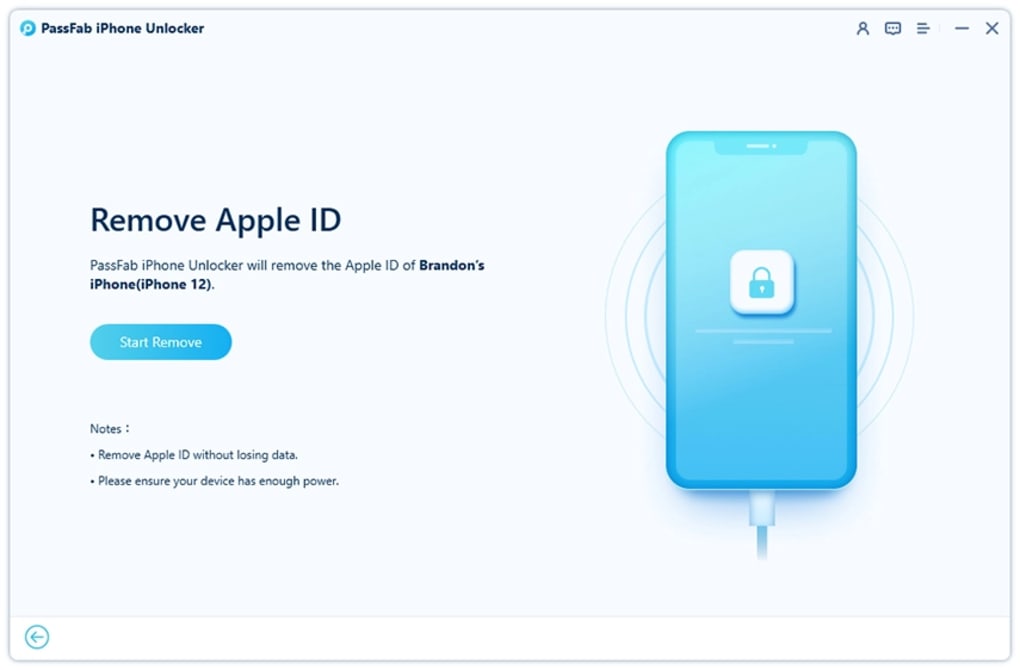
Apple ID and iCloud Removal: One of the most powerful features is its ability to remove the existing Apple ID and iCloud account from a locked device. This is incredibly beneficial in scenarios where you’ve forgotten your Apple ID password or need to reset the device for resale or transfer of ownership. The software aims to circumvent the iCloud Activation Lock, even if it’s been enabled, allowing for complete device control. It’s important to note that this feature bypasses the usual security protocols, making it crucial to only use this for devices you legally own.
-
MDM Lock Bypass: PassFab iPhone Unlocker also addresses the challenge of Mobile Device Management (MDM) locks, often implemented in corporate or educational settings. This function allows users to remove the restrictions imposed by MDM profiles, giving them complete control of their devices again.
-
Screen Time Restrictions Removal: The software allows users to disable or bypass Screen Time passcodes, providing unrestricted access to applications and features. This is particularly helpful if a Screen Time password has been forgotten or if access needs to be restored.
- Factory Reset without Password: The software facilitates a factory reset of the iPhone without requiring the user to enter any passwords. This is a powerful feature but should only be used as a last resort and after attempting alternative methods of unlocking the device.
Compatibility: It is explicitly stated that this software is compatible with iOS 15 and later versions. Users with older iOS versions should investigate alternative solutions.
Ease of Use and User Experience
The software is designed with ease of use in mind. The user interface is generally praised for being intuitive and straightforward, even for individuals unfamiliar with technical software. The process of unlocking the device is generally guided through a step-by-step approach, minimizing the need for technical expertise. However, the complexity of the process might still present a challenge for completely novice users. Clear instructions and visual aids are critical for a positive user experience. Any user documentation should be comprehensive and easily accessible to assist users throughout the process.
Pros and Cons of PassFab iPhone Unlocker
While PassFab iPhone Unlocker offers several compelling features, it’s crucial to weigh its pros and cons before deciding whether to utilize the software.
Pros:
- Comprehensive Functionality: Its ability to bypass various security measures, including screen locks, Apple IDs, MDM locks, and Screen Time restrictions, makes it a versatile tool for various situations.
- Ease of Use: The intuitive interface simplifies the unlocking process, making it accessible to a wider range of users.
- Data Preservation: While a factory reset is an option, the software aims to perform unlocks without data loss, preserving important user information.
- Time-Saving: Regaining access to a locked iPhone can be a time-consuming process. This software aims to significantly reduce this time.
Cons:
- Customer Service: User reviews consistently highlight difficulties in contacting and receiving effective support from the customer service team. This is a significant drawback, as timely assistance is crucial when dealing with complex technical issues.
- Activation Lock Limitation: The software does not directly address activation locks. This is a critical limitation, as activation locks are among the most significant security measures on iPhones. Users needing to bypass activation locks must purchase a separate PassFab Activation Unlocker, increasing the overall cost.
- Legality and Ethical Considerations: The power of the software to bypass security measures raises ethical concerns. It’s crucial to use the software only on devices you legally own. The legality of using such software might vary across jurisdictions, so it’s advisable to check local laws before using it.
- Cost: Although a trial version is available, the full version of the software requires a purchase, which might be a deterrent for some users. The additional cost of PassFab Activation Unlocker if needed further increases the overall expense.
Alternative Solutions and Comparisons
Numerous alternative solutions exist for unlocking iPhones, each with its own strengths and weaknesses. These alternatives include:
-
iCloud Account Recovery: Apple’s official account recovery process should be attempted first. This is the safest and most ethical method, but it can be time-consuming and requires access to associated email accounts or security questions.
-
iTunes/Finder Restore: This method involves restoring the iPhone to factory settings through iTunes or Finder, but it erases all data on the device. It’s a last resort option, only advisable if data backup is available.
-
Third-party unlocking tools: Numerous other third-party tools exist, offering varying levels of functionality and reliability. Thorough research and careful selection are crucial to avoid malicious software.
-
Professional Data Recovery Services: For highly sensitive data, engaging a professional data recovery service might be a more secure and reliable option, though significantly more expensive.
Choosing the right option depends on the specific situation, technical skills, and willingness to risk data loss.
Conclusion: Weighing the Benefits and Risks
PassFab iPhone Unlocker presents a powerful and potentially helpful solution for various iPhone unlocking scenarios. Its ability to bypass several security measures is a significant advantage. However, its limitations, particularly concerning customer service and the inability to handle activation locks directly, require careful consideration. Users should weigh the potential benefits against the risks, including the possibility of data loss, legal ramifications, and the cost of the software and potentially needed add-ons. It’s crucial to always prioritize ethical and legal considerations when using any software that can bypass security measures. Before using PassFab iPhone Unlocker or any other similar software, be sure to back up your data where possible and research the legality in your jurisdiction. Remember, this software should be used responsibly and only for legally owned devices.
File Information
- License: “Trial version”
- Version: “2.6.7.0”
- Latest update: “November 29, 2022”
- Platform: “Windows”
- OS: “Windows 7”
- Language: “English”
- Downloads: “10.3K”
- Size: “1.97 MB”


