
PC Image Editor is a free, basic photo editing software designed for ease of use, particularly for those new to image manipulation. While lacking the advanced features of professional-grade editors like Photoshop or even more comprehensive free alternatives such as GIMP, it provides a straightforward approach to common photo editing tasks. This review examines its capabilities, limitations, and place within the broader landscape of PC-based photo editing software.
Ease of Use and Interface
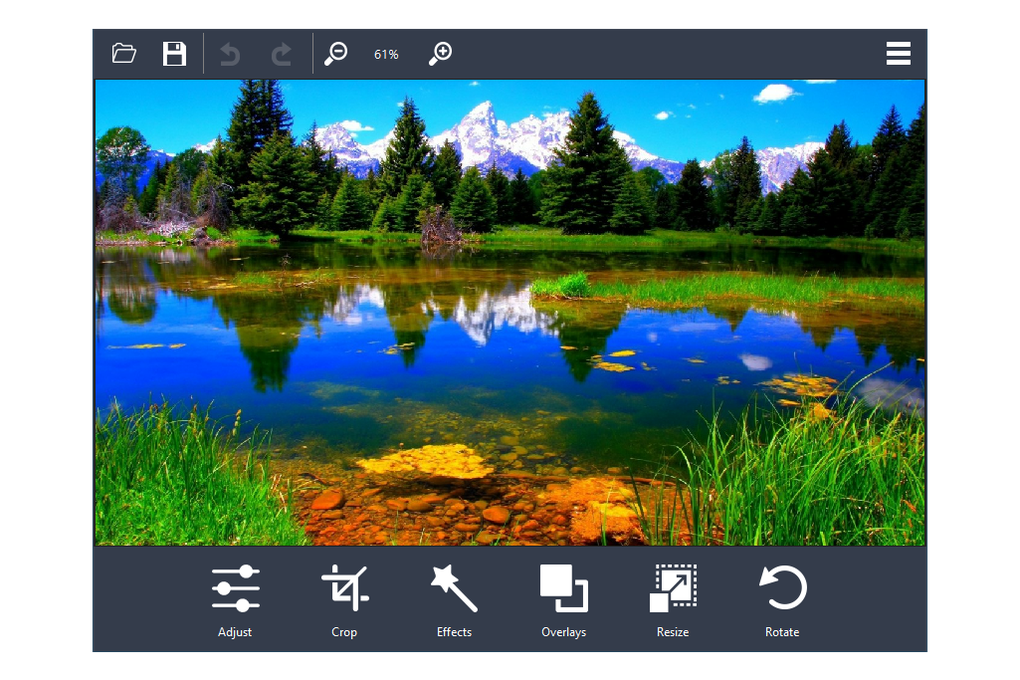
PC Image Editor prioritizes simplicity. Its interface, though dated in appearance, is remarkably intuitive. The main functions – Edit Photo, Make GIF, Convert Image, Capture Screen, Make Slideshow, and Video to Image – are clearly presented, eliminating any guesswork about functionality. The “Edit Photo” function, the core of the application, offers a bottom-aligned panel of adjustment tools. These include standard options such as brightness, contrast, cropping, and color adjustments. While the selection is limited compared to more advanced software, it provides sufficient tools for basic image enhancements.
However, a significant drawback is the compartmentalized nature of the application. To access any function beyond basic photo editing (GIF creation, slideshow production, etc.), users must navigate to entirely separate sections of the application. This requires repeated loading screens, resulting in noticeable delays between tasks. This disjointed workflow detracts from the otherwise simple user experience and significantly slows down the editing process.
Features and Capabilities
PC Image Editor’s feature set is intentionally modest. It offers the following functionalities:
- Basic Photo Editing: Adjustments for brightness, contrast, cropping, and color balance. While not exhaustive, these tools suffice for minor corrections and enhancements. The lack of advanced features like layers, advanced selection tools, or specialized filters limits its suitability for more complex projects.
-
GIF Creation: The software allows users to create animated GIFs from a sequence of images. This is a useful feature often missing from the most basic free image editors.
-
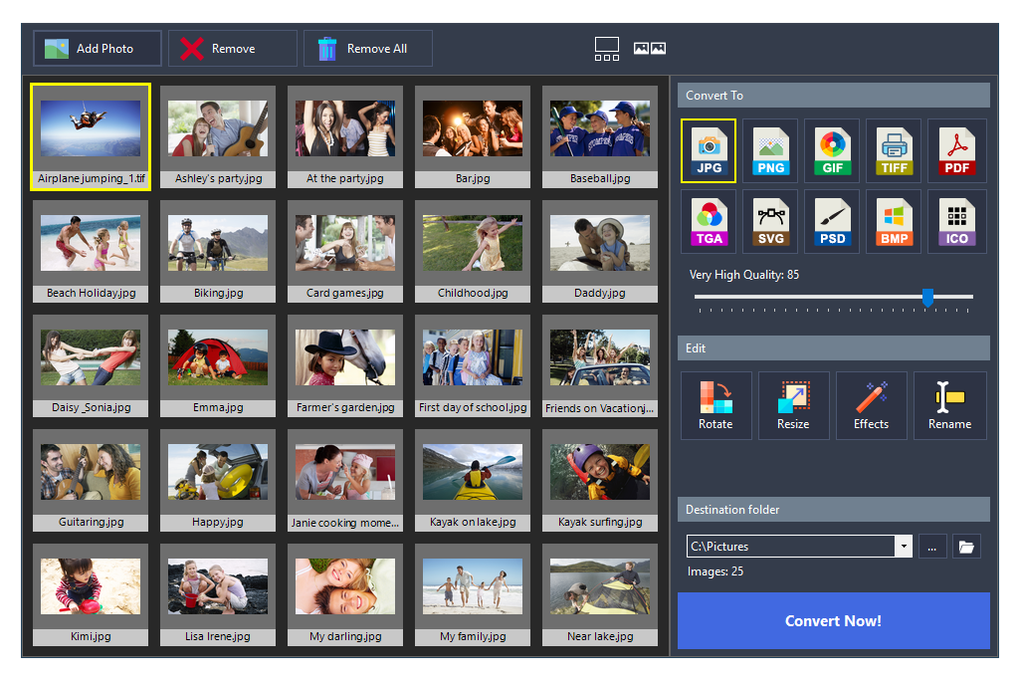
Image Conversion: PC Image Editor supports a range of common image formats, including JPG, PNG, BMP, TIFF, GIF, and others. This allows users to convert between different formats without needing additional software.
-
Screen Capture: A built-in screen capture tool enables users to quickly capture screenshots, which can then be edited within the application.
-
Slideshow Creation: The software allows users to assemble images into a slideshow, a feature helpful for simple presentations or sharing collections of photos.
-
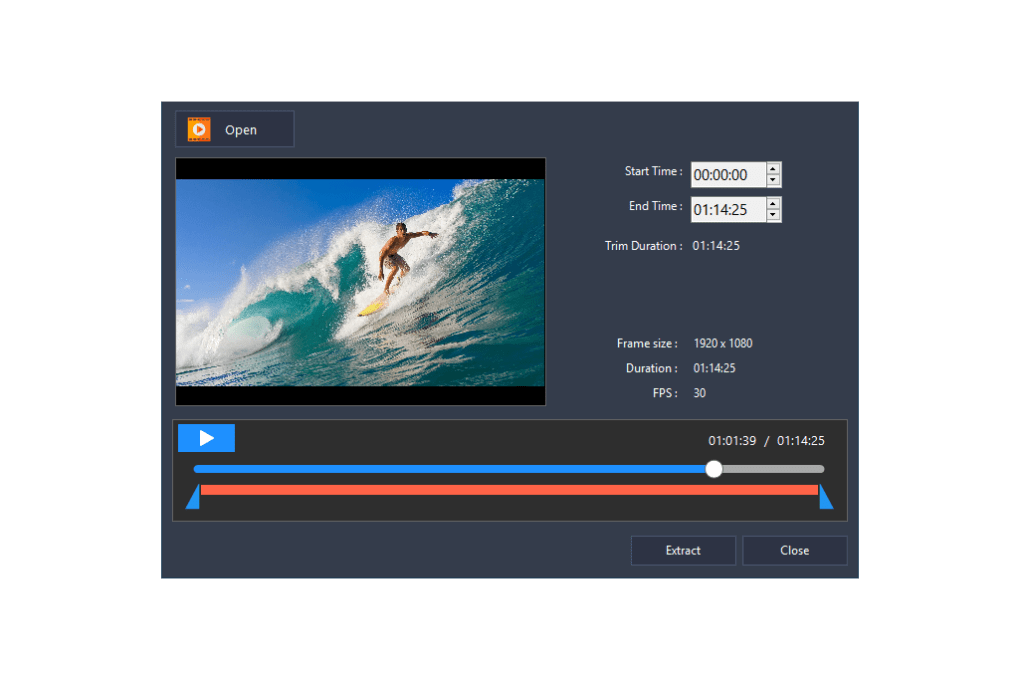
Video to Image Conversion: This allows users to extract individual frames from videos, providing still images for further editing or use.
While these features offer a range of basic image manipulation capabilities, the lack of advanced features and the slow loading times between these features limit the program’s overall effectiveness.
Performance and Limitations
The most significant drawback of PC Image Editor is its slow performance. Loading times are excessively long, often taking several seconds to open an image or save changes. This sluggishness can be extremely frustrating, particularly when working on multiple images or under time constraints. This performance issue is a major impediment to efficient workflow, especially when compared to other, more responsive photo editors.
While occasional crashes have been reported, they don’t appear to be a prevalent problem. The software’s compatibility extends to older versions of Windows, including XP and Vista, making it accessible to users with older systems. However, even on modern systems, the slow performance remains a consistent issue.
The lack of advanced editing options is another limitation. Features like advanced filtering, layer support, and brush tools are absent, restricting the software’s capacity for sophisticated image manipulation. This absence makes it unsuitable for more demanding tasks or users seeking greater control over their editing process.
Comparison with Alternative Software
Compared to other free and paid photo editing software, PC Image Editor falls short in terms of features and performance. Several alternatives offer a more robust and efficient experience:
-
GIMP (GNU Image Manipulation Program): GIMP is a powerful, open-source image editor with a vast array of features. However, its complexity requires a steeper learning curve than PC Image Editor. While it offers unparalleled power and versatility, the learning curve can be a significant barrier for beginners.
-
Ashampoo Photo Optimizer 2019: This free software provides a more modern and user-friendly interface than PC Image Editor. It offers more advanced tools and a faster performance, making it a superior alternative for users seeking ease of use coupled with greater functionality.
-
Canva: A web-based editor offering a simple, intuitive interface and a good selection of tools. Its cloud-based nature allows for seamless access across multiple devices, a significant advantage for those who work across different platforms. However, its feature set may still be less extensive than some desktop alternatives.
-
Adobe Photoshop: While a paid product, Adobe Photoshop remains the industry standard for professional-level image editing. Its extensive features and powerful tools offer unmatched capabilities but come at a significant cost and require a more considerable investment of time in learning.
Conclusion: Who Should Use PC Image Editor?
PC Image Editor caters to a very specific niche: users who require an extremely simple and easy-to-learn photo editor for minimal image adjustments. Its simplicity is its greatest strength, making it accessible to individuals with no prior photo editing experience. However, its slow performance and limited feature set significantly restrict its applicability.
For users seeking a more comprehensive and efficient photo editing experience, alternatives like Ashampoo Photo Optimizer, Canva, or even GIMP (despite its steeper learning curve) offer a more compelling set of features and performance. While PC Image Editor might be a suitable introductory tool for absolute beginners, it is unlikely to satisfy users with even moderately advanced needs. Its strengths lie in its extreme simplicity and ease of access for the most basic photo editing tasks, but these strengths are overshadowed by its significant performance limitations and lack of advanced features. The software could benefit greatly from significant performance optimizations and the introduction of more advanced editing features to increase its appeal to a wider user base.
File Information
- License: “Free”
- Latest update: “July 11, 2023”
- Platform: “Windows”
- OS: “Windows 8”
- Language: “English”
- Downloads: “1.6M”
- Size: “57.45 MB”


