
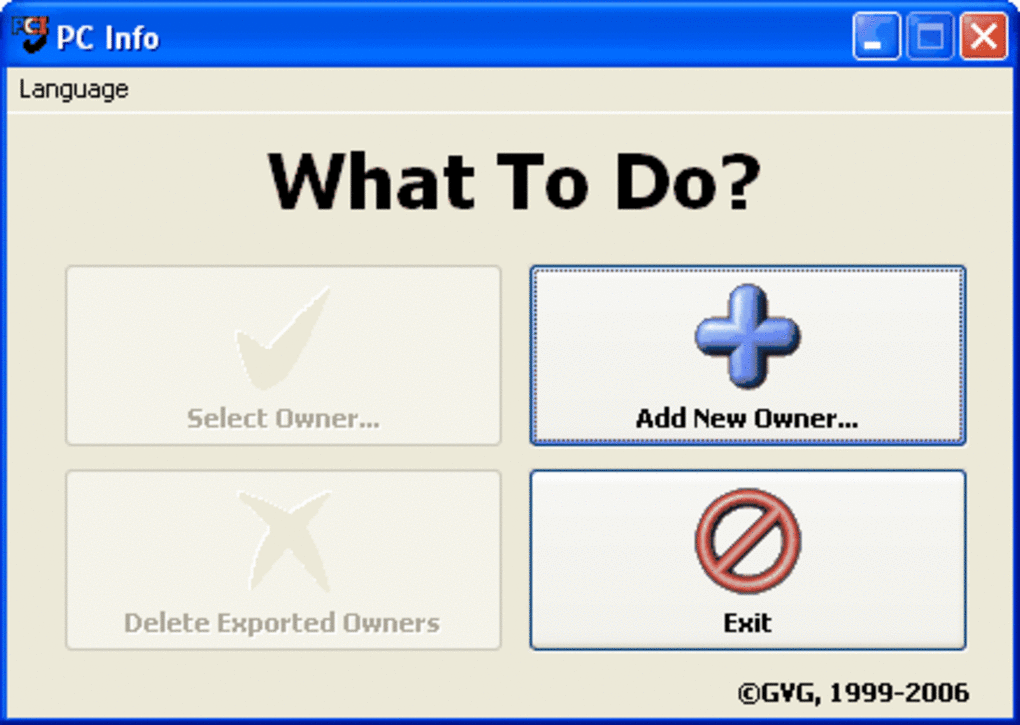
PC Info is a valuable utility designed primarily for network administrators. Unlike hardware benchmarking or detection tools, PC Info focuses on providing a comprehensive overview of the software and hardware configuration of individual computers within a network. This allows administrators to efficiently manage and troubleshoot issues across multiple machines. Instead of manually checking each computer, PC Info streamlines the process, saving valuable time and resources. The program’s primary function is to compile and organize detailed information about the installed components on each machine, ultimately enhancing the efficiency of network administration.
Streamlining Network Inventory Management
One of PC Info’s key strengths is its ability to create and maintain a centralized database of all computers within a network. This database includes crucial information such as the owner’s name, a detailed inventory of all installed software and hardware components, and other relevant system details. This feature is invaluable for administrators responsible for managing large networks with numerous devices. The database acts as a single source of truth, eliminating the need to manually track information across various spreadsheets or documents. The consolidated nature of the database dramatically reduces the time spent searching for specific information about a particular computer, thereby boosting overall administrative efficiency.
Facilitating Proactive Troubleshooting and Problem Solving
The detailed inventory generated by PC Info is critical for effective troubleshooting. When problems arise on a specific machine, administrators can quickly access comprehensive information about its configuration. This quick access minimizes downtime and reduces the time needed to identify and resolve issues. By knowing exactly what software and hardware are installed, administrators can pinpoint the source of problems much faster than they would using traditional methods. This proactive approach to problem solving enables administrators to address issues before they escalate, resulting in greater network stability and improved user experience. The data provided enables informed decision-making, allowing for targeted interventions and the implementation of preventative measures to avoid future complications.
Enhancing Security and Compliance
In today’s increasingly complex IT environments, maintaining a detailed inventory of all software and hardware is crucial for security and compliance purposes. PC Info plays a vital role in this aspect. The program assists in ensuring that all systems are equipped with the latest security updates and patches. It simplifies the identification of unauthorized software installations, enhancing the overall security posture of the network. Moreover, the comprehensive inventory helps organizations meet various compliance requirements by providing easily accessible and verifiable information about the software and hardware used within their network. This capability is particularly important for organizations subject to stringent industry regulations or government mandates. By providing a clear audit trail of installed software and hardware, PC Info helps ensure compliance with relevant regulations and standards.
Exporting Data for Analysis and Reporting
PC Info goes beyond simple data storage; it also offers flexible data export capabilities. Administrators can export the collected information in various formats, allowing for further analysis and reporting. This flexibility enables the integration of PC Info data with other management tools and systems. The exported data can be used to create customized reports, providing insights into software usage patterns, hardware trends, and potential areas for optimization. This capacity for detailed analysis facilitates informed decision-making regarding software licensing, hardware upgrades, and overall network planning. The flexibility in data export caters to various needs, ensuring that the collected information can be effectively utilized in various contexts.
Key Features and Benefits of PC Info
- Centralized Database: Manages all computer information in a single, easily accessible location.
- Detailed Inventory: Captures comprehensive information about software and hardware components on each machine.
- Efficient Troubleshooting: Facilitates rapid identification and resolution of system problems.
- Enhanced Security: Assists in identifying security vulnerabilities and unauthorized software.
- Improved Compliance: Aids in meeting industry and regulatory compliance requirements.
- Flexible Data Export: Enables data analysis, reporting, and integration with other systems.
- Time and Cost Savings: Reduces time spent on manual inventory and troubleshooting tasks.
- Improved Network Stability: Supports proactive problem solving and preventative maintenance.
- User-Friendly Interface: Provides an intuitive user experience, even for less technically experienced administrators.
PC Info is more than just a simple inventory program; it’s a powerful tool that empowers network administrators to efficiently manage, secure, and maintain their IT infrastructure. Its ability to consolidate data, facilitate troubleshooting, and enhance security makes it an indispensable asset for organizations of all sizes. The time and cost savings resulting from its use contribute significantly to the overall efficiency and productivity of the IT department. In a constantly evolving technological landscape, PC Info remains a vital component for effective network administration, providing a centralized and efficient way to manage and monitor the entire computer network. The program’s ease of use and comprehensive reporting capabilities ensure that its benefits extend to both seasoned IT professionals and those newer to network administration. By providing a robust solution for managing and analyzing computer configurations, PC Info ultimately enhances the overall effectiveness and reliability of the network, contributing to a more efficient and secure IT environment.
File Information
- License: “Free”
- Version: “3.6”
- Latest update: “September 5, 2018”
- Platform: “Windows”
- OS: “Windows 2003”
- Language: “English”
- Downloads: “6.7K”
- Size: “1.67 MB”


