
PC Sleep is a free, lightweight Windows utility designed to automatically shut down your computer after a pre-defined period. This simple yet effective tool offers a convenient solution for users who want to conserve energy, prevent unauthorized access, or simply establish a regular shutdown routine. This guide provides a detailed overview of PC Sleep, exploring its features, functionalities, and its place within the broader landscape of Windows utilities.
Understanding PC Sleep’s Functionality
At its core, PC Sleep’s primary function is automated computer shutdown. Unlike manually initiating the shutdown process, PC Sleep allows you to set a timer, enabling your computer to power down automatically after a specified duration. This simple functionality proves surprisingly useful in a variety of scenarios. For example, you might use PC Sleep to automatically shut down your computer overnight, saving energy and extending the lifespan of your hardware. Alternatively, you could utilize it to ensure your computer shuts down after a period of inactivity, enhancing security by preventing unauthorized access.
The program’s simplicity is a key advantage. It avoids the complexity often associated with more advanced power management tools, making it accessible to users of all technical skill levels. Its straightforward interface allows even novice users to quickly set a timer and initiate the automated shutdown process. This ease of use, combined with its core functionality, makes PC Sleep a practical and efficient tool for managing computer power consumption and security.
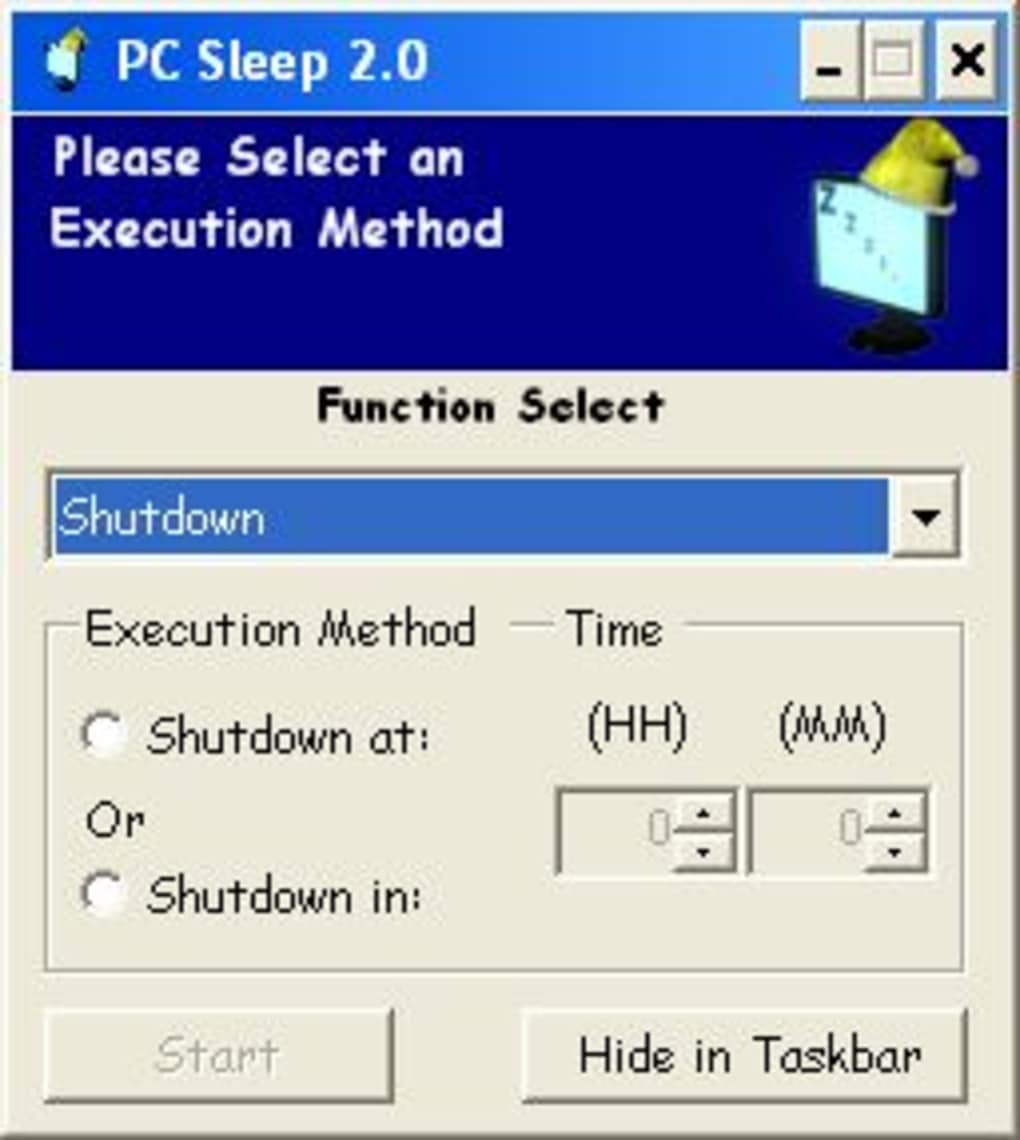
The latest version, 2.2, maintains the program’s core functionality while incorporating updates that enhance compatibility and address any potential bugs from previous versions. While lacking advanced features found in some competing software, PC Sleep’s minimalist design ensures a fast and efficient experience, particularly beneficial for users who prefer straightforward and uncluttered software.
PC Sleep: System Requirements and Compatibility
PC Sleep boasts excellent compatibility, supporting a wide range of Windows operating systems. Its compatibility extends back to Windows XP and earlier versions, highlighting its longevity and adaptability across different operating systems. This broad compatibility makes it a versatile option for users running older versions of Windows who may not have access to or desire more modern, resource-intensive power management tools.
While the software’s lightweight nature ensures minimal impact on system resources, its basic system requirements are modest, making it accessible to users with less powerful computers. The small file size further contributes to its efficiency, minimizing the storage space occupied on the user’s hard drive. This lean design reduces the impact on system performance, ensuring that other programs and applications continue to run smoothly without interruption.
The software’s English-language interface simplifies usage, minimizing any language barriers. Although other language versions may be available via third-party sources, the official distribution remains solely in English. This could present a minor challenge for non-English speakers, but its intuitive interface often mitigates the language barrier. For those needing a non-English version, online resources and user communities may offer translated versions or alternative tools with multilingual support.
PC Sleep’s Place in the Utilities Landscape
PC Sleep resides within the broader category of Windows utilities, specifically falling under the sub-category of automatic shutdown software. This category includes a wide range of applications with varying levels of functionality and complexity. While some competitors offer a broader array of features, including more refined power management options or integration with other system functions, PC Sleep’s strength lies in its focused functionality and ease of use.
Many competing tools provide more complex features, potentially encompassing task scheduling, system monitoring, or advanced power saving profiles. However, this added complexity often comes at the cost of increased resource consumption and a steeper learning curve. PC Sleep, in contrast, avoids this trade-off by remaining focused on its core task of automated shutdowns. This specialization allows it to excel in its designated area without unnecessary overhead.
Considering the availability of more feature-rich alternatives, PC Sleep’s continued popularity demonstrates a sustained demand for a simple and effective automatic shutdown utility. Many users prefer a straightforward approach to power management, prioritizing ease of use over extensive customization options. PC Sleep perfectly caters to this user base, providing a no-frills solution that effectively addresses a specific user need.
User Reviews and Community Feedback
While specific user reviews for PC Sleep are limited in readily accessible sources, its sustained popularity and consistent downloads over many years suggest a generally positive user experience. The lack of prominent user feedback online may reflect the software’s simplicity; a straightforward program with minimal issues may not necessitate frequent reviews or extensive discussion within online communities.
However, the consistent downloads and continued availability of PC Sleep strongly indicate user satisfaction. The absence of overwhelmingly negative reviews or widespread complaints suggests that the software meets user expectations reliably. Its enduring presence in online software directories and its continued presence on download platforms speaks volumes about its overall usefulness and positive reception.
The limited user feedback available should not be interpreted as a reflection on the software’s quality or functionality. Instead, it can be attributed to the software’s straightforward nature and reliability. Many users who find a software program easy to use and dependable may not feel a need to actively express their satisfaction through online reviews or forums.
Conclusion: PC Sleep’s Enduring Value
PC Sleep, despite its age and relative simplicity compared to more modern power management utilities, maintains relevance and value for a specific niche of users. Its primary strength lies in its uncluttered design and straightforward functionality. It effectively delivers on its core promise: reliable, automated computer shutdowns without unnecessary complexity or resource demands. This simplicity makes it a valuable asset for users who prioritize ease of use and efficiency over extensive customization or advanced features. For those seeking a hassle-free way to automate their computer’s shutdown process, PC Sleep remains a viable and practical solution. Its long-term presence in the software marketplace attests to its enduring appeal and successful fulfillment of a basic yet consistently relevant function for Windows users.
File Information
- License: “Free”
- Latest update: “July 12, 2023”
- Platform: “Windows”
- OS: “Windows XP”
- Language: “English”
- Downloads: “19.9K”
- Size: “379.08 KB”


