
In an era defined by rapid technological advancement, upgrading your personal computer is no longer a luxury but often a necessity. Whether you’re moving from an aging desktop to a sleek new laptop, or simply performing a clean install of a new operating system, the prospect of transferring all your essential files, applications, and personalized settings can be daunting. The manual process often involves countless hours of reinstalling software, searching for license keys, meticulously copying data, and reconfiguring preferences. This is where PCmover Professional by Laplink Software, Inc. emerges as an indispensable tool, transforming a typically arduous task into a remarkably simple and automated experience.
PCmover Professional stands as the only software solution capable of automating the entire PC migration process. It eliminates the need to hunt for installation CDs, downloaded program files, serial numbers, or crucial license codes. Instead, it offers a streamlined, three-step method to move everything from your old PC or operating system to a new one, ensuring that you can get back to work or play with minimal downtime. This comprehensive utility tool handles a vast array of digital assets, from applications and programs to personal files and even intricate system settings, providing a truly effortless transition.
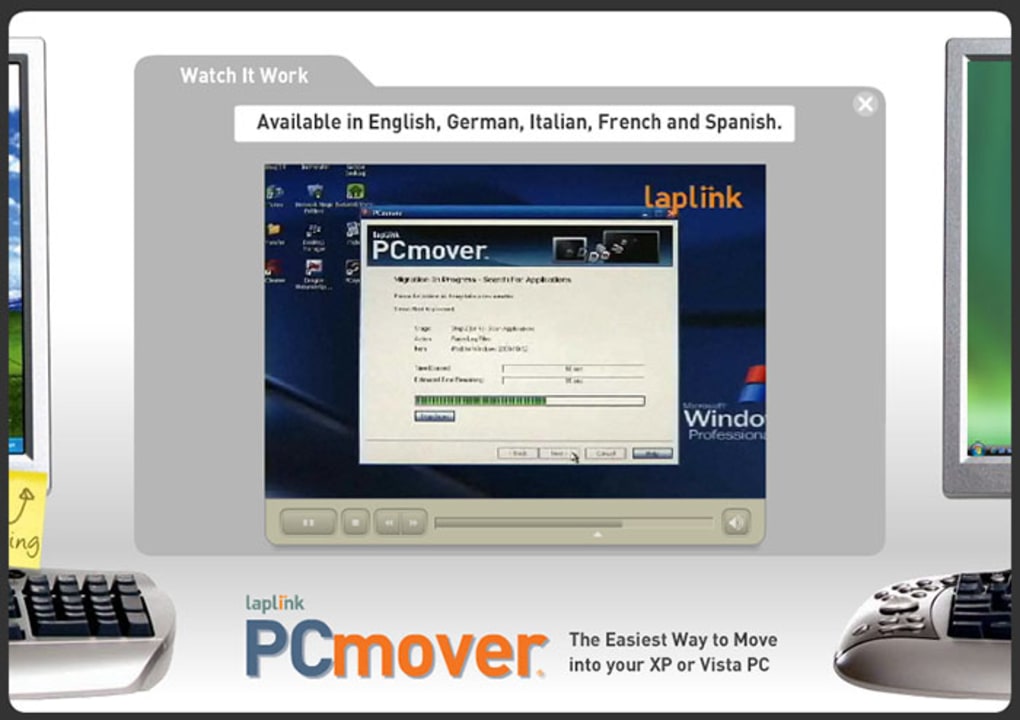
The beauty of PCmover Professional lies in its meticulous design, which ensures data integrity throughout the transfer. Regardless of differences in Windows versions between the two PCs, the software guarantees that not a single file or setting on your old desktop will be altered. Equally important, nothing is overwritten on your new computer, preventing any unintended data loss or corruption. This “no harm, no foul” approach provides users with immense peace of mind, knowing their digital lives are safe during the migration process.
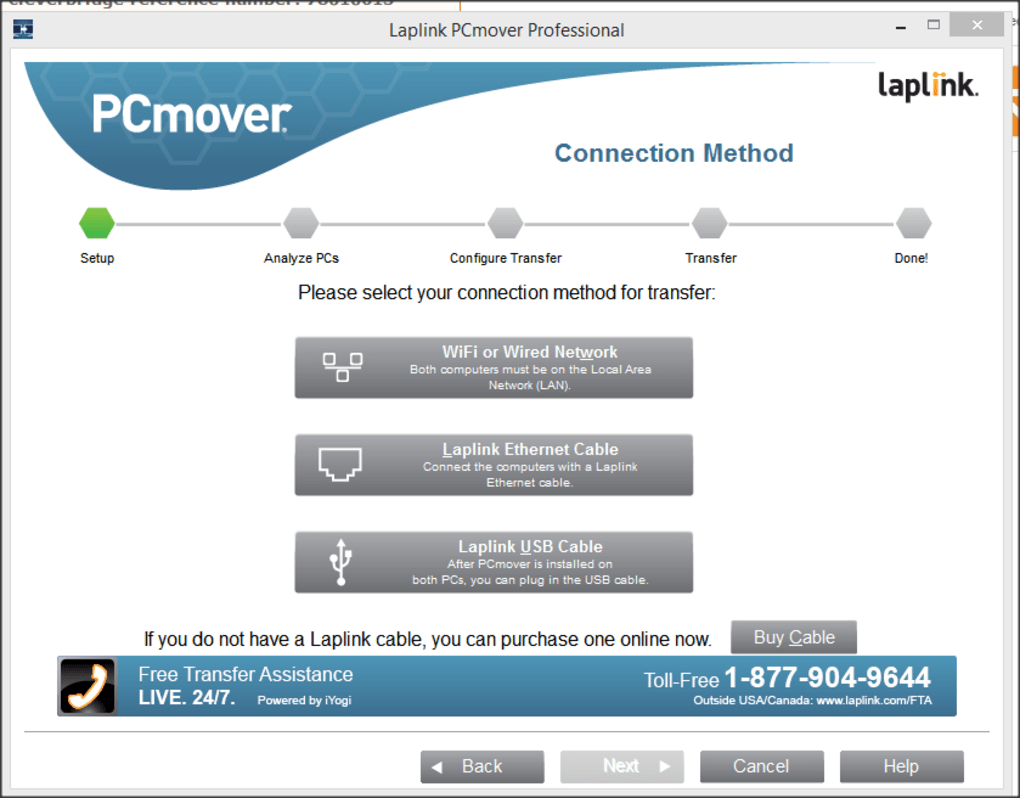
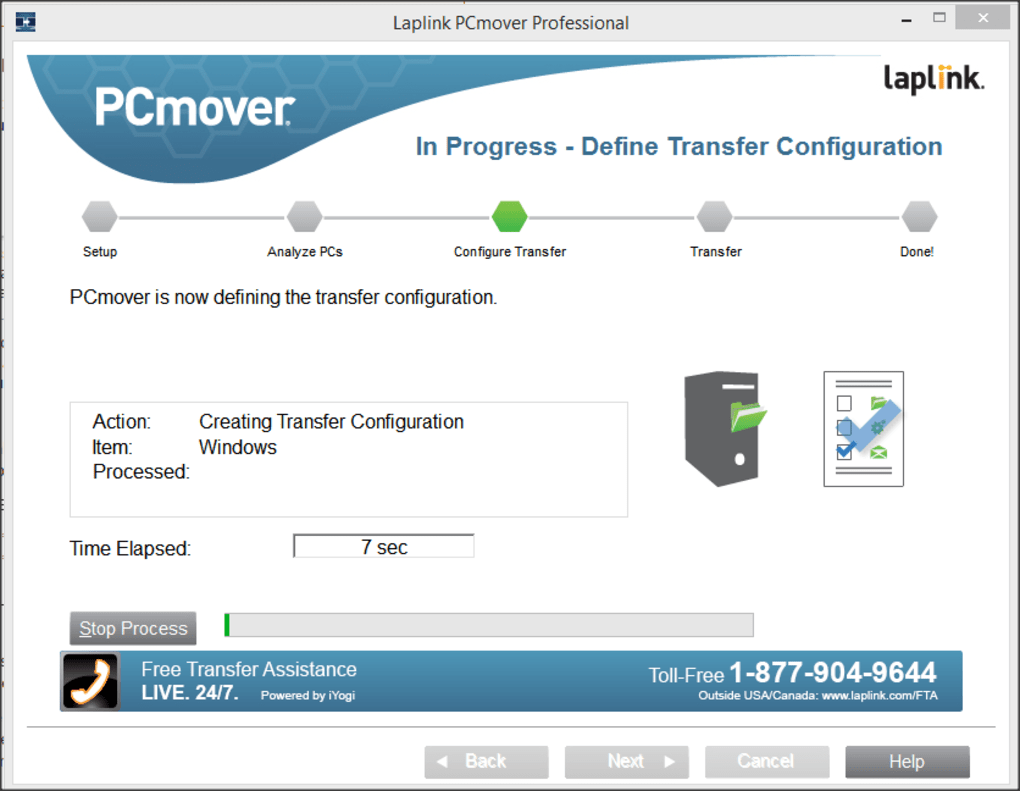
The transfer process itself is remarkably straightforward. First, you install PCmover Professional on both your old and new desktops. Once installed, its intuitive wizard guides you through selecting your preferred transfer method, whether it’s via a wired connection, a network, or even a specialized Laplink transfer cable for optimal speed. After specifying your preferences, you simply initiate the transfer and allow the software to do its work. Upon completion, your new PC will be configured with all your familiar applications, files, and settings, ready for immediate use. This simplicity is a hallmark of PCmover Professional, making it accessible even for users who may not be highly technically inclined.
While PCmover Professional is exceptionally powerful, it’s also transparent about its capabilities and limitations—a quality highly valued by users and a significant differentiator in the market. There are specific types of files and programs that require careful handling:
- Digital Rights Management (DRM) protected files: Music files or other media protected by DRM will often require deactivation on the old PC and reactivation on the new one.
- Software with hardware fingerprints or unique copy protection: Programs that tie their license keys or serial numbers to specific hardware components may necessitate deactivation and re-activation to function correctly on the new system.
- Antivirus and Anti-Spyware programs: Due to their deep integration with the operating system and their critical security functions, these programs generally cannot be migrated directly and must be reinstalled on the new computer.
- Certain hardware drivers: Drivers are highly specific to the hardware they support. While PCmover can transfer some system-level settings, specific hardware drivers often need to be reinstalled on the new machine, especially if the hardware configuration differs.
Before initiating any migration, it is crucial to ensure that both PCs have all necessary Windows updates applied, including the latest .NET framework. This helps prevent compatibility issues and ensures a smoother transfer. Furthermore, it’s important to note that PCmover Professional does not support transferring from newer operating systems to older ones. Attempting such a backward migration can lead to system instability or, in worst-case scenarios, render your system unusable. Adhering to these guidelines ensures the most successful and seamless migration experience.
When considering competing solutions, such as Zinstall, PCmover Professional consistently emerges as the superior choice. Not only is it often more affordable, but it also boasts a more transparent business record and provides a clearer, more specific list of applications it can reliably transfer. This commitment to honesty and clarity has cemented Laplink’s reputation and PCmover Professional’s position as a certified and leading file manager expert, trusted by countless computer owners and reputable clients worldwide. PhanMemFree.org proudly features PCmover Professional, recognizing its value in simplifying the complex task of PC migration for its diverse user base.
Utilities & Tools: The Cornerstone of PC Management
At PhanMemFree.org, the “Utilities & Tools” category represents a vast ecosystem of software designed to enhance, maintain, and secure your computing experience. PCmover Professional perfectly exemplifies the utility of such tools by addressing one of the most significant pain points in PC ownership: the migration process. In this context, PCmover is not just a transfer utility; it’s a strategic tool that saves immense time and effort, preventing the frustration typically associated with setting up a new machine.
Consider the landscape of PC utilities. Beyond migration, users frequently rely on tools for data recovery, file management, system optimization, disk partitioning, and specialized functions like bar code scanning or printer management. PCmover Professional sits comfortably within this vital category, offering a specialized function that complements the broader suite of utilities available. For instance, after migrating your system with PCmover, you might then use a file manager to organize your newly transferred documents, or a data recovery tool if, in some unrelated incident, you accidentally delete something crucial. The seamless transfer facilitated by PCmover means that all your familiar utility programs—from archiving software to desktop customization tools—are right where you left them, ready to be used on your new system without the hassle of reinstallation.
The convenience of having a tool like PCmover Professional cannot be overstated. It is, in essence, a high-level file manager that operates across two separate machines, understanding the intricate dependencies of installed applications and system settings. This contrasts sharply with simple file copy operations, which fail to account for registry entries, associated libraries, and configuration files that make an application truly functional. PCmover’s intelligence in handling these complexities makes it a true professional-grade utility, justifying its position as a top download within its category on PhanMemFree.org.
Moreover, the “Utilities & Tools” section often includes niche applications that cater to specific user needs. For example, remote PC access tools, measurement software, or even specialized keyboards and screen capture utilities. PCmover ensures that these personalized configurations and installed niche tools are not lost in translation when moving to a new computer. It preserves the unique digital environment a user has cultivated over time, making the new PC feel instantly familiar and productive. This comprehensive approach to utility management underlines why a tool like PCmover Professional is so highly regarded by the PhanMemFree.org community.
Security & Privacy: Safeguarding Your Newly Migrated Digital Life
While PCmover Professional excels at transferring your digital assets, it’s equally important to address the “Security & Privacy” aspect, especially post-migration. As noted in its limitations, antivirus and anti-spyware programs cannot be directly transferred. This isn’t a flaw but a necessary characteristic due to their deep integration with the operating system kernel and their unique methods of detecting threats. Therefore, a critical step after using PCmover Professional to set up your new machine is to re-establish a robust security posture.
The Security & Privacy section on PhanMemFree.org offers a comprehensive array of tools vital for protecting your digital environment. After transferring your data and applications, your new PC is a fresh canvas for security. Users should prioritize installing an updated antivirus solution from providers featured on PhanMemFree.org, such as the best antivirus software available, to guard against malware, viruses, and ransomware. Following this, considering an anti-spyware program can add an extra layer of defense against unwanted tracking and data harvesting.
Furthermore, a robust security strategy extends beyond basic antivirus. PhanMemFree.org’s Security & Privacy category includes essential tools like firewalls, which monitor and control incoming and outgoing network traffic, providing an impenetrable barrier against unauthorized access. Password management solutions, also available, are crucial for creating, storing, and managing strong, unique passwords across all your accounts, significantly reducing the risk of data breaches. For those seeking enhanced anonymity and protection, VPNs (Virtual Private Networks) offered on PhanMemFree.org encrypt your internet connection, shielding your online activities from prying eyes, especially when using public Wi-Fi.
PCmover Professional enables a quick setup of your new system, meaning you can get your security infrastructure back online faster. This minimized vulnerability window is a significant advantage. Instead of spending days reinstalling every application and leaving your system exposed, PCmover ensures you can focus on reinstalling critical security software immediately. For businesses leveraging PCmover Professional for multiple deployments, establishing a consistent and secure baseline across all new machines becomes a streamlined process, allowing IT departments to quickly deploy their preferred security stack. The synergy between efficient migration and immediate security implementation is a testament to the value of both PCmover Professional and the comprehensive offerings within PhanMemFree.org’s Security & Privacy category.
Productivity: Accelerating Your Return to Peak Performance
The ultimate goal of upgrading a PC or operating system is often to enhance productivity. PCmover Professional directly supports this aim by ensuring that your new machine is not just functional, but immediately productive. The “Productivity” section on PhanMemFree.org highlights the software essential for individuals and businesses to perform tasks efficiently, and PCmover is the unsung hero that enables rapid access to these tools on a new system.
Imagine the scenario: you’ve just unboxed a brand-new, powerful PC. Without PCmover, you’d spend countless hours downloading and reinstalling your entire office suite—Microsoft Office, LibreOffice, or whatever your preference. Then, you’d painstakingly migrate your accounting software, reconfigure your email clients, restore your calendars and agendas, and set up your document management systems. This manual labor is a significant drain on productivity. PCmover Professional bypasses this entire ordeal by automatically transferring these critical applications, along with all their associated settings and data files. Your new PC springs to life with your personalized workspace intact.
This immediate return to productivity is invaluable for professionals. Finance applications, project management tools, calculators, and converters – all are essential elements of many workflows. PCmover’s ability to seamlessly transfer these not only saves time but also minimizes the disruption to ongoing projects. For businesses, this translates into reduced downtime for employees during hardware refreshes or OS upgrades, directly impacting their bottom line. The efficiency gained allows teams to focus on their core tasks rather than IT overheads.
PhanMemFree.org’s Productivity category offers a diverse range of software, from specialized banking applications to comprehensive office suites and remote PC management tools. PCmover Professional ensures that access to these vital applications is uninterrupted, enabling users to pick up exactly where they left off. The thought of losing custom templates, personalized shortcuts, or intricate email filter rules is enough to deter many from upgrading. PCmover eliminates this fear, making the transition to a more powerful, efficient system a truly productive endeavor from day one. It empowers users to maximize the potential of their new hardware without sacrificing their established workflows, cementing its status as an essential tool for productivity-conscious users.
Development & IT: Streamlining System Deployments and Upgrades
For IT professionals, developers, and power users, managing multiple systems or performing frequent upgrades is a routine part of the job. The “Development & IT” section on PhanMemFree.org caters to this demanding segment, offering tools ranging from programming languages and IDEs to backup solutions and server management software. Within this ecosystem, PCmover Professional serves as a critical asset, dramatically simplifying the process of deploying new workstations, upgrading developer environments, or migrating critical IT infrastructure components.
Consider an IT department responsible for rolling out dozens of new employee workstations. Traditionally, this would involve manual installation of the operating system, followed by the individualized installation and configuration of dozens of applications specific to each user’s role—programming languages, IDEs/Source Editors, database clients, FTP clients, and a myriad of specialized development kits. The time and labor involved are immense. PCmover Professional transforms this process. By transferring an existing, fully configured user profile to a new machine, IT administrators can significantly cut down deployment times. This means developers can get their new, powerful machines with all their familiar tools and settings ready much faster, minimizing disruption to development cycles.
For individual developers, migrating a complex development environment can be particularly challenging. Dependencies, environment variables, installed libraries, and custom configurations are deeply intertwined. A manual migration often leads to broken paths, missing components, and hours of troubleshooting. PCmover Professional intelligently handles these intricacies, ensuring that a developer’s integrated development environments (IDEs), version control clients, and all their associated tools function correctly on the new system. This preserves precious development time and reduces frustration, allowing developers to focus on coding rather than configuration.
Furthermore, the “Development & IT” category on PhanMemFree.org also includes essential tools like backup & cloud storage solutions and remote control software. While PCmover Professional performs the migration, these complementary tools ensure data resilience and remote manageability, completing the IT professional’s toolkit. The ability to quickly set up a new server or developer workstation, confident that all necessary software and settings are in place, is an invaluable benefit. PCmover Professional empowers IT teams to execute upgrades and deployments with greater efficiency, consistency, and reliability, underscoring its pivotal role in the professional computing landscape served by PhanMemFree.org.
In conclusion, PCmover Professional by Laplink Software, Inc. is an unparalleled utility for anyone facing the challenge of PC migration. It distills a complex, time-consuming process into three simple steps, automatically transferring applications, files, and settings with unwavering reliability. Its transparency about what it can and cannot do further builds trust, setting it apart from competitors. Featured prominently on PhanMemFree.org, this tool is not merely a convenience; it’s an essential component of modern PC management, enabling users to seamlessly transition to new hardware or operating systems. By integrating flawlessly within broader categories like “Utilities & Tools,” “Security & Privacy,” “Productivity,” and “Development & IT,” PCmover Professional ensures that your digital life continues uninterrupted, maximizing efficiency and minimizing the headaches associated with upgrading your technology. For an effortless, trusted, and streamlined migration, PCmover Professional remains the definitive choice for millions of users worldwide.
File Information
- License: “Full”
- Latest update: “May 24, 2023”
- Platform: “Windows”
- OS: “Windows XP”
- Language: “English”
- Downloads: “2.5K”
- Size: “334.51 MB”


