
PDF Reader - PDF Viewer for Android, developed by Simple Design Ltd., presents itself as a straightforward and efficient application for managing and reading PDF files on Android devices. This review delves into its features, functionality, user experience, and compares it to alternative solutions. We will explore its strengths and weaknesses to determine if this PDF reader lives up to its promise of efficient and effective PDF management.
Core Functionality and Features
At its heart, PDF Reader - PDF Viewer is a document viewer designed to simplify the process of accessing and interacting with PDF files stored on your Android device. The app boasts a range of features aimed at improving both the reading and editing experience. The core functionality includes:
-
Multiple Viewing Modes: Users can choose from several viewing options to optimize their reading experience. This includes page-by-page viewing, continuous scrolling for seamless reading, and the ability to switch between horizontal and vertical orientations. This flexibility allows users to adapt the display to their preferences and the content’s nature. The inclusion of a “Reflow” mode ensures smooth reading, even on smaller screens. Direct page navigation allows users to quickly jump to specific sections of the document.
-
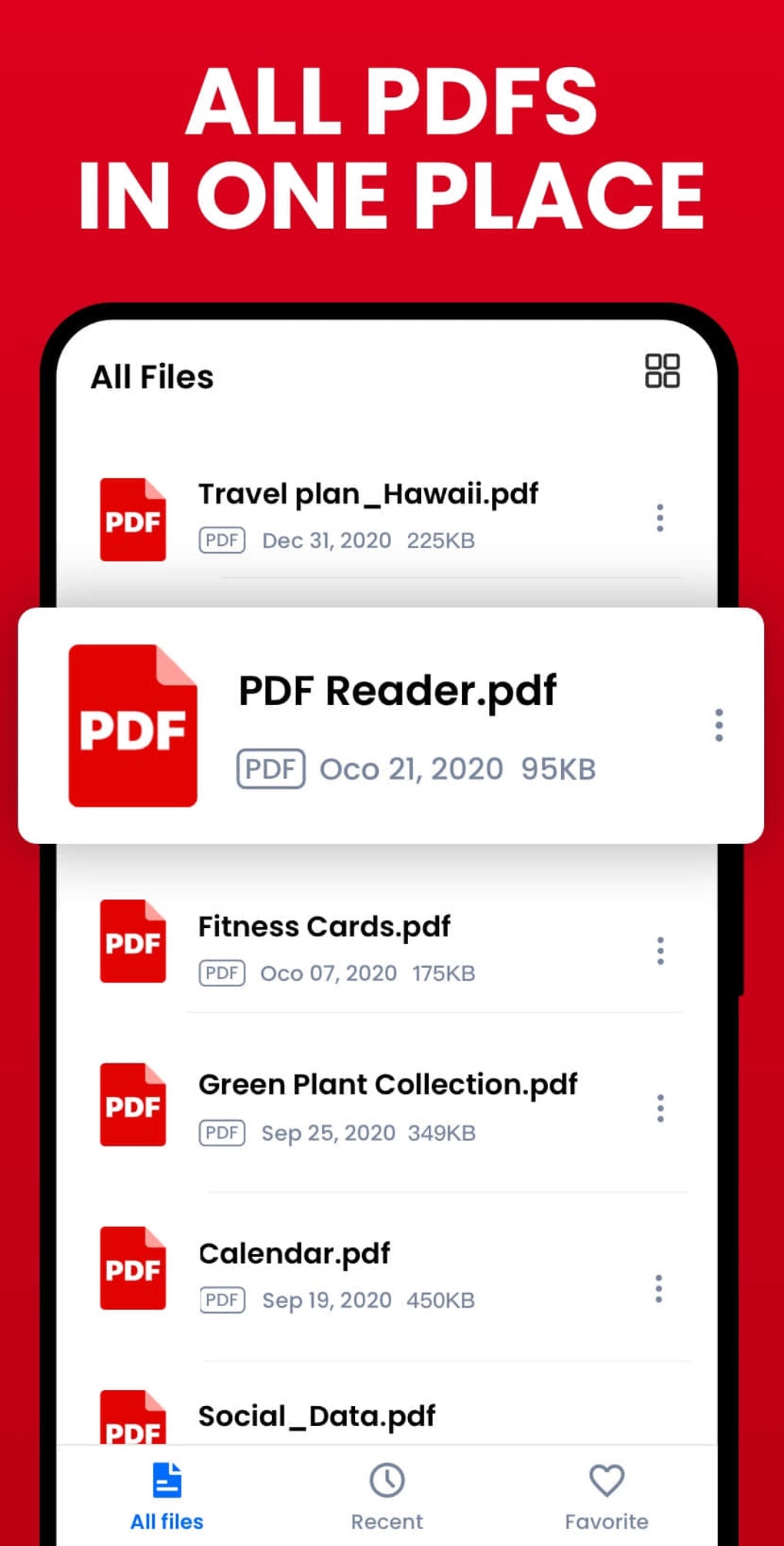
Efficient File Management: The app automatically scans and lists all PDF files present on the device, simplifying access. A quick search function further enhances the ease of locating specific documents within a potentially large collection. The file display is designed for simplicity, allowing users to quickly identify and open desired files.
-
Text Search and Copy: The ability to search within the text of the PDF is a significant advantage, allowing users to swiftly locate specific keywords or phrases. The text copy function facilitates the extraction of relevant information for use in other applications.
-
Bookmarking: The app allows users to create bookmarks for easy reference to important pages, significantly improving navigation through lengthy or complex documents. This feature is particularly useful for revisiting specific sections or for quick access to key information.
-
Light and Dark Modes: Users can easily switch between light and dark modes to personalize the viewing experience and reduce eye strain, depending on the ambient lighting conditions.
Editing and Annotation Capabilities
Beyond simple viewing, PDF Reader - PDF Viewer offers a suite of editing and annotation tools, transforming it from a mere viewer into a more comprehensive PDF management solution. These editing features include:
-
Highlighting and Note-Taking: Users can highlight important passages and add notes directly to the PDF. This functionality is crucial for annotating documents, marking key points, and adding personal interpretations or comments.
-
E-Signatures: The ability to add e-signatures provides a convenient way to approve documents digitally, eliminating the need for printing, signing, and scanning. This feature enhances the app’s usefulness for professional and business contexts.
-
Annotation Tools: Beyond highlighting and note-taking, the app offers a range of annotation tools, allowing users to further customize and enrich their PDF files. These may include underlining, striking through text, adding shapes, and drawing directly on the document.
-
Doodling: The inclusion of doodling functionality adds a playful yet practical aspect, allowing for freehand sketching or drawing directly on the PDF, ideal for creative annotations or diagrams.
-
Text Copying: The ability to copy text, in addition to the text search feature, improves the efficiency of extracting information for other tasks.
User Interface and Experience
While the app boasts a comprehensive feature set, the user experience is a crucial aspect to consider. Feedback suggests a potential drawback: the user interface may be perceived as overly cluttered. The density of features can lead to accidental triggering of editing modes due to unintentional gestures, interrupting the reading flow. This is a significant concern, as users may find themselves frequently switching between reading and editing modes unintentionally. The lack of clear instructions or intuitive gestures for exiting editing modes further compounds this issue, leading to frustration.
The abundance of features, while generally positive, can become a hindrance if they are not seamlessly integrated into the user interface. A more streamlined design with clearer separation of reading and editing functionalities would significantly enhance the overall user experience. Intuitive gesture controls are also paramount to minimize interruptions during reading.
Comparison with Alternative Apps
Numerous PDF reader applications are available on the Google Play Store, each with its own set of features and strengths. Comparing PDF Reader - PDF Viewer with some prominent competitors reveals both advantages and disadvantages.
Adobe Acrobat Reader: A widely recognized and established player in the PDF world, Adobe Acrobat Reader offers a robust set of features, including advanced editing capabilities, form filling, and cloud integration. While it generally provides a more polished user experience, it often requires a subscription for access to some key features. This contrasts with PDF Reader - PDF Viewer, which is free.
Google PDF Viewer: This built-in Android reader provides a basic yet functional experience. Its simplicity is its main advantage, particularly for users who need only basic reading capabilities. However, it lacks the advanced editing features found in PDF Reader - PDF Viewer and other comparable applications.
Other contenders, such as Xodo PDF Reader & Editor, offer competitive features, including annotation tools and cloud storage integration. The choice between these alternatives often comes down to individual needs and preferences regarding features, user interface, and the balance between free and paid features.
Strengths and Weaknesses
Strengths:
- Comprehensive Feature Set: The app offers a wide array of functionalities, encompassing both basic reading capabilities and extensive editing and annotation tools.
- Free to Use: Accessibility is a significant advantage, making it appealing to a broad range of users.
- Multiple Viewing Modes: Flexibility in viewing options caters to various preferences and screen sizes.
- Efficient File Management: The automatic scanning and listing of PDF files along with the quick search function simplifies access.
Weaknesses:
- Cluttered User Interface: The abundance of features can lead to a cluttered interface and unintentional triggering of editing modes.
- Unintuitive Gestures: The gestures for controlling editing modes may lack clarity and lead to frustration.
- Lack of Clear Instructions: Inconsistent or insufficient instructions can hinder the user’s ability to navigate the app effectively.
Conclusion
PDF Reader - PDF Viewer for Android provides a powerful suite of features for both reading and editing PDF documents. Its comprehensive capabilities, coupled with its free availability, make it a compelling choice for many users. However, the cluttered user interface and potentially frustrating gesture controls are significant drawbacks that detract from the overall user experience. While the app delivers on its core functionality, improvements to the user interface and gesture control system are essential to fully realize its potential and ensure a more seamless and enjoyable user experience. Users prioritizing a streamlined and intuitive interface might find alternative apps better suited to their needs. However, for those comfortable navigating a feature-rich environment and prioritizing free access to a range of functionalities, PDF Reader - PDF Viewer remains a viable option.
File Information
- License: “Free”
- Latest update: “July 20, 2025”
- Platform: “Android”
- OS: “Android 13.0”
- Language: “English”
- Downloads: “93.7K”
- Download Options: “Google Play”


