
PDF to Word Converter Free is a cloud-based application designed to convert PDF files into editable Microsoft Word documents (.doc or .docx). This review will delve into its features, ease of use, limitations, and compare it to alternative solutions. We’ll explore its strengths and weaknesses, helping you determine if it’s the right PDF conversion tool for your needs.
Ease of Use and Interface
PDF to Word Converter Free boasts a user-friendly interface, even for those unfamiliar with PDF conversion software. Its streamlined design minimizes complexities, allowing users to quickly navigate the essential features. The intuitive layout avoids unnecessary clutter, presenting a clean and efficient workflow. The software’s built-in PDF viewer eliminates the need for separate PDF reader applications, streamlining the entire conversion process. This integration ensures a seamless user experience, making the conversion task straightforward and efficient.
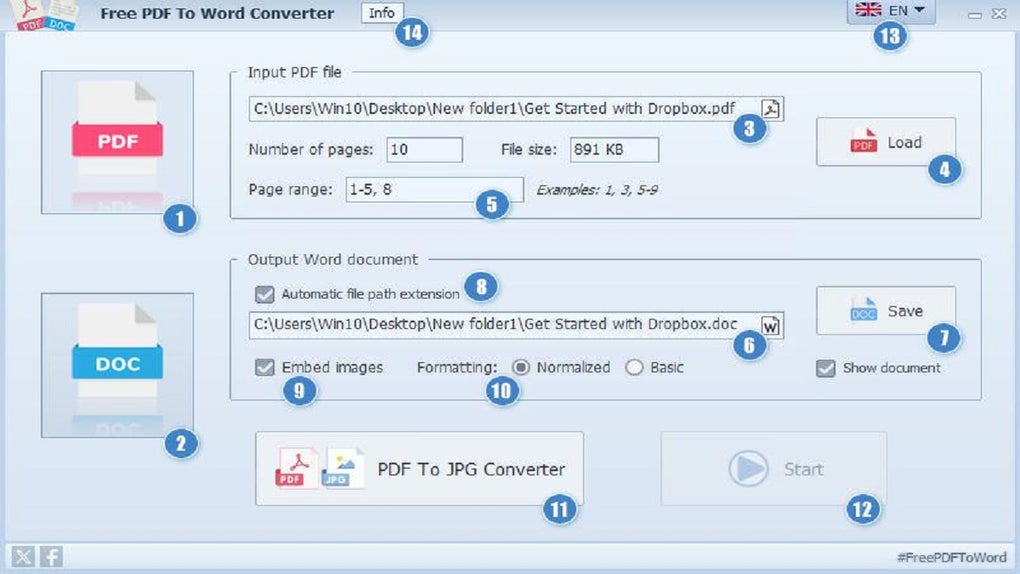
Unlike some competitors like UniPDF, Free Word to PDF Converter, and PDF to Doc, PDF to Word Converter Free distinguishes itself with its simplicity. Users don’t need extensive technical knowledge to utilize its functionality, making it accessible to a broad range of users, from students and home users to professionals requiring quick and easy PDF-to-Word conversions. The straightforward design prioritizes ease of use, making the conversion process quick and efficient even for those with limited computer experience. The simplicity, however, doesn’t compromise the program’s powerful conversion engine, which ensures rapid conversion times.
Conversion Accuracy and Formatting Retention
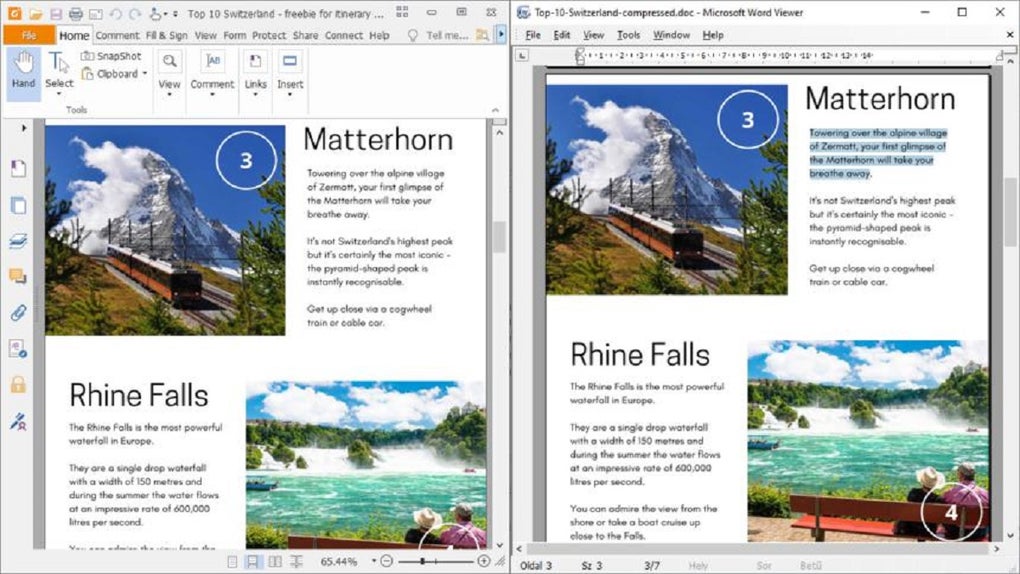
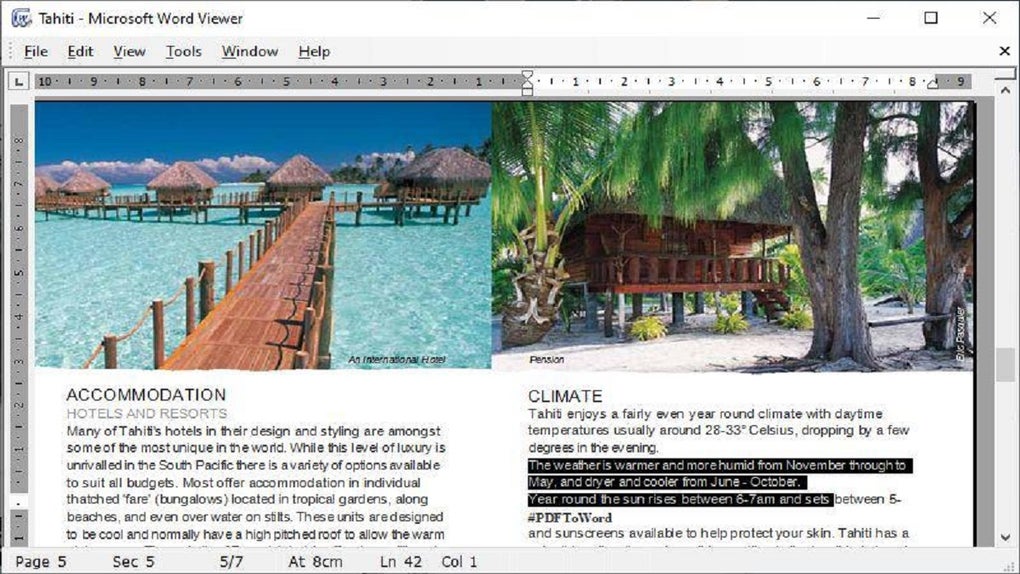
A key selling point of PDF to Word Converter Free is its ability to retain the original formatting of the PDF document during conversion. While some subtle differences might occur in documents with complex layouts or numerous images, the software strives to maintain the integrity of the original content, including fonts, styles, paragraph alignment, and even images. The conversion engine is designed to intelligently recognize and convert various formatting elements such as paragraphs, tables, bullets, numbered lists, and newspaper columns.
The program leverages artificial intelligence to enhance conversion accuracy. It analyzes the PDF’s structure and employs sophisticated algorithms to translate the content into a Word document while attempting to preserve the original visual presentation. This AI-powered approach helps minimize formatting discrepancies and creates a Word document that closely resembles the original PDF.
However, the accuracy of formatting preservation can vary depending on the complexity of the source PDF. Documents with intricate layouts, numerous embedded objects, or heavily formatted text might experience more deviations from the original. This is a common limitation shared by many PDF conversion tools, though the AI features of PDF to Word Converter Free mitigate this issue to a considerable degree. For documents with simpler structures and formatting, the accuracy is typically very high, resulting in a converted Word document almost indistinguishable from the original.
Page Range Selection and Image Handling
PDF to Word Converter Free offers flexibility by allowing users to select specific pages for conversion rather than converting the entire document. This feature is particularly valuable when only portions of a lengthy PDF are required. This functionality helps manage storage space and avoids the unnecessary conversion of irrelevant content, optimizing processing time and resource usage. This selectivity makes it incredibly useful for extracting specific information from lengthy documents like theses, reports, or legal documents without the need to process the entire file.
The program also handles images effectively, providing control over image inclusion during the conversion process. Users can choose to include all images, omit all images, or selectively manage images after conversion. If images are included, they are integrated into the converted Word document, maintaining the relative placement and presentation within the document’s structure. Alternatively, users can choose to remove images after the conversion process within the Word document itself. Furthermore, images can also be extracted as separate JPEG files and incorporated into other image editing programs like Adobe Photoshop or Paint.NET, offering further control over image handling and use.
Free vs. Pro Version: A Comparative Analysis
The free version of PDF to Word Converter Free is a powerful tool for individual users requiring occasional PDF-to-Word conversions. However, it does have limitations compared to its Pro version. The most significant drawback is the lack of batch conversion. This means each PDF file requires individual uploading and conversion. This can be time-consuming for users dealing with large numbers of PDF documents.
The Pro version addresses this limitation by supporting batch conversion, significantly speeding up the workflow for users with numerous files to convert. Furthermore, the Pro version is completely cloud-based and accessible from any major web browser. It utilizes advanced AI capabilities to provide superior recognition and conversion of various formatting elements such as tables and complex layouts, making it a more robust and versatile option for regular users or organizations dealing with substantial volumes of PDF documents. While a one-time payment is required for the Pro version, a free trial period typically allows users to evaluate the additional features before purchase.
System Requirements and Performance
PDF to Word Converter Free is known for its lightweight nature. It consumes minimal system resources, allowing it to run efficiently without impacting the performance of other applications. The software is compatible with Windows and Mac operating systems, ensuring broad device compatibility. The cloud-based workflow further enhances performance, offloading processing tasks from the user’s computer and minimizing strain on system resources. This cloud-based nature also means the software receives regular updates and improvements from the developers, ensuring the stability and efficiency of its conversion engine.
Conclusion
PDF to Word Converter Free offers a compelling solution for users needing a straightforward and easy-to-use PDF to Word conversion tool. Its intuitive interface, intelligent formatting retention, and page selection features make it accessible and practical for a wide range of users. While the free version lacks batch conversion capabilities, it remains a valuable option for users with occasional conversion needs. For those dealing with frequent or large-scale conversions, the Pro version provides added functionality and efficiency with its batch processing and enhanced AI features. Overall, PDF to Word Converter Free presents a strong balance between user-friendliness, performance, and feature-set, making it a competitive choice in the PDF conversion software landscape.
File Information
- License: “Free”
- Latest update: “November 20, 2024”
- Platform: “Windows”
- OS: “Windows Vista”
- Language: “English”
- Downloads: “4.2M”
- Size: “18.34 MB”


