
PDF Unlocker is a freeware application designed to bypass password protection on PDF documents. This comprehensive guide will explore its features, benefits, limitations, and alternatives, providing a complete understanding of this useful utility.
Understanding PDF Password Protection and the Need for PDF Unlocker
PDF files, ubiquitous in both personal and professional settings, often require passwords for access. This password protection serves as a crucial security measure, preventing unauthorized viewing, modification, or copying of sensitive information. Passwords can restrict various actions, from simply opening the document to editing its contents or printing its pages. However, situations arise where the password is forgotten, misplaced, or otherwise inaccessible, rendering the intended protected content unavailable. This is where PDF Unlocker steps in. It acts as a recovery tool for regaining access to locked PDF files without requiring the user to remember or otherwise obtain the original password.
How PDF Unlocker Works: A Technical Deep Dive
PDF Unlocker employs a brute-force approach to unlock password-protected PDFs. Unlike some sophisticated password cracking tools that may use sophisticated algorithms, it essentially tries numerous password combinations until it finds the correct one. The speed and efficiency of this process depend heavily on the complexity of the original password. Simple passwords, consisting of a few easily guessable characters, can be cracked relatively quickly. However, more complex passwords with a combination of uppercase and lowercase letters, numbers, and symbols will require significantly more time. The application will continuously attempt to unlock the document; the user does not need to actively intervene or input any specific information aside from the file location. Once the password is successfully cracked, PDF Unlocker provides the user with the option to save the decrypted PDF file without any password protection. It’s important to note that while efficient for simpler passwords, very complex passwords could require an infeasibly long time to crack. The software does not offer any customization options for adjusting the brute-force process, such as specifying character sets or password length.
PDF Unlocker’s Strengths and Weaknesses: A Balanced Perspective
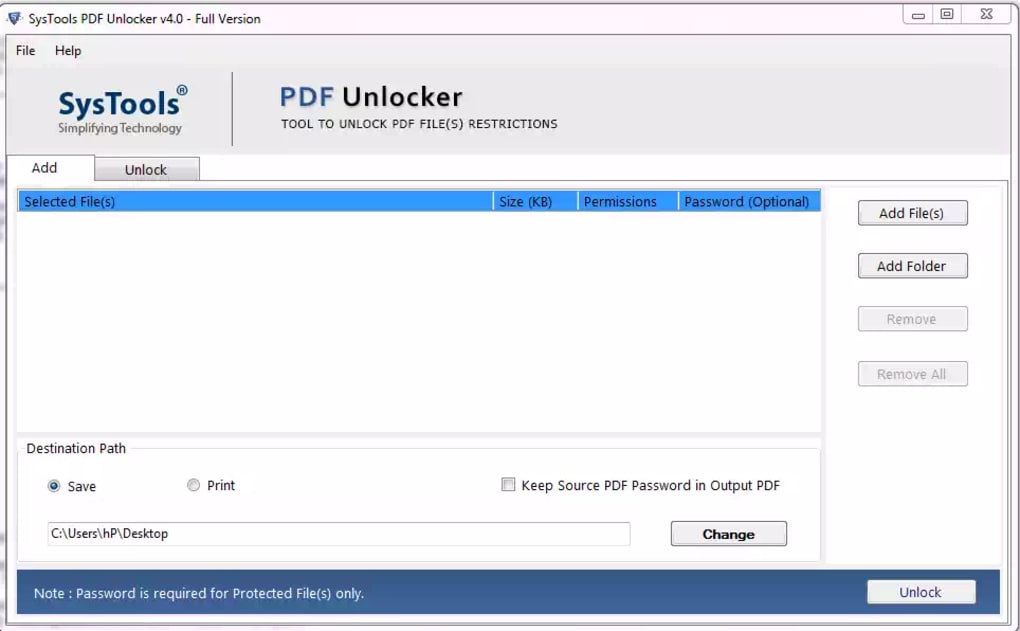
PDF Unlocker boasts a straightforward and user-friendly interface, making it accessible even to users with limited technical expertise. Its simplicity reduces the learning curve, enabling anyone to quickly use the application without extensive prior knowledge. Furthermore, the software is highly effective in bypassing password protection on a vast majority of standard PDF files, offering a quick and efficient solution for common password-related access issues. Its portability is another key advantage; the lightweight application can be easily stored on a USB drive or other portable storage device, allowing users to access and utilize it on any computer without needing installation.
However, PDF Unlocker is not without limitations. One significant drawback is its performance with complex passwords. The brute-force mechanism, while effective for simple passwords, can become incredibly time-consuming and resource-intensive when faced with long, intricate passwords. This limitation can render the software impractical for documents secured with strong password protection. Moreover, the lack of advanced options or configuration settings limits flexibility. Users cannot adjust parameters to optimize the cracking process according to their specific needs or preferences. The software’s simplistic design, while easy to use, also lacks certain features that might be found in more advanced password recovery tools.
Alternatives to PDF Unlocker: Exploring Other Options
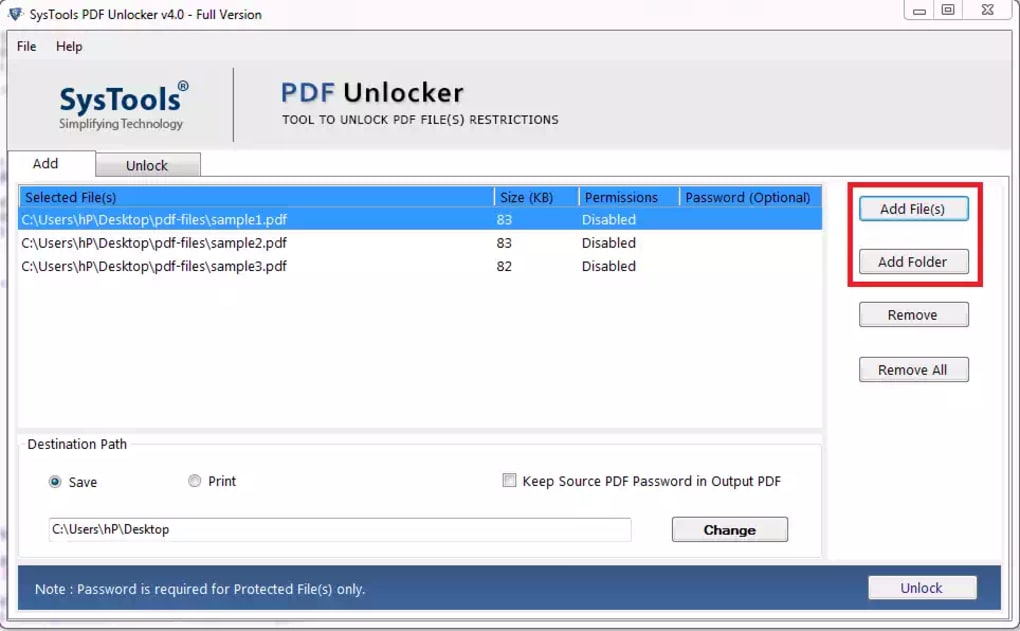
While PDF Unlocker provides a simple solution for unlocking some password-protected PDFs, several alternative methods and software packages offer greater functionality and capabilities. These alternatives may incorporate more advanced techniques to recover passwords, handle more complex encryption, or provide additional features.
Alternative Software: Several professional password recovery tools specifically designed for PDF files offer more advanced features than PDF Unlocker. These often employ dictionary attacks, brute-force methods with customizable parameters, and more sophisticated algorithms to crack passwords. They frequently include options to specify character sets, password length, and other parameters to optimize the cracking process.
Manual Methods: For some situations, particularly when dealing with less secure passwords, manually trying common password combinations or using readily available password lists might be feasible. While this is time-consuming and not suitable for complex passwords, it might be a viable option in simpler scenarios.
Contacting the Owner: If the PDF file belongs to someone else, contacting the file’s owner and requesting the password might be the simplest and most effective solution. This approach avoids potential legal concerns related to unauthorized access.
Online PDF Unlockers: While some websites offer online PDF unlocking services, users should exercise caution as these services might pose security risks. It’s crucial to only utilize reputable websites with established security protocols to prevent exposing sensitive data.
Legal and Ethical Considerations: Using PDF Unlocker Responsibly
It’s crucial to understand the legal and ethical implications associated with using PDF Unlocker or any password recovery tool. Unlocking password-protected PDF files without authorization is a violation of copyright and potentially illegal. Only attempt to unlock a PDF file if you are the legitimate owner and have forgotten the password, or if you have explicit permission from the file’s owner. Using such tools for malicious purposes, such as gaining unauthorized access to sensitive information, is unethical and illegal. It’s vital to utilize this tool responsibly and within the confines of the law.
System Requirements and Installation: Getting Started with PDF Unlocker
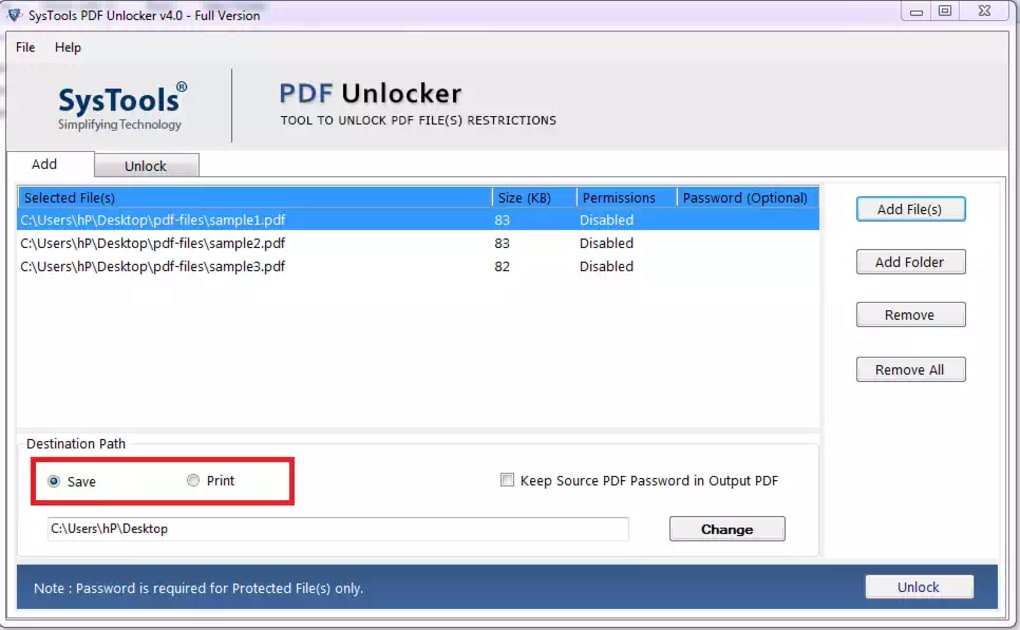
PDF Unlocker is designed for use with the Windows operating system. Although the exact minimum system requirements are not explicitly detailed, the software’s lightweight nature suggests compatibility with a wide range of Windows versions, from older operating systems to the latest releases. The installation process is typically straightforward and involves running the executable file and following the on-screen prompts. The software is generally easy to download from its official source or trusted distribution sites. However, it is always advisable to download software from reputable sources to avoid potential malware or viruses.
While PDF Unlocker doesn’t require Adobe Acrobat Reader to function, it is necessary to have a compatible PDF reader installed to view the unlocked document after the password has been successfully removed. Most modern operating systems include built-in PDF readers, or users can readily download a free PDF reader if needed.
Conclusion: Weighing the Benefits and Limitations of PDF Unlocker
PDF Unlocker offers a simple and effective solution for unlocking password-protected PDFs, particularly those secured with less complex passwords. Its user-friendly interface and lightweight design make it accessible to a wide range of users. However, its limitations with complex passwords and lack of advanced features should be considered. Users should weigh the advantages and disadvantages carefully and explore alternative methods if necessary. Always prioritize ethical and legal considerations when using password recovery tools, ensuring adherence to copyright laws and respecting the privacy and security of others. Users should always utilize this tool responsibly, considering the legal implications and respecting intellectual property rights. Remember that using this tool for unauthorized access is illegal and carries potential consequences.


