
PdfGrabber is a Windows-based software utility designed for converting PDF documents into various editable text formats. This powerful tool simplifies the process of extracting text from PDFs, making it accessible for both personal and professional use. This guide will delve into the features, functionalities, and applications of PdfGrabber, exploring its strengths and weaknesses to help you determine if it’s the right choice for your needs.
PdfGrabber: Features and Functionality
PdfGrabber excels at its core function: converting PDF files into editable text. This seemingly simple task is often complicated by the varying structures and complexities of PDF documents. PdfGrabber tackles this challenge by employing sophisticated algorithms to accurately extract text, preserving formatting as much as possible. The software’s ability to handle different PDF types, including scanned documents (with Optical Character Recognition, or OCR, capabilities), sets it apart from simpler conversion tools.
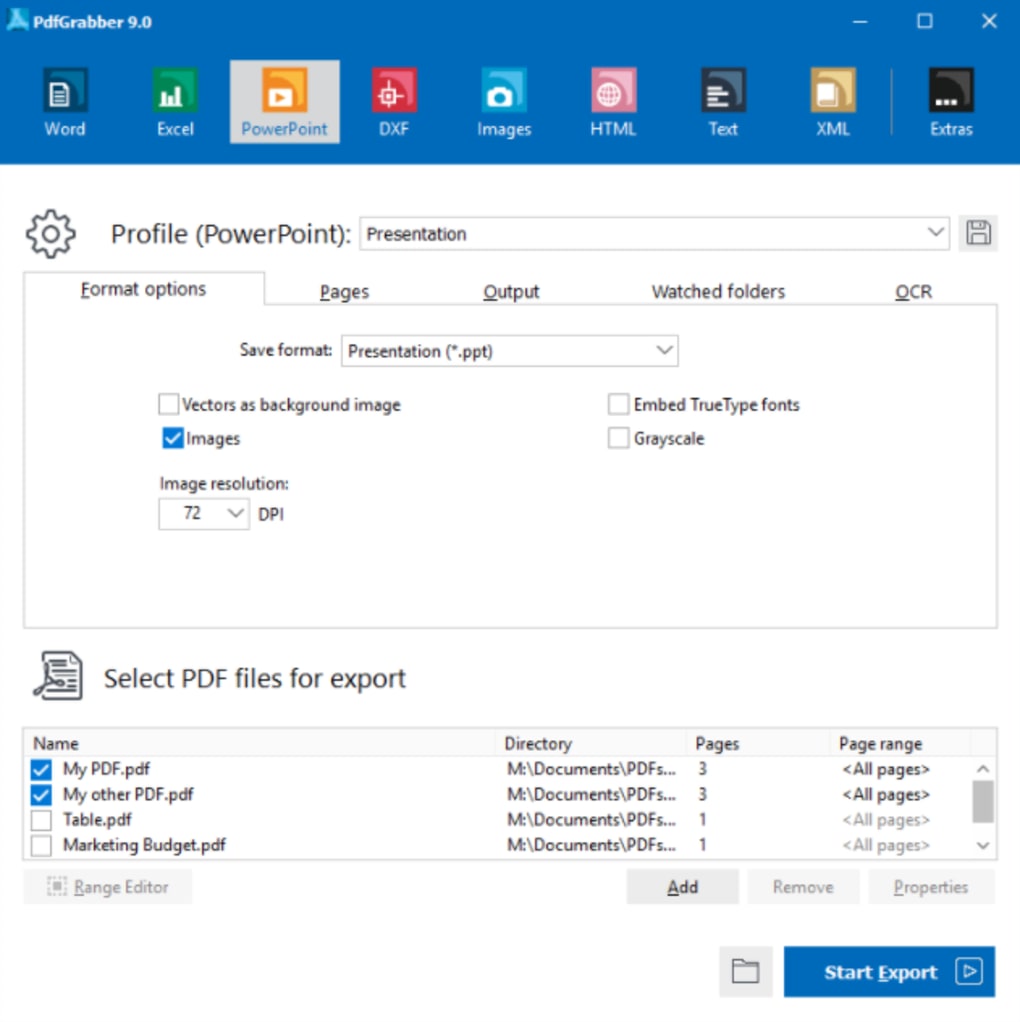
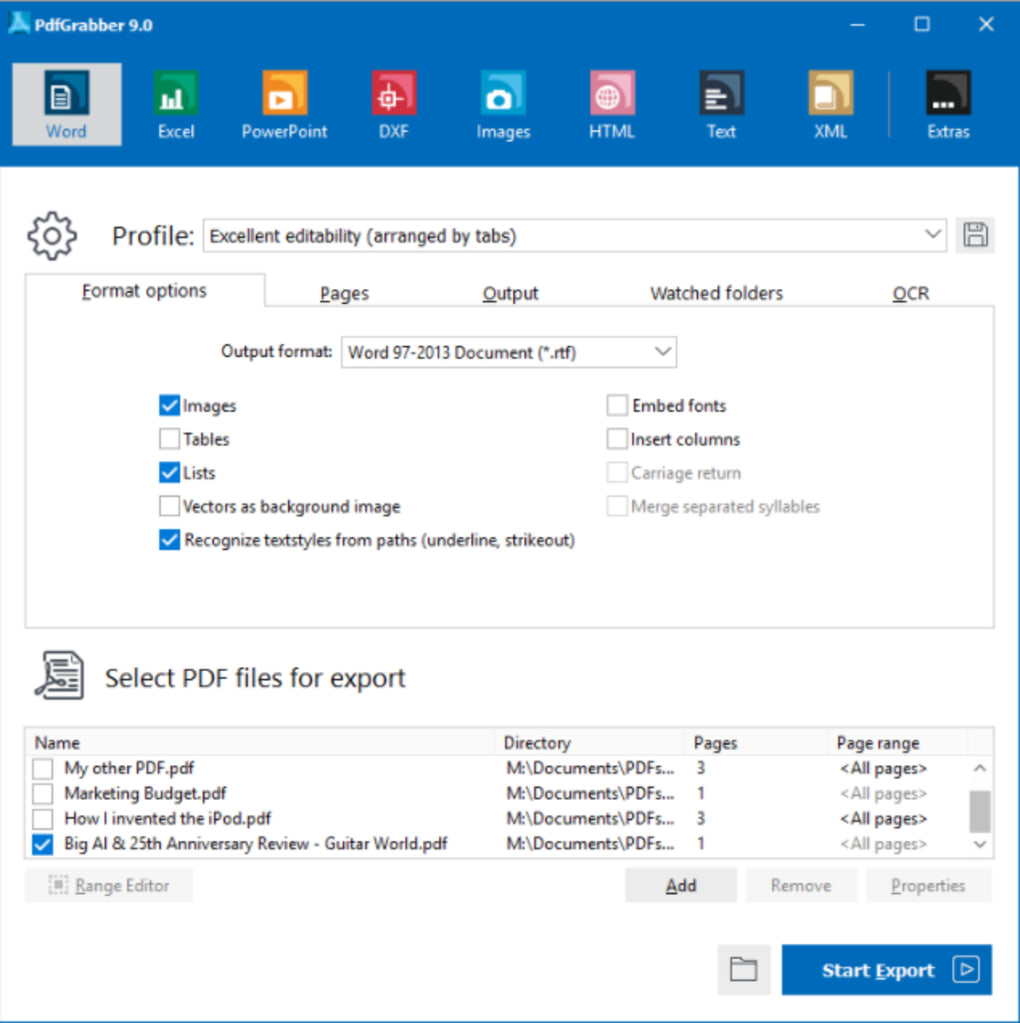
The software’s user interface is designed for ease of use, eliminating the need for extensive technical knowledge. Users can simply select a PDF file, choose the desired output format (such as TXT, RTF, or DOC), and initiate the conversion process. The speed of conversion varies depending on the size and complexity of the PDF, but generally, PdfGrabber delivers results efficiently.
Beyond basic conversion, PdfGrabber offers additional features aimed at enhancing the user experience and output quality. These features may include:
-
OCR Support: This crucial feature allows PdfGrabber to convert scanned PDF documents (image-based PDFs) into editable text. This is particularly beneficial for older documents or those created from scanned paper copies. The accuracy of the OCR depends on the quality of the scan, but generally, PdfGrabber provides satisfactory results. Improvements in OCR technology are frequently integrated into updates, ensuring better performance over time.
-
Formatting Preservation: While perfect formatting preservation is a challenge for any PDF to text converter, PdfGrabber strives to maintain the original structure of the document. This includes aspects such as paragraph breaks, headings, and bullet points. While some minor adjustments might be needed after conversion, the software aims to minimize manual reformatting.
-
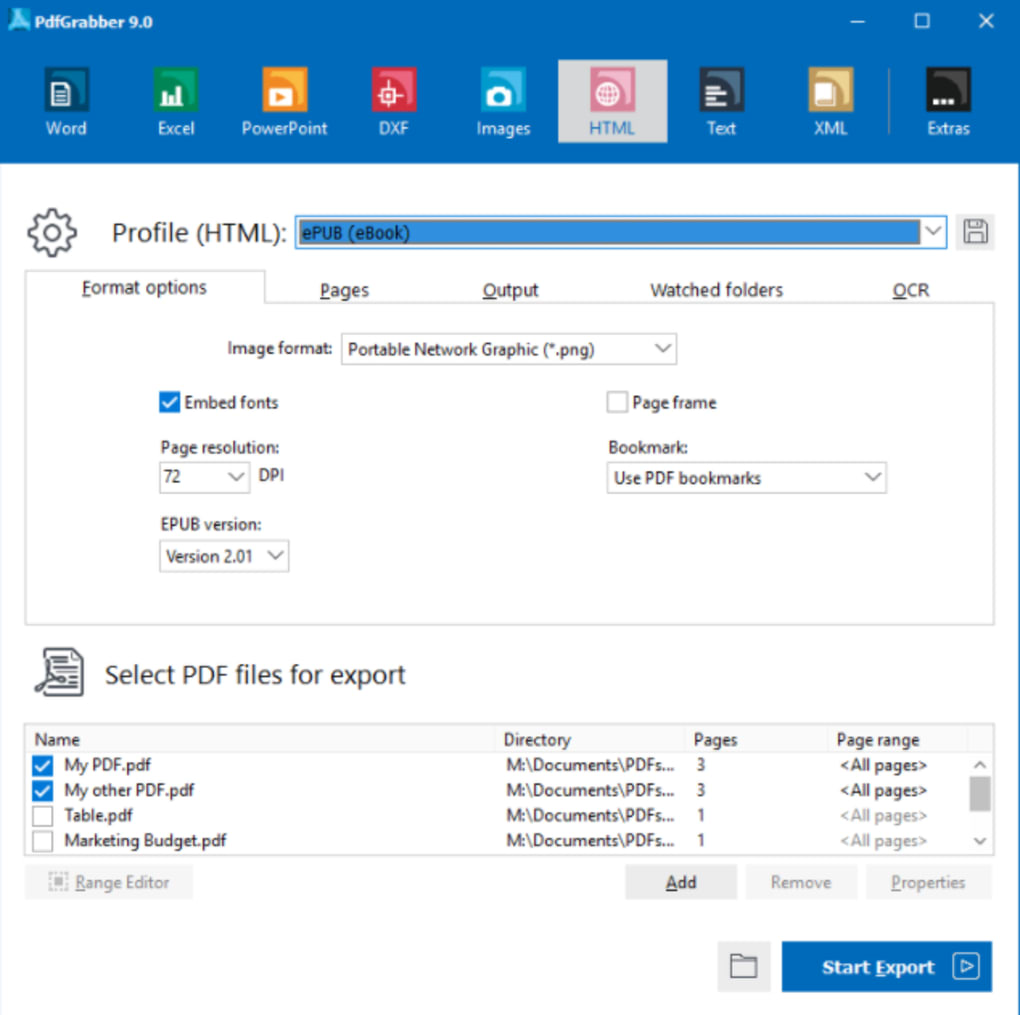
Batch Processing: For users with numerous PDF files to convert, PdfGrabber may offer batch processing capabilities. This feature allows the simultaneous conversion of multiple files, significantly reducing overall processing time. This is a highly valuable feature for users dealing with large volumes of PDF documents.
-
Multiple Output Formats: The availability of various output formats allows users to choose the option best suited for their needs and downstream applications. Support for common formats like TXT, RTF, and DOC ensures compatibility with most word processors and text editors.
-
Language Support: The software’s multi-lingual support caters to a global user base. This ensures that users can comfortably utilize PdfGrabber regardless of their native language. The ability to accurately process text in different languages significantly expands its applicability.
PdfGrabber: System Requirements and Availability
PdfGrabber is primarily designed for the Windows operating system. While specific system requirements may vary depending on the version, it generally runs smoothly on most Windows PCs. The software’s relatively small footprint minimizes its impact on system resources, ensuring a responsive user experience even on older or less powerful machines. Information on minimum system requirements is usually available on the software’s download page or official website.
The software is often available as a trial version, allowing users to test its functionality before purchasing a full license. This trial period provides a valuable opportunity to assess the software’s suitability for specific needs and workflows. Once the trial period expires, users need to purchase a license to continue using the full functionality of the software. The pricing model and licensing terms are typically detailed on the official website or the download platform.
The availability of PdfGrabber may vary across different regions and digital distribution platforms. Users should refer to the official website or reputable software download sites to ensure they are obtaining the genuine software and avoiding potential malware or other security risks.
PdfGrabber: User Experience and Support
The user interface of PdfGrabber is generally praised for its simplicity and ease of use. The intuitive design ensures that even users with limited technical expertise can quickly master the software’s core functions. The straightforward workflow eliminates the need for extensive tutorials or manuals, allowing users to focus on the conversion process.
However, the lack of advanced features might be a limitation for users who require more specialized functionalities. For instance, users seeking advanced editing capabilities or precise control over formatting might find the software’s features somewhat basic. The software’s focus remains primarily on accurate and efficient conversion, rather than detailed post-conversion editing.
Customer support is a crucial aspect of the user experience. While the details of the support mechanisms might vary, users can usually find resources such as FAQs, tutorials, or contact information on the official website. The availability and responsiveness of customer support can significantly impact the overall user satisfaction.
PdfGrabber: Alternatives and Comparisons
PdfGrabber is not the only PDF to text conversion tool available in the market. Numerous alternatives exist, each with its own strengths and weaknesses. Some alternatives offer more advanced features, such as optical character recognition (OCR) with higher accuracy, advanced editing capabilities, or support for a wider range of input and output formats.
When choosing a PDF to text converter, it is crucial to consider factors such as the accuracy of text extraction, the ability to handle different PDF types (including scanned documents), the speed of conversion, the availability of advanced features, and the level of customer support. Comparing PdfGrabber with alternatives based on these criteria will help determine the most suitable choice for individual needs. Researching reviews and comparisons of different software options is essential for making an informed decision.
Furthermore, the pricing model should be considered. Some PDF to text converters are free, while others offer different pricing tiers depending on the features and usage limits. PdfGrabber’s pricing model should be compared to alternatives to ensure it offers value for money. Evaluating the cost-benefit ratio is crucial for effective resource allocation.
In conclusion, PdfGrabber provides a reliable and efficient solution for converting PDF documents to editable text formats. Its ease of use and focus on accurate text extraction make it an excellent choice for users requiring a straightforward and efficient conversion tool. However, users seeking advanced features or sophisticated editing capabilities may need to explore other alternatives. A thorough evaluation of the software’s features, limitations, and alternatives is essential before making a purchase decision.
File Information
- License: “Trial version”
- Latest update: “July 10, 2023”
- Platform: “Windows”
- OS: “Windows 11”
- Language: “English”
- Downloads: “45.8K”
- Size: “55.70 MB”


