
PDFill PDF Editor presents itself as a robust alternative to industry giants like Adobe Acrobat, offering a suite of tools for creating, editing, and manipulating PDF documents. This in-depth review examines its capabilities, strengths, and weaknesses, helping users determine if it aligns with their needs.
Core Features and Functionality
PDFill PDF Editor provides a comprehensive set of tools for handling PDF documents, going beyond simple viewing capabilities to encompass a wide range of editing functions. Users can create PDFs from scratch, a valuable feature for those needing to generate documents without pre-existing templates. This creation process extends beyond simple text; users can incorporate images, hyperlinks, and other rich media elements, enhancing the visual appeal and functionality of the resulting document.
One of the key strengths of PDFill lies in its page management capabilities. Users can effortlessly add, remove, and reorder pages within existing documents, allowing for streamlined organization and revision. This level of control is crucial for projects requiring frequent updates or modifications, making the software well-suited for collaborative projects or situations demanding iterative changes.
Beyond page management, PDFill provides extensive editing tools. Users can modify existing text, adjusting formatting, font styles, and sizes. This capability extends to the insertion of new text elements, allowing for the addition of information or corrections without requiring a complete document rebuild. Furthermore, the ability to add comments and annotations facilitates collaboration, making it simpler to provide feedback and track revisions within a team setting. The inclusion of drawing tools allows users to add shapes, highlighting, and other visual aids for further clarification or emphasis.
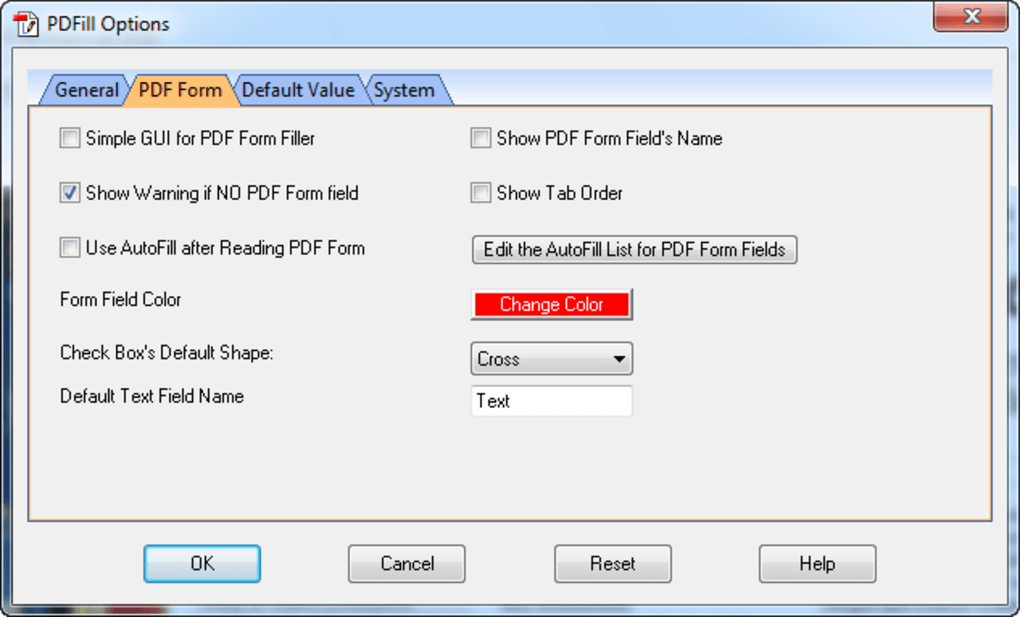
The software’s form-filling capabilities are particularly noteworthy. It simplifies the process of completing and submitting PDF forms, a common task often hindered by less versatile PDF viewers. This feature is crucial for individuals frequently handling forms for applications, surveys, or other administrative processes, enhancing productivity and reducing the time spent on manual form completion. The ease of use in this regard contributes significantly to PDFill’s overall usability and appeal.
Strengths and Advantages
PDFill’s user-friendly interface is a significant advantage. While boasting a wide range of features, the software maintains an intuitive design, making it accessible to users of varying technical expertise. The straightforward layout minimizes the learning curve, allowing users to quickly become proficient in utilizing its tools and functionalities. This ease of use is a considerable benefit, particularly for those seeking a straightforward, efficient solution for PDF editing without extensive training.
The ability to create PDFs from various sources is another key strength. Users can convert existing files into PDF format, expanding its utility beyond the creation of original documents. This conversion functionality eliminates the need for multiple software applications, streamlines workflows, and provides a more efficient document management system.
The software’s versatility extends to its compatibility with various operating systems, ensuring accessibility across multiple platforms. This cross-platform compatibility minimizes complications when sharing documents or working across different devices, simplifying collaboration and facilitating the seamless exchange of files.
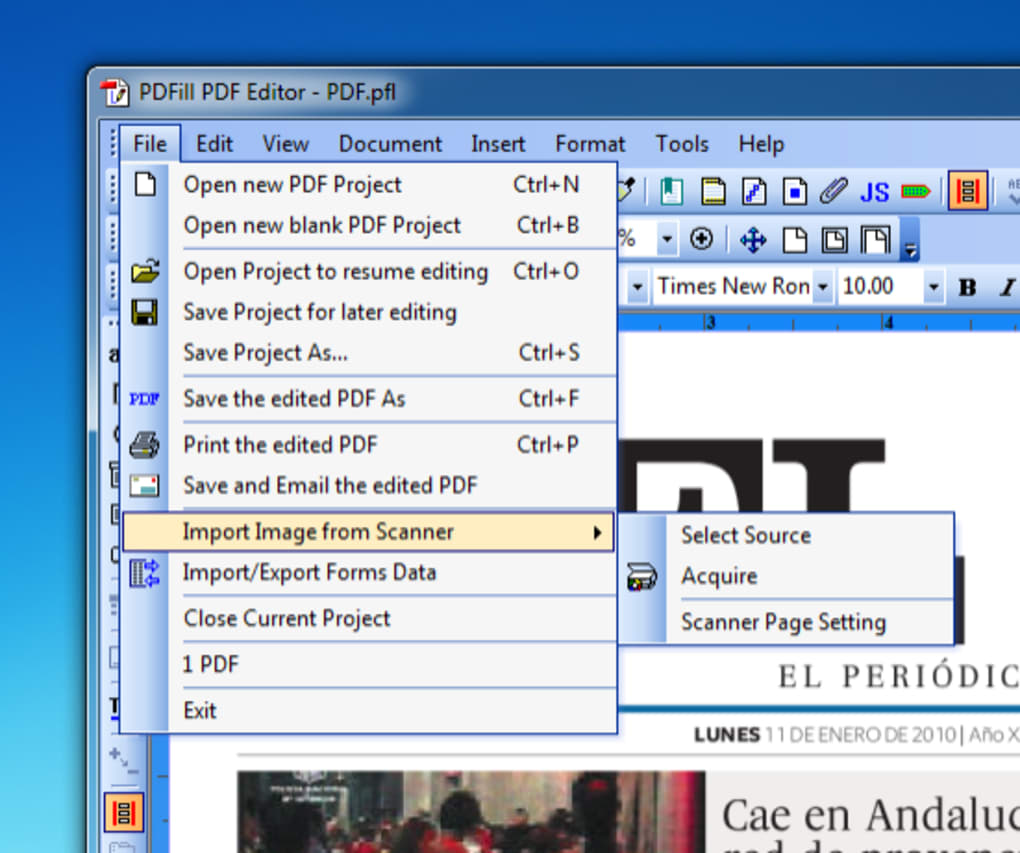
PDFill’s offline functionality is a significant advantage over cloud-dependent alternatives. Users can access and utilize its features without an active internet connection, ensuring consistent productivity irrespective of network availability. This independence from internet connectivity is particularly beneficial in environments with limited or unreliable internet access.
Finally, the price point of PDFill PDF Editor makes it a compelling option. Compared to the often-substantial cost of industry-leading PDF editors, PDFill represents a more budget-friendly choice, making it particularly attractive to individual users and small businesses seeking cost-effective solutions for their PDF management needs.
Weaknesses and Limitations
Despite its strengths, PDFill PDF Editor does have some limitations. One notable criticism centers around the inclusion of bundled software during installation. This practice can be disruptive and potentially lead to the installation of unwanted programs, requiring careful attention during the installation process. Transparency regarding bundled software is crucial to improve the user experience and avoid any unexpected additions to the system.
Security features represent another area where PDFill might fall short compared to its more established competitors. While offering basic editing and form-filling functions, it lacks advanced security tools, such as robust encryption and digital signature capabilities. This absence of advanced security features might pose a concern for users handling sensitive or confidential documents requiring stringent security measures.
Furthermore, the software’s advanced editing capabilities might not be as extensive as those offered by professional-grade PDF editors. Users needing highly specialized editing functions, such as complex layout manipulation or intricate image editing, might find PDFill’s features somewhat restricted. While sufficient for many common editing tasks, highly technical users might find the tool’s capabilities limiting.
Finally, while the user interface is generally praised for its simplicity, some users might find the lack of highly customizable options slightly restrictive. The relatively basic customization options might not cater to users needing extensive personalization to tailor the software’s appearance and functionality precisely to their preferences.
Comparison with Adobe Acrobat
PDFill PDF Editor frequently positions itself as a cost-effective alternative to Adobe Acrobat. While it doesn’t replicate the full functionality of Adobe Acrobat Pro, it offers a compelling range of features at a significantly lower price point. Adobe Acrobat boasts superior capabilities for complex tasks and incorporates advanced security features, digital signature capabilities, and more extensive customization options. However, this comes at a considerable cost and often necessitates a steeper learning curve.
PDFill, therefore, serves a different market segment. It excels as a straightforward, affordable option for users requiring core PDF editing and creation functions without the need for advanced features. The choice between PDFill and Adobe Acrobat depends entirely on the user’s specific needs and budget.
Conclusion
PDFill PDF Editor presents a viable alternative for users seeking a user-friendly and cost-effective solution for managing PDF documents. Its comprehensive feature set, ease of use, and affordability make it an attractive option for a broad spectrum of users. While lacking some of the advanced features and robust security capabilities found in industry-leading software like Adobe Acrobat, its straightforward design and efficiency are compelling enough to recommend it for many common PDF editing tasks. However, potential users should carefully weigh the absence of advanced security features and bundled software during installation against the affordability and overall ease of use before making their decision. It’s a valuable tool for everyday PDF management, but users with high-security needs or requiring advanced features may need to look toward more specialized, albeit costlier, options.
File Information
- License: “Trial version”
- Latest update: “May 23, 2023”
- Platform: “Windows”
- OS: “Windows 7”
- Language: “English”
- Downloads: “568.9K”
- Size: “21.31 MB”


