
PDFlite is a free, open-source application developed by Amnis Technology that provides a streamlined approach to handling PDF files. Its core functionality centers on the ability to open, read, and print PDF documents, mirroring the basic features found in more established software like Adobe Acrobat. However, PDFlite distinguishes itself by incorporating a convenient document conversion feature, allowing users to transform Microsoft Word documents (.doc, .docx) and images into PDF format with ease. This dual functionality makes it a versatile tool for managing and creating PDF files without the complexities often associated with more comprehensive, and often costly, software packages.
User-Friendly Interface and Core Features
One of PDFlite’s most significant strengths lies in its clean and intuitive user interface. The minimalist design prioritizes ease of use, allowing users to focus on their documents rather than navigating a cluttered interface. This streamlined approach makes the software accessible to both novice and experienced users, eliminating any steep learning curve often encountered with more feature-rich applications.
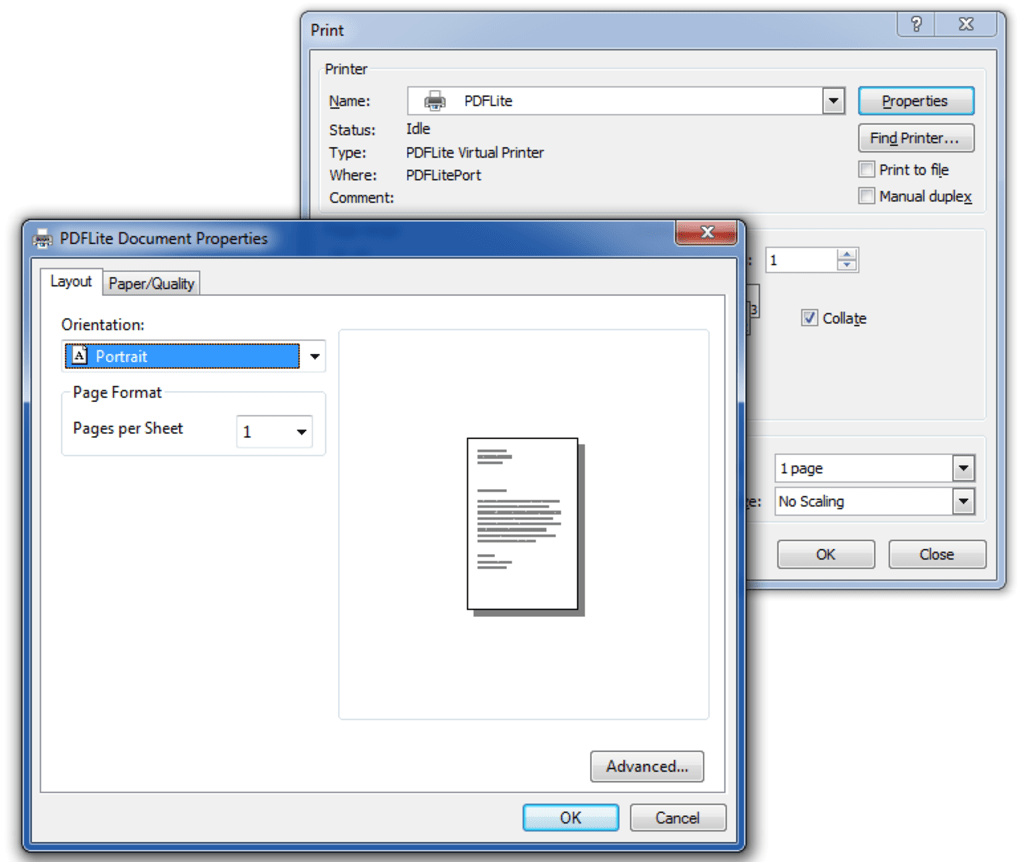
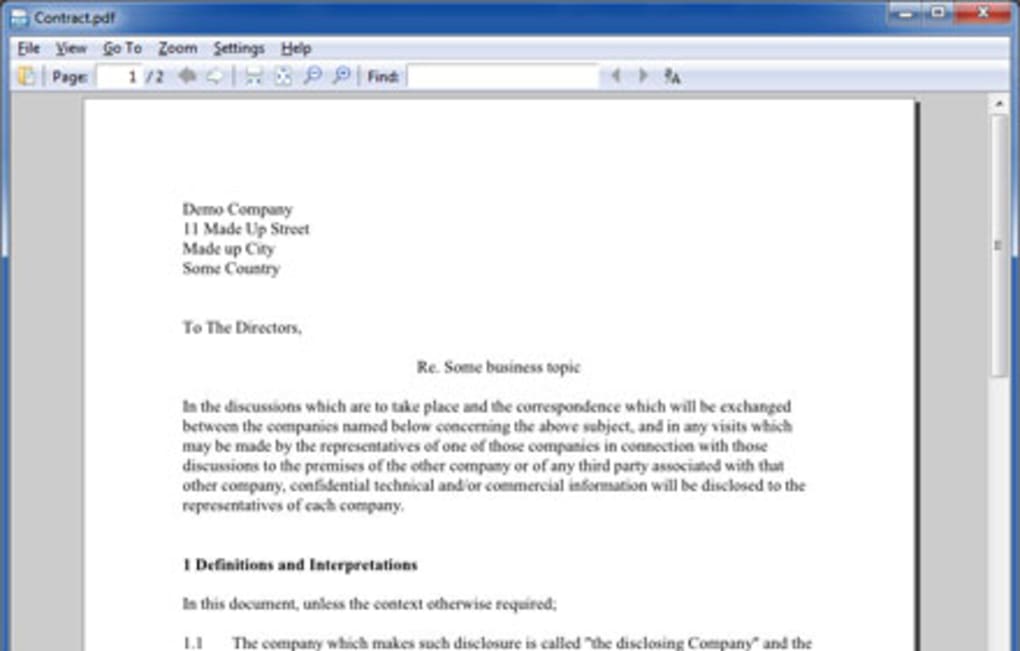
The core PDF reading functionalities are comprehensive and robust. Users can seamlessly navigate through documents using features such as search, zoom, and print. The application provides a fast and efficient viewing experience, ensuring a smooth workflow when dealing with large or complex documents. The inclusion of a full-featured web browser plugin further enhances usability, allowing users to easily access and integrate online resources while working with PDF files.
PDF Conversion Capabilities: Strengths and Limitations
PDFlite’s capacity to convert documents to PDF format sets it apart from many basic PDF readers. This functionality is particularly useful for users who need to create PDFs from existing Word documents or images without needing dedicated conversion software. The conversion process is integrated seamlessly into the user experience, requiring users to simply ‘print’ their documents via the PDFlite printer driver, which generates a PDF of the original file. This ease of use makes it an extremely practical tool for anyone regularly handling various file types. The program supports conversion from .doc, .docx files, and various image formats, significantly expanding its usefulness and application across different workflows.
However, PDFlite’s conversion capabilities are not without limitations. While it effectively converts documents into PDFs, the process may occasionally result in minor layout issues. These inconsistencies are not always significant, but they can require minor adjustments in some instances. This highlights the fact that, while extremely convenient, the conversion is not a perfect substitute for professional-grade layout software. More importantly, PDFlite currently lacks the ability to convert PDFs back into editable .doc or .docx files, limiting its functionality for users who require a bi-directional conversion capability. This feature would significantly enhance the software’s versatility and is a notable omission for power users.
System Requirements and Availability
PDFlite is primarily designed for the Windows operating system and boasts compatibility across a wide range of versions, ensuring accessibility for a broad user base. The lightweight nature of the software means it has minimal system requirements, allowing users with older or less powerful machines to run it efficiently without experiencing performance issues. This accessibility is a key factor in its widespread appeal among users who value simplicity and efficiency.
The software’s multilingual support is another noteworthy feature. Available in a multitude of languages including English, Spanish, French, Chinese, Russian, Dutch, Japanese and many others, PDFlite caters to a global audience, further enhancing its accessibility and making it a valuable tool for users worldwide.
Security and Performance Considerations
As a free and open-source application, PDFlite’s security features are a key consideration for users. While it doesn’t offer advanced security features like password protection for outgoing PDFs, its lightweight nature and lack of complex functionalities minimize potential vulnerabilities. However, users should remain vigilant and practice standard security precautions, including downloading the software from reputable sources. The absence of features like PDF password bypasses is a conscious design choice reflecting the program’s focus on basic functionality and ease of use. For users requiring enhanced security features, more specialized and potentially less accessible software would be needed.
PDFlite’s performance is generally commendable, exhibiting fast loading times and efficient processing speeds for both PDF reading and conversion tasks. The lightweight design contributes greatly to its responsiveness, ensuring a smooth user experience even when working with large files. This efficiency is particularly beneficial for users with less powerful systems, as it prevents performance bottlenecks that can impede productivity. This is a key advantage over some of its larger, more complex competitors.
Comparison with Alternative Software
Several alternative PDF readers and converters are available, each offering a unique set of features and functionalities. Some, like Adobe Acrobat, are powerful and feature-rich but come with a significant price tag. Others, like SlimPDF, prioritize minimal size and resource usage over a comprehensive feature set. While PDFlite excels in its balance of simplicity and functionality, users considering alternative options should carefully weigh the trade-offs between cost, features, and system resource demands to determine which software best suits their specific needs. The choice often depends on the intensity of PDF use and the specific features needed.
Comparing PDFlite to paid options like Adobe Acrobat reveals a clear difference in capabilities. Adobe Acrobat offers significantly more advanced editing and annotation tools, as well as comprehensive security features. However, these capabilities come at a considerably higher cost. PDFlite occupies a niche in the market by providing a functional, lightweight alternative, ideal for users whose PDF needs are primarily limited to reading, printing, and basic conversion.
User Reviews and Feedback
User reviews offer invaluable insights into real-world experiences with PDFlite. While many praise its ease of use, speed, and convenient conversion features, some users have reported occasional layout issues during the conversion process and the lack of the ability to modify PDF files or convert them back to .doc or .docx format. This reflects the inherent trade-offs of a free, minimalist application that prioritizes simplicity over extensive features. These critical comments highlight areas for potential improvement and development, emphasizing the value of user feedback in shaping future software updates. A negative review highlights the critical need for careful source verification during download to avoid malware.
Conclusion
PDFlite provides a user-friendly and efficient solution for users with basic PDF needs. Its ease of use, fast processing, and convenient conversion feature make it an attractive option for those seeking a lightweight alternative to more complex and expensive software. Although it lacks the advanced editing and security features of professional-grade applications, it excels in its streamlined design and ability to efficiently handle core PDF tasks. Users should weigh their needs carefully, considering whether the limitations in editing and reverse conversion are acceptable compromises for the convenience and simplicity that PDFlite offers. The future development of PDFlite may well address some of these current limitations, further strengthening its position in the market.
File Information
- License: “Free”
- Version: “0.4”
- Latest update: “July 15, 2022”
- Platform: “Windows”
- OS: “Windows Vista”
- Language: “English”
- Downloads: “41.3K”
- Size: “17.77 MB”


