
PDFTK, a powerful command-line tool, serves as a versatile solution for a wide array of PDF manipulation tasks. Think of it as a comprehensive Swiss Army knife for your PDF documents, enabling you to perform operations ranging from simple merging and splitting to complex encryption and metadata modification. This article delves into the capabilities of PDFTK, exploring its functionalities and showcasing its utility for both casual users and seasoned professionals.
Core Functionalities: Mastering PDF Manipulation with PDFTK
PDFTK’s strength lies in its ability to handle a diverse set of PDF operations, often surpassing the capabilities of many graphical user interface (GUI) based PDF editors. Its command-line interface might seem daunting at first, but the simplicity and efficiency of its commands quickly become apparent with practice. Here are some of its key features:
1. Merging and Splitting PDFs: One of the most frequently used features is the ability to merge multiple PDF documents into a single file. This is invaluable for consolidating related documents, reports, or presentations. Conversely, PDFTK can efficiently split a large PDF file into smaller, more manageable parts, either by splitting into individual pages or by specified page ranges. This simplifies sharing large documents or focusing on specific sections.
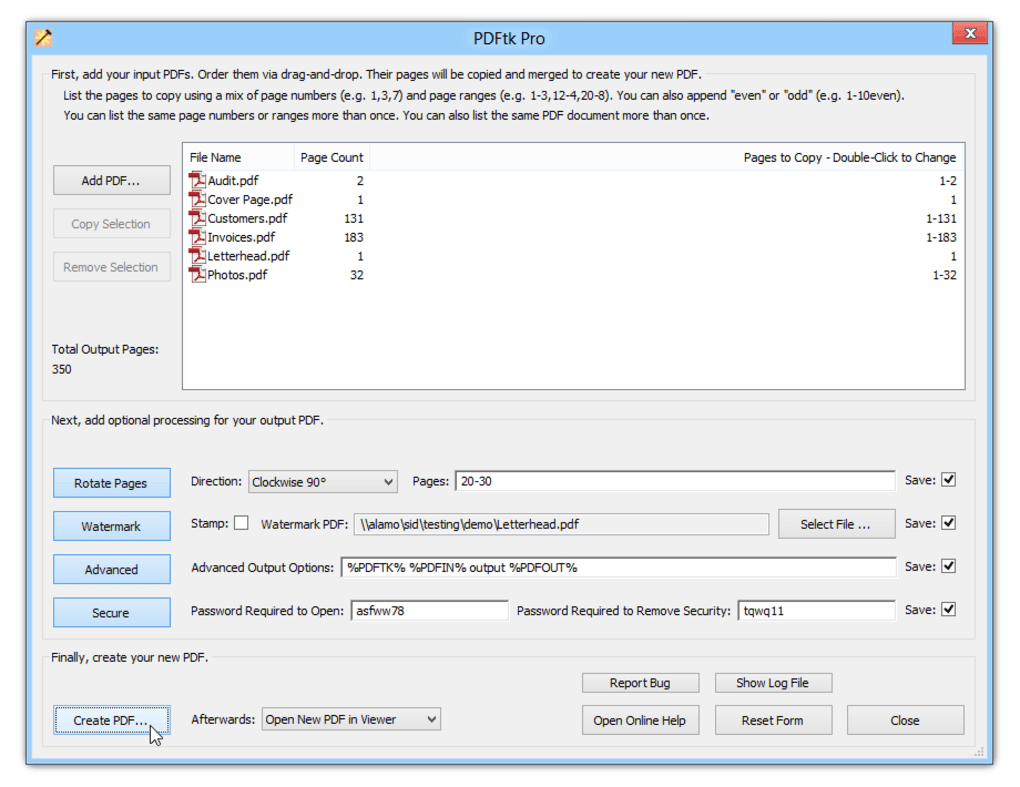
2. Encryption and Decryption: Security is a crucial aspect of document management. PDFTK allows you to encrypt PDF files, protecting sensitive information from unauthorized access. This involves setting a password to restrict viewing or modifying the document. Conversely, it can also decrypt PDFs, provided you possess the correct password. This dual functionality ensures control over access to your documents.
3. Form Filling and Flattening: PDFTK provides robust support for interacting with PDF forms. It allows you to fill out PDF forms using FDF (Forms Data Format) data files. This is particularly useful for automating form completion or programmatically populating forms with data from other sources. After filling a form, you can also flatten it, embedding the filled data directly into the PDF, making the form read-only and preventing further modifications.
4. Metadata Management and Manipulation: Metadata, the information embedded within a PDF file, such as author, title, keywords, and creation date, can be crucial for organization and search. PDFTK enables modification of existing metadata and the addition of new metadata, improving the searchability and organization of your PDF library. This ensures accurate and consistent information is associated with your documents.
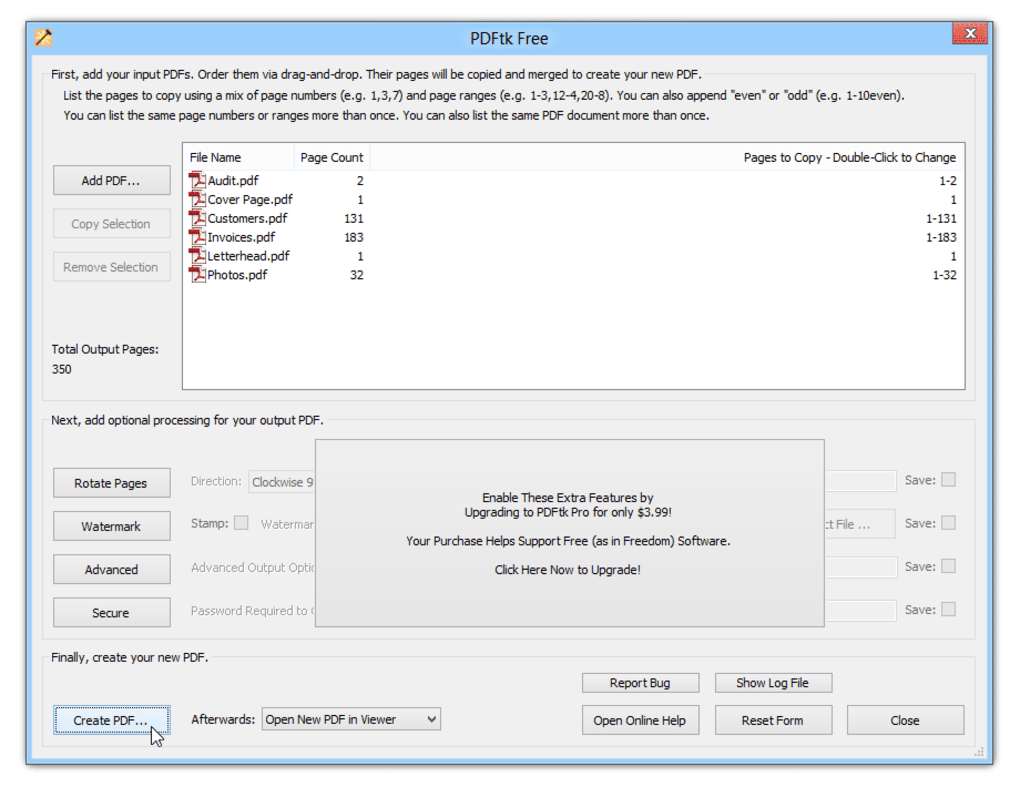
5. Watermarking and Background Image Insertion: Adding watermarks is essential for copyright protection or identifying sensitive documents. PDFTK lets you add background watermarks to your PDF files, subtly embedding identifying information without obstructing the main content. This is particularly useful for preventing unauthorized duplication or distribution.
6. Attachment Management: PDFTK simplifies the process of embedding or extracting attachments within PDF documents. You can attach files to individual pages or the entire document, adding supplementary materials or relevant documentation. This function increases the document’s comprehensiveness and reduces the need for separate files. The reverse functionality—extracting attachments—is equally helpful for accessing supplemental content within existing PDFs.
7. Page Manipulation and Extraction: Beyond merging and splitting, PDFTK allows for more granular control over individual pages. You can extract specific pages from a larger document, rearrange the order of pages, or even burst a PDF into a series of individual page files. This granular control enables flexible document manipulation and adaptation to specific needs.
8. Compression and Stream Manipulation: Optimizing PDF file sizes is important for efficient storage and transmission. PDFTK provides tools for compressing and decompressing page streams, allowing you to adjust the file size while maintaining document integrity. This is helpful for optimizing storage space or preparing documents for efficient online sharing.
9. Document Repair: In some instances, PDF files can become corrupted, rendering them inaccessible. While not a full-fledged repair tool, PDFTK can often help to salvage partially corrupted files, recovering some or all of the document’s contents. This emergency repair capability can be a lifesaver when dealing with crucial documents affected by corruption.
10. Reporting PDF Metrics: PDFTK provides functionalities to extract valuable metadata about a PDF file. This includes information like bookmarks, page labels, and other structural elements, allowing you to programmatically understand the structure and content of your PDF documents. This is useful for creating automated processing workflows or analyzing large collections of PDFs.
Beyond the Basics: Advanced Applications of PDFTK
While the core functionalities of PDFTK are incredibly useful, its true power lies in its ability to be integrated into larger workflows and automated scripts. The command-line nature of the tool makes it ideal for scripting and automation.
Automation through Scripting: PDFTK’s command-line interface allows seamless integration with scripting languages like Bash (Linux/macOS) or PowerShell (Windows). This means you can automate repetitive tasks, such as batch processing large numbers of PDFs, performing complex manipulations based on file names or metadata, and integrating PDF operations into larger data processing pipelines.
Customizable Workflows: This scripting capability allows for the creation of highly customized workflows. Imagine automating the process of receiving scanned invoices, extracting relevant data using OCR, filling out corresponding forms, and then archiving the processed documents. All this can be achieved through a well-crafted script utilizing PDFTK.
Integration with other Tools: PDFTK can be effortlessly integrated with other command-line tools and libraries. This allows you to combine PDF manipulation with other processes, such as text extraction, image manipulation, or data analysis. Such integration builds powerful, automated document processing solutions.
Comparison with GUI-Based PDF Editors
While GUI-based PDF editors offer a user-friendly interface, they often lack the power and flexibility of a command-line tool like PDFTK. GUI editors typically excel in visual editing, allowing for easy changes to text, images, and page layout. However, they often fall short in terms of automation and batch processing capabilities.
PDFTK, on the other hand, shines in its automation capabilities and ability to handle complex operations not readily available in many GUI editors. For instance, tasks like programmatically filling forms, extracting metadata in bulk, or performing complex page manipulations are significantly easier and more efficient with PDFTK.
The choice between a GUI editor and PDFTK often depends on the specific task and workflow. For simple editing tasks, a GUI editor might be more convenient. But for automation, batch processing, and complex manipulations, PDFTK offers unparalleled power and efficiency.
Installation and Usage: Getting Started with PDFTK
The installation process for PDFTK varies depending on the operating system. Detailed instructions for various systems can be found in the official PDFTK documentation. Generally, it involves downloading the appropriate binary for your system and placing it in a directory included in your system’s PATH environment variable.
Once installed, using PDFTK is straightforward. Each command follows a consistent structure, generally involving the pdftk command followed by the input PDF, the operation to be performed, and the output PDF. The official documentation provides a comprehensive list of commands and options, allowing for precise control over each operation.
The command-line interface, while initially less intuitive than a GUI, offers immense flexibility and control. Once comfortable with the basic commands, users can quickly master more complex operations. The ability to chain multiple commands together in a single execution further streamlines complex workflows.
In conclusion, PDFTK is a powerful and versatile tool that significantly expands the capabilities of PDF manipulation. Its command-line interface, combined with its rich set of features, makes it an invaluable asset for automating tasks, performing complex operations, and integrating PDF processing into larger workflows. While GUI editors may suffice for simple editing, PDFTK provides the power and flexibility needed for advanced and automated PDF management.
File Information
- License: “Free”
- Latest update: “June 12, 2025”
- Platform: “Windows”
- OS: “Windows 8”
- Language: “English”
- Downloads: “95.8K”
- Size: “3.69 MB”


