
PeaZip is a versatile, free, and open-source file archiver that provides a robust suite of tools for compressing, decompressing, and managing files. It stands as a compelling alternative to commercial software like WinZip and WinRAR, offering a powerful feature set alongside a user-friendly interface. This comprehensive guide delves into PeaZip’s capabilities, highlighting its strengths and addressing any potential limitations.
PeaZip’s Core Functionality: Compression and Decompression
At its heart, PeaZip is a file compression and decompression utility. It supports an extensive range of archive formats, exceeding 150 for extraction, making it compatible with a wide array of files encountered in various contexts. This broad compatibility eliminates the need for multiple archiving tools, streamlining your workflow. The compression and decompression processes are notably efficient, resulting in quick processing times even for large files. This speed optimization is a significant advantage, especially when dealing with numerous files or sizeable archives.

Beyond simple compression and extraction, PeaZip offers a refined level of control. Users can fine-tune compression levels, balancing file size reduction with processing speed. This allows for customization based on individual needs and priorities. For instance, prioritizing speed might be essential when dealing with time-sensitive projects, while minimizing file size might be crucial for storage efficiency. The ability to adjust these parameters directly impacts the user experience, making PeaZip adaptable to diverse scenarios.
Enhanced Security Features: Encryption and Data Integrity
A key differentiator for PeaZip is its commitment to security. It incorporates strong encryption algorithms, allowing users to protect sensitive data with passwords. This encryption ensures confidentiality, preventing unauthorized access to the contents of archived files. The optional implementation of two-factor authentication further enhances security, adding an extra layer of protection against unauthorized access attempts. This multi-layered approach to security makes PeaZip a trustworthy option for handling confidential information.
PeaZip also emphasizes data integrity. It offers tools for verifying file checksums and hash values, enabling users to confirm the authenticity and integrity of their data. This feature is particularly crucial when downloading files from untrusted sources, as it helps to detect any potential tampering or corruption during the download or transmission process. The implementation of these security features demonstrates PeaZip’s dedication to protecting user data and maintaining its integrity, establishing a high standard of reliability for the user.
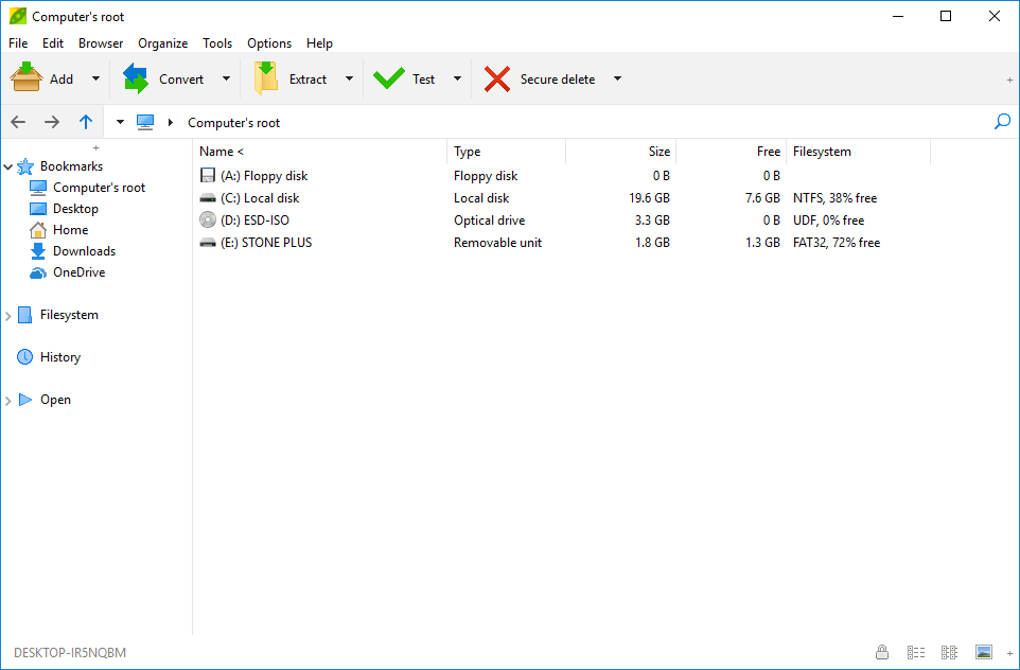
Beyond encryption and checksum verification, PeaZip offers a secure file deletion feature. This allows users to permanently erase files from their system, preventing data recovery through standard recovery methods. This added layer of security is crucial for users who need to ensure the complete and irreversible removal of sensitive data, providing an extra measure of confidentiality.
User Interface and Ease of Use: A Seamless Experience
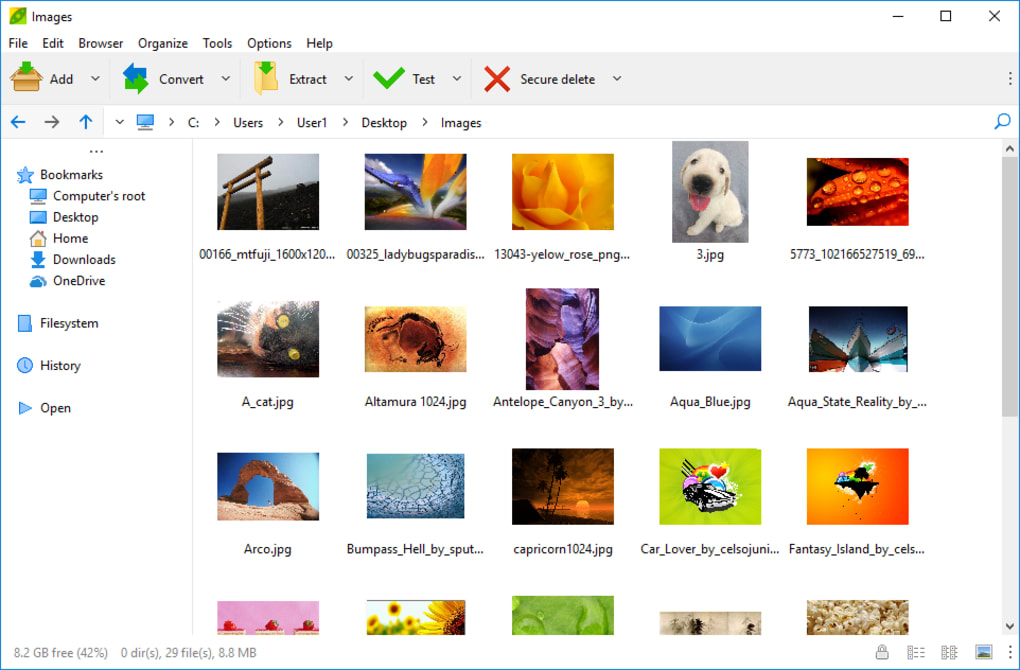
PeaZip boasts an intuitive and user-friendly interface. The program is designed with simplicity in mind, making it accessible to both novice and experienced users. The straightforward layout simplifies navigation and allows users to quickly locate the tools they need. The clean design avoids cluttering the interface with unnecessary elements, enhancing the overall user experience and improving ease of use.
Several built-in themes are available, allowing users to personalize the interface to their preference. This customization option enhances visual appeal and contributes to a more personalized computing environment. The customizable interface caters to a wider range of user preferences, making PeaZip more accessible and appealing to a diverse user base.
PeaZip integrates seamlessly with Windows Explorer, providing convenient access to its features through the right-click context menu. This integration streamlines the workflow, allowing users to quickly access compression and decompression tools without navigating through multiple menus. This feature significantly reduces the number of steps required to perform common archiving tasks, making the process faster and more efficient.
Advanced Features: Beyond Basic Archiving
While PeaZip excels as a user-friendly archiving tool, it also offers a range of advanced features for users seeking more granular control. These features cater to the needs of power users and system administrators requiring more specialized functionality.
PeaZip’s file tools go beyond basic archiving, providing capabilities like splitting files into smaller parts for easier transfer and storage, and rejoining these parts when needed. This feature is incredibly useful when dealing with very large files that might exceed transfer limits or require distribution across multiple storage media. The ability to manage large files effectively is a crucial feature for users working with extensive datasets or media files.
The program also includes a built-in password manager for secure storage of encryption keys and passwords. This feature ensures that passwords for archived files are stored securely, preventing accidental exposure or compromise. The centralized password management system greatly enhances security and simplifies password management for users who regularly work with encrypted archives.
The advanced options also allow for customization of compression parameters and algorithms, offering users a high degree of control over the compression process. This granular level of control allows users to optimize the compression process for specific file types or situations. The flexibility to adjust the settings according to the needs of the data being compressed significantly improves the efficiency and effectiveness of the archiving process.
PeaZip vs. Competitors: A Comparative Analysis
PeaZip stands as a strong contender against established commercial archivers like WinZip and 7-Zip. Compared to WinZip, PeaZip offers a comparable feature set while remaining entirely free and open-source. The open-source nature provides transparency and allows for community contributions, leading to continuous improvement and enhancement.
In comparison to 7-Zip, PeaZip shines in its user-friendliness and enhanced features. While 7-Zip is known for its strong compression ratios, PeaZip’s intuitive interface and additional security features make it a preferable choice for many users. The balance between compression effectiveness and ease of use makes PeaZip a strong alternative for users seeking a blend of power and accessibility.
PeaZip’s Availability and Platform Support
PeaZip is available for Windows (both 32-bit and 64-bit systems) and Linux. It’s offered as both an installer package and portable software, catering to users’ preferences. The portable version’s key advantage is its ability to run directly from a USB drive or external storage without needing installation on the host system. This portability feature is advantageous for users who frequently work on multiple computers or require a readily available archiving solution on any machine.
The availability of PeaZip across different operating systems demonstrates its versatility and wide-ranging applicability. The cross-platform support makes it an accessible and convenient solution for users working across diverse computing environments.
Conclusion: PeaZip – A Versatile and Reliable Archiving Solution
PeaZip emerges as a compelling choice for file archiving needs. Its combination of comprehensive features, strong security measures, user-friendly interface, and availability across platforms makes it a versatile and reliable tool for both casual users and seasoned professionals. Whether you require basic compression and decompression functionality or advanced features like encryption and file splitting, PeaZip provides a complete and effective solution. The commitment to open-source principles ensures continued development and community support, making PeaZip a robust and sustainable option for your file management needs.
File Information
- License: “Free”
- Latest update: “April 22, 2025”
- Platform: “Windows”
- OS: “Windows 10”
- Language: “English”
- Downloads: “345.2K”
- Size: “9.15 MB”


