
Pepakura Designer is a powerful software application that empowers users to create intricate and detailed paper models from existing 3D digital data. Unlike traditional papercraft methods that rely on pre-designed templates, Pepakura Designer offers a unique approach, allowing users to leverage their own 3D models as the foundation for their paper creations. This innovative methodology opens up a world of possibilities for artists, hobbyists, and anyone with a passion for papercraft, providing the tools to translate their digital visions into tangible, three-dimensional works of art.
The software itself doesn’t possess any built-in 3D modeling capabilities. This means users need to create their 3D models using external 3D modeling software like 3ds Max, Maya, Blender, LightWave, or other compatible applications. Once a 3D model is created, Pepakura Designer seamlessly imports and processes the data, generating detailed instructions and templates ready for printing and assembly. This two-step process allows for a clear separation of design and construction, streamlining the papercraft workflow and promoting a greater degree of control over the final product.
Understanding the Pepakura Designer Workflow
The Pepakura Designer workflow can be broken down into several key stages:
-
3D Model Creation: The process begins with designing the desired 3D model in a compatible 3D modeling software. This step demands proficiency in 3D modeling techniques, as the quality of the final paper model directly depends on the accuracy and detail of the original digital creation. Consider the level of complexity desired – a simpler model will require less time and skill than a highly detailed and intricate design. Careful consideration of polygon count and smoothing is also important, as excessive polygons can lead to excessively complex paper templates.
-
Exporting the 3D Model: Once the 3D model is finalized, it needs to be exported in a format compatible with Pepakura Designer. This typically involves saving the model in a file format like .OBJ or .3DS. The choice of file format might influence the level of detail preserved during the import process, so it is advisable to consult the Pepakura Designer documentation for the most compatible and efficient options.
-
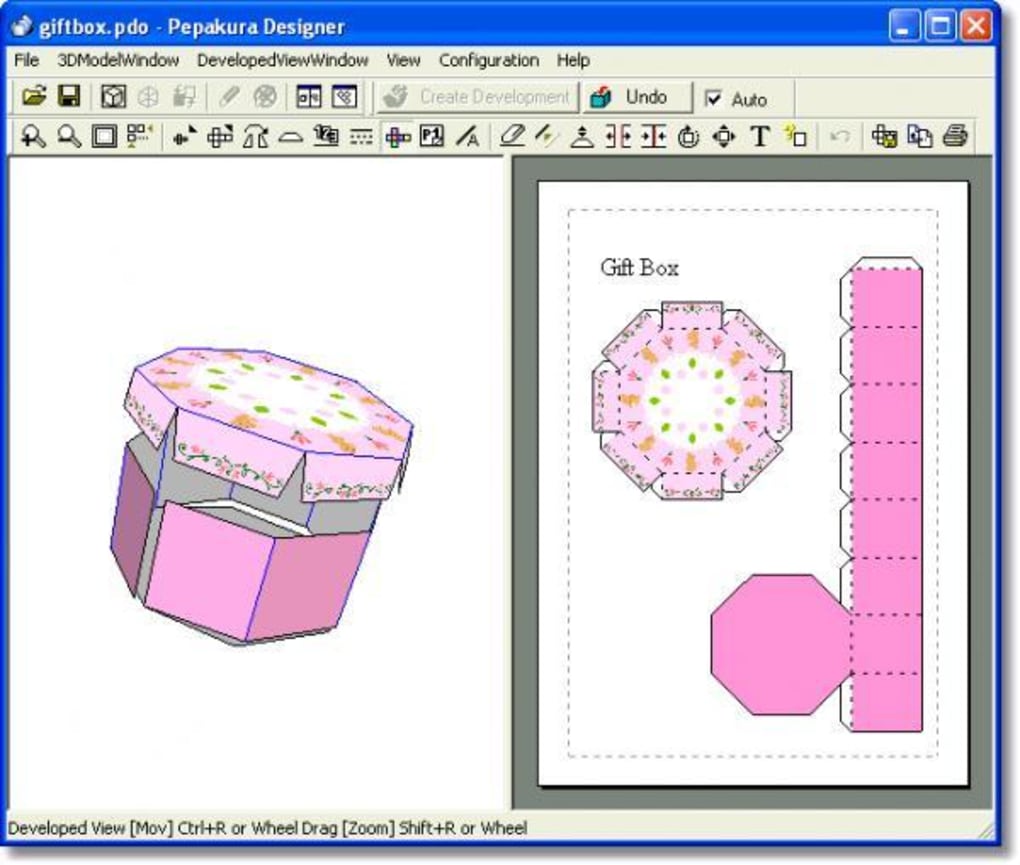
Importing into Pepakura Designer: The exported 3D model is then imported into Pepakura Designer. The software automatically analyzes the model’s geometry, identifying the surfaces and edges that will define the individual paper components of the final model. Users can often fine-tune several parameters at this stage to influence the density of the resulting net, optimizing it for printing and assembly. Options might include adjusting the number of polygons for parts, which can be helpful to reduce complexity or maintain resolution.
-
Template Generation and Customization: Pepakura Designer generates a detailed net, comprised of numerous numbered paper components. Each component is precisely marked with flaps and tabs for joining, facilitating the assembly process. The software provides various customization options at this stage, including altering the paper type, adding seam allowances for folding and gluing, and setting the overall scale of the model. This level of customization grants significant control over the final product’s appearance and structural integrity.
-
Printing and Assembly: Once the templates are generated, they are printed onto appropriately chosen paper stock. The choice of paper significantly influences the model’s appearance and durability; heavier cardstock provides a sturdier model, whereas thinner paper might be better suited for more intricate designs. Following the numbered sequence, the printed components are then carefully cut, folded, and glued together to form the final three-dimensional model. The software often provides helpful visualizations and diagrams to aid in the assembly process.
Advantages of Using Pepakura Designer
The use of Pepakura Designer offers several significant advantages compared to traditional papercraft methods:
-
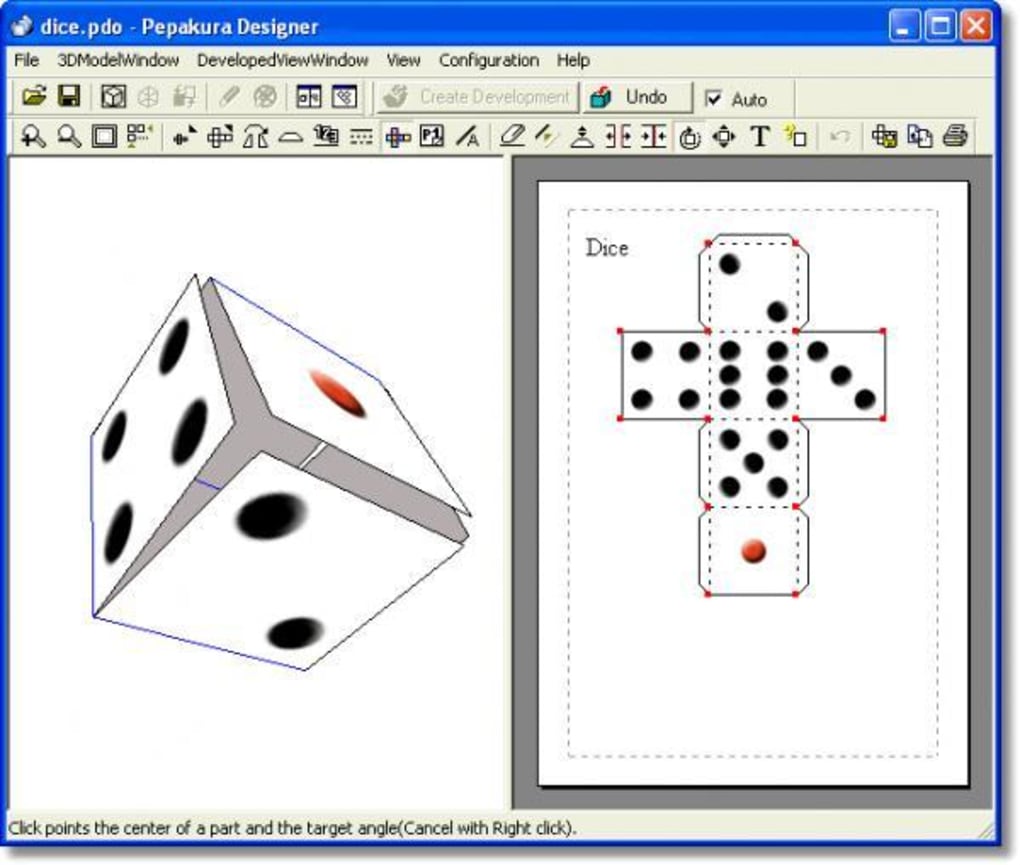
Precise and Detailed Models: Pepakura Designer ensures precision, facilitating the creation of complex and highly detailed paper models that would be difficult or impossible to achieve using manual methods. The software handles the intricate calculations necessary to accurately map the three-dimensional model onto a two-dimensional surface.
-
Wide Range of Design Possibilities: The ability to use self-created 3D models unlocks a virtually limitless range of design possibilities. Users are not confined to pre-existing templates; they are empowered to bring their unique imaginative creations to life in physical form. This allows for the creation of both incredibly complex structures and personalized versions of existing models.
-
Streamlined Workflow: Pepakura Designer streamlines the overall papercraft workflow, reducing the time and effort required for template creation. The software automates many of the tedious tasks associated with papercraft, freeing up the user to focus on the creative aspects of the design and assembly process.
-
Customization Options: The wide array of customization options empowers users to fine-tune various parameters, ensuring the final model meets their precise requirements and stylistic preferences. This includes adjusting paper thickness, seam allowances, and overall scale, allowing for greater control over the finished model.
-
Enhanced Accuracy and Consistency: Compared to manually drawn templates, Pepakura Designer generates highly accurate and consistent templates, minimizing errors and ensuring a smoother assembly process. This leads to a more satisfying final product and reduces frustration from inconsistencies.
Limitations of Pepakura Designer
While Pepakura Designer offers many benefits, it is essential to acknowledge certain limitations:
-
Requires 3D Modeling Skills: The software itself doesn’t incorporate 3D modeling functionality. Users need prior experience and proficiency with external 3D modeling software, adding an extra layer of learning and technical expertise to the process.
-
Complexity Can Be Challenging: Highly intricate and complex 3D models can translate to incredibly complex paper templates, demanding significant patience, skill, and precision during the cutting, folding, and gluing stages. This can be time-consuming and potentially frustrating for beginners.
-
Software Cost: Pepakura Designer is a commercial software application, requiring a purchase for full functionality. This represents a financial investment that might be a barrier to entry for some individuals.
-
Hardware Requirements: Depending on the complexity of the 3D models being used, the software might demand a relatively powerful computer system to run efficiently. This could exclude users with older or less capable hardware.
-
Limited Material Support: While a range of paper types can be used, Pepakura Designer doesn’t directly support other materials, limiting the creative exploration beyond paper-based crafts.
Pepakura Designer: A Gateway to Creative Expression
Pepakura Designer provides a unique and effective path for translating digital 3D models into intricately detailed paper models. While requiring a foundation in 3D modeling and potentially demanding considerable patience during the assembly process, it ultimately provides a powerful tool for individuals to transform their creative visions into stunning physical realities. By combining the precision of digital modeling with the artistry of papercraft, Pepakura Designer serves as a gateway to exciting avenues of creative expression. Whether you’re a seasoned 3D modeler or a novice papercrafter, the software presents a compelling opportunity to explore the fascinating intersection of digital design and tangible craftsmanship.
File Information
- License: “Trial version”
- Version: “3.1.0a”
- Latest update: “January 24, 2012”
- Platform: “Windows”
- OS: “Windows 2000”
- Language: “English”
- Downloads: “68.2K”
- Size: “4.52 MB”


