
Perfect365, a popular photo editing application, offers a suite of tools designed to enhance and retouch facial images. This review delves into its features, pros and cons, user experiences, and compares it to alternative applications available in the market. Perfect365 aims to simplify the process of applying makeup digitally, providing users with a quick and easy way to improve their photos. While it enjoys a degree of popularity, understanding its strengths and limitations is crucial before deciding whether it’s the right tool for your needs.
Feature Overview: Makeup, Enhancement, and Social Sharing
Perfect365’s core functionality revolves around its comprehensive set of digital makeup tools. These tools go beyond simple filters, offering granular control over various facial features. Users can adjust skin tone, even out skin complexion, enhance eyebrows, whiten teeth, and apply various makeup styles. The application boasts a library of pre-set makeup templates, providing a quick and easy way to experiment with different looks. These templates offer a range of styles, from natural enhancements to more dramatic transformations. This range of options caters to diverse preferences and aesthetic goals.
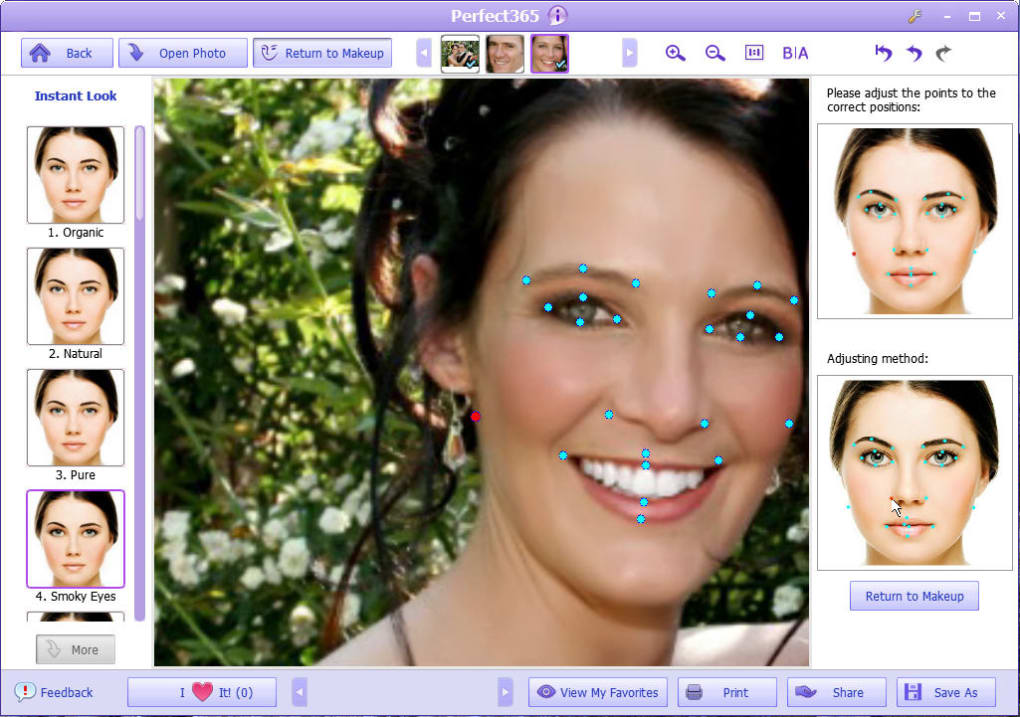
Beyond makeup application, Perfect365 incorporates several facial enhancement features. These are designed to subtly refine facial features and improve overall image quality. These features aim to improve the overall visual appeal of a photo, often going beyond what simple makeup application can achieve. The inclusion of these additional enhancements makes Perfect365 a more versatile tool compared to simple makeup filter apps.
A significant aspect of Perfect365 is its integration with major social networking platforms. This allows users to seamlessly share their edited photos directly to Facebook, Twitter, and Flickr. This instant sharing capability contributes to the app’s user-friendly experience and facilitates quick distribution of the enhanced images among the user’s social circles. This social media integration is a key differentiator, offering convenience that many standalone photo editors lack.

Pros and Cons: Weighing the Advantages and Disadvantages
Perfect365 offers several advantages, making it an attractive option for many users. The ease of use is a major plus point, with the intuitive interface making it accessible even to those unfamiliar with complex photo editing software. The automated face detection simplifies the process, automatically identifying facial features for accurate makeup and enhancement applications. The pre-set templates offer a quick and easy way to achieve desired effects, eliminating the need for manual adjustments in many cases. The variety of tools, encompassing both makeup and enhancement features, provides a comprehensive solution for various image editing tasks. Finally, the integrated social media sharing capability is a convenient feature that enhances the overall user experience.
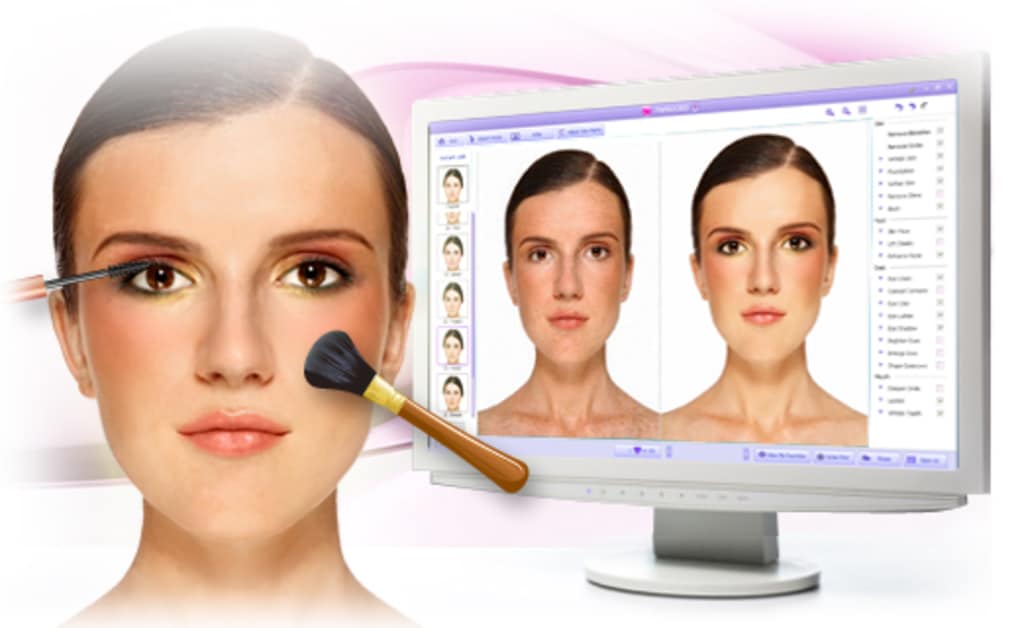
However, Perfect365 also has limitations. The lack of high-precision refinement tools restricts the level of detail and control available to users. This is a drawback for users seeking fine-grained control over specific features. While automated face detection is generally helpful, it’s not always accurate, and users might need to manually adjust the application of makeup or enhancements. This inaccuracy can lead to uneven or unnatural results if not carefully monitored. Additionally, some users have reported issues with the app’s stability and performance, leading to occasional crashes or slowdowns. These issues can disrupt the workflow and negatively impact the user experience. Finally, while the available features are comprehensive for everyday use, they may be insufficient for professional-level editing or those demanding complex adjustments and control.
User Experiences: A Mixed Bag of Reviews
User reviews for Perfect365 reflect a mixed bag of experiences. Many users praise the app’s ease of use and the wide array of makeup templates and enhancement options. They highlight the convenience of the social sharing feature and appreciate the overall speed and efficiency of the application. The app’s ability to quickly and easily enhance their photos is often mentioned as a significant advantage.
However, some users express dissatisfaction with the lack of precision tools and the occasional inaccuracy of the automated face detection. These users often find that the app lacks the control and precision available in more professional editing software. The occasional issues with app stability and performance are also common complaints, leading to frustration and a diminished user experience. There are also comments regarding the app’s limitations when handling images with unusual lighting conditions or individuals with unique facial features.
Alternatives to Perfect365: Exploring the Competition
Several alternative photo editing applications offer similar functionality to Perfect365, each with its own strengths and weaknesses. These applications provide users with a wider range of choices, allowing them to select the application best suited to their specific needs and preferences.
Some applications focus on providing more advanced tools and precision adjustments, catering to users seeking finer control over their edits. Others may offer a wider range of effects and filters, or a more streamlined and intuitive user interface. Comparing Perfect365 with its competitors requires careful consideration of the user’s priorities, whether it’s ease of use, level of control, range of features, or specific effects desired.
Specifically, users considering alternatives might explore applications focusing on advanced makeup and beauty editing features, providing a higher degree of realism and control. Conversely, others might prefer software with a wider array of effects and filters, going beyond the makeup and beauty enhancements offered by Perfect365. It’s also worth exploring apps focusing on overall image quality improvements beyond makeup, including tools for adjusting lighting, sharpness, and color balance. Choosing an alternative should depend on which aspects of Perfect365 are considered its biggest limitations.
Conclusion: Perfect365 – A Quick Fix or a Professional Tool?
Perfect365 provides a user-friendly approach to quick photo enhancements, especially concerning makeup and basic facial adjustments. Its ease of use, diverse templates, and social sharing features make it an attractive option for casual users seeking simple yet effective image touch-ups. However, its limitations regarding precision tools and occasional performance issues may deter users demanding high-level control and professional-quality results.
Ultimately, the suitability of Perfect365 hinges on individual needs and expectations. For casual users prioritizing speed and convenience over fine-grained control, Perfect365 can be a valuable tool. However, for users requiring advanced editing capabilities and precision, exploring alternative applications with more robust features and higher accuracy is recommended. The decision to use Perfect365 or a competitor depends on understanding its limitations and weighing them against its convenience and ease of use. The various alternatives mentioned offer diverse features and capabilities, ensuring a wider selection for users with varied requirements and preferences.
File Information
- License: “Trial version”
- Latest update: “August 5, 2013”
- Platform: “Windows”
- OS: “Windows 8”
- Language: “English”
- Downloads: “448.7K”
- Size: “18.75 MB”


