
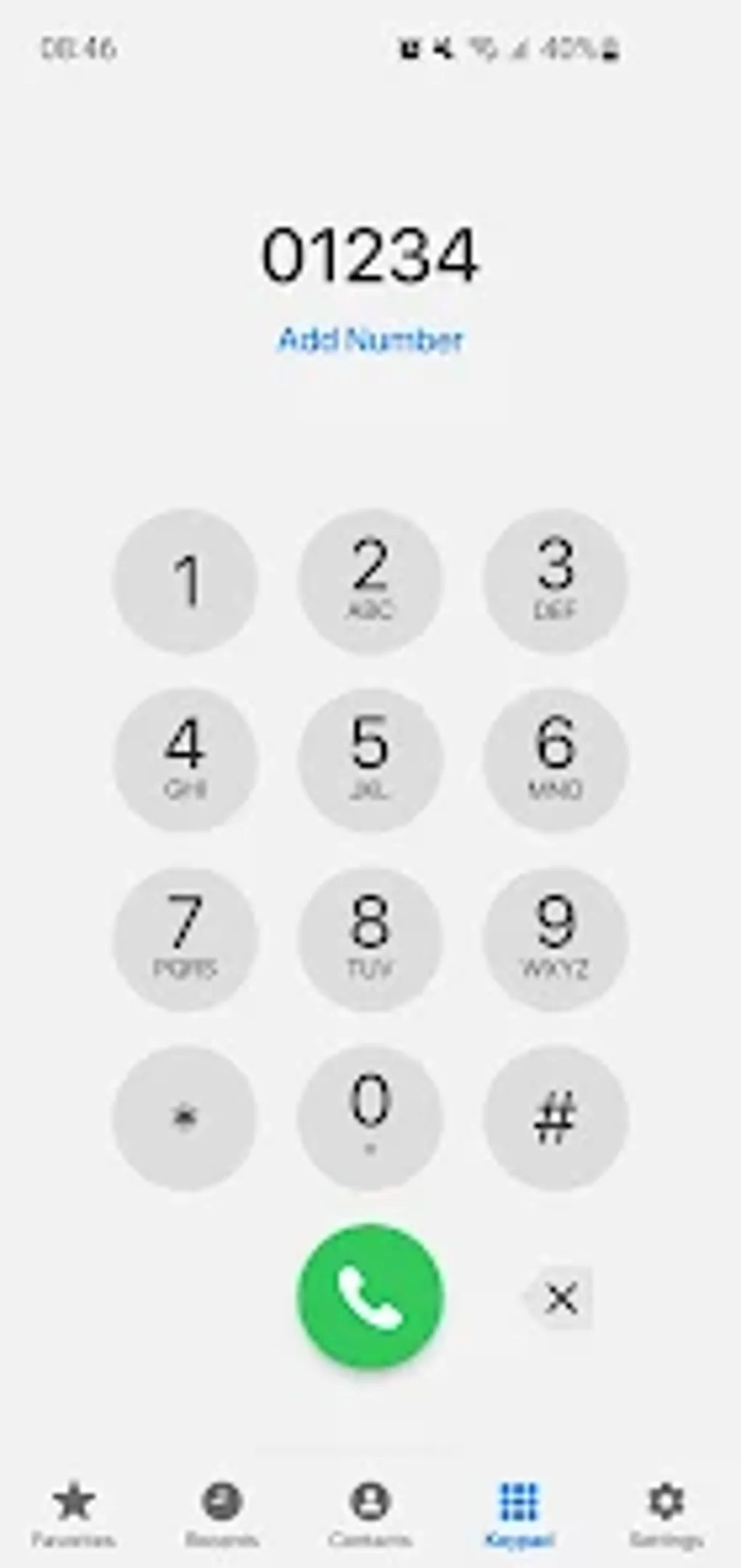
Phone-Dialer-iOS is a free Android application developed by GriceMobile that aims to replicate the user interface and functionality of Apple’s iOS dialer on Android devices. This allows Android users to enjoy a familiar dialing experience, even if they’re accustomed to iOS’s design and features. The app offers a range of features beyond basic calling, providing a comprehensive contact and call management solution. This detailed review will explore its functionalities, advantages, disadvantages, and place within the broader Android app ecosystem.
Core Features and Functionality
At its heart, Phone-Dialer-iOS provides a streamlined interface for making and receiving calls. It replicates the visual style and layout of the iOS dialer, offering a clean and intuitive experience for users transitioning from Apple devices or simply preferring that aesthetic. Beyond the familiar look, the app boasts several key features:
-
Contact Management: Users can add, edit, and delete contacts directly within the app. This eliminates the need to switch between different applications for contact management, improving overall efficiency. The contact integration is designed to work seamlessly with existing Android contact lists, allowing users to maintain their existing contacts without any significant disruption.
-
Call Log Management: The app provides a detailed call log, allowing users to easily review past calls, identify numbers, and manage call history. The log is organized chronologically, making it easy to find specific calls. Users can also delete entries from their call logs directly within the app, further streamlining call management.
-
Multi-SIM Support: A significant advantage of Phone-Dialer-iOS is its support for multi-SIM phones. This is particularly beneficial for users with dual-SIM devices, allowing them to quickly and easily select which SIM card to use for outgoing calls. This feature simplifies the process of managing multiple phone numbers and avoids the confusion that can arise when using multiple SIM cards with standard Android dialers.
-
Conference Call Management: The app facilitates the management of conference calls, enabling users to add or remove participants and navigate conference call interfaces directly within the app. This simplifies the process of organizing and participating in conference calls, removing the need to rely solely on the default Android calling capabilities.
-
iOS-Style Interface: The app’s primary selling point is its faithful recreation of the iOS dialer’s user interface. This consistent visual design contributes to a more comfortable and intuitive experience for those used to iOS devices, offering a familiar workflow.
Permissions and Security Considerations
Like many applications that manage calls and contacts, Phone-Dialer-iOS requires several permissions to operate effectively. These include:
-
Call Privilege: This permission is essential for the app to make and receive calls, the core functionality of the application. Without this permission, the app would be rendered useless.
-
Audio Recording: While not explicitly stated in the initial description, this permission might be necessary for certain features, potentially related to call recording (though this should be clearly stated within the app). This permission raises important privacy implications and users should carefully consider whether to grant it, understanding its implications.
-
Contact Access: This permission is needed to access and manage contacts, allowing the app to display and manage contact information within its interface. Users should ensure the app is accessing contacts appropriately and does not share this information without consent.
-
Call Log Access: This permission is essential for the app to access and manage the call log, enabling users to view and manage call history within the app. Again, users should carefully review how this data is being handled.
The developer, GriceMobile, should clearly outline the purpose of each permission and assure users of the app’s commitment to data privacy and security. Transparency regarding data handling is paramount to fostering trust and user confidence. Users are encouraged to thoroughly examine the app’s privacy policy before granting these permissions.
User Experience and Interface
The app’s primary appeal lies in its user-friendly interface. By mimicking the design of the iOS dialer, Phone-Dialer-iOS offers a familiar and intuitive experience. The consistent visual elements and logical layout contribute to an overall smooth and efficient user experience. The clean design minimizes clutter and ensures that core functionalities are readily accessible. Navigating the app is straightforward, even for users unfamiliar with alternative dialers.
However, the reliance on replicating the iOS design might not appeal to all users. Some Android users may prefer the native Android dialer or other customized dialer apps that offer a different aesthetic or set of features. The lack of significant customization options beyond the core functionality may limit the appeal to users who desire a highly personalized dialer experience.
Advantages and Disadvantages
Advantages:
-
iOS-like Interface: The main advantage is the familiar iOS-style interface, providing a comfortable experience for users accustomed to Apple devices.
-
Comprehensive Call Management: The app offers robust contact and call log management capabilities, simplifying daily communication tasks.
-
Multi-SIM Support: This feature is highly beneficial for users with dual-SIM phones, improving call management efficiency.
-
Free to Use: The application is freely available, making it accessible to a broad user base.
Disadvantages:
- Permission Requirements: The app requires several permissions, raising potential privacy concerns if not handled responsibly.
-
Limited Customization: The app may lack the extensive customization options offered by some alternative Android dialer applications.
-
Dependence on iOS Design: While appealing to some, the strict adherence to the iOS design may not be attractive to all Android users.
-
Potential for Bugs and Glitches: As with any application, there’s a possibility of encountering unforeseen bugs or glitches, especially in earlier versions.
Alternatives and Competition
The Android app market offers a variety of dialer applications, each with its unique features and strengths. Some popular alternatives include ExDialer, which is praised for its extensive customization options and features, and other apps offering unique call blocking, identification, or recording capabilities. Phone-Dialer-iOS’s main competitive advantage is its iOS-like interface, targeting a specific niche of users who value familiarity over extensive customization or unique features.
Conclusion
Phone-Dialer-iOS offers a viable alternative to default Android dialers, especially for users accustomed to the iOS experience. Its clean interface and straightforward functionality provide a user-friendly way to manage calls and contacts. However, users must carefully weigh the permission requirements and consider whether the benefits outweigh potential privacy concerns. The app’s success hinges on its ability to consistently deliver a bug-free and secure experience while maintaining its unique selling proposition – the familiar iOS interface on an Android device. For those seeking a simple, efficient, and visually appealing dialer app that mimics the iOS design, Phone-Dialer-iOS might be a suitable choice. But users should explore alternative options to find the best fit for their individual needs and preferences.
File Information
- License: “Free”
- Version: “5.7.2”
- Latest update: “July 14, 2025”
- Platform: “Android”
- OS: “Android 13.0”
- Language: “English”
- Downloads: “11.6K”
- Download Options: “Google Play”


