Factory resetting your phone is a crucial step for various reasons, from selling or donating your device to troubleshooting persistent issues. While most Android devices offer a built-in factory reset option within the settings menu, third-party apps like Phone Factory Reset aim to simplify this process. This article delves into the details of Phone Factory Reset, examining its functionality, advantages, disadvantages, and alternatives. We’ll also explore the crucial preparatory steps before undertaking a factory reset, regardless of the method used.
Understanding the Need for a Factory Reset
A factory reset, also known as a hard reset, essentially returns your phone to its original state as it was when you first purchased it. This means all your personal data – photos, videos, contacts, apps, downloaded files, and settings – will be permanently erased from the device’s internal storage and, in some cases, the SD card. This process can be invaluable in several situations:
-
Selling or Donating Your Phone: Before parting with your device, a factory reset ensures that your private information is completely removed, preventing unauthorized access to your personal data. This is a critical step to protect your privacy and security.
-
Troubleshooting Software Issues: If your phone is experiencing persistent glitches, malfunctions, or unexplained slowdowns, a factory reset can often resolve these problems. It effectively wipes the slate clean, potentially eliminating corrupted files or settings that may be causing the issues. However, this should be a last resort after trying other troubleshooting techniques.
-
Preparing for a Software Update: In some rare instances, a factory reset might be recommended before installing a major operating system update to ensure a clean installation and optimal performance.
-
Resetting a Lost or Stolen Phone: While you might not be able to recover your phone, remotely initiating a factory reset can prevent unauthorized access to your data if it falls into the wrong hands. This action would typically be done through your device’s security settings or account management portal.
-
Selling or Trading Your Device: Factory resetting a device before selling or trading it is not only ethical, it demonstrates respect for the future owner’s privacy and data security. It helps you get the best price and is recommended practice by any responsible seller.
Phone Factory Reset App: Features and Functionality
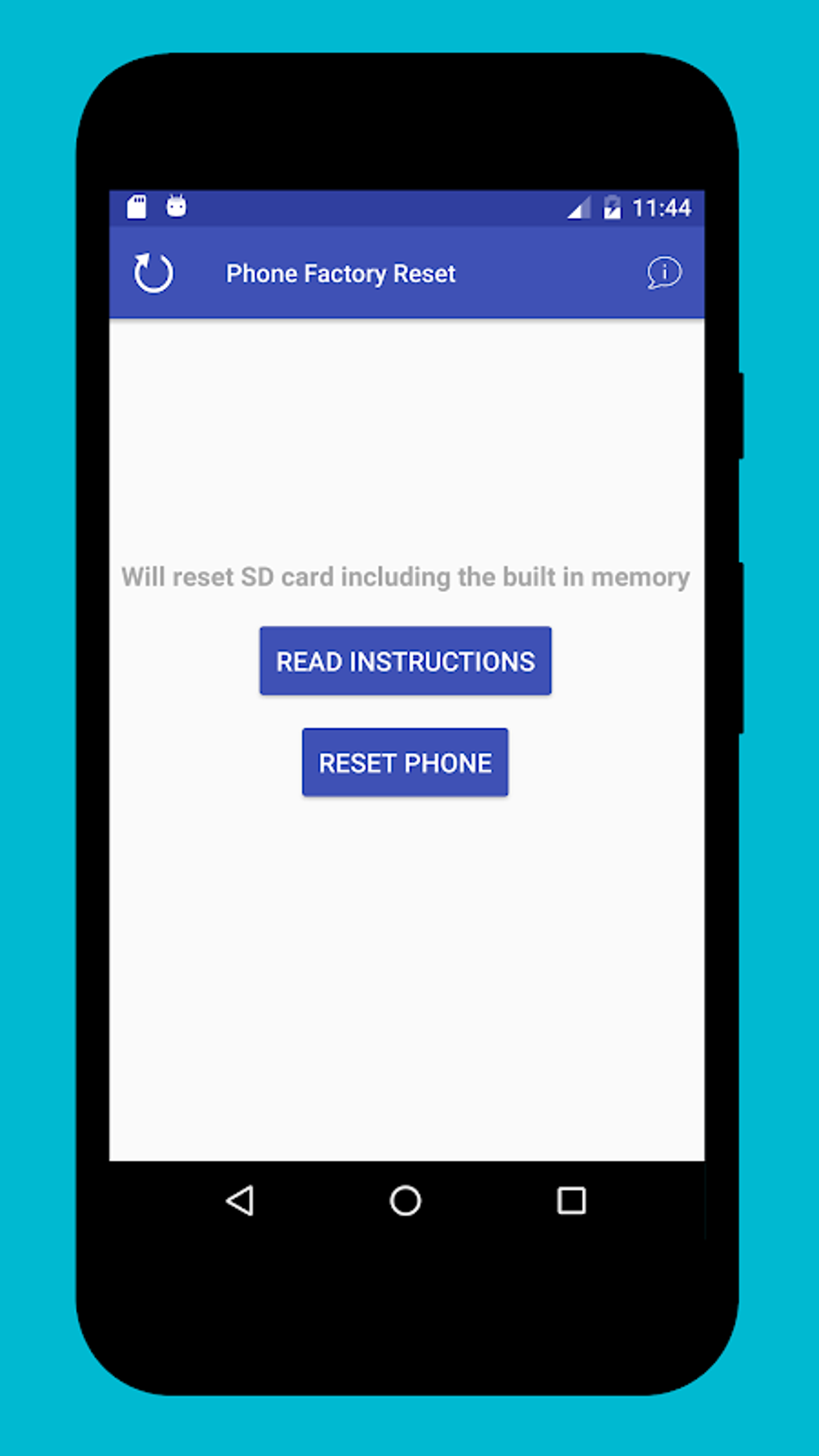
Phone Factory Reset, developed by RABY, is a free Android utility app designed to simplify the factory reset process. Instead of navigating through the device’s settings menu, this app offers a more streamlined approach. The app’s primary function is to initiate a full factory reset, wiping both the internal storage and SD card of your Android device. This makes it easy for users of all technical skill levels to perform this often-intimidating process. It’s important to remember that this action is irreversible, so ensure you’ve backed up any essential data before proceeding.
The app’s simplicity is its main strength. Users don’t need extensive technical knowledge to utilize it. However, it’s crucial to understand that the app requires device administrator activation before it can initiate the factory reset. This is a standard security measure to ensure that the app has the necessary permissions to perform such a significant action on your device. The app does prompt users to enable this permission before proceeding to confirm the reset.
Before You Begin: Crucial Preparatory Steps
Before initiating a factory reset, whether through the Phone Factory Reset app or your device’s built-in settings, remember these crucial steps:
-
Fully Charge Your Device: A factory reset can be a time-consuming process. Ensure your phone is fully charged to prevent it from powering down during the reset, which could potentially corrupt the process and leave your phone in an unusable state.
-
Back Up Your Data: This is the most crucial step. A factory reset will permanently erase all data on your device. Back up all important files, including photos, videos, contacts, documents, and app data, to a secure location like a cloud service (Google Drive, iCloud, Dropbox), an external hard drive, or your computer. Consider backing up your contacts to your Google account or SIM card as well.
-
Note Down Important Account Login Details: Make a record of your email addresses, passwords, and other crucial account login information, as these will be erased during the factory reset. If you use two-factor authentication, make sure to have access to your backup codes or recovery methods.
-
Take Screenshots of Important Settings: If you have custom settings that you don’t want to lose, such as personalized Wi-Fi settings or app preferences, take screenshots. While these may not automatically transfer, having them on record could help you reconstruct them quicker.
-
Understand the Implications: Remember that a factory reset is irreversible. Once the process is complete, you cannot recover your data without a prior backup. Therefore, meticulously completing steps 1 and 2 is vital.
Advantages and Disadvantages of Using Phone Factory Reset App
Advantages:
-
Simplicity and Ease of Use: The app’s user interface is designed for straightforward operation, making it accessible to users with varying levels of technical expertise. The steps involved are minimal, reducing the potential for errors during the process.
-
Hassle-Free Process: It eliminates the need to navigate through multiple menus in your device’s settings, streamlining the factory reset process. This is particularly beneficial for those who may find the standard settings menu confusing or time-consuming.
-
Thorough Data Wipe: The app efficiently erases all data from both the internal storage and SD card, providing a comprehensive data wipe.
Disadvantages:
-
Single-Purpose App: The app serves only one function: initiating a factory reset. It doesn’t offer any other utilities or features, which might make it unnecessary for some users who only need to perform a factory reset occasionally.
-
Requires Device Administrator Activation: While this is a standard security measure, it might raise concerns for some users regarding app permissions and privacy. However, it’s a necessary step for the app to carry out its intended function securely.
- Potential for Unnecessary App: For users who only perform factory resets rarely, installing a dedicated app might be overkill compared to using the built-in system settings.
Alternatives to Phone Factory Reset App
Several alternative methods exist for performing a factory reset on your Android device:
-
Using the Device’s Built-in Settings: This is the most common and recommended method. The process involves navigating to your device’s settings menu, typically under “System” or “General Management,” and finding the “Reset options”. The specific steps may vary depending on the device manufacturer and Android version.
-
Using a Computer and Android SDK: For advanced users, using Android Debug Bridge (ADB) through a computer provides a command-line interface to initiate a factory reset. However, this method requires some technical expertise.
-
Other Third-Party Apps: Various other apps are available on app stores that offer similar factory reset functionality. Always research and choose reputable apps from trusted developers to ensure your device’s security. Read user reviews carefully before installing any such app.
Remember always to thoroughly back up your data before attempting any factory reset method. Choose the method that best suits your comfort level and technical skills. While dedicated apps like Phone Factory Reset simplify the process, the built-in settings method remains a reliable and secure alternative. If you’re uncertain, opting for the built-in settings is always the safest route. The app is deemed safe based on initial analysis and positive user feedback but always exercise caution.
File Information
- License: “Free”
- Version: “1.7”
- Latest update: “May 17, 2024”
- Platform: “Android”
- OS: “Android 13.0”
- Downloads: “46.6K”
- Size: “1.61 MB”
- Download Options: “APK, Google Play”
- Filename: “com-ehub-phonefactoryreset-7-39812869-6a236d763dc0023e780ccfe0e0e3349e.apk”