
In an increasingly visual world, where digital photography and social media reign supreme, the ability to compile, organize, and present images in an engaging format has become more crucial than ever. From cherished family memories to impactful marketing campaigns, the art of storytelling through pictures is a universal language. Enter Photo Grid Mixer, a versatile and user-friendly application designed to simplify the creation of stunning photo collages, transforming disparate images into cohesive visual narratives. Whether you’re a casual smartphone photographer or a content creator looking for a quick and effective tool, Photo Grid Mixer offers an intuitive platform to bring your photographic visions to life.
At its core, Photo Grid Mixer is about accessibility and creativity. It stands out by making the often-complex process of collage-making remarkably straightforward, empowering users of all skill levels to design eye-catching layouts. This tool excels in its ability to take a collection of individual photographs and weave them into a single, aesthetically pleasing composition, allowing for a personalized touch that static, single images often lack. With its focus on ease of use and effective output, Photo Grid Mixer has carved a niche for itself as a go-to application for anyone looking to make a statement with their pictures.
Elevating Your Photography Experience with Intuitive Multimedia Tools
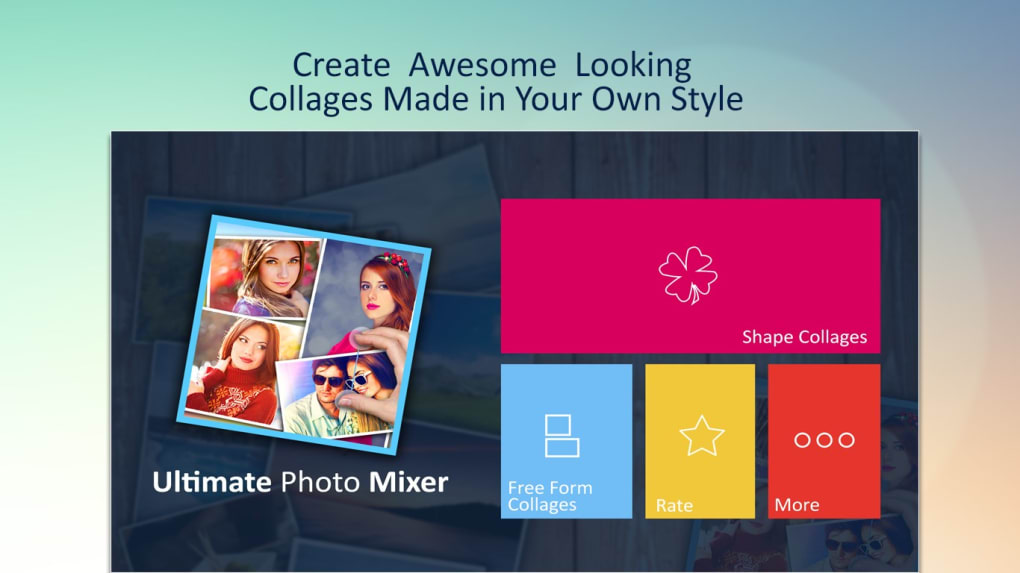
The realm of Multimedia is vast, encompassing everything from audio and video editing to graphic design and photography. Within this expansive category, tools that enhance visual content creation hold significant sway, given the pervasive nature of images in our daily digital interactions. Photo Grid Mixer fits perfectly within this landscape, serving as a dedicated application that directly addresses the need for appealing visual compositions. It’s not just another photo editor; it’s a specialized instrument designed for the unique art of collage creation, making it an indispensable part of a broader multimedia toolkit.
The primary function of Photo Grid Mixer is to facilitate the making of collages with multiple pictures, and it does so with admirable ease and effectiveness. Users can effortlessly add selected images from their device, arranging them within a customizable canvas. The true power lies in its flexibility: you’re not just pasting pictures; you’re crafting a layout. The application allows for precise adjustments to photo size and shape, ensuring each image contributes harmoniously to the overall design. This level of control, typically associated with more complex graphic design software, is made accessible through Photo Grid Mixer’s streamlined interface.
For instance, the program enables users to set images in various stylish formats, offering a range of preset grid layouts and creative arrangements. This means you can quickly experiment with different compositions, finding the perfect style to match the mood or theme of your collection. The ease of implementation is a key highlight; once a layout is chosen, populating it with your photos is a matter of simple taps or clicks. This intuitive workflow significantly reduces the learning curve, allowing users to focus on creativity rather than grappling with complicated controls.
A standout feature is the multi-touch functionality, which significantly enhances the user’s ability to adjust images. On touch-enabled devices (like tablets or PCs with touchscreens, and especially on its Android counterpart), two-finger gestures become your primary interface for manipulation. This allows you to effortlessly move pictures around the canvas, rotate them to achieve the perfect angle, and resize them with fluid, natural gestures. This tactile interaction makes the design process feel more direct and organic, transforming what could be a tedious task into an enjoyable creative endeavor. The ability to create free-form collages with such ease is a testament to the thoughtful design behind Photo Grid Mixer, making it ideal for anyone who possesses a vast collection of images and wishes to transform them into engaging visual stories.
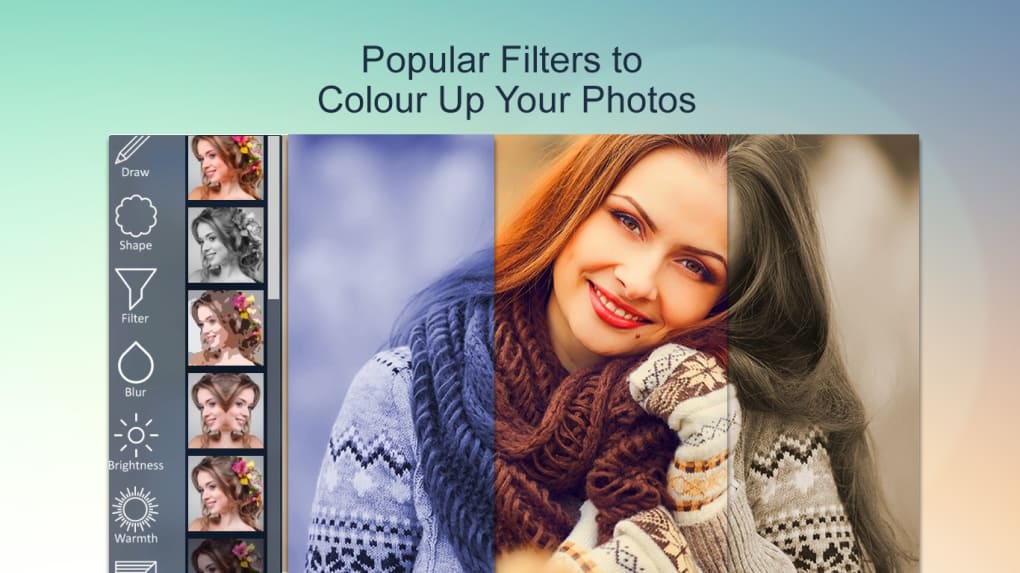
While not the most feature-packed application in the entire multimedia spectrum, Photo Grid Mixer excels in its focused purpose. Its simplicity is its strength, offering a solid and easy-to-use experience without overwhelming the user with unnecessary complexities. The simple design and friendly interface contribute significantly to its appeal, making it a welcoming environment for both beginners and those who appreciate efficiency in their creative tools.
Graphic & Design Made Simple: Bridging the Gap for Everyday Creators
Within the broader category of Graphic & Design, tools often range from professional-grade suites like Adobe Photoshop to simpler, web-based editors. Photo Grid Mixer occupies a unique and valuable space by democratizing a key aspect of graphic design – layout and composition – for the everyday user. It removes the intimidation factor often associated with professional design software, providing a focused environment where creative visual arrangements are not only possible but incredibly easy to achieve.
The application’s approach to collage making inherently involves principles of graphic design: balance, contrast, hierarchy, and visual flow. By offering predefined grid structures and intuitive controls for image placement, Photo Grid Mixer subtly guides users toward creating visually appealing compositions. This means that even without formal design training, users can produce results that look professionally curated. For example, the ability to adjust the size and shape of individual photos within a grid allows for emphasis on certain images, creating a focal point or a narrative sequence within the collage. Rotating images can add dynamic energy, while precise resizing ensures that all elements fit together harmoniously.
The “simple design and friendly interface” mentioned in the application’s pros list is paramount to its success in this domain. A cluttered interface or complex menus can deter users who simply want to compile a few photos quickly. Photo Grid Mixer’s clean layout ensures that essential tools are readily accessible, allowing for a smooth and uninterrupted creative flow. This design philosophy directly serves the purpose of making graphic design principles approachable, enabling users to focus on the artistic arrangement of their images rather than struggling with software mechanics.
However, as acknowledged, Photo Grid Mixer is “not the most feature-packed.” This means it might not offer advanced functionalities like intricate layering, complex masking, or professional-grade color correction found in more comprehensive graphic design software. Similarly, the “limited canvas sizes” might pose a challenge for users aiming for very specific print dimensions or ultra-high-resolution digital displays. Yet, these limitations are often a trade-off for simplicity and performance. For most everyday tasks – creating collages for social media, digital scrapbooks, or personal presentations – the available features and canvas options are more than sufficient. Its strength lies in its ability to deliver effective design output quickly, without requiring extensive knowledge or significant time investment. It bridges the gap between basic photo viewing and complex graphic manipulation, offering a perfect solution for quick, impactful visual content creation.
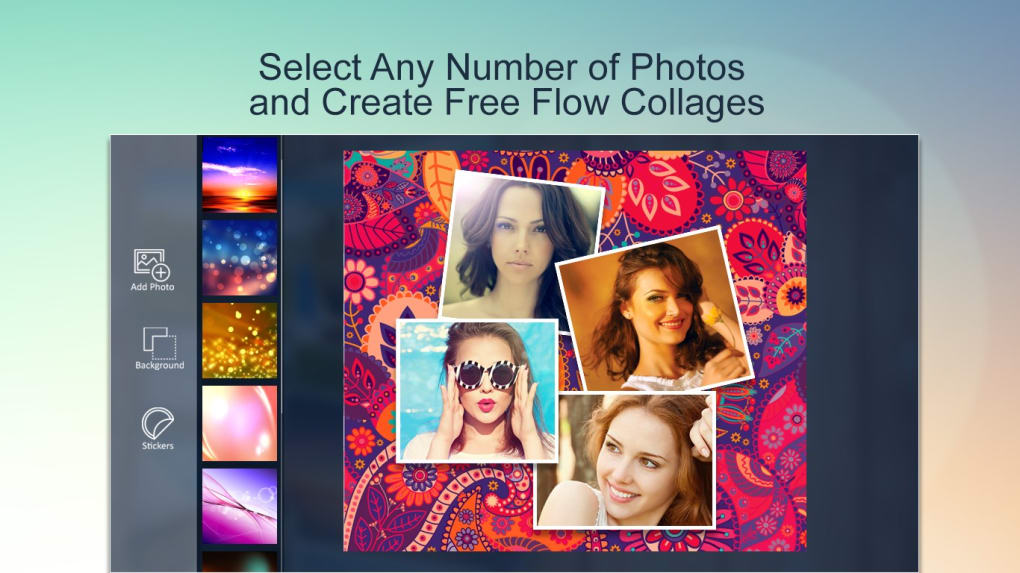
Photo Grid Mixer as a Modern Utility & Tool
Beyond its creative applications, Photo Grid Mixer functions as an essential Utility & Tool for managing and presenting digital photos. In an age where smartphone cameras capture thousands of images, organizing and sharing these visual assets in a meaningful way can be a daunting task. Photo Grid Mixer streamlines this process, transforming a disorganized gallery into curated, thematic presentations.
Consider its role in various scenarios:
- Memory Preservation: For families, creating a collage of a vacation, a birthday party, or a year’s worth of milestones transforms individual snapshots into a powerful visual summary. It’s a digital scrapbook that can be easily shared or printed.
- Social Media Engagement: Content creators, influencers, and businesses on platforms like Instagram, Facebook, and Pinterest constantly seek engaging visual content. A well-designed photo collage can tell a story more effectively than a series of single images, increasing engagement and conveying more information in a single post.
- Business and Marketing: Small businesses can use collages for product showcases, event recaps, or promotional materials. A collage of different product variations or customer testimonials can be a compelling marketing asset. For example, a restaurant could create a collage of their most popular dishes, or a clothing store could showcase different outfits featuring a new collection.
- Educational Purposes: Educators can use collages to illustrate concepts, summarize field trips, or present project work in a visually appealing manner. Students can also use it for school projects, creating visual reports or presentations.
The fact that Photo Grid Mixer offers multi-touch functionality and two-finger gestures for manipulation underscores its utility. These features are not merely aesthetic; they are designed for efficiency and precision. Imagine trying to perfectly align, rotate, and resize multiple images using only a mouse or keyboard commands – it would be a time-consuming and frustrating endeavor. The touch-based controls make these adjustments intuitive and fast, saving valuable time for the user. This efficiency is critical for a utility tool, as users expect quick results without unnecessary hassle.
Furthermore, its availability across platforms, specifically Windows and Android, enhances its utility. Users can start a collage on their PC and potentially finish it on their tablet or phone, or vice-versa, depending on their workflow and convenience. This cross-platform accessibility ensures that users can create and edit collages wherever and whenever inspiration strikes, whether they’re at their desk or on the go.
The tool’s security status, being free, and its general ease of use contribute to its standing as a reliable utility. While “not the most feature-packed,” this often translates to a lighter application that runs smoothly without consuming excessive system resources, which is another characteristic of a good utility tool. It performs its specific function exceptionally well, making it a valuable addition to anyone’s digital toolkit for photo management and presentation.
Integrating Photo Grid Mixer into Your Digital Lifestyle
In today’s interconnected digital world, our Lifestyle is increasingly intertwined with technology, particularly when it comes to personal expression, communication, and sharing experiences. Photo Grid Mixer seamlessly integrates into this digital lifestyle by providing a straightforward yet powerful means of visual communication. Collages are more than just assembled pictures; they are curated narratives, visual diaries, and artistic expressions that reflect our personal journeys and perspectives.
For individuals, Photo Grid Mixer becomes an indispensable part of documenting and celebrating life’s moments. From chronicling a child’s growth to assembling highlights from a significant event like a wedding or graduation, collages offer a unique way to encapsulate multiple memories into a single, shareable image. This fosters a more dynamic way of sharing than simply uploading a string of individual photos, allowing for a more complete story to be told at a glance. The app’s intuitive nature means that crafting these personal narratives doesn’t require technical prowess, encouraging more people to engage in digital creativity.
Moreover, the rise of visual content in social media has made tools like Photo Grid Mixer a necessity for staying connected and expressive. Whether it’s sharing holiday photos with friends and family, creating a mood board for a personal project, or celebrating achievements, a well-composed collage captures attention and conveys emotion more effectively. The ability to quickly create these collages on various platforms – from a Windows PC for detailed work to an Android device for on-the-go editing – further enhances its utility in a busy, mobile-first lifestyle.
The impact on personal branding and online presence is also significant. For those who maintain personal blogs, online portfolios, or active social media profiles, Photo Grid Mixer offers a quick solution for creating engaging header images, featured graphics, or composite posts. It empowers individuals to present a more polished and professional image without investing in complex software or design skills.
Despite its simplicity, Photo Grid Mixer’s “solid and easy to use” nature means it doesn’t add friction to your digital routine. Instead, it enhances it, allowing for more creative output with less effort. The “simple design and friendly interface” ensures that the focus remains on the creative process rather than navigating confusing menus, making it a tool that truly supports and integrates with a modern, visually-driven lifestyle. It’s about empowering users to tell their stories, express their personalities, and connect with others through the universal language of images, all while maintaining an accessible and enjoyable user experience.
The Technical Foundations: What Makes Photo Grid Mixer Tick
Delving deeper into the operational aspects, Photo Grid Mixer for Windows, as well as its Android counterpart, demonstrates a commitment to foundational robustness and user-centric design. Understanding these technical underpinnings sheds light on why it has garnered a respectable user base and positive feedback.
The application’s core strength lies in its ability to provide a “solid and easy to use” experience, which is a testament to its programming and interface design. Running on Windows 10 (and presumably compatible with later versions), it leverages the native capabilities of the operating system to offer a smooth performance. The stated “License: Free Version” is a significant draw, making it accessible to a broad audience without a financial barrier. This ‘free-to-use’ model often encourages higher adoption rates and community feedback, which can further refine the application over time.
The app’s size, described as “varies-with-device,” indicates optimized resource management. For Windows applications, this suggests that the installer might be dynamically configured or that the footprint adjusts based on system specifications, ensuring efficient use of storage and memory. This is crucial for a utility that users expect to be lightweight and quick to launch.
The “Latest update: July 30, 2019” (at the time of the provided information) indicates a commitment to maintenance and improvement, although more frequent updates would be beneficial in the rapidly evolving tech landscape. Regular updates often bring new features, performance enhancements, and crucial security patches, demonstrating ongoing developer support.
With “Downloads: 10.6K” and “Last month’s downloads: 28,” Photo Grid Mixer has clearly seen significant user interest. The monthly download figure, while fluctuating, highlights its continued relevance for users seeking simple collage solutions. This steady stream of downloads affirms its position as a go-to option for its target demographic.
The “Security Status” being positive (implied by its availability on reputable download sites like PhanMemFree.org) is a critical factor for any software. Users need assurance that what they download is safe from malware or unwanted intrusions. This status, coupled with the “In English” language option, broadens its appeal globally, making it accessible to a vast English-speaking user base. The availability in numerous other languages (e.g., Arabic, German, Spanish, French, Indonesian, Italian, Japanese, Korean, Dutch, Polish, Portuguese, Russian, Swedish, Thai, Turkish, Vietnamese, Chinese) further extends its reach, acknowledging the diverse linguistic backgrounds of its users. This multilingual support is a significant asset, making the application truly global.
The “Developer: Express Apps” suggests a focused team behind the product. While the specific scale of the development team isn’t mentioned, the existence of “More programs (3)” indicates a portfolio of applications, implying experience in software development and a sustained presence in the app ecosystem.
Finally, the positive user rating of “4.2 (21)” indicates general satisfaction. While the number of reviews might be modest, a high average score suggests that those who have tried it found it to be a positive experience. User reviews often highlight both strengths and weaknesses from a real-world perspective, providing valuable insights for potential new users and developers alike.
Conclusion: Photo Grid Mixer – Your Partner in Visual Storytelling
Photo Grid Mixer stands as a testament to the power of simplicity and focused functionality in the digital age. In a landscape often dominated by complex, multi-faceted software, this application distinguishes itself by offering a straightforward, intuitive, and highly effective solution for creating photo collages. It embraces the philosophy that powerful creative tools don’t need to be daunting, but rather accessible to everyone.
From its easy-to-navigate interface and solid performance on Windows and Android to its ingenious use of multi-touch gestures for seamless image manipulation, Photo Grid Mixer empowers users to transform their collections of photographs into compelling visual narratives. It’s a valuable asset within the broader categories of Multimedia, simplifying aspects of Graphic & Design for everyday creators, serving as a practical Utility & Tool for efficient photo management, and seamlessly integrating into a modern, visually-driven Lifestyle.
While it may not boast the extensive feature sets of professional-grade software, its strengths lie in its dedicated purpose and user-friendly design. The acknowledged limitations, such as “not the most feature-packed” and “limited canvas sizes,” are often acceptable trade-offs for the speed, ease, and accessibility it offers. For anyone with a vast digital photo library looking to create stunning collages for social media, personal keepsakes, or business promotions, Photo Grid Mixer provides an excellent, free-to-use solution.
It’s more than just an app; it’s a creative companion that encourages visual expression and storytelling. As the digital world continues to prioritize visual content, tools like Photo Grid Mixer will remain essential, enabling individuals and businesses alike to communicate, share, and inspire through the universal language of images. Download Photo Grid Mixer today from PhanMemFree.org and unlock your potential for compelling visual storytelling.
File Information
- License: “Free”
- Version: “varies-with-device”
- Latest update: “July 30, 2019”
- Platform: “Windows”
- OS: “Windows 10”
- Language: “English”
- Downloads: “10.6K”


