
Photo Lab, a free multimedia application from Selteco, promises a fun and easy way to enhance your photos. While it offers a selection of appealing filters and a built-in high-definition camera, its functionality falls short of expectations when compared to more established photo editing software. This review delves into its strengths and weaknesses, examining its user experience, feature set, and overall performance to determine whether it’s a worthwhile addition to your photo editing arsenal.
User Interface and Experience
Photo Lab boasts a straightforward and intuitive interface, making it accessible to users of all skill levels. The app’s design prioritizes simplicity, placing commonly used tools and features within easy reach. The initial screen presents a clear pathway to either take a photo using the integrated camera or select an existing image from your device’s library. This streamlined approach minimizes the learning curve, allowing users to quickly jump into the photo editing process.
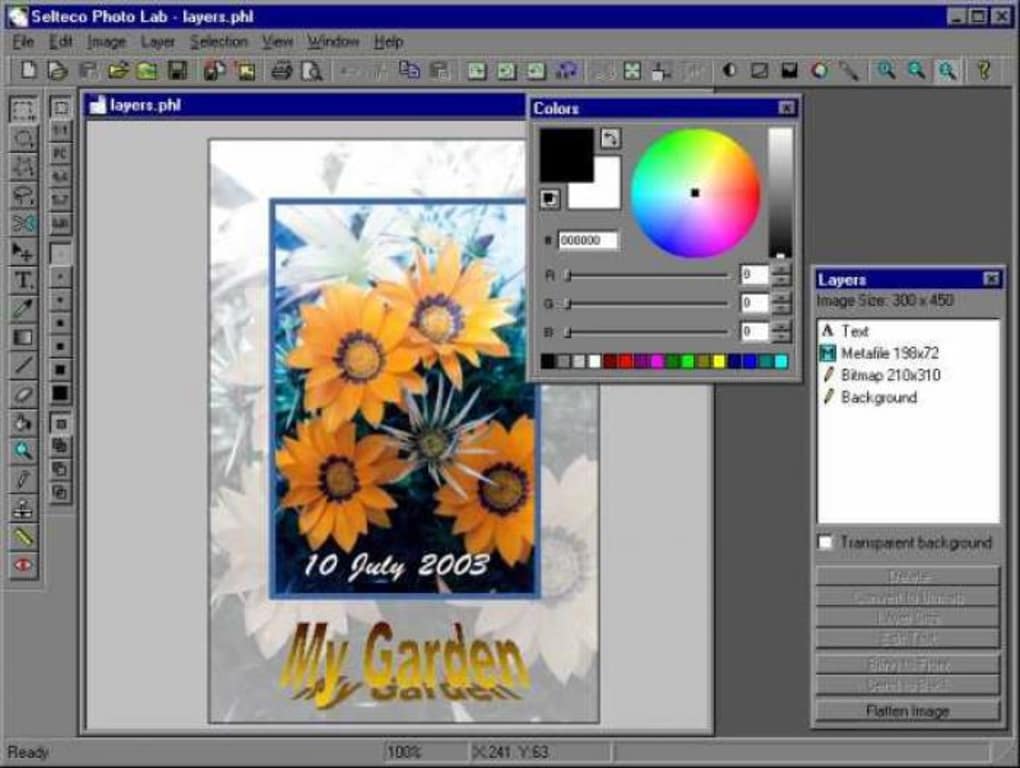
The filter application process is particularly noteworthy. Users can apply filters before taking a photograph, providing a preview of the final effect. This “try-before-you-buy” approach allows for creative exploration and minimizes the frustration of applying a filter only to find it doesn’t match your vision. The available filters range from standard options like sepia and monochrome to more unique effects such as a night vision filter, adding a creative flair to the editing experience.
Beyond filters, Photo Lab offers a range of stickers and effects that can be overlaid onto images. These include text stickers, neon signages, and various thematic masks, catering to a wide range of stylistic preferences. The application of these elements is generally smooth and intuitive, further enhancing the overall user experience. The incorporation of a superzoom feature also allows for detailed examination and editing of specific areas within the image.
Features and Functionality: Strengths and Weaknesses
While Photo Lab’s interface shines in its ease of use, its feature set is where its limitations become most apparent. While offering a unique collection of filters and effects, and a surprisingly capable built-in camera for capturing high-definition images, it significantly lacks the fundamental tools found in most comparable photo editing applications.
The absence of basic editing tools such as contrast, saturation, highlights, and exposure adjustments represents a major drawback. Users are forced to use a separate application to make these critical adjustments before importing the image back into Photo Lab. This workflow disruption significantly hampers the efficiency and convenience of the editing process. The lack of a save function for edits further compounds this issue, requiring users to start from scratch if the application crashes during export—a common occurrence, as reported by several users.
The app’s inability to effectively handle the export process is a critical flaw. Users frequently report encountering crashes during the export of edited images to their device’s photo album. This instability renders the entire editing process precarious, undermining the confidence in Photo Lab’s reliability. The lack of a robust save functionality for mid-process edits exacerbates this problem, potentially leading to significant loss of work and considerable frustration.
While the app allows for image cropping and doodling, these are limited functionalities compared to the comprehensive editing capabilities of competing software. Considering the lack of core editing features, Photo Lab’s capabilities are comparatively weak, offering only a superficial level of photo enhancement. This significantly limits its usefulness for users requiring more advanced photo manipulation techniques.
Comparison to Competitors
Photo Lab falls short when compared to other free and paid photo editing applications available in the market. Applications like PicsArt and Snapseed, for example, offer a much broader range of editing tools, including comprehensive adjustments for contrast, brightness, saturation, sharpness, and more. These apps also provide a much more stable and reliable export process, preventing the crashes and data loss reported by Photo Lab users.
Furthermore, PicsArt and Snapseed boast a larger library of filters, effects, and stickers, along with features like advanced layering, masking, and drawing tools. Their user interfaces, while perhaps slightly more complex, are still intuitive and easy to navigate, providing a richer and more versatile photo editing experience. The stability and overall feature set of these competitor applications clearly overshadow Photo Lab’s limited capabilities.
Photo Lab’s Target Audience
Given its limitations, Photo Lab’s target audience appears to be casual users who require only basic photo enhancement, primarily focusing on the application of filters and fun stickers. Users who prioritize simplicity and a quick, straightforward editing process might find Photo Lab appealing. However, those seeking sophisticated editing tools and a reliable workflow will likely find it insufficient for their needs.
The app’s strengths lie in its ease of use and the unique qualities of its filters. The “try-before-you-buy” filter preview is a significant advantage, allowing for creative exploration without the risk of wasted effort. However, the lack of fundamental editing tools and the instability during export severely limit its overall appeal.
Conclusion: A Limited but Approachable Option
Photo Lab presents a user-friendly interface and some creative filter options. The integrated high-definition camera is also a welcome addition, simplifying the workflow for users. However, its significant shortcomings in core editing functionality, coupled with the unreliable export process and the absence of a save function, make it a less-than-ideal choice for most users. While it may suffice for casual users who only need basic filtering and sticker application, the instability and limited features ultimately render Photo Lab a forgettable option in a market saturated with more robust and reliable alternatives. Users seeking a comprehensive and stable photo editing experience should look towards more established applications that offer the necessary tools and reliability. For those solely interested in applying quick filters and stickers, Photo Lab might offer a simple, albeit flawed, solution.
File Information
- License: “Trial version”
- Latest update: “September 22, 2023”
- Platform: “Windows”
- OS: “Windows 2000”
- Language: “English”
- Downloads: “201.9K”
- Size: “2.19 MB”


