
Photo Lab PRO Picture Editor is a feature-rich mobile application designed to simplify and enhance the photo editing experience for users of all skill levels. This Android application boasts a wide array of tools and effects, making it a versatile option for casual users and those seeking a quick and easy way to improve their images. However, like any application, it presents certain strengths and weaknesses that need careful consideration. This review delves into the details, exploring its capabilities, ease of use, and limitations to help you decide if Photo Lab PRO Picture Editor is the right choice for your photo editing needs.
A User-Friendly Interface for Effortless Edits
One of Photo Lab PRO Picture Editor’s most significant strengths is its intuitive interface. Designed for simplicity, the app allows users to navigate its vast collection of features with minimal effort. The layout is clean and uncluttered, making it easy to locate the tools and effects needed for any specific editing task. Even those with limited photo editing experience will find the application straightforward and enjoyable to use. The app avoids overwhelming users with complex menus and options, instead focusing on a streamlined workflow that prioritizes ease of use and efficiency. This accessibility is a significant advantage, making it a perfect choice for casual users who want impressive results without the steep learning curve of more professional-grade applications. The app’s design encourages experimentation, allowing users to freely explore different filters, effects, and frames without feeling intimidated by the technology.
A Plethora of Creative Tools and Effects
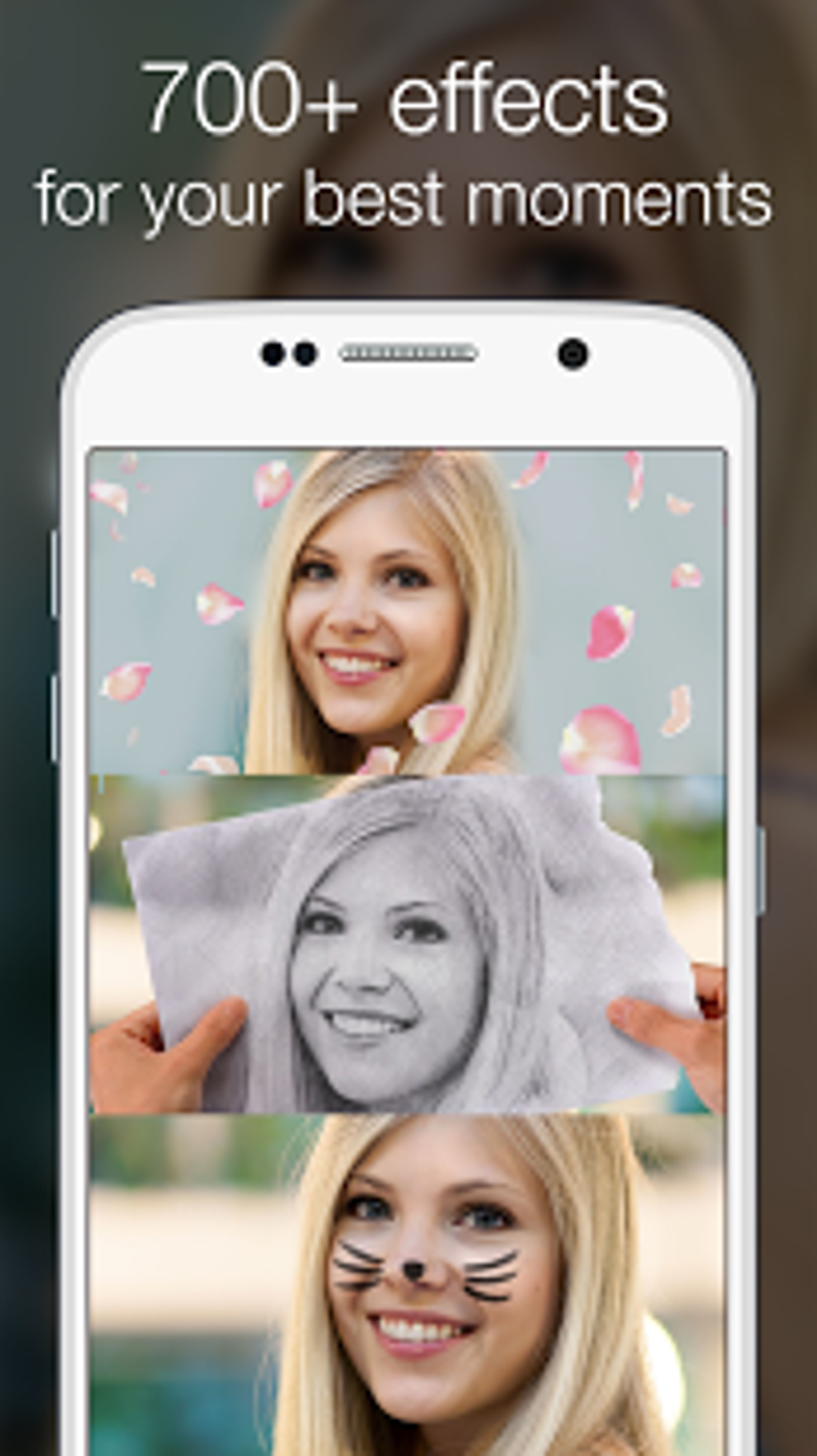
Photo Lab PRO Picture Editor provides a comprehensive library of creative tools and effects. Users can choose from a wide range of filters to achieve various moods and styles, from classic black and white conversions to vintage film effects. These filters offer a quick and easy way to enhance the overall aesthetic of a photo, setting a specific tone or atmosphere. Beyond basic filters, the app includes a collection of artistic brush strokes and sketch-style effects, transforming ordinary photographs into unique pieces of digital art. This feature allows users to experiment with different artistic styles and add a personal touch to their creations.
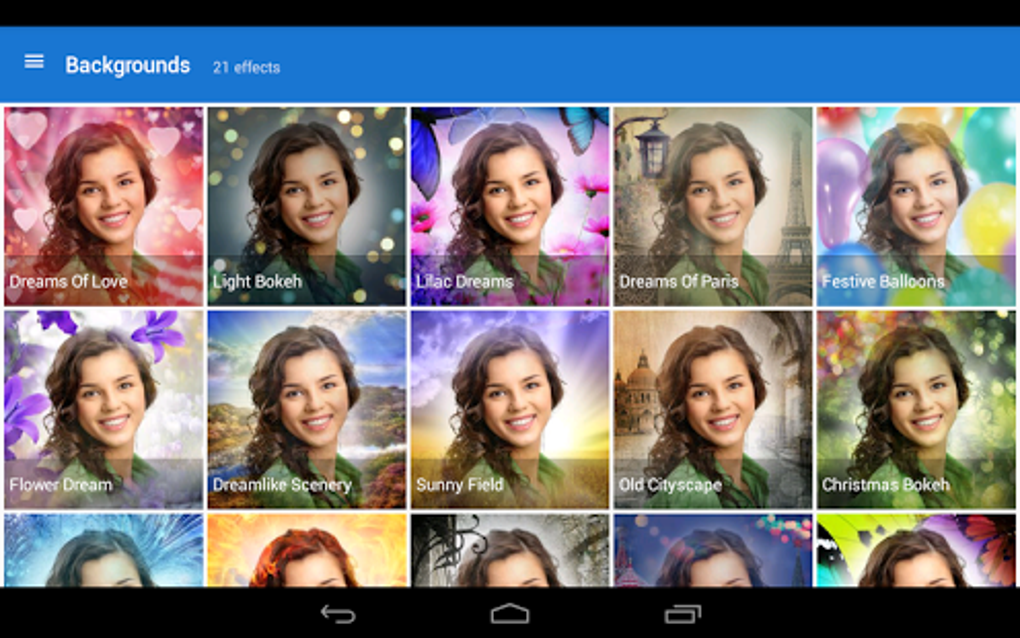
The app further extends its creative possibilities through the inclusion of numerous photo frames. These frames range from scenic landscapes to playful cartoon themes, offering diverse options to enhance the context and add personality to images. Users can choose a frame that complements the subject matter or creates a humorous contrast, providing another avenue for personalization and creative expression. The inclusion of such a wide variety of filters, effects, and frames makes Photo Lab PRO Picture Editor a remarkably versatile tool capable of catering to a diverse range of artistic preferences and editing styles.
Fun and Engaging Novelty Features
Beyond its core photo editing capabilities, Photo Lab PRO Picture Editor distinguishes itself through its range of fun and engaging novelty features. This is where the application truly shines, providing users with unique opportunities for creative expression and playful experimentation. A notable highlight is the ability to transform selfies into magazine covers, mimicking the look and feel of professional publications. This feature adds a touch of playful sophistication, allowing users to create humorous and shareable content. Furthermore, the app enables users to seamlessly integrate their faces into iconic images such as the Mona Lisa or superhero costumes, generating whimsical and often hilarious results.
The app also includes a wide selection of playful props, such as monsters, hats, and other fun elements, allowing users to add creative layers to their photos and generate whimsical and entertaining images. The integration of these elements enhances the overall experience, providing users with opportunities to create shareable content that extends beyond standard photo editing. This feature set distinguishes Photo Lab PRO Picture Editor from other similar applications, making it a compelling choice for users seeking a playful and engaging photo editing experience.
Streamlined Collage and Postcard Creation
Photo Lab PRO Picture Editor simplifies the process of creating collages and postcards. The app provides intuitive tools to easily combine multiple images into visually appealing collages, offering various layouts and customization options to achieve the desired look. Users can easily adjust image positions and sizes within the collage, ensuring a balanced and harmonious arrangement. The process is simple and efficient, even for users without prior experience in collage creation. Similarly, the app simplifies postcard creation, allowing users to add text and customize their messages easily. This feature enables quick and effortless communication, creating a simple way to share greetings or announcements with friends and family. The ability to seamlessly integrate collage and postcard creation capabilities significantly adds to the app’s overall functionality and appeal.
Limitations and Drawbacks
While Photo Lab PRO Picture Editor offers a wealth of features, it’s essential to acknowledge its limitations. A major drawback is its dependence on a stable internet connection. This dependency significantly restricts offline editing capabilities, making it inconvenient for users who prefer to edit photos without relying on a consistent internet connection. The need for an internet connection affects both the loading of effects and the overall functionality of the application. Without a connection, many key features become unavailable, severely limiting the usability of the app in locations with limited or no internet access.

Another significant limitation is the absence of a preview option for effects. This absence requires users to apply effects and then undo them if unsatisfied, resulting in a slower and less efficient workflow. The lack of a preview option can become frustrating, especially when experimenting with various effects. The absence of manual image repositioning within templates further restricts creative control, limiting the flexibility in framing and composition. This fixed positioning can be particularly limiting for users seeking to precisely arrange elements within specific templates.
The loading times for effects can also be relatively slow, causing interruptions in the editing workflow and creating an overall less efficient experience. These loading times can be particularly noticeable when applying multiple effects sequentially, leading to delays and frustrating users who expect a faster, more responsive application. These limitations, although significant, shouldn’t completely overshadow the app’s overall positive aspects, especially for users prioritizing ease of use and a wide array of creative options over advanced manual control.
Overall Assessment
Photo Lab PRO Picture Editor is a well-designed photo editing app that strikes a balance between simplicity and functionality. Its intuitive interface, extensive library of filters and effects, and unique novelty features make it an appealing option for casual users and those seeking a quick and easy way to enhance their photos. The app’s ease of use is a significant strength, allowing even novice users to achieve impressive results without needing extensive technical expertise. While the reliance on internet connectivity, absence of preview options, and slow effect loading times are significant drawbacks, they are ultimately outweighed by the app’s overall strengths and vast creative potential.
For users who prioritize ease of use, a wide variety of filters and effects, and engaging novelty features, Photo Lab PRO Picture Editor is a worthy choice. Its ability to create high-quality edits without requiring significant technical skills makes it an accessible and enjoyable application for a broad range of users. However, users seeking advanced manual control over image manipulation, offline editing capabilities, or immediate effect previews should consider alternative applications that offer more robust and adaptable features. Ultimately, the decision of whether to use Photo Lab PRO Picture Editor depends on the individual’s priorities and specific requirements for photo editing capabilities.
File Information
- License: “Full”
- Version: “3.13.15”
- Latest update: “June 16, 2025”
- Platform: “Android”
- OS: “Android 13.0”
- Language: “English”
- Downloads: “340K”
- Download Options: “Google Play”


