
Photo Labeler is a free Windows application designed to add customizable labels to your photos. While its simplicity is appealing, its lack of a preview function significantly impacts its usability. This review will delve into its features, pros, cons, and potential alternatives, offering a comprehensive assessment for users considering this tool for watermarking, identification, or personal messaging on their images.
Functionality and Features: Adding Custom Labels with Ease
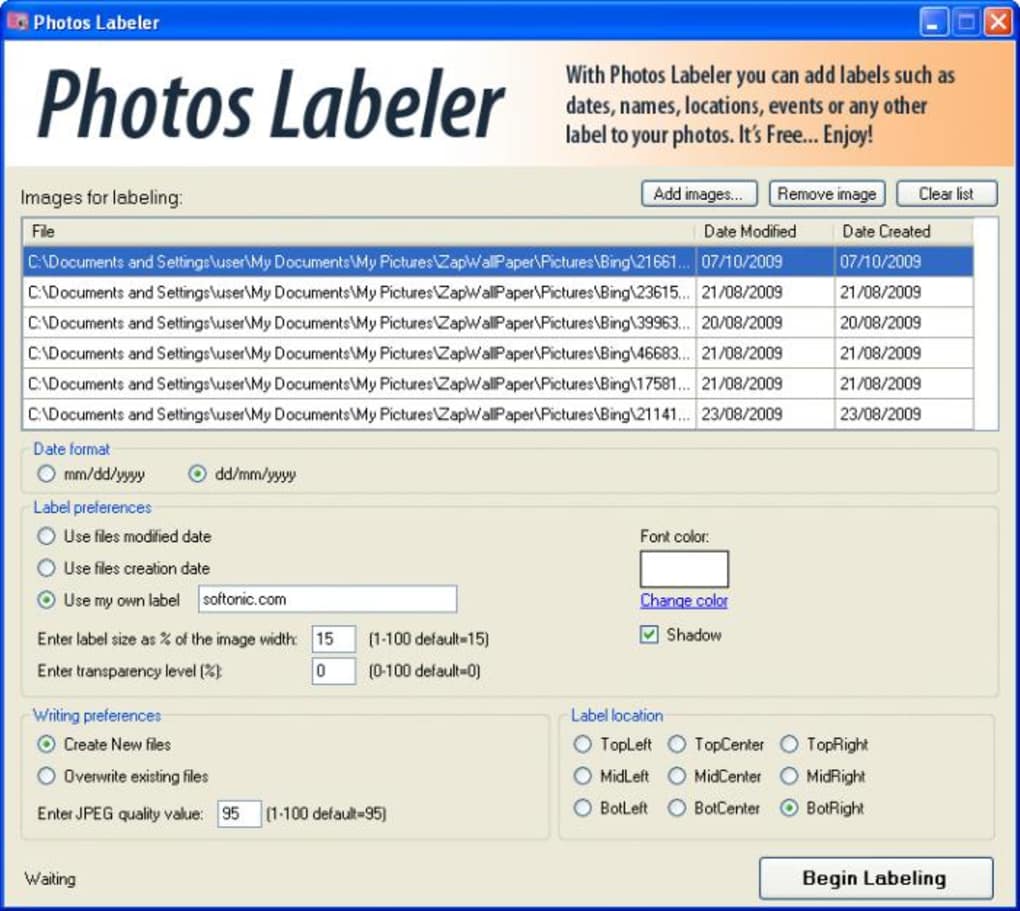
Photo Labeler’s primary function is straightforward: to add text labels to digital photographs. These labels can serve multiple purposes, including copyright protection (acting as watermarks), image identification (specifying location or date), or adding personalized messages before sharing. The application supports batch processing, allowing users to apply labels to multiple images simultaneously, a significant time-saver for those managing large photo collections.
The labels themselves are highly customizable. Users can adjust the text size, color, transparency, and placement on the image. This level of control allows for flexibility in creating subtle or prominent labels depending on the intended use and aesthetic preference. The program offers the option to either save the labeled images as new files, preserving the original untouched, or overwrite the originals. This flexibility caters to diverse user workflows and risk tolerance.
User Interface and Experience: Simplicity with a Significant Omission
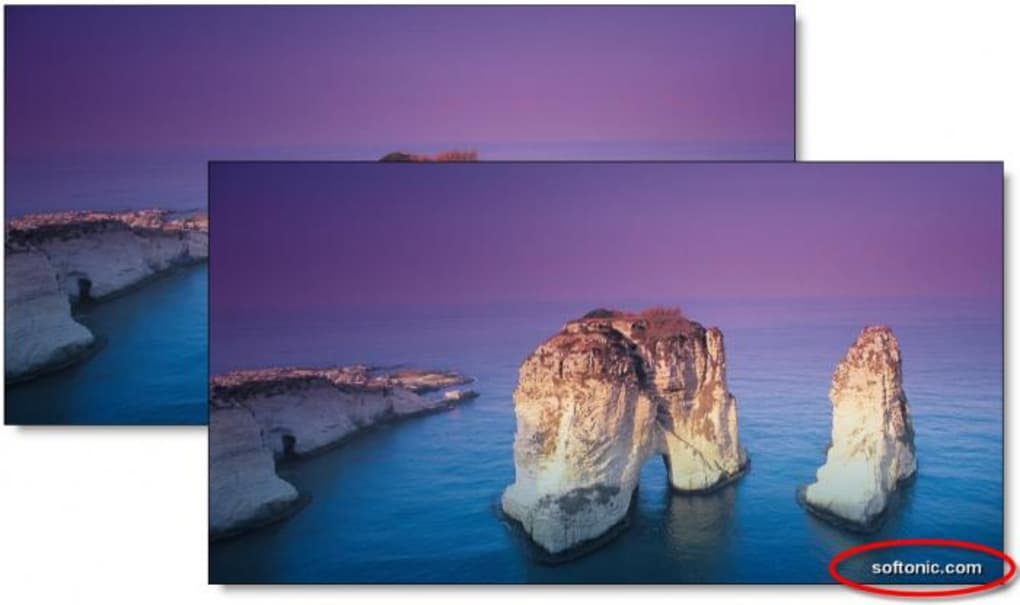
The application boasts a clean and uncluttered user interface. All settings and options are readily accessible within a single window, promoting ease of use and reducing the learning curve. However, a glaring omission significantly detracts from the user experience: the absence of a preview function. Before applying a label, users cannot see how it will appear on their image. This lack of visual feedback forces users to apply labels, save the images, and then check the results—a tedious and inefficient process, especially when experimenting with different label settings. This design flaw significantly impacts the user experience, negating some of the benefits of the program’s otherwise straightforward interface.
Pros and Cons: Weighing the Benefits Against the Drawbacks
Photo Labeler offers several advantages, but its limitations cannot be overlooked. A balanced perspective requires consideration of both its strengths and weaknesses.
Pros:
-
Batch Processing: The ability to apply labels to multiple photos simultaneously is a significant advantage, especially for users with large photo libraries or frequent labeling needs. This feature saves considerable time and effort compared to labeling images individually using other software or online tools.
-
Customizable Labels: The extensive customization options for text size, color, transparency, and placement offer a high degree of control over the final appearance of the labeled images. This allows for the creation of labels that are both effective and aesthetically pleasing, ranging from subtle watermarks to prominent identifying marks.
-
Single-Window Interface: The intuitive and uncluttered interface ensures ease of use, requiring minimal technical expertise. All settings and options are clearly displayed and easily accessible, streamlining the labeling process. This simple design caters to users of all technical skill levels.
-
Choice of Saving Methods: The option to either create new labeled images or overwrite the originals provides flexibility and control over the workflow. Users can choose the method that best suits their needs and risk tolerance, allowing for cautious experimentation or immediate replacement of original files.
-
Free to Use: Photo Labeler’s availability as a free download makes it an accessible option for users on a budget or those simply wanting to test the functionality before committing to a paid alternative. This affordability broadens its potential user base significantly.
Cons:
-
Absence of Preview: The most significant drawback is the lack of a preview function. Users cannot see how the label will appear on the image before applying it. This lack of visual feedback significantly hinders the efficiency and ease of use, making the process of experimentation and fine-tuning label settings unnecessarily laborious and time-consuming.
-
Outdated: The last update for Photo Labeler was in October 2009. This significant age suggests limited ongoing support, potential compatibility issues with modern operating systems, and a lack of ongoing feature updates or bug fixes. Users should consider the potential risks associated with using outdated software, especially regarding security vulnerabilities.
-
Limited Functionality: Photo Labeler primarily focuses on text labels. It lacks advanced features commonly found in more sophisticated watermarking or image editing software, such as the ability to incorporate logos, custom shapes, or more advanced text formatting options. This limits its versatility for users with more demanding needs.
-
No Support: With an outdated application comes the likelihood of limited or nonexistent user support. If users encounter issues or have questions, they may find limited resources to address their concerns.
Alternatives: Exploring Other Options for Image Labeling and Watermarking
While Photo Labeler offers a basic solution for image labeling, several alternatives provide more advanced features, better user experiences, and ongoing support. These alternatives include both standalone applications and online tools.
- Adobe Photoshop: A comprehensive image editing suite with robust watermarking capabilities. Offers unparalleled flexibility and control but requires a subscription and a steeper learning curve.
-
GIMP (GNU Image Manipulation Program): A free and open-source image editor with comparable functionality to Photoshop, but with a less intuitive interface. It offers more versatility than Photo Labeler, but its learning curve might be challenging for beginners.
-
Online Watermarking Tools: Numerous online tools offer simple watermarking capabilities without requiring software installation. These tools often lack advanced features but offer ease of use and accessibility.
-
Other Dedicated Watermarking Software: Several dedicated watermarking applications provide a more specialized and user-friendly experience compared to general-purpose image editors. These often offer a balance between features and ease of use.
Conclusion: Consider Alternatives for a Smoother Experience
Photo Labeler provides a basic solution for adding labels to photos, but its significant drawback—the absence of a preview function—significantly impacts its usability. While its simple interface and batch processing capabilities are advantageous, the lack of a preview, its outdated nature, and limited functionality strongly suggest exploring alternative options. For users seeking a more robust, user-friendly, and up-to-date solution, investing time in researching and evaluating alternative software or online tools is highly recommended. The added features and improved user experience offered by these alternatives outweigh the convenience of a free, yet limited, program. Users should prioritize a program that provides a preview feature, ensuring efficiency and satisfaction during the image-labeling process.
File Information
- License: “Free”
- Latest update: “October 14, 2009”
- Platform: “Windows”
- OS: “Windows Vista”
- Language: “English”
- Downloads: “6.5K”
- Size: “510.31 KB”


