
Photo Magician is a free, user-friendly application designed for efficient batch processing of images. Tired of spending hours individually resizing or converting countless photos? Photo Magician streamlines this tedious task, allowing you to process numerous images simultaneously with incredible speed and ease. This comprehensive guide delves into the features, functionality, and overall user experience of this powerful yet simple photo editing tool.
Understanding Photo Magician’s Core Functionality
At its heart, Photo Magician excels at batch processing—the ability to apply the same editing parameters to multiple images at once. This functionality proves invaluable for photographers, graphic designers, web developers, and anyone dealing with large volumes of images needing consistent resizing or format conversion. Forget the painstaking process of individual image editing; Photo Magician handles the heavy lifting, saving you significant time and effort.
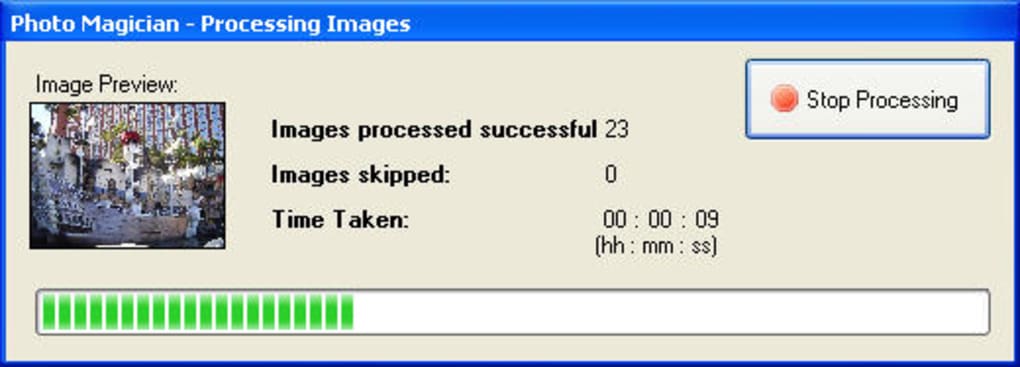
The software’s core functions revolve around two key actions: resizing and converting. Resizing allows you to scale images up or down to specific dimensions, ideal for preparing images for web use, printing, or social media platforms. Conversion enables you to change the file format of your images (e.g., from JPEG to PNG or vice-versa), ensuring optimal compatibility with different applications and devices. Photo Magician seamlessly integrates these functions, enabling users to resize and convert their images in a single, efficient process.
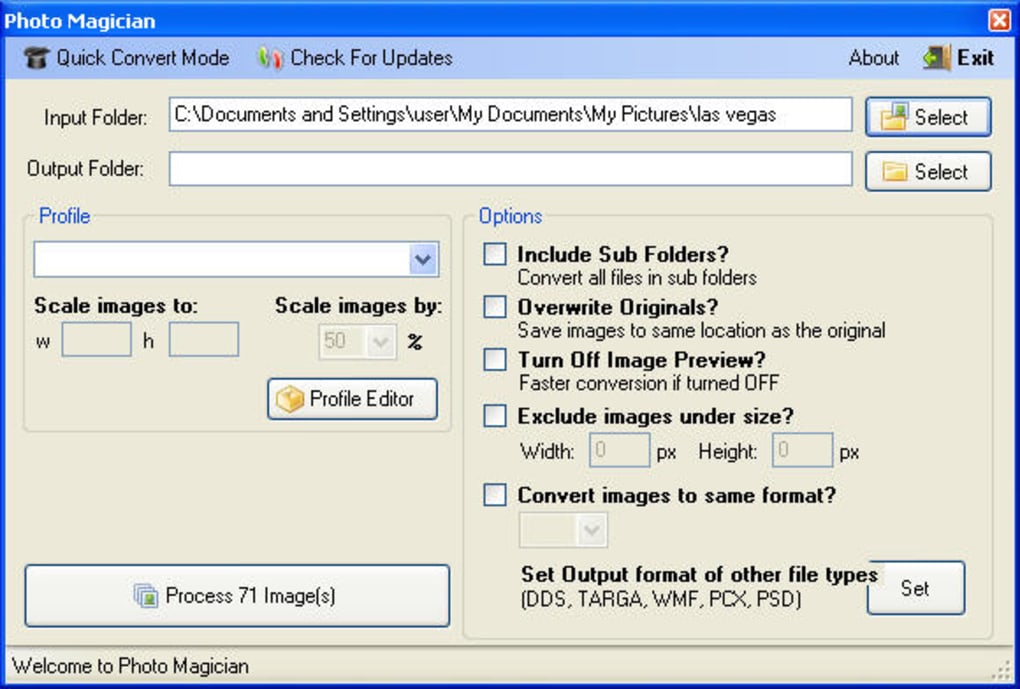
The software’s intuitive interface simplifies even complex batch operations. Users select the folder containing their images, specify the desired dimensions and output format, and then initiate the process with a single click. This streamlined workflow minimizes the technical hurdle, making Photo Magician accessible to users of all skill levels, from novice to expert.
Exploring Photo Magician’s Features and Options
Beyond its core resizing and conversion capabilities, Photo Magician offers several advanced features to enhance its versatility and precision. These features allow users to customize the batch processing to meet their specific needs, ensuring maximum efficiency and control.
Predefined Resizing Profiles: Photo Magician includes a library of pre-configured resizing profiles, catering to common image usage scenarios. These profiles offer pre-set dimensions optimized for various applications, such as web banners, social media posts, or print media. This simplifies the process for users who may not be familiar with precise pixel dimensions, allowing them to select a pre-set profile that fits their needs rather than manually entering dimensions.
Custom Resizing Profiles: While the pre-defined profiles provide a convenient starting point, Photo Magician also empowers users to create their own custom profiles. This advanced feature allows users to save frequently used resizing settings for easy reuse, enhancing the software’s adaptability to individual workflows and requirements. The ability to create and save custom profiles is particularly beneficial for users with specific and recurring resizing needs.
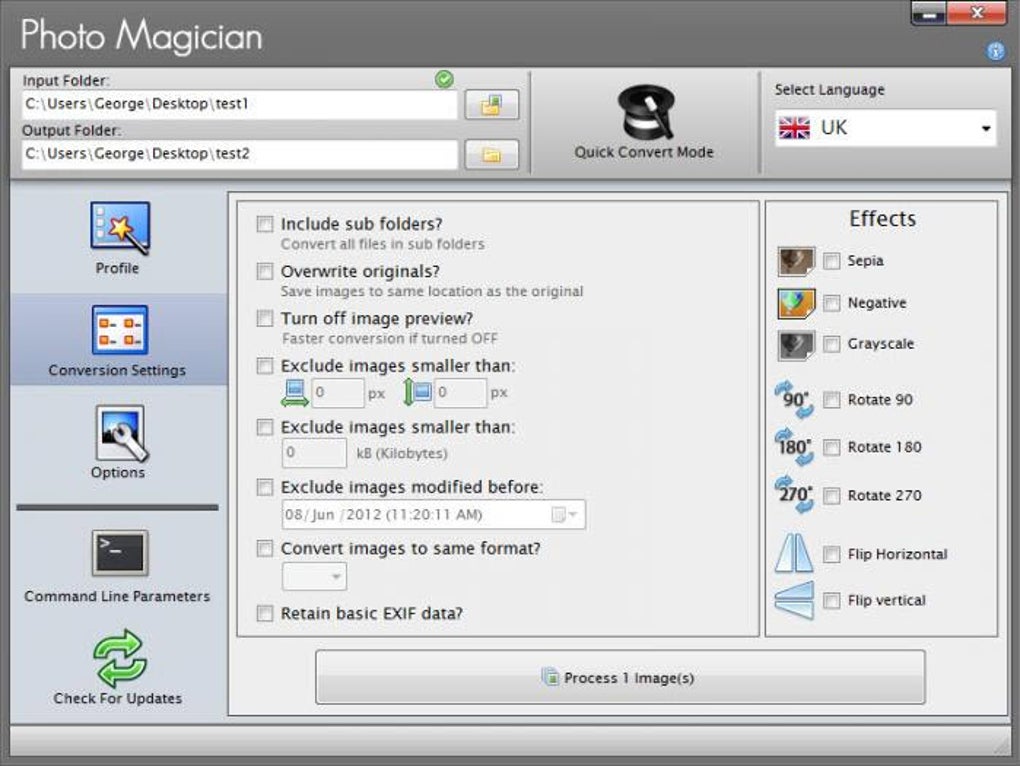
Advanced Options for Fine-Tuned Control: To maximize control over the batch processing, Photo Magician provides a range of customizable options. Users can selectively include or exclude subfolders within the selected directory, ensuring that only the desired images are processed. A minimum file size threshold allows for the exclusion of smaller images, optimizing the process for larger images requiring significant processing. These fine-grained control options make Photo Magician incredibly flexible, catering to a wide range of user needs and complex processing scenarios.
Handling Multiple File Formats: Photo Magician’s support for a broad range of image formats further strengthens its versatility. It seamlessly handles various popular formats, including JPEG, PNG, GIF, TIFF, and more, ensuring compatibility with virtually all image files. This eliminates the need for separate conversion tools, streamlining the entire image processing workflow.
User-Friendliness and Ease of Use
One of Photo Magician’s most significant strengths lies in its user-friendly interface. The software’s intuitive design minimizes the learning curve, allowing users to quickly grasp its core functionality and begin processing images within minutes. The clean and uncluttered interface avoids unnecessary complexities, focusing on core features and ease of use.
The straightforward workflow simplifies batch processing: select the images, choose the resizing parameters and output format, and initiate the process. No specialized knowledge or training is required to utilize the software’s features effectively. This ease of use makes Photo Magician an excellent choice for both casual users and professionals seeking a quick and efficient solution for batch image processing.
The software’s speed is another notable advantage. Batch processing, typically a time-consuming task, is significantly accelerated by Photo Magician’s optimized algorithms. This efficiency translates to substantial time savings, particularly when dealing with large numbers of images.
Comparing Photo Magician to Alternative Solutions
While Photo Magician excels in its simplicity and efficiency for batch processing, it’s important to understand its place within the broader landscape of photo editing software. Unlike comprehensive photo editors like Adobe Photoshop, which offer extensive editing capabilities but can have a steeper learning curve, Photo Magician focuses exclusively on batch resizing and conversion. This targeted approach allows it to achieve exceptional speed and simplicity.
For users requiring advanced editing tools beyond resizing and conversion, a full-featured image editor remains the preferred choice. However, for the specific task of efficient batch processing, Photo Magician provides a compelling alternative, significantly outpacing the time and effort required by manual processing or less specialized software. Its streamlined design and ease of use make it an ideal complement to more comprehensive photo editing tools, handling the repetitive tasks efficiently while leaving advanced edits to more sophisticated software.
Photo Magician: A Verdict
Photo Magician is a valuable tool for anyone dealing with a large volume of images requiring resizing or format conversion. Its ease of use, speed, and efficient batch processing capabilities make it a compelling solution for photographers, web developers, graphic designers, and anyone needing to streamline their image processing workflow. While not a replacement for comprehensive photo editing software, Photo Magician fills a critical niche, providing a user-friendly and efficient way to handle the often tedious task of batch image processing. Its intuitive interface, advanced options, and impressive speed make it a valuable addition to any digital workflow requiring efficient image management. Its free availability further enhances its attractiveness, offering a powerful and versatile tool without any financial commitment.
File Information
- License: “Free”
- Latest update: “May 23, 2023”
- Platform: “Windows”
- OS: “Windows 7”
- Language: “English”
- Downloads: “14.3K”
- Size: “2.46 MB”


