
Photo Editor Pro is a versatile mobile application designed for casual photo editing and enhancing. Boasting a wide array of features, it aims to empower users to create personalized images, e-cards, and collages with relative ease. While it offers many tools for the average user, its capabilities may fall short of the needs of professional photographers or graphic designers seeking advanced editing capabilities. This review will delve into its strengths and weaknesses, providing a comprehensive overview of its functionality and suitability for different user groups.
A Diverse Toolkit for Casual Editing
Photo Editor Pro presents itself as an all-in-one photo editing companion, and it largely lives up to this claim for casual users. Its interface is generally intuitive, allowing users to navigate various editing tools with relative ease. The app offers a diverse range of features, including:
-
Background Removal: This feature allows users to effortlessly remove backgrounds from their images, creating clean and professional-looking results. The precision of the background removal may vary depending on the image’s complexity, but it generally performs well for simpler images.
-
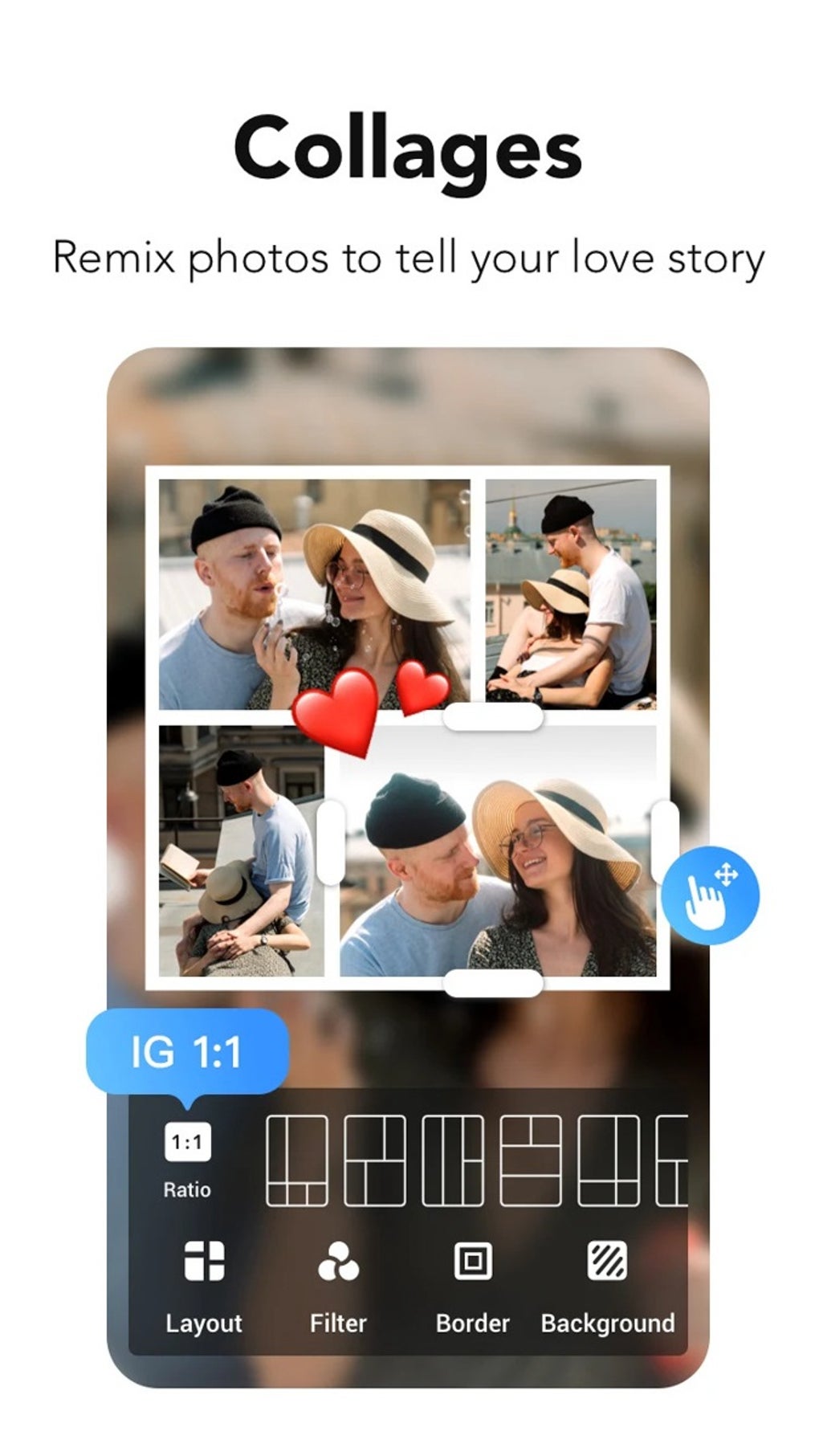
Collage Creation: Photo Editor Pro provides tools for creating custom photo collages. Users can select from various layouts, adjust the spacing between images, and apply various borders and effects to personalize their creations. This feature is straightforward and user-friendly, making it suitable for users of all skill levels.
-
Sticker Design: The app allows users to create personalized stickers using their own images or pre-existing assets within the application. This feature adds a playful element to the editing process, and the resulting stickers can be added to other images or shared directly through social media.
-
AI-Powered Face Transformation: This unique feature uses artificial intelligence to transform faces in photographs. Users can convert their pictures into anime-style images or other cartoonish representations. This is a fun and creative feature that sets Photo Editor Pro apart from some of its competitors. While the quality of the transformations can be impressive, the results may sometimes appear unnatural or lack fine detail.
- Standard Editing Tools: Beyond these specialized features, Photo Editor Pro includes the standard array of photo editing tools that one would expect from a comprehensive application. This includes tools for adjusting brightness, contrast, saturation, sharpness, and other aspects of an image. Users can also apply various filters, adjust color balance, and utilize cropping and resizing functions.
Limitations for Professional Users
While Photo Editor Pro excels in providing a wide range of features for casual users, its suitability for professionals is more limited. Professional photographers and graphic designers often require precise control over image editing, including advanced tools for color correction, retouching, and masking. Photo Editor Pro’s capabilities in these areas are somewhat basic, and it may not offer the level of precision and control needed for high-end image manipulation.
Specific limitations that might hinder professional use include:
-
Lack of Advanced Adjustment Layers: Professional photo editors often rely heavily on adjustment layers to non-destructively modify images. This allows for precise adjustments and the ability to revisit and refine changes without permanently altering the original image. Photo Editor Pro’s lack of this feature may necessitate destructive editing, potentially limiting the flexibility and workflow of professional users.
-
Limited RAW Support: Many professional photographers shoot in RAW format to preserve image data and maximize editing flexibility. Photo Editor Pro’s support for RAW files might be limited or non-existent, forcing professionals to work with already-processed JPEGs, reducing the quality and editing potential.
-
Absence of Specialized Tools: Professional workflows often involve using specialized tools such as cloning, healing, and advanced masking techniques for retouching and precise image manipulation. Photo Editor Pro may lack the sophistication and nuanced control of professional-grade software in these specific areas.
-
Export Options: The available export options and file formats might be limited compared to industry-standard software. The absence of support for specific file types or the lack of control over export resolution and quality might be problematic for professionals requiring specific file formats for printing or specialized applications.
User Experience and Interface
The user interface of Photo Editor Pro is generally intuitive and easy to navigate. The layout is well-organized, with tools logically grouped and easily accessible. However, the abundance of features might feel overwhelming to some new users, particularly those unfamiliar with mobile photo editing apps.
The app’s performance is generally smooth, with minimal lag during editing. However, the processing time for some features, such as the AI-powered face transformation, might be longer, particularly on devices with lower processing power. Overall, the user experience is designed for ease of use and speed, prioritizing accessibility and efficiency.
Comparison to Other Photo Editing Apps
Compared to other photo editing applications, Photo Editor Pro occupies a middle ground. It surpasses basic photo editing apps in terms of features and functionality but falls short of professional-grade software in terms of advanced capabilities. Apps like Adobe Photoshop Express offer comparable features for casual users but also provide greater control and advanced editing tools for professionals. On the other hand, more streamlined apps may focus on a narrower set of tools with a simplified interface. Therefore, the choice of app heavily depends on individual needs and skills.
Conclusion: Who is Photo Editor Pro For?
Photo Editor Pro is a robust and versatile photo editing app that offers a wide array of tools for casual users. Its intuitive interface, diverse features, and AI-powered transformations make it a great choice for individuals looking to add a creative touch to their photos. The ability to create personalized e-cards, collages, and stickers adds another layer of fun and personalization to the user experience.
However, professionals seeking advanced editing capabilities should consider other options. The limitations in advanced adjustment layers, RAW support, and specialized tools make it less suitable for high-end image editing tasks. The app’s strengths lie in its ease of use, diverse features, and user-friendly interface, making it an excellent choice for casual photographers, social media enthusiasts, and anyone looking for a fun and accessible way to enhance their photos. The free availability on Android further broadens its potential audience. Therefore, assessing your specific editing needs and skill level will determine whether Photo Editor Pro is the right choice for you.
File Information
- License: “Free”
- Latest update: “August 6, 2025”
- Platform: “Android”
- OS: “Android 13.0”
- Language: “English”
- Downloads: “46.5K”
- Download Options: “Google Play”


