
PhotoDirector Photo Editor App, a free photography application developed by CyberLink Corp., offers a robust suite of tools for enhancing and manipulating images directly on your Android device. This review delves into the app’s features, performance, pros and cons, and compares it to alternative photo editing applications.
Streamlined Photo Editing on Mobile
PhotoDirector Photo Editor App effectively brings the power of desktop photo editing software to mobile devices. Its intuitive interface and comprehensive toolset allow users to quickly and easily enhance their photos without the need for a computer. The app is designed for both casual users seeking quick fixes and more serious enthusiasts looking for advanced editing capabilities. Whether you’re adjusting brightness and contrast, applying creative filters, or removing unwanted objects, PhotoDirector provides the tools to achieve professional-looking results directly on your smartphone or tablet.
The app’s mobile-first design prioritizes ease of use. The interface is clean and uncluttered, making it simple to navigate and find the tools you need. The editing process is streamlined, allowing for quick adjustments and efficient workflow. This makes it ideal for users who want to quickly edit and share their photos on social media platforms. Beyond its ease of use, the app’s powerful features cater to a broad range of users, from casual snappers to serious photographers looking to enhance their mobile photography workflow.
A Deep Dive into PhotoDirector’s Feature Set
PhotoDirector offers a wide range of features designed to improve and enhance your images. These capabilities span basic adjustments to more advanced techniques, catering to various skill levels. Key features include:
- Basic Adjustments: The app provides fundamental tools for adjusting brightness, contrast, exposure, and saturation. These tools are intuitive and easy to use, allowing for quick adjustments to improve the overall look of your photos. Fine-tuning is possible with the HSL (Hue, Saturation, Lightness) sliders and RGB color channel adjustments, enabling precise color correction and artistic colorization. Users can selectively apply these adjustments to specific areas of an image, offering granular control over the editing process.
-
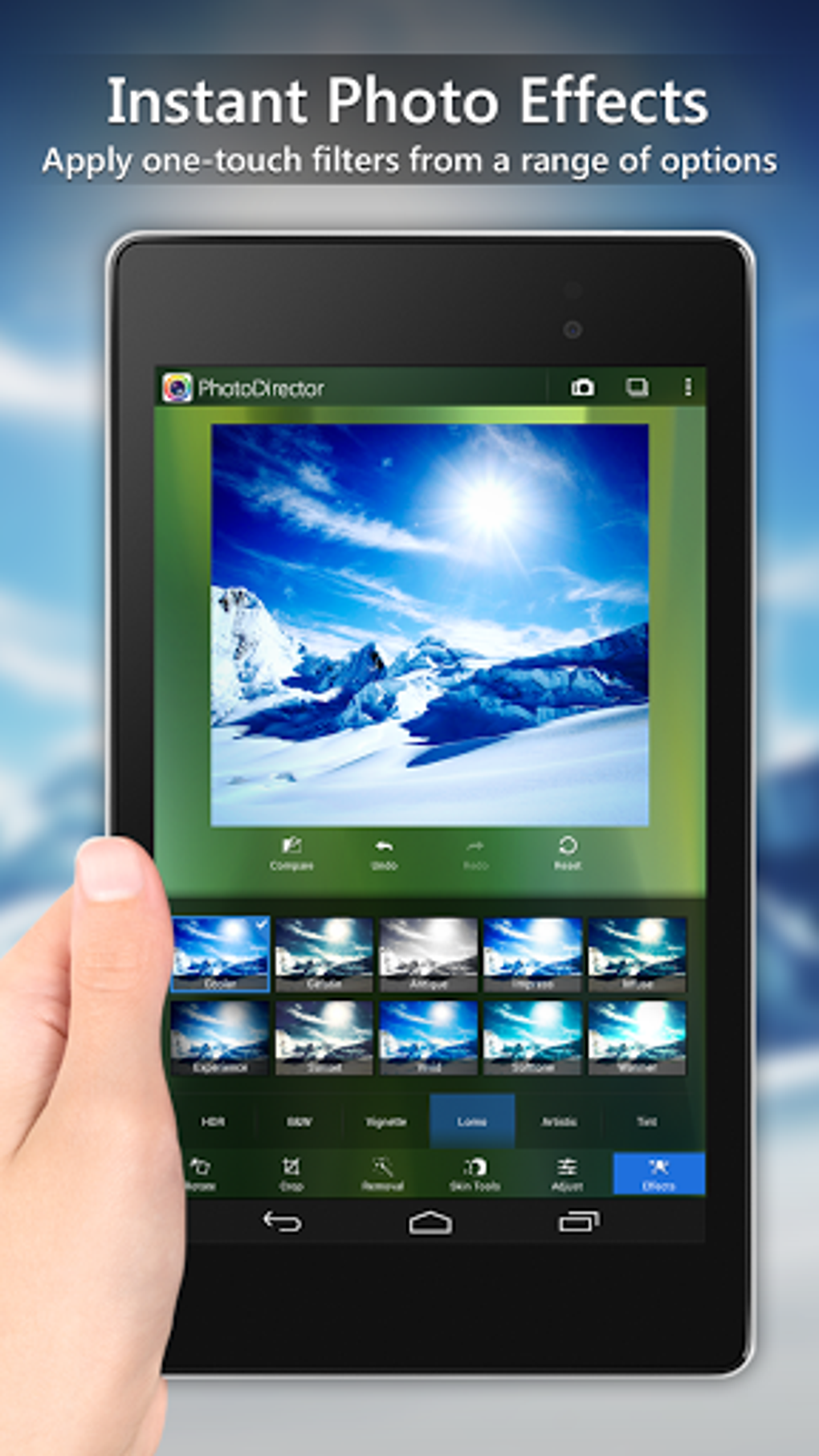
Creative Filters and Effects: PhotoDirector includes an extensive library of creative filters, including artistic effects like Lomo, Vignette, and HDR (High Dynamic Range). These effects add a unique stylistic touch to your photos, transforming ordinary images into compelling works of art. Users can choose from a variety of pre-set effects or experiment with custom adjustments to achieve the desired aesthetic. The app also provides features for simulating lens flare and light leaks, further enhancing the creative possibilities.
-
Object Removal and Enhancement Tools: One of PhotoDirector’s standout features is its Content-Aware Removal tool, which allows for the seamless removal of unwanted objects from your photos. This functionality is particularly useful for eliminating blemishes, distracting elements in the background, or even photobombers, resulting in cleaner and more aesthetically pleasing images. Furthermore, the Dehaze tool effectively reduces haze, fog, and mist from your photos, revealing clearer and more vibrant details, especially in landscape photography.
-
Collage Maker and Layering: PhotoDirector offers a powerful collage maker that allows you to combine multiple images into stunning compositions. This feature is ideal for creating story slideshows or visually appealing arrangements of your favorite photos. The app’s layering functionality, similar to desktop software, allows users to add additional images or layers to their photos, blending multiple elements seamlessly. This allows for complex photo manipulations and the creation of unique and artistic effects. One-click overlays provide a quick way to dramatically alter the mood and atmosphere of an image.
-
Blur and Bokeh Effects: PhotoDirector provides tools to create professional-looking blur effects, including linear and radial blur. These features are especially useful for creating a bokeh effect, drawing attention to specific elements within the image and softening the background, or achieving tilt-shift photography for a miniature effect.
-
Live Camera Effects: The app’s in-app camera allows users to apply live photo effects as they take pictures. This feature lets you see the results in real-time, allowing for precise adjustments and immediate creative control. Quick white balance correction and saturation adjustments ensure your photos are perfectly balanced from the moment the picture is taken.
-
Sharing and Exporting: After editing, users can easily share their enhanced photos on social media platforms like Facebook, Twitter, and Flickr. The app also offers InstaFill, a feature designed to prepare photos specifically for Instagram. PhotoDirector also allows you to directly set processed photos as your device’s wallpaper, streamlining the process of showcasing your favorite edits.
PhotoDirector’s Pros and Cons
Pros:
- Ease of Use: The app’s intuitive interface and streamlined workflow make it easy to use for both beginners and experienced users.
- Comprehensive Feature Set: PhotoDirector offers a wide range of tools for both basic and advanced photo editing, allowing for creative control.
- High-Quality Output: The app produces high-quality images, even at 4K resolution (depending on the device and the purchased version).
- Easy Sharing: Sharing edited photos on social media platforms is quick and simple.
- Mobile Convenience: The ability to edit photos directly on your mobile device eliminates the need for a computer.
Cons:
- Higher Device Specifications Required: The app requires devices with higher specifications to run smoothly, potentially excluding some older devices.
- Limited Image Format Support: The app only supports JPEG and PNG image formats.
- Paywall for Advanced Features: Some advanced features, such as unlimited object removal and the removal of watermarks, are hidden behind a paywall.
- Potential for In-App Purchases: While the basic app is free, users may feel compelled to purchase additional features or content packs.
Alternatives to PhotoDirector
While PhotoDirector is a strong contender in the mobile photo editing arena, several alternatives offer similar or overlapping functionality. These include:
- PicsPlay - Photo Editor: A well-recognized photo editing tool known for its user-friendly interface and extensive features.
- Procreate: A powerful sketching and painting app, more suited to digital art creation than photo editing.
- photopea: A pocket-sized advanced photo editor that packs considerable power into a compact application.
- ibis Paint X: A powerful drawing application with features that could be useful for some photo manipulation techniques.
- Other popular options: Many other mobile photo editors exist, each offering its unique strengths and weaknesses, including more established options such as Adobe Lightroom Mobile or Snapseed. The best alternative for you will depend on your specific needs and preferences.
Conclusion
PhotoDirector Photo Editor App offers a compelling blend of ease of use, powerful features, and mobile convenience. Its comprehensive toolset allows users to significantly enhance their photos, directly on their mobile devices. While some advanced features are locked behind a paywall, the free version provides a robust foundation for casual and semi-professional photo editing. If you are looking for a versatile mobile photo editing solution that doesn’t require transferring photos to a computer, PhotoDirector deserves serious consideration. However, potential users should be aware of the app’s minimum device requirements and the potential for additional in-app purchases. Ultimately, the decision to use PhotoDirector or an alternative depends on individual needs and preferences.
File Information
- License: “Free”
- Latest update: “July 19, 2025”
- Platform: “Android”
- OS: “Android 13.0”
- Language: “English”
- Downloads: “87.3K”
- Download Options: “Google Play”


