
Photolemur is a user-friendly photography software designed for desktop devices, offering a unique approach to photo editing. Unlike traditional photo editors that require extensive knowledge of various tools and settings, Photolemur leverages advanced algorithms and artificial intelligence to automatically enhance your images with a single click. This intuitive design makes it accessible to both novice and experienced photographers, providing a fast and efficient way to improve the quality of your photos without the steep learning curve associated with other software.
Streamlined Interface for Effortless Editing
Photolemur distinguishes itself through its clean and intuitive interface. The software eschews the complex sliders and menus found in many other photo editors, focusing instead on a simple, user-centered design that prioritizes ease of use. This minimalist approach doesn’t compromise on functionality; instead, it streamlines the editing process, allowing users to concentrate on the results rather than navigating a complex system. The emphasis is placed squarely on the image itself, making the editing experience both efficient and enjoyable. This user-friendly design is a key element in Photolemur’s appeal, making it accessible to a broader range of users who may be intimidated by more complex software.
Intelligent Enhancement with 12 Smart Technologies
At the heart of Photolemur’s capabilities lies its sophisticated AI engine, incorporating twelve distinct smart technologies. These technologies work in concert to analyze and automatically adjust various aspects of your photos, from subtle color corrections to more significant improvements in contrast and sharpness. The software intelligently identifies and optimizes key elements within the image, including faces, objects, colors, horizons, and skies. This holistic approach ensures that the entire image benefits from the enhancement process, resulting in a more natural and visually appealing outcome. This contrasts sharply with simpler editing tools that may apply a generic filter, often failing to address the specific nuances of individual photographs. Photolemur’s advanced algorithms are capable of discerning even the finest details, ensuring that each image is treated uniquely and optimized to its full potential.
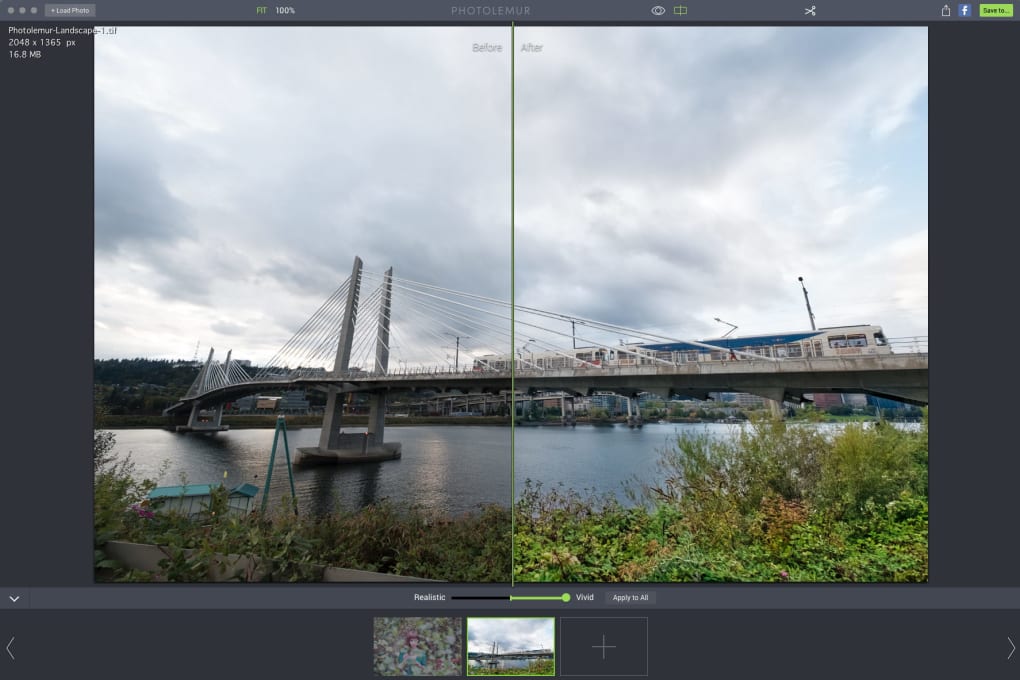
The software’s ability to distinguish even minute details and elements sets it apart. Instead of relying on generic filters that might alter the overall mood or aesthetic inappropriately, Photolemur’s intelligent processing ensures a tailored approach. It analyzes the individual characteristics of each photo, making nuanced adjustments to enhance its inherent qualities without imposing an artificial effect. This feature eliminates the need for users to manually experiment with various filters and settings, saving significant time and effort while producing consistently excellent results.
Batch Processing and Efficiency
Photolemur offers a significant advantage over many competing photo editors through its efficient batch processing capabilities. While the free version allows single image processing, the paid version unlocks the ability to enhance multiple images simultaneously. This feature is invaluable for photographers dealing with large volumes of images, such as wedding photographers or those who regularly shoot in burst mode. The batch processing feature allows users to simply drag and drop an entire folder of photos, and Photolemur will automatically process them all, saving countless hours that would otherwise be spent individually editing each picture. This efficiency boost dramatically accelerates the workflow, allowing photographers to focus more on shooting and less on post-processing. This level of automation is a key selling point for professionals and serious hobbyists alike.
The free version, while offering a taste of Photolemur’s capabilities, does include a watermark on exported images. This serves as a clear indicator of the software’s freemium model, encouraging users to upgrade to the paid version to remove the watermark and unlock the full potential of the batch processing feature. This strategy incentivizes users to explore the paid features, while simultaneously allowing individuals to try the software without financial commitment.
Designed for Convenience and Time-Saving
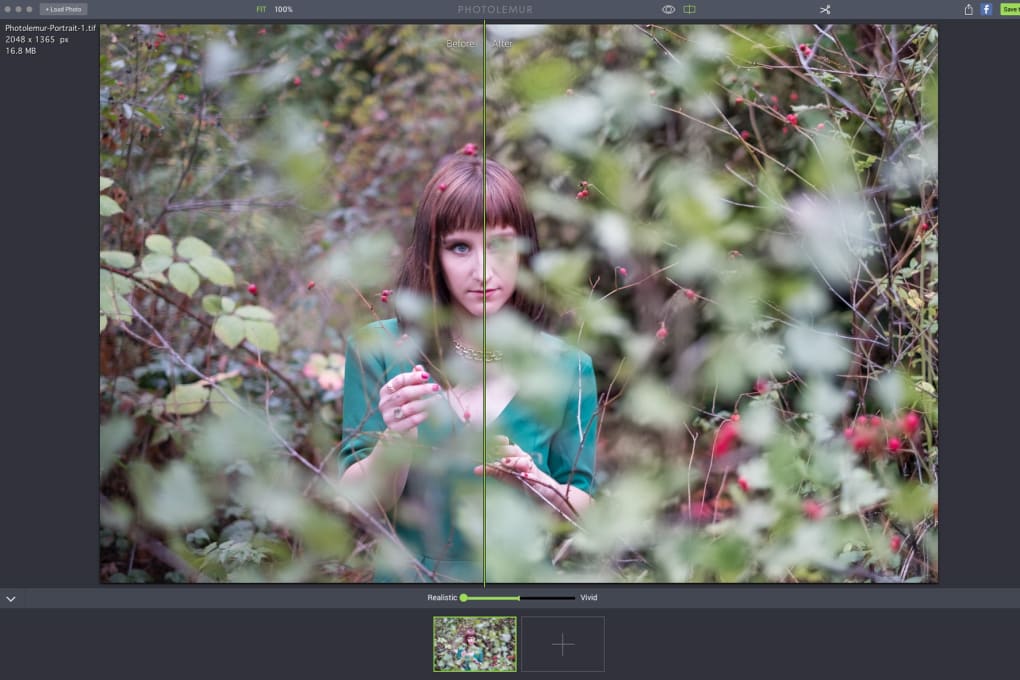
Photolemur’s primary design goal is user convenience. The software’s speed and efficiency contribute significantly to this goal. By automating much of the laborious manual adjustment that characterizes traditional photo editing, Photolemur frees up users to focus on other tasks or simply enjoy their photography. This time-saving aspect is a significant benefit, particularly for those who lack extensive photo editing experience or those who simply prefer a quick and effective solution. The software expertly balances ease of use with powerful features, making it an ideal choice for users of all skill levels.
The software is available in both a freemium and a paid version. The freemium model offers a valuable opportunity for users to experience the software’s capabilities before committing to a purchase. This allows users to assess the software’s performance and determine if it meets their needs before investing in the premium features. The paid version provides the full suite of capabilities, including the essential batch processing function and the removal of the watermark, representing a valuable investment for those who frequently edit images.
Advantages and Disadvantages of Photolemur
Pros:
- User-centered interface: The simple, intuitive design makes Photolemur accessible to a wide range of users, regardless of their technical expertise.
- Handy photo editor: It’s a powerful yet easy-to-use tool for improving the quality of your images.
- Advanced algorithms and artificial intelligence: The intelligent processing capabilities ensure nuanced and natural enhancements.
- One-click enhancement: Most adjustments are done automatically with a single click, drastically reducing editing time.
- Available on multiple platforms: It’s available on Windows and Mac, catering to a broad range of users.
Cons:
- Batch image processing is only available in the paid version: This is a significant limitation of the free version.
- The free version exports images with a watermark: While understandable for a freemium model, it limits the usability of the free version for sharing and professional use.
Alternatives to Photolemur
While Photolemur provides a unique and convenient solution for photo enhancement, several alternative options exist, each with its strengths and weaknesses. These alternatives offer differing levels of automation, control, and features. The best choice depends on individual needs and preferences, particularly regarding the level of manual control desired. Consider the following:
- LightZone: A more advanced photo editor offering extensive manual controls, suitable for users seeking more granular adjustments.
- PhotoDemon: A free and portable photo editor that provides a comprehensive range of tools, but lacks the automation of Photolemur.
- Pos Panorama Pro: A dedicated panorama stitching tool, not a general photo editor.
The decision to use Photolemur or an alternative depends on individual needs and priorities. If the priority is speed and simplicity, along with excellent AI-powered adjustments, Photolemur is an excellent choice. If more manual control and advanced features are required, then exploring the alternatives mentioned might be beneficial.
Conclusion
Photolemur presents a compelling solution for anyone seeking a quick and efficient way to enhance their photos. Its intelligent automation and user-friendly interface make it an ideal choice for photographers of all skill levels, from casual users to professionals. While the limitations of the free version are notable, the paid version offers substantial value for users needing batch processing and watermark-free images. Ultimately, Photolemur provides a convenient and effective method for enhancing photo quality without the complexity and time investment typically associated with traditional photo editing software. Its streamlined design and powerful AI make it a strong contender in the crowded field of photo editing applications.
File Information
- License: “Free”
- Version: “1.0.1”
- Latest update: “May 22, 2023”
- Platform: “Windows”
- OS: “Windows 8”
- Language: “English”
- Downloads: “13K”


