
Serif PhotoPlus Starter Edition is a free image editing software designed to provide users with a straightforward and accessible introduction to photo manipulation. While not as feature-rich as professional-grade applications like Adobe Photoshop, it offers a solid foundation of tools and functionalities that cater particularly well to beginners and those seeking a simple yet effective photo editing solution. This review delves into its strengths and limitations, providing a comprehensive assessment of its usability, features, and overall value.
Ease of Use and Interface Navigation
One of PhotoPlus Starter Edition’s most significant strengths lies in its intuitive and user-friendly interface. The software’s layout is designed to be easily navigable, even for users with minimal experience in photo editing. The tools are logically arranged, and the overall aesthetic is clean and uncluttered, avoiding the overwhelming complexity often associated with more powerful image editing programs. This straightforward approach minimizes the learning curve, allowing users to quickly grasp the basics and begin editing their photos without significant frustration. The program’s functionality is readily accessible; crucial tools are easily located and implemented, streamlining the editing process. The QuickFix Studio, for example, allows rapid adjustments to brightness, contrast, and sharpness, making quick corrections a breeze.
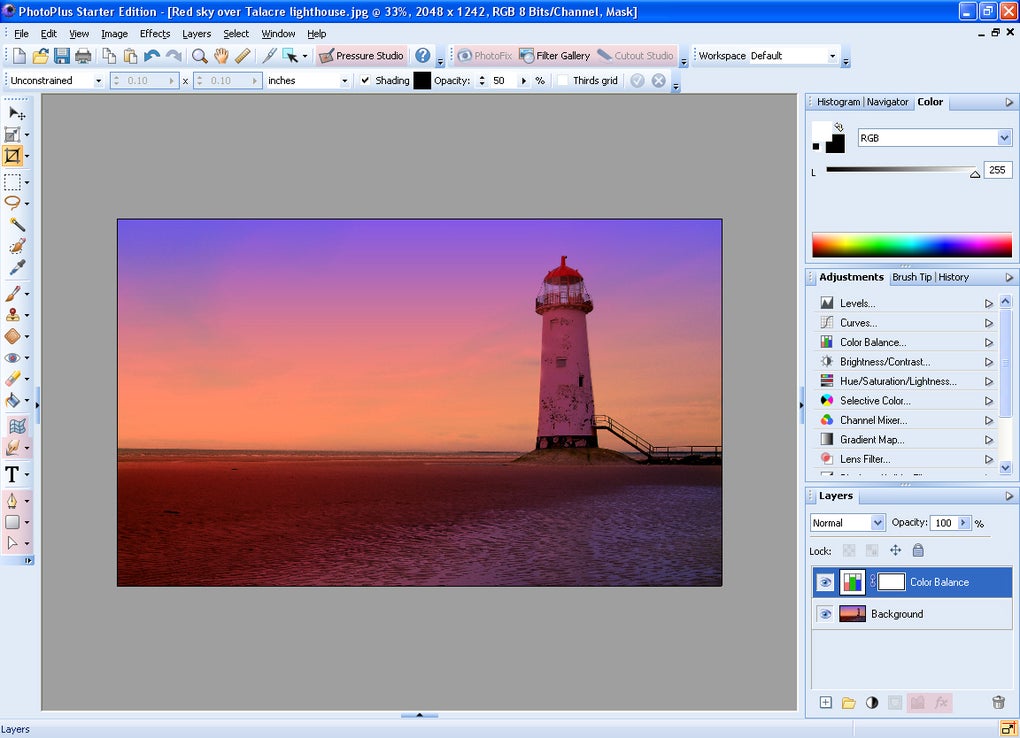
This ease of use extends beyond the basic tools. Even features like working with layers, while potentially complex in other software, are implemented in a manner that is relatively simple to understand and utilize within PhotoPlus Starter Edition. This accessibility makes the program a valuable tool for learning fundamental photo editing techniques without the intimidation factor of more advanced software. The ability to open multiple documents simultaneously further enhances workflow efficiency, allowing for comparison and seamless transitions between projects. A notable feature is the inclusion of a drawing tool, adding a creative dimension beyond basic photo retouching. This versatility enables users to incorporate hand-drawn elements into their images, opening up further avenues for personalized creative expression.
Feature Set and Capabilities
While PhotoPlus Starter Edition’s simplicity is a key advantage, it’s crucial to acknowledge that some limitations exist. The free version deliberately restricts access to several of the more advanced features, reserving them for the paid edition. This strategic limitation focuses the free version on essential editing capabilities, making it an ideal entry point for beginners. Users familiar with more complex photo editing software might find the feature set somewhat restricted. The absence of advanced features like extensive layer masking or sophisticated color correction tools limits the program’s potential for highly specialized editing tasks. This targeted approach, however, prevents the interface from becoming overly cluttered with complex options that might confuse novice users.
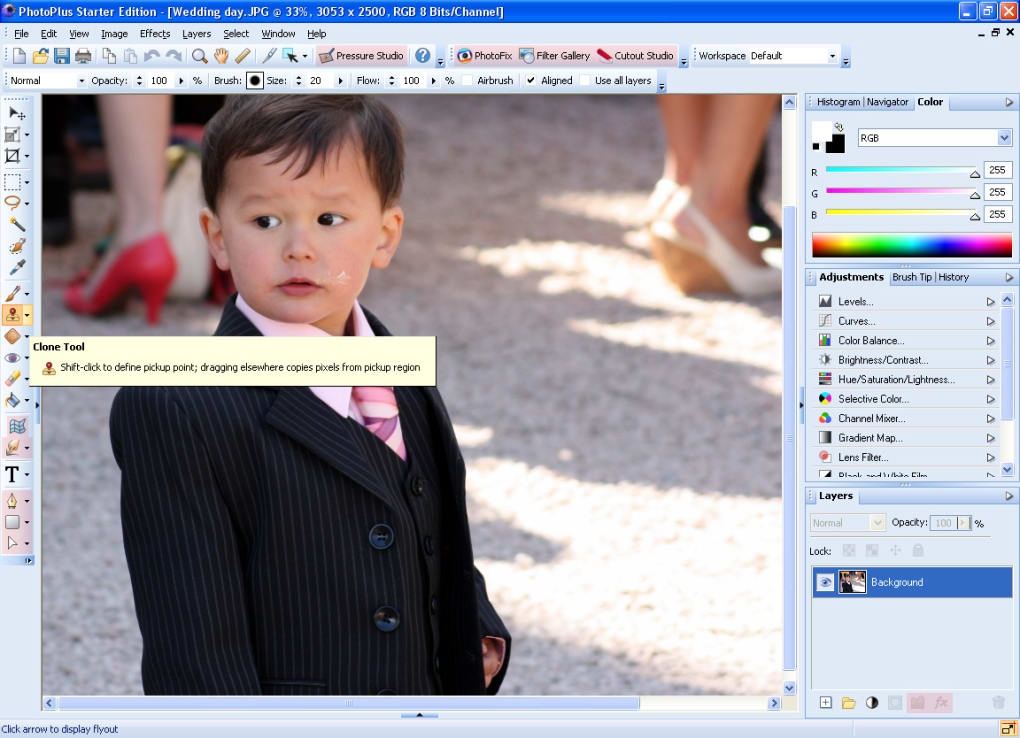
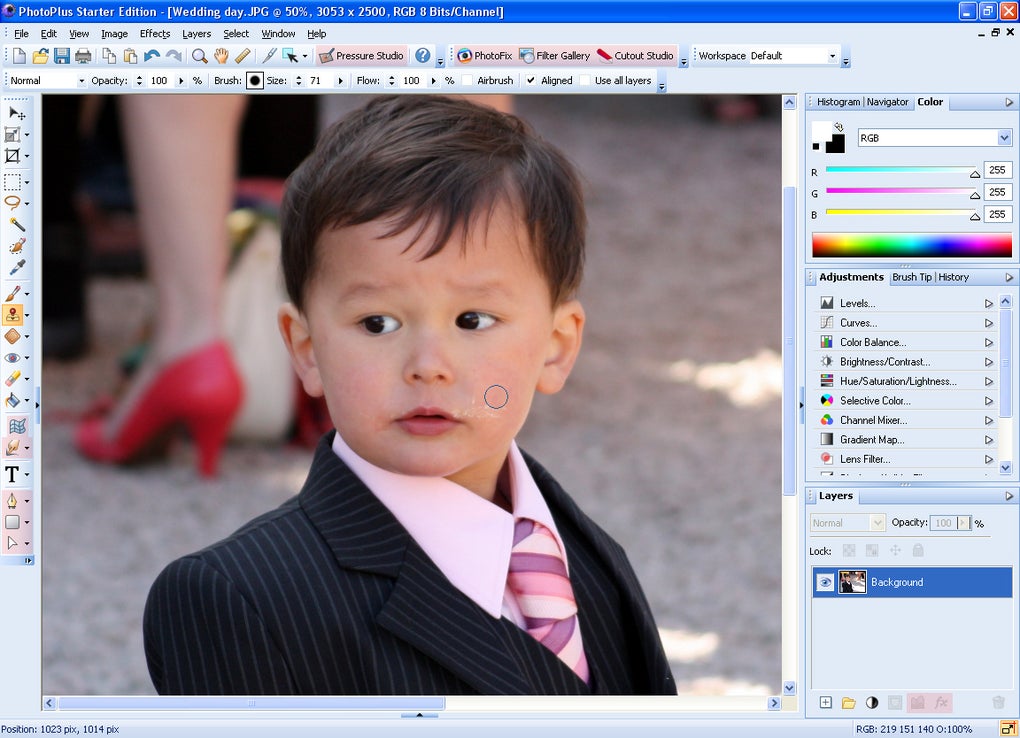
The program excels in delivering a balanced collection of basic and intermediate tools. The inclusion of functionalities such as red-eye reduction, cropping, straightening, and adjustments to brightness, contrast, and sharpness are essential for addressing common photo flaws. The range of creative tools is respectable for a free program, with options to add artistic text, utilize a variety of brushes, and apply effects such as sepia toning or hue/saturation adjustments. The non-destructive nature of many adjustments ensures that original image data remains unaltered, allowing for experimentation and revisions without permanently altering the source file. This is a crucial feature for beginners, reducing the risk of irreparable damage to precious images. The built-in AlbumPlus Organizer offers a practical solution for managing and organizing growing photo collections, a valuable asset for those with large volumes of images.
The free version’s focus on fundamental tasks, however, means that users seeking professional-level tools for complex manipulations or high-end retouching will need to explore other, more advanced options. This is not necessarily a criticism, but rather an acknowledgement of the software’s targeted audience and intended functionality. The availability of the paid version does offer an upgrade path for those who find their needs outgrowing the free edition’s capabilities.
Comparison with Alternative Software
Serif PhotoPlus Starter Edition occupies a specific niche within the landscape of photo editing software. It’s not designed to compete directly with industry giants like Adobe Photoshop or even more feature-rich alternatives like GIMP. Instead, it serves as an accessible introduction to photo editing, providing a solid foundation for beginners without the steep learning curve associated with more complex software. In comparison to other free alternatives, PhotoPlus Starter Edition stands out due to its user-friendly interface and well-organized toolset. Programs like Paint.NET offer significant functionality, but they may present a steeper learning curve for novice users. Other free options might be more simplistic in their feature set, lacking the range of tools available in PhotoPlus Starter Edition.
The inclusion of the AlbumPlus Organizer sets it apart from many free alternatives, providing a centralized location for image management and organization. This integration is a practical addition, particularly beneficial for users who struggle with managing large photo libraries. For users seeking a balance between ease of use and a reasonable feature set, PhotoPlus Starter Edition provides a compelling alternative to more demanding and complex alternatives.
Limitations and Considerations
The most significant limitation of PhotoPlus Starter Edition is the restriction of advanced features to the paid version. This is a standard practice for many free software applications, but it does affect the overall capabilities for those who remain within the confines of the free edition. Tutorials, a valuable resource for learning the software, are also exclusively available in the paid version, potentially hindering learning for some users. The lack of extensive support documentation or community forums could also pose challenges for users encountering specific issues or needing detailed explanations of advanced features.
While the interface is generally intuitive, users might encounter a slight learning curve, especially when exploring more advanced functions within the free limitations. The reliance on the paid version for tutorials might prove frustrating for those eager to explore the software’s full potential without purchasing the paid license. Ultimately, the user experience will depend greatly on the individual’s familiarity with image editing software and their tolerance for limitations within the free edition.
Conclusion
Serif PhotoPlus Starter Edition effectively bridges the gap between casual photo editing and more advanced image manipulation. Its simple interface and accessible tools make it an ideal entry point for beginners. The software’s emphasis on usability and its straightforward design ensures that users can focus on learning fundamental photo editing techniques without becoming overwhelmed by complex features. While certain advanced features are locked behind a paywall, the free version provides a solid foundation of tools and functionalities that cater well to a broad range of users. The program’s strengths lie in its ease of use, accessibility, and its well-organized interface. However, users seeking advanced features or extensive support resources should consider the paid version or explore more professional-grade alternatives. For those seeking a simple, yet functional free photo editor, Serif PhotoPlus Starter Edition presents a strong and worthy contender.
File Information
- License: “Free”
- Version: “3.0”
- Latest update: “November 8, 2010”
- Platform: “Windows”
- OS: “Windows Vista”
- Language: “English”
- Downloads: “141.2K”
- Size: “118.36 MB”


