
PhotoShoot App, developed by Shavkun Maria, is a free Android-based multimedia application designed to elevate your mobile photography experience. This user-friendly app provides a comprehensive suite of tools for enhancing images, making it accessible to both novice and experienced photographers. Whether you’re looking to subtly adjust lighting or dramatically transform your pictures with filters, PhotoShoot App offers the flexibility to achieve your desired aesthetic. Its intuitive interface ensures ease of use, even for those without extensive photo editing experience. This detailed guide will explore the app’s capabilities, features, and its place within the broader landscape of mobile photography applications.
Key Features of PhotoShoot App
PhotoShoot App stands out from the crowd of mobile photo editors with its robust feature set and user-friendly design. Here are some of its key strengths:
-
Intuitive Interface: The app boasts an exceptionally intuitive interface, making it easy for users of all skill levels to navigate and utilize its features. The controls are well-organized, logically grouped, and visually clear, minimizing the learning curve and allowing users to focus on creative expression rather than technical complexities. This ease of use is a significant advantage, especially for casual photographers who may not be comfortable with complex photo editing software.
-
Comprehensive Editing Tools: PhotoShoot App offers a wide array of editing tools that cater to a diverse range of photographic needs. Users can adjust various parameters to fine-tune their images, including:
-
Lighting Adjustments: Precise control over brightness, contrast, shadows, and highlights allows for significant improvements to the overall image quality. Users can correct poorly lit photos, enhance the mood and atmosphere, and bring out details that might otherwise be lost.
-
Filter Application: A vast library of filters provides a quick and easy way to dramatically alter the look and feel of photos. These filters range from subtle enhancements to bold stylistic choices, allowing users to experiment with different aesthetics and find the perfect style to match their vision.
-
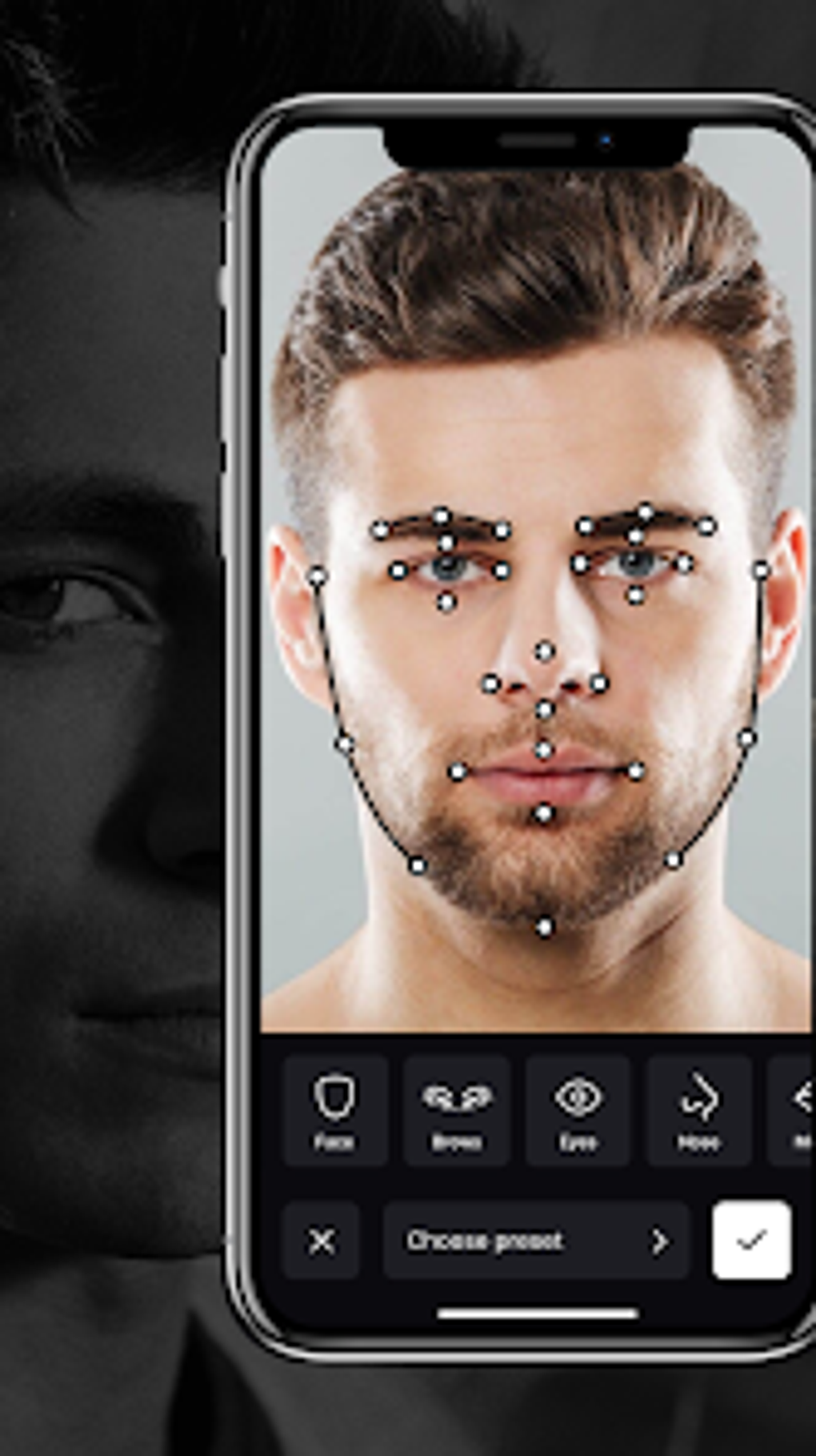
Facial Feature Adjustments: A unique feature of PhotoShoot App is the ability to precisely adjust facial features. Users can subtly enhance or alter aspects like eyebrows, eyes, nose, and overall face shape. This fine-grained control can be invaluable for portrait photography, allowing for subtle improvements or more significant stylistic choices. This feature sets PhotoShoot App apart from many competitors, offering a more personalized and targeted editing experience.
-
-
Ease of Use for Beginners: While offering advanced functionality, the app maintains a user-friendly approach, ensuring accessibility for beginners. The straightforward interface, combined with clearly labelled tools and controls, minimizes the learning curve. This makes PhotoShoot App an ideal choice for those new to photo editing or those looking for a quick and easy way to enhance their images without needing extensive technical knowledge.
-
Free Availability: PhotoShoot App’s free availability makes it accessible to a wide audience, removing financial barriers to entry for aspiring photographers and mobile photography enthusiasts. This affordability promotes widespread usage and allows users to explore its features without any upfront investment.
PhotoShoot App in Comparison to Other Mobile Photo Editors
The market for mobile photo editing apps is crowded, with many applications offering similar functionalities. However, PhotoShoot App differentiates itself through a combination of its intuitive interface, comprehensive feature set, and focus on ease of use, especially regarding facial feature adjustments.
While many apps offer basic adjustments like brightness, contrast, and filter applications, PhotoShoot App’s ability to precisely control facial features is a unique selling point. This precise control allows for more natural-looking enhancements and enables users to achieve stylistic results not readily available in competitor apps. The app’s user-friendly interface further enhances its appeal, allowing users to easily access and utilize these features without a steep learning curve.
Many competing apps might excel in specific areas—such as advanced AI-powered tools or a wider range of filter options—but PhotoShoot App strikes a balance between comprehensive features and user-friendliness. This balance makes it a versatile option for users who want a powerful yet accessible photo editing experience on their mobile devices.
Utilizing PhotoShoot App: A Step-by-Step Guide
The ease of use is a core aspect of PhotoShoot App’s design. The following step-by-step guide will walk through the basic workflow:
-
Download and Installation: Download PhotoShoot App from the Google Play Store onto your Android device. The installation process is straightforward and typically only takes a few minutes.
-
Import Image: After launching the app, import the image you wish to edit. PhotoShoot App typically supports various image formats, allowing for broad compatibility with different camera systems and file types.
-
Editing Tools: The editing interface will present a range of tools, clearly categorized and accessible through intuitive icons. Experiment with the available tools—adjusting brightness, contrast, shadows, and highlights—to fine-tune the image’s lighting.
-
Filter Selection: Explore the vast library of filters to achieve specific stylistic effects. Apply filters and experiment with different combinations to find the aesthetic that best complements your photo.
-
Facial Feature Adjustment: A unique strength of PhotoShoot App is the precision with which it allows you to modify facial features. Carefully adjust elements like eyebrows, eyes, nose, and face shape to enhance your portraits. Remember to use subtle adjustments to maintain a natural appearance.
-
Saving and Sharing: Once you’re satisfied with your edits, save the modified image to your device’s gallery. PhotoShoot App also typically integrates sharing options allowing for seamless posting on social media platforms.
The entire process is designed to be intuitive and efficient. Users should find that they can quickly learn to navigate the app and enhance their photographs effectively.
The Future of PhotoShoot App and Mobile Photography
The mobile photography landscape is constantly evolving, with new technologies and trends emerging regularly. PhotoShoot App is well-positioned to adapt to these changes. Future updates could include:
-
AI-Powered Features: Integrating AI-powered tools for automated enhancements, such as background removal, object removal, or intelligent upscaling, would further enhance the app’s functionality.
-
Expanded Filter Library: Continuously updating the filter library with new and trending styles could keep the app fresh and engaging for users.
-
Community Features: Adding social features, allowing users to share their creations and connect with other photographers, could create a vibrant community around the app.
-
Cross-Platform Compatibility: Extending the app’s availability beyond Android to iOS devices would significantly expand its reach and user base.
PhotoShoot App’s success depends on its ability to adapt to these advancements and maintain its commitment to user-friendly design and robust editing tools. The app’s current functionality already provides a strong foundation, and future development has the potential to solidify its position as a leading mobile photo editing application. Its intuitive interface and unique facial feature adjustment tools provide a compelling value proposition that will likely attract a growing user base in the years to come.
File Information
- License: “Free”
- Version: “1.0.1”
- Latest update: “February 22, 2024”
- Platform: “Android”
- OS: “Android 13.0”
- Language: “English”
- Downloads: “1.9K”
- Download Options: “Google Play”


