
PhotoWorks is a versatile graphic and design tool marketed as a simplified alternative to industry-standard software like Photoshop. While not as feature-rich as its professional counterpart, PhotoWorks provides a compelling option for both novice and experienced users seeking a streamlined approach to photo editing, retouching, and enhancement. This in-depth review will explore PhotoWorks’ capabilities, user experience, advantages, and limitations.
Intuitive Interface and Ease of Use
One of PhotoWorks’ most significant strengths is its intuitive and user-friendly interface. The software boasts a clean, uncluttered design, making navigation easy, even for those unfamiliar with photo editing software. Tools are neatly organized into clearly labeled tabs, eliminating the need for extensive searching or navigating complex menus. This streamlined approach allows users to focus on their creative process rather than grappling with the software itself. The ease of use extends to the core functionalities, with straightforward controls for even advanced features like selective color correction, which often proves challenging in more complex programs. The application aims to empower users to enhance and retouch photos quickly and efficiently, minimizing the learning curve often associated with photo editing software.
A Robust Toolkit for Photo Enhancement and Retouching
PhotoWorks provides a comprehensive suite of tools designed to enhance image quality and perform detailed retouching. Its capabilities extend beyond basic adjustments, offering advanced features usually found only in professional-grade applications. These features include:
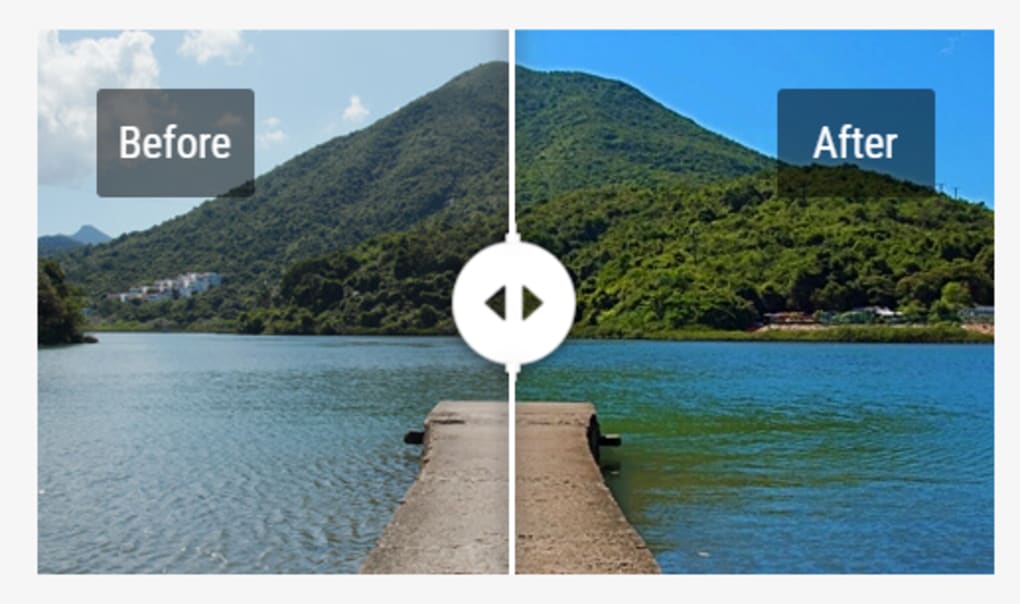
- Intelligent Image Enhancement: PhotoWorks employs intelligent algorithms to automatically correct common photo flaws, such as overexposure, underexposure, and distortions. This automated correction saves considerable time and effort, particularly for users dealing with a large number of images. The software intelligently analyzes images and applies corrections to enhance clarity, boost colors, and sharpen blurry areas. This reduces the need for extensive manual adjustments for many typical issues.
-
Selective Color Correction: This powerful feature allows users to modify the hue, saturation, and luminance of specific colors within an image without affecting surrounding areas. This precision control is vital for achieving professional-looking results and is surprisingly accessible within PhotoWorks’ user-friendly interface. The drag-and-drop slider system makes this complex process remarkably intuitive.
-
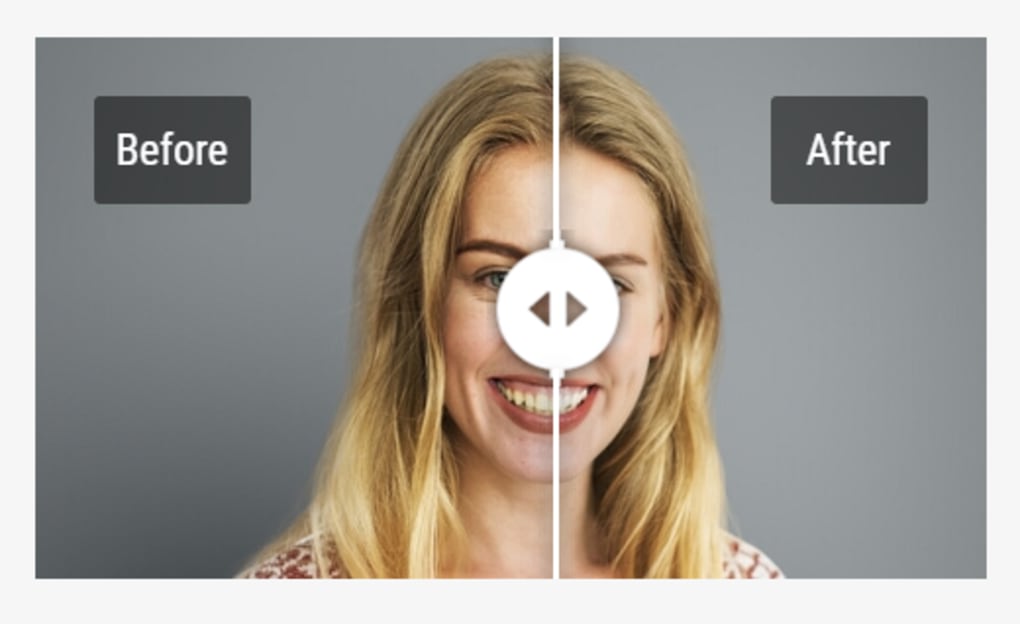
Professional Retouching: PhotoWorks includes a robust retouching toolkit for perfecting portraits. Users can utilize convenient brushes to remove blemishes, even skin tone, whiten teeth, and alter eye and hair color. Advanced techniques like background blurring and vignette addition are also available, adding professional polish to portraits. This functionality allows for detailed control over finer aspects of image enhancement, addressing imperfections that might require considerable effort in other software.
-
Batch Processing: PhotoWorks significantly improves efficiency by allowing users to process multiple images simultaneously. Batch processing saves valuable time when working with large volumes of photos, particularly when applying consistent edits across a collection. This feature allows for bulk adjustments, ensuring consistency across multiple images without repetitive manual work.
-
One-Click Effects: For users preferring a quicker workflow, PhotoWorks offers numerous one-click effects, including popular filters like sepia, black and white, HDR, color splash, and color toning. These presets cater to diverse aesthetic preferences, allowing users to quickly transform their photos with minimal effort. This approach is particularly beneficial for those seeking quick edits or stylistic changes without extensive manual adjustments.
-
Text and Frames: The ability to personalize images with text and frames is a significant advantage. Users can add custom text with a variety of pre-set styles or create unique watermarks to protect their intellectual property. The assortment of frames allows users to enhance image composition and presentation, adding a personal touch or stylistic element to the final product. This adds a level of personalization that complements the core image enhancement capabilities.
- Non-Destructive Editing: PhotoWorks employs a non-destructive editing workflow, ensuring that the original image remains untouched. This feature allows users to freely experiment with different edits, revert to previous versions, and refine their work without the fear of permanently altering the original file. This approach facilitates experimentation and reduces the risk of accidental data loss.
Beyond the Core Features: Tutorials and Additional Capabilities
PhotoWorks recognizes the needs of both experienced and novice users and includes several features to ease the user experience. For beginners, comprehensive tutorial videos are available online. These step-by-step tutorials guide users through the software’s capabilities, providing detailed explanations of tools and techniques. While requiring an active internet connection, this resource significantly reduces the learning curve and ensures users can maximize the potential of PhotoWorks’ features. This added support enhances accessibility, allowing individuals of varying skill levels to benefit from the software.
Beyond the core editing functions, the software incorporates features like customizable crop presets to optimize image composition. Users can utilize standard overlays such as the Rule of Thirds, Golden Ratio, and Golden Spiral to enhance aesthetic balance and improve the overall visual appeal of their images.
Limitations and Considerations
While PhotoWorks offers many compelling features, several limitations should be considered. The most significant drawback is the limited free trial duration. The free version provides access to the software’s features for only six days, after which users must purchase a license for continued use. This short trial period might be insufficient for comprehensive evaluation, particularly for those unfamiliar with the software’s capabilities.
Another limitation is the reliance on an internet connection to access online tutorial videos. While the videos are a valuable resource, users without consistent internet access might face challenges learning to use all features effectively. The software could benefit from integrating some tutorials directly into the application to improve usability for offline users.
PhotoWorks: A Worthy Alternative
PhotoWorks presents a compelling alternative to more complex and expensive photo editing software. Its user-friendly interface, comprehensive editing tools, and helpful tutorials make it accessible to both beginners and seasoned users. While the short free trial and online tutorial reliance might pose minor inconveniences, the overall capabilities and ease of use position PhotoWorks as a strong contender for those seeking a balance between simplicity and robust functionality in their photo editing workflow. The software effectively bridges the gap between casual photo enhancement and professional-level retouching, making it a versatile tool for diverse user needs.
File Information
- License: “Trial version”
- Latest update: “July 11, 2023”
- Platform: “Windows”
- OS: “Windows 7”
- Language: “English”
- Downloads: “20.1K”
- Size: “201.57 MB”


