
PhpStorm, a flagship product from JetBrains, stands as a leading Integrated Development Environment (IDE) meticulously crafted for PHP developers. More than just a code editor, PhpStorm offers a comprehensive suite of tools designed to streamline the development process, enhance productivity, and significantly reduce the time spent on mundane tasks. This in-depth analysis explores the features, benefits, and considerations surrounding PhpStorm, examining its strengths and weaknesses compared to alternative options.
Unparalleled Features for PHP Development
PhpStorm’s core strength lies in its deep understanding of PHP’s nuances and complexities. The IDE excels at providing intelligent code completion, significantly reducing the need for manual typing and minimizing errors associated with inconsistent PHP naming conventions. This autocompletion extends beyond PHP to encompass a broad spectrum of related technologies frequently employed by PHP developers, including HTML, CSS, JavaScript, and even CoffeeScript. This seamless integration streamlines the workflow for projects incorporating multiple languages, promoting consistency and reducing context switching.

Beyond autocompletion, PhpStorm offers powerful code refactoring capabilities. Refactoring is the process of restructuring existing code without altering its external behavior. This involves tasks such as renaming variables, methods, or classes, extracting methods, moving code, and introducing interfaces. PhpStorm’s sophisticated refactoring tools ensure these operations are carried out safely and reliably, preventing accidental breakage of the codebase. The IDE provides intelligent suggestions and warnings, helping developers avoid potential pitfalls and maintain a clean, well-organized code structure.
Debugging is an inevitable part of software development, and PhpStorm equips developers with robust debugging tools. The integrated debugger allows developers to step through their code line by line, inspect variables, set breakpoints, and identify the root cause of errors quickly and efficiently. This saves considerable time and effort compared to traditional debugging methods that often rely on manual logging or print statements. The debugging tools seamlessly integrate with various PHP frameworks and technologies, making them applicable across a wide range of project setups.
Navigation through large and complex PHP projects can be challenging, but PhpStorm’s intelligent navigation features address this issue effectively. The IDE offers advanced search capabilities, enabling developers to quickly locate specific files, functions, or classes. Furthermore, it provides a structured view of the project, simplifying the process of understanding the relationships between different code components. Features like “Go to Declaration,” “Find Usages,” and “Structure View” drastically reduce the time spent searching for specific pieces of code.
Streamlining Workflow and Enhancing Productivity
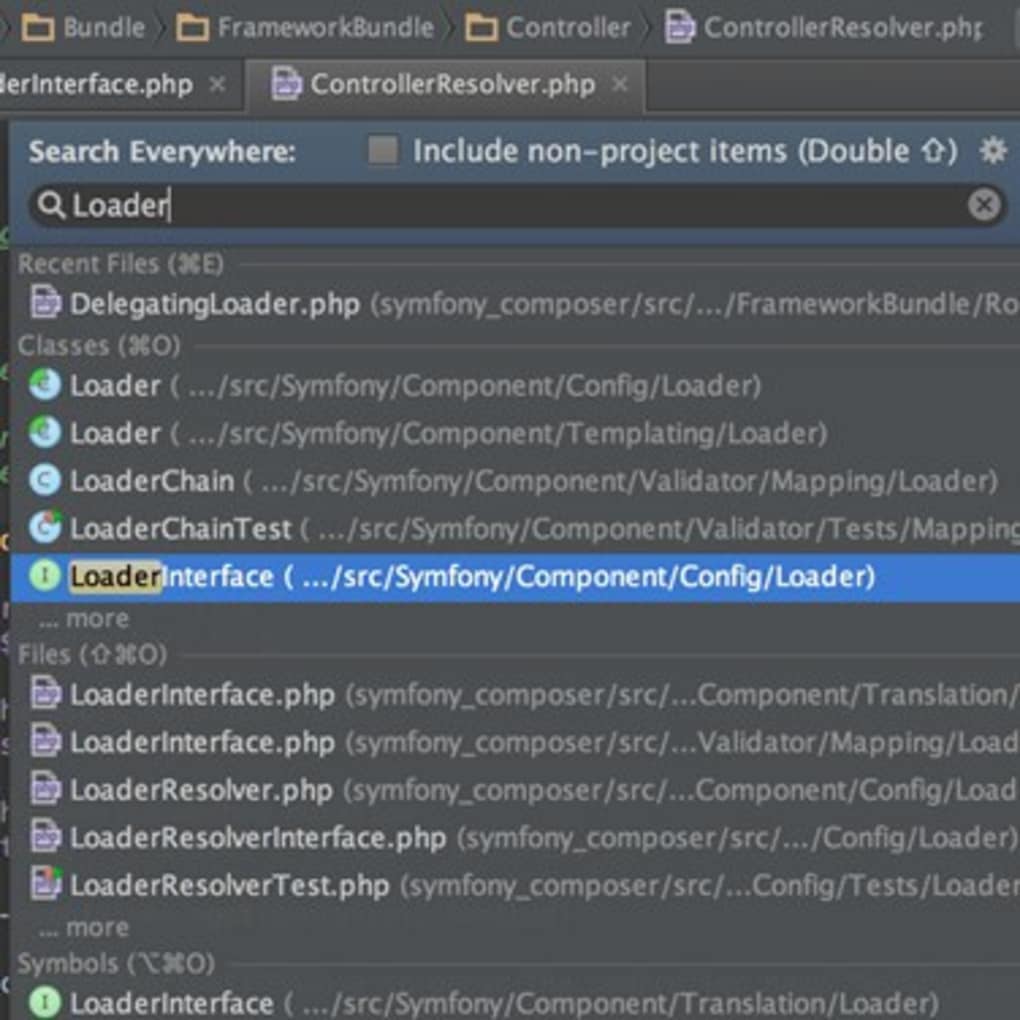
The impact of PhpStorm extends beyond individual features to encompass a holistic improvement in developer workflow and productivity. By automating repetitive and time-consuming tasks, PhpStorm allows developers to focus on the core logic of their applications rather than wrestling with syntactic details or navigating cumbersome code structures.
One significant benefit is the reduction in errors. The IDE’s intelligent code completion and refactoring capabilities significantly lower the probability of introducing bugs during the coding process. The early detection of errors through sophisticated static analysis tools further mitigates the risk of issues arising later in the development cycle. This proactive approach minimizes the time and effort spent on debugging, shortening the overall development timeline.
Moreover, PhpStorm encourages code consistency and readability. By providing consistent formatting and style guidelines, the IDE promotes a clean and maintainable codebase. This is particularly important in team-based development environments where multiple developers work on the same project. Consistent code style enhances collaboration, making it easier for team members to understand and modify each other’s code.
The integration of version control systems like Git is another significant productivity booster. PhpStorm offers built-in support for Git, enabling developers to manage their code repositories directly from the IDE. This seamless integration eliminates the need to switch between the IDE and a separate Git client, streamlining the development workflow. Features like commit history visualization, branching and merging tools, and conflict resolution assistance further enhance the efficiency of version control management.
Cost Considerations and Alternative Solutions
Despite its powerful features and productivity enhancements, PhpStorm is a commercial product with a relatively high price tag. This cost can be a significant factor for individual developers or smaller organizations with limited budgets. Several free and open-source alternatives exist, some of which offer comparable functionality in specific areas, although typically lacking the comprehensive feature set of PhpStorm.
The decision of whether to invest in PhpStorm ultimately depends on individual needs and priorities. For serious PHP developers or organizations with substantial development projects, the productivity gains offered by PhpStorm’s sophisticated features frequently justify the cost. The time saved on debugging, code navigation, and refactoring can translate into significant cost savings in the long run. However, for less demanding projects or individuals with limited budgets, a free alternative might be a more suitable option. A careful evaluation of the features and cost associated with both paid and free IDEs is crucial for making an informed decision.
Comparing PhpStorm to Competitors
Several other IDEs and code editors cater to PHP development, each with its own strengths and weaknesses. Some notable competitors include:
-
WebStorm: While primarily a JavaScript IDE, WebStorm also provides excellent support for PHP development, especially when working on projects with a strong front-end component. It integrates seamlessly with various JavaScript frameworks and libraries, making it a good choice for projects that heavily rely on JavaScript. However, its PHP support is not as comprehensive as PhpStorm’s.
-
PHPStorm (Other Platforms): While the core functionality remains consistent across platforms (Windows, macOS, Linux), specific system integration details might vary. Ensure you choose the version compatible with your operating system for optimal performance and feature availability.
-
VS Code: A popular and versatile code editor, VS Code boasts extensibility through extensions providing enhanced PHP support. While free and lightweight, achieving PhpStorm’s level of sophisticated integration and feature richness often requires installing and configuring multiple extensions, introducing complexity.
-
Sublime Text: A highly customizable text editor, Sublime Text offers a lightweight approach to PHP development. However, native PHP support is limited; substantial customization through plugins is needed to approach the functionality of a full-fledged IDE like PhpStorm. This often entails a steeper learning curve for configuration and plugin management.
- Atom: Similar to VS Code, Atom is a highly extensible code editor that relies on community-developed packages to enhance its functionality. While offering a flexible platform, configuring Atom for PHP development to match PhpStorm’s feature set demands considerable effort and a deep understanding of extension management.
The choice between these alternatives depends on the scale and complexity of the projects, the developer’s familiarity with different IDEs or editors, and the budget constraints. While free options like VS Code and Atom offer a viable pathway, particularly for smaller projects, PhpStorm’s comprehensive toolset and streamlined workflow often prove invaluable for larger, more complex undertakings.
Conclusion: PhpStorm – A Powerful Investment for Serious PHP Developers
In conclusion, PhpStorm is a powerful and highly effective IDE for PHP development, offering a comprehensive suite of features that significantly enhance productivity and reduce the time spent on repetitive tasks. Its intelligent code completion, robust debugging tools, and advanced refactoring capabilities contribute to cleaner, more maintainable code and fewer errors. While the cost can be a factor, the significant productivity gains and reduction in development time often justify the investment for serious PHP developers and organizations. However, for smaller projects or individuals with budget limitations, carefully evaluating free alternatives is essential to determine the most appropriate development environment. The ultimate decision hinges on a thoughtful analysis of project needs, budget constraints, and the developer’s familiarity with various IDEs and code editors.
File Information
- License: “Full”
- Version: “varies-with-device”
- Latest update: “March 29, 2017”
- Platform: “Windows”
- OS: “Windows 8.1”
- Language: “English”
- Downloads: “23.3K”


