
Picsart Photo Editor is a multifaceted application that seamlessly blends the functionality of a professional-grade photo and video editor with the engaging aspects of a vibrant social media platform. This comprehensive guide delves into the app’s extensive features, exploring its capabilities for both casual users and seasoned digital artists. We’ll examine its various tools, explore how to create custom stickers, and discuss its pros and cons to provide a complete understanding of what Picsart offers.
A Deep Dive into Picsart’s Editing Capabilities
Picsart’s strength lies in its remarkably comprehensive suite of editing tools. Whether you’re aiming for subtle enhancements or dramatic transformations, the app provides the resources to achieve your creative vision. The user interface, while initially appearing extensive, is surprisingly intuitive, guiding users through the editing process with ease.
Basic Editing: The app provides a standard set of editing tools commonly found in many photo editing applications. These include features such as cropping, resizing, rotating, and straightening images. Users can adjust brightness, contrast, saturation, and sharpness, fine-tuning the overall aesthetic of their images. These fundamental tools form the bedrock of any successful editing workflow and are readily accessible within Picsart.
Advanced Editing: Beyond the basics, Picsart boasts a wealth of advanced features that elevate it above many competing applications. The “Retouch” tab, for example, grants users exceptional control over fine details within their images. This section allows for adjustments to hair color, eye color, and skin tone, offering a level of precision rarely found in free applications. The “Blemish Fix” command effectively removes unwanted marks and imperfections, while the “Teeth Whiten” feature enhances the brightness of smiles.
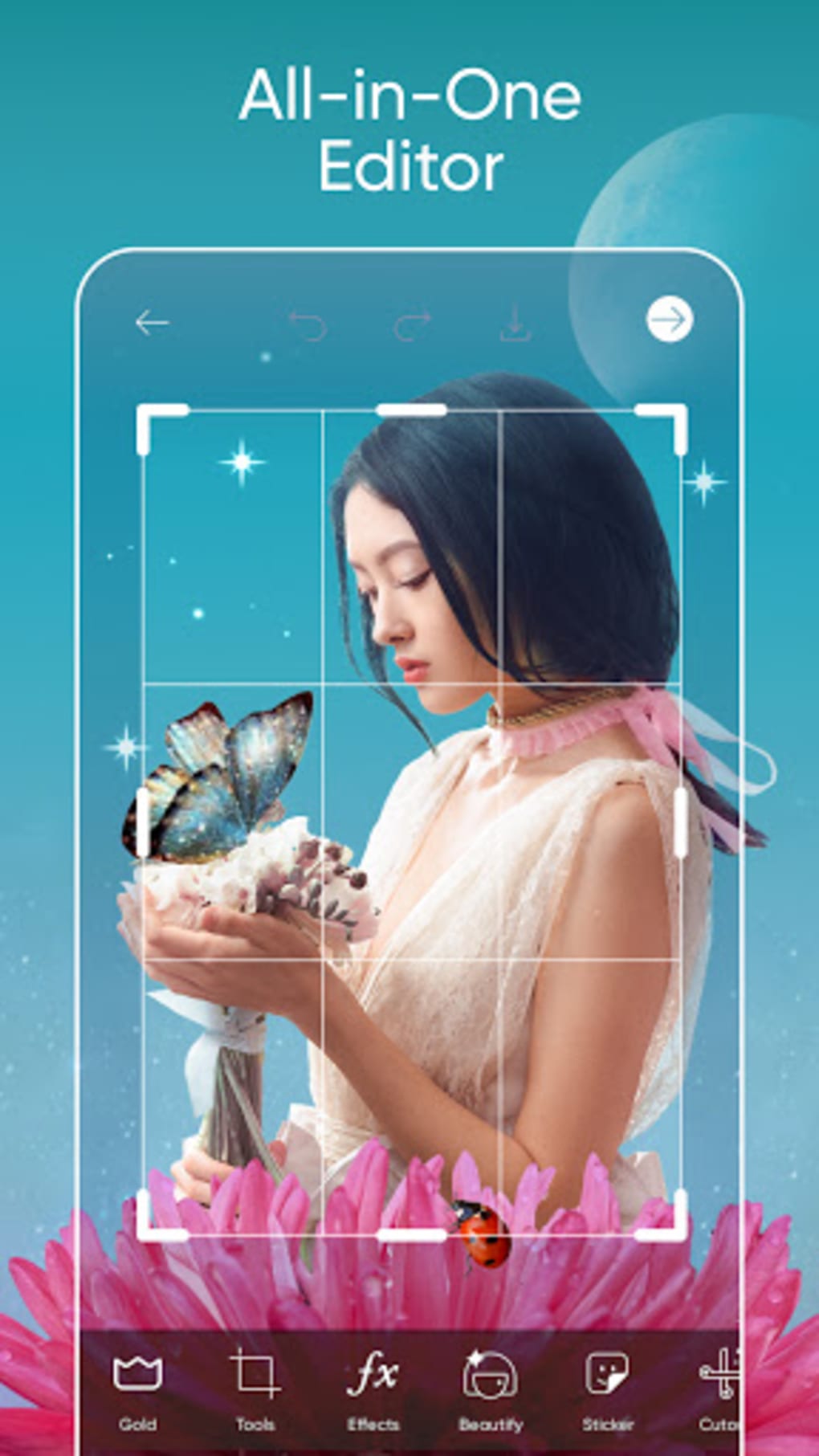
The app also incorporates powerful tools for removing unwanted elements from images. A sophisticated eraser tool allows pinpoint removal of specific areas, while the lasso tool intelligently detects edges, simplifying the process of isolating and removing objects or individuals. Pre-set options further streamline this functionality, allowing users to easily isolate persons, faces, clothing, or sky, automatically selecting and preserving these elements while effectively removing the surrounding areas.
Collage Creation: Picsart’s collage-making capabilities are exceptionally robust. Users can effortlessly combine multiple images into visually appealing collages using a variety of grid styles, frames, and layouts. A dedicated templates section offers numerous pre-designed options, categorized by events, seasons, and social media platforms. This feature simplifies the creation of customized collages for various occasions, whether for social media sharing or personal use. The ability to customize the collage’s background adds a further layer of creative control.
Creating Custom Stickers: A Step-by-Step Guide
One of Picsart’s unique features is its ability to create custom stickers from your own images. This process is remarkably straightforward:
-
Image Selection: Begin by selecting the image you wish to transform into a sticker. The higher the resolution of the original image, the better the quality of the resulting sticker.
-
Cutout Tool: Utilize Picsart’s “Cutout” tool to carefully isolate the portion of the image you intend to use as a sticker. This tool offers various selection methods, from freehand drawing to automated edge detection, ensuring precise and clean cuts.
-
Refinement (Optional): Once the initial cutout is complete, users can refine the edges for increased precision. This might involve using the eraser tool to remove any unwanted pixels or fine-tuning the selection to achieve a perfectly smooth edge.
-
Undo/Redo Functionality: Picsart offers robust undo and redo buttons, allowing for error correction throughout the process. This feature allows for experimentation without fear of irreversible mistakes.
- Saving and Sharing: Once satisfied with the cutout, save it as a sticker. The newly created sticker will be stored in your Picsart sticker library, accessible for use in future projects. Users can choose to save the sticker to their personal device or share it directly with the Picsart community.
Picsart’s Social Media Integration and Community
Beyond its powerful editing tools, Picsart functions as a thriving social media community. Users can share their creations, engage with other artists, and participate in challenges and contests. This aspect of the app fosters a collaborative environment, providing inspiration and feedback amongst users of all skill levels. The app’s hashtag functionality, particularly the #FreeToEdit hashtag, allows for collaborative editing and sharing of images, facilitating a dynamic exchange of creative ideas.
Picsart: Pros and Cons
While Picsart offers an impressive array of features, it’s essential to consider both its advantages and limitations:
Pros:
- Comprehensive Editing Suite: Picsart boasts a wide range of editing tools, from basic adjustments to advanced retouching and object removal capabilities.
- Custom Sticker Creation: The ability to create custom stickers from personal images adds a unique element of creativity.
- Engaging Community: The social media integration fosters a collaborative environment and provides opportunities for sharing and feedback.
- Regular Updates: Consistent software updates ensure the app remains current with the latest technology and features.
- Free Access: The core functionality of Picsart is entirely free to use, offering extensive editing capabilities without any financial commitment.
- Cross-Platform Availability: Picsart is available across multiple platforms, including Android, iOS, Windows, and macOS, ensuring accessibility regardless of device preference.
- Rewarding Challenges: The app’s contests and challenges provide motivation for users to explore their creative limits and win prizes.
- Extensive Template Library: A vast collection of collage templates caters to a wide variety of design needs and styles.
Cons:
- In-App Purchases: While the basic features are free, some advanced tools and features require a paid subscription (Picsart Gold).
- Occasional Lag: Depending on the device and complexity of the edits, occasional performance lag might be experienced.
- Learning Curve: The sheer volume of features might present a steep learning curve for new users, though the intuitive interface mitigates this to some extent.
- Watermark on Free Version: Watermarks appear on images saved using the free version, though these can be removed via subscription.
- Can be resource-intensive: Some advanced features can be resource-intensive, potentially impacting battery life on lower-end devices.
Conclusion
Picsart Photo Editor stands as a powerful and versatile application, blending advanced editing capabilities with a thriving social community. While some features are gated behind a subscription model, the free version offers a surprisingly comprehensive set of tools, making it a compelling option for both amateur and professional users. Its intuitive interface and extensive feature set ensure users of all skill levels can unlock their creativity and craft stunning photo and video edits. The incorporation of a strong social aspect further enhances the user experience, making Picsart a must-have application for anyone seeking a comprehensive and engaging photo and video editing experience.
File Information
- License: “Free”
- Latest update: “August 5, 2025”
- Platform: “Android”
- OS: “Android 13.0”
- Language: “English”
- Downloads: “4.1M”
- Download Options: “Google Play”


