
Picture Packages was a Windows-based application designed to transform digital photographs into moving image sequences, essentially creating rudimentary videos from still images. Released in 2007, it offered a straightforward approach to animating photo collections, appealing to users seeking a simple method for bringing their memories to life. While its features were limited compared to modern video editing software, Picture Packages filled a niche for users who wanted a quick and easy way to create slideshow-style videos from their photos without requiring extensive technical expertise. This article explores the application’s functionality, strengths, and weaknesses in the context of its time and its place within the broader landscape of digital photo management and video creation.
Functionality and Features: A Simple Approach to Photo Animation
Picture Packages presented a four-component structure designed to streamline the process of converting static images into dynamic presentations:
-
AutoVideo: This component served as the core engine of the application, automatically scanning the user’s hard drive to identify and collect digital photos. The program employed intelligent sorting based on date and inferred categories, organizing the pictures to facilitate the video creation process. Notably, it incorporated a feature to identify and remove duplicate or low-quality images, enhancing the overall quality of the resulting video.
-
VCD Maker: This function allowed users to export their finished photo sequences to Video CD (VCD) format, a prevalent standard for video storage and playback at the time. This feature highlighted the program’s focus on creating easily shareable videos using readily accessible technology.
-
Viewer: A simple photo viewer integrated within the application, enabling users to preview their photos before incorporating them into the video sequence. This provided a basic level of quality control and allowed users to fine-tune their selection.
- AutoSlide and CD Backup: These components complemented the primary functionality by providing automated slideshow creation and CD burning capabilities. This streamlined workflow catered to users seeking effortless creation and distribution of their photo-based videos.
The core process involved defining the order of photos, essentially outlining a “plot” or narrative sequence. Users could arrange images chronologically or thematically, establishing the desired flow of their video. While the program didn’t offer sophisticated editing tools, users could add transitions between photos – acting as simple visual effects – along with a musical soundtrack to enhance the viewing experience.
Strengths: Ease of Use and Accessible Video Creation
Picture Packages’ primary strength lay in its user-friendliness. The intuitive interface made the process of transforming photos into moving sequences accessible to users with limited experience in video editing or digital media manipulation. The automated processes, such as photo scanning, duplicate removal, and slideshow creation, reduced the technical barriers to entry, allowing a wider audience to create personal video memories.
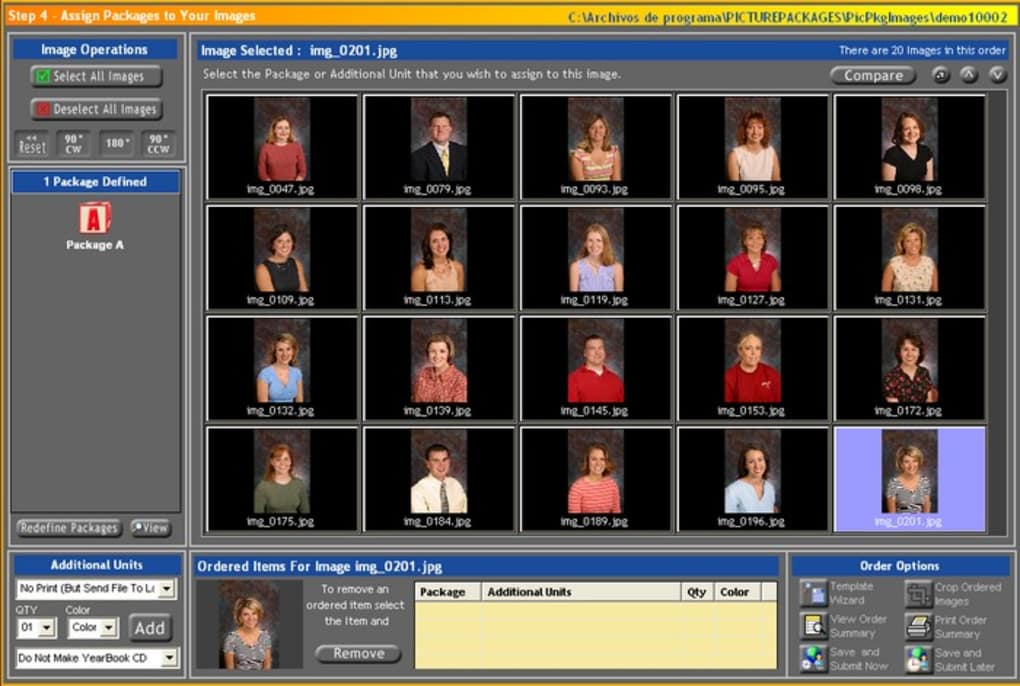
The application’s ability to generate VCDs provided a straightforward method for sharing the finished videos. VCD compatibility ensured broad accessibility, as VCD players were widely available during the period of Picture Packages’ release. This was a crucial aspect for users who wanted to easily share their creations with friends and family who may not have had access to advanced video playback technologies.
The program’s simplicity also contributed to its appeal. For users seeking a quick and easy method to convert photos into a video format without delving into complex editing software, Picture Packages offered a streamlined solution. The focus was on creating simple, shareable videos, foregoing advanced editing capabilities for ease of use and accessibility.
Weaknesses: Limited Editing Capabilities and Simplistic Results
Despite its ease of use, Picture Packages suffered from significant limitations in its editing features. The options for manipulating images and videos were extremely restricted. The transitions between photos, while offering a basic level of visual dynamism, were far from sophisticated. Furthermore, the lack of advanced editing tools, such as text overlays, customizable effects, or precise timing controls, meant that the resulting videos resembled slideshows more than polished video productions.
The absence of more sophisticated features hindered the creative control users could exercise over their projects. Users with aspirations of crafting more visually appealing or narratively complex videos would find Picture Packages severely lacking. The application’s simplicity, while beneficial for its ease of use, also resulted in limited creative freedom and potential for visually compelling outcomes.
The comparison to a slideshow is apt; the output was essentially a slideshow enhanced with simple transitions and background music. Users seeking advanced video editing features, such as cutting, trimming, color correction, or special effects, would need to look for more powerful software solutions.
Comparison to Contemporary and Modern Software
Compared to contemporary photo editing and video creation software available at the time, Picture Packages occupied a unique niche. While programs like Adobe Premiere Pro and other professional video editing suites offered extensive capabilities, they also came with a steeper learning curve and higher system requirements. Picture Packages catered to users who wanted a simpler, more accessible alternative without needing to invest in expensive or complex software.
In the modern context, Picture Packages is vastly outclassed by numerous applications, many of which are free or offer free tiers. Software like iMovie (for macOS and iOS), DaVinci Resolve (for Windows, macOS, and Linux), and even online video editors offer far greater flexibility, extensive editing tools, and better output quality. These modern alternatives provide a level of functionality and creative control that was unavailable in Picture Packages.
The evolution of technology and the proliferation of powerful yet user-friendly video editing software have rendered Picture Packages largely obsolete. The ease of access to advanced editing tools through both desktop and mobile applications has shifted the demand away from simplistic photo-to-video converters towards more comprehensive solutions that cater to a wider range of user needs and skill levels.
Conclusion: A Product of Its Time
Picture Packages, despite its limitations, served a valuable purpose in its time. It provided a straightforward and accessible method for users to transform their digital photos into moving image sequences. Its ease of use and VCD compatibility catered to a specific audience seeking a quick and simple way to create and share video memories without requiring significant technical expertise or investment in advanced software. However, its lack of advanced editing capabilities and the resultant simplistic video output are clear indicators that the application was a product of its time, outpaced by the subsequent rapid advancements in both hardware and software technology within the field of digital video creation. While largely obsolete today, it stands as a reminder of the evolving landscape of digital media and the constant drive towards greater user-friendliness and creative possibilities.
File Information
- License: “Trial version”
- Version: “5.0.0”
- Latest update: “July 31, 2007”
- Platform: “Windows”
- OS: “Windows XP”
- Language: “English”
- Downloads: “84.2K”
- Size: “111.73 MB”


