
Pidgin is a free and open-source instant messaging (IM) client that stands out for its versatility and ease of use. Unlike many IM applications that restrict users to a single messaging platform, Pidgin supports multiple protocols, allowing users to connect to a wide range of services from a single, unified interface. This feature makes Pidgin an ideal choice for individuals who communicate with contacts across various networks, eliminating the need to juggle multiple applications. Its simple yet powerful design caters to both casual users and those seeking advanced customization options.
Seamless Multi-Protocol Integration: Connecting Across Networks
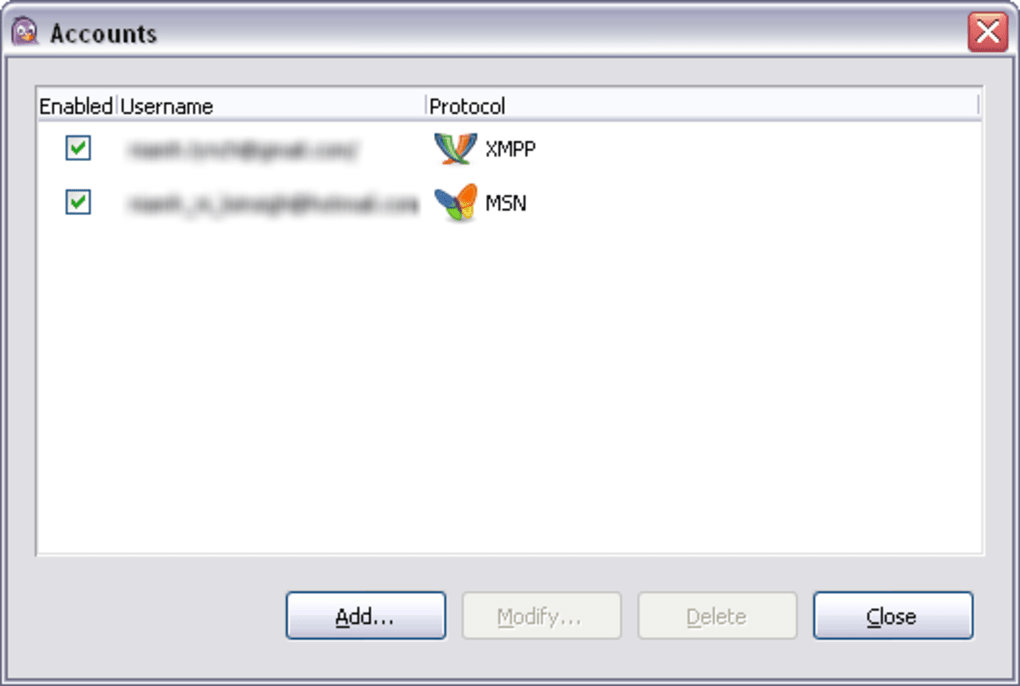
One of Pidgin’s most compelling features is its ability to handle multiple accounts simultaneously. This means users can seamlessly manage connections to various IM networks, such as AIM, Google Talk, ICQ, IRC, MSN Messenger (though support is legacy given Microsoft’s discontinued service), and Yahoo! Messenger, without switching between different applications. This consolidated interface significantly streamlines communication, saving users time and effort. Imagine a scenario where your family primarily uses Windows Live Messenger, your close friends favor Google Talk, and you are involved in online communities through IRC – with Pidgin, managing these interactions is simple and efficient from one central hub. The software seamlessly integrates these disparate communication channels into a cohesive experience. This eliminates the inconvenience of having to open separate applications for each platform, streamlining the overall communication process.
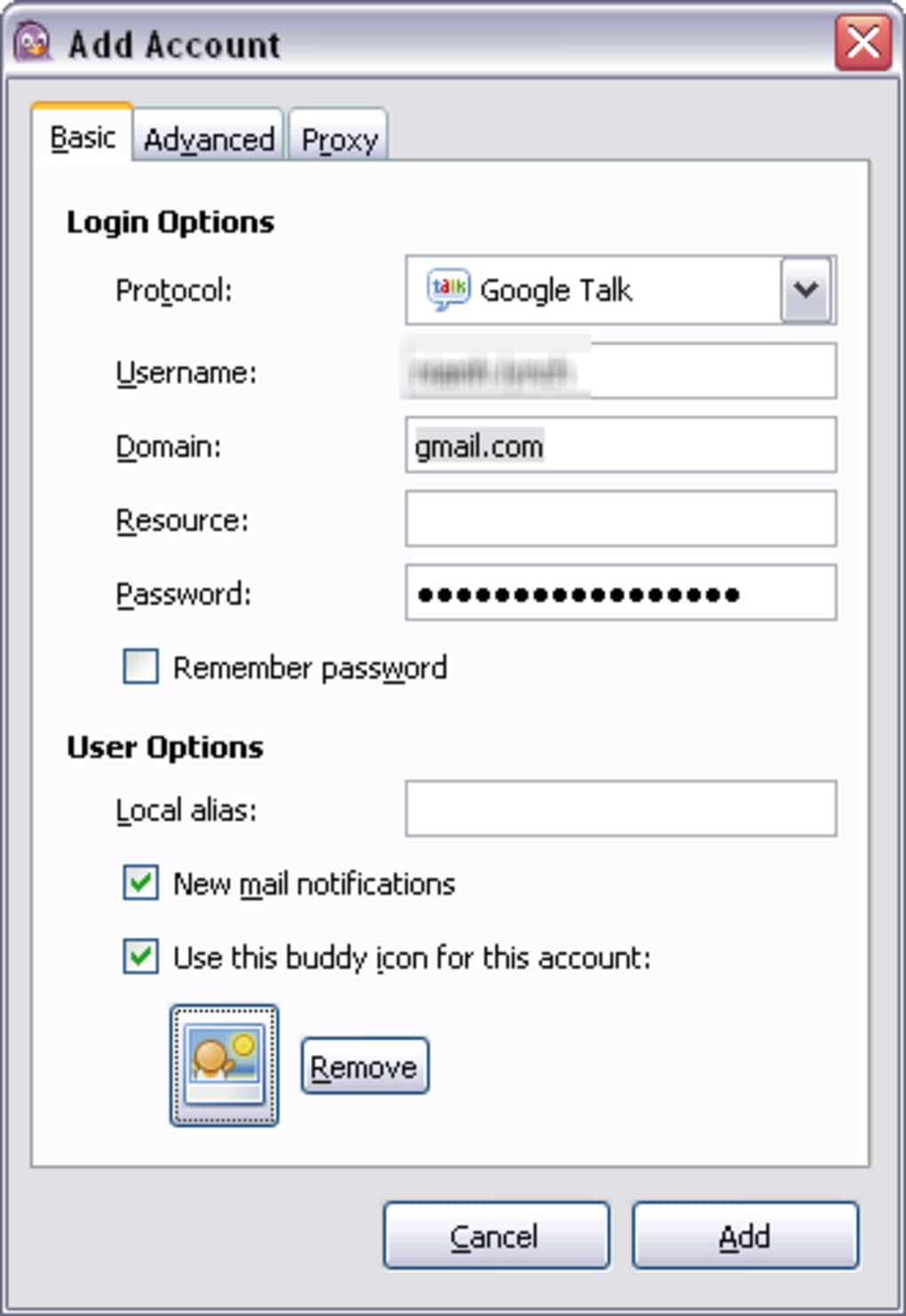
The process of adding accounts is intuitive and straightforward. Upon installation, Pidgin prompts users to enter their account details for each service they wish to integrate. The software offers the option to save passwords for convenience, though this should be considered carefully based on individual security preferences. Once the accounts are configured, users gain access to a comprehensive set of features common to most instant messaging applications. This includes the ability to change their profile picture (avatar), create contact groups for better organization, configure custom alerts for incoming messages, and easily transfer files to contacts. The integration of these features into the multi-protocol framework significantly enhances Pidgin’s usability and appeal.
Customizable Interface and Advanced Configuration Options
Pidgin’s user-friendly interface appeals to users who prefer simplicity and straightforward functionality. However, beneath its intuitive surface lies a robust set of configuration options catering to more tech-savvy users. These options provide an impressive level of control over various aspects of the application, allowing users to fine-tune their messaging experience to meet their specific needs. Access to these configuration settings is far more intuitive and straightforward than comparable applications.
For example, users can easily manage their security certificates, adjust advanced settings for each individual account or across all accounts simultaneously, configure proxy servers for enhanced privacy and security, and even join chat rooms on supported networks. This granular level of control distinguishes Pidgin from many other IM clients, which often offer limited customization options. This allows users to tailor their experience, ensuring the application aligns perfectly with their preferences and technical expertise, making it suitable for a broad spectrum of users from those with basic computer skills to experienced users. The flexibility in configuration options ensures Pidgin can cater to both novices and experts alike.
The addition of plugins further extends Pidgin’s functionality. This allows users to add features and integrations that are not included by default, making the application even more adaptable to personal needs. The plugin architecture opens the door to enhancing the application with customized capabilities.
A Comprehensive Feature Set: Beyond Basic Messaging
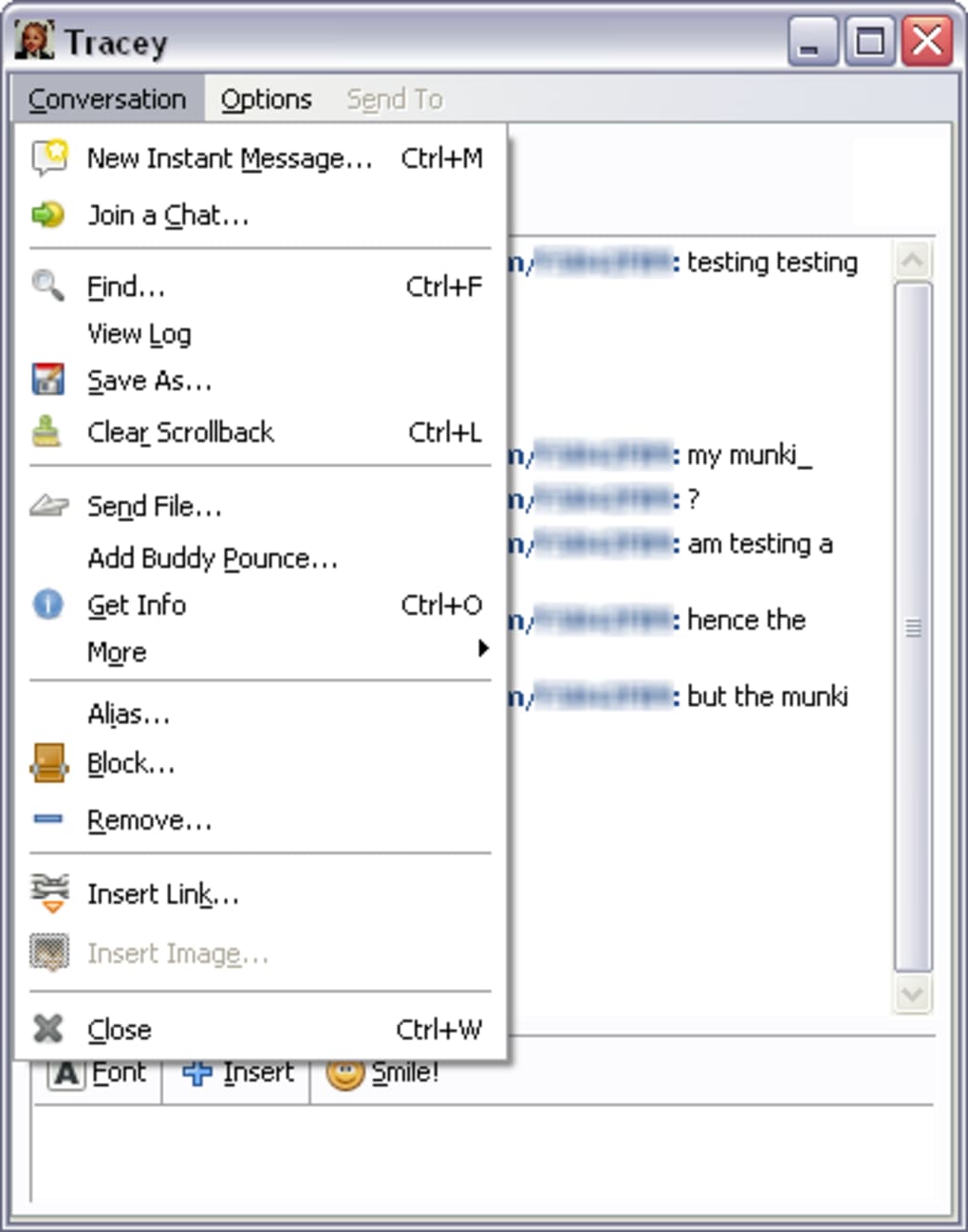
Beyond its multi-protocol capabilities and customizability, Pidgin offers a wide range of features commonly found in modern instant messaging clients. File transfer is seamlessly integrated, allowing users to easily share documents, images, and other files with their contacts. This function is crucial for efficient communication, especially in professional settings or when collaborating on projects. The intuitive file transfer mechanism enhances Pidgin’s appeal for both personal and professional use.
The application also supports emoticons and other forms of visual communication, adding a touch of personality and expression to conversations. These features add a degree of informality and personal touch to the communication, enhancing user interaction and experience. While not as extensive as some dedicated emoticon clients, Pidgin provides sufficient options for expressive communication. This helps keep the conversation engaging and less formal, making it more enjoyable to use.
Furthermore, Pidgin allows for customization of notifications and alerts. Users can configure how they are notified of new messages, choose different alert sounds, and even select the specific types of messages they want to receive alerts for. This fine-grained control enables users to tailor their experience to minimize distractions and optimize notification settings according to their workflow.
Performance and Stability: A Reliable Messaging Solution
Pidgin’s design emphasizes efficiency and minimal resource consumption. This makes it a suitable application for systems with limited processing power or memory. The application’s streamlined approach ensures a responsive and fluid user experience, minimizing lag and other performance issues. This lighter resource consumption compared to some heavier applications ensures smooth operation, particularly on older or less powerful systems. The focus on efficiency is a key factor that distinguishes Pidgin in a competitive IM client market.
Over the years, Pidgin has established a reputation for stability and reliability. Regular updates and bug fixes from the active development community ensure that the application remains reliable, reducing the likelihood of crashes or data loss. A significant number of users praise its stable operation, highlighting a key differentiator from other IM clients that may suffer from frequent crashes or malfunctions. This stability is a testament to the continuous efforts of the development community.
Community and Support: A Collaborative Environment
Pidgin benefits from a strong and active community of developers and users. This active community contributes to the application’s ongoing development and provides a valuable resource for users seeking assistance or support. A vibrant online community ensures the software remains updated and responsive to user needs. This online community provides a forum for users to share tips, troubleshoot issues, and generally assist each other. This collaborative environment ensures Pidgin remains a relevant and useful application.
Conclusion: Pidgin – A Versatile and Reliable Messaging Choice
Pidgin stands out as a compelling instant messaging client thanks to its unique combination of multi-protocol support, customizable interface, and a comprehensive feature set. Its ability to integrate numerous messaging networks into a single, unified application significantly streamlines communication for users who interact across various platforms. Its easy setup, extensive configuration options, and active community support make it an excellent choice for both casual users and tech enthusiasts. Whether you need a simple, lightweight IM client or a powerful, customizable messaging platform, Pidgin offers a robust and reliable solution to meet your communication needs. Its enduring popularity and active development community ensure that Pidgin will continue to be a valuable tool for instant messaging for many years to come.
File Information
- License: “Free”
- Latest update: “February 4, 2025”
- Platform: “Windows”
- OS: “Windows 7”
- Language: “English”
- Downloads: “87.8K”
- Size: “8.59 MB”


